1. Киришүү
The Plugable UD-6950H Universal Laptop Docking Station is designed to expand the connectivity of your Windows, Mac, or ChromeOS laptop. This docking station enables dual 4K displays via DisplayPort or HDMI, provides Gigabit Ethernet, audio input/output, and six USB 3.0 ports for connecting various peripherals. It is compatible with systems featuring USB 3.0 Type-A or Type-C ports.

Figure 1: Plugable UD-6950H Universal Laptop Docking Station.
2. Пакеттин мазмуну
Пакетте бардык буюмдар бар экенин текшериңиз:
- Plugable UD-6950H Docking Station
- USB-C - USB-C кабели
- USB-C - USB-A кабели
- Кубат адаптери (DC 20V)
- Ыкчам орнотуу колдонмосу

Figure 2: Included items: Docking Station, Power Adapter, USB-C to USB-C Cable, USB-C to USB-A Cable.
3. Продукциянын өзгөчөлүктөрү жана порттору
The UD-6950H docking station offers a comprehensive set of ports for enhanced connectivity:
Алдыңкы порттор:
- 4x USB 3.0 Type-A Ports: For connecting USB peripherals like keyboards, mice, and external storage.
- Наушник уячасы (3.5 мм): For audio output to headphones or speakers.
- Microphone Jack (3.5mm): For audio input from a microphone.
- Кубат индикаторунун LED: Illuminates when the docking station is powered on.
Арткы порттор:
- Кубат которгучу: To turn the docking station on or off.
- DC 20V кубат киргизүү: Бул жерде камтылган электр адаптерин туташтырыңыз.
- Gigabit Ethernet (LAN) Port: Зымдуу тармак туташуусу үчүн.
- 2x HDMI 2.0 порттору: For connecting displays.
- 2x DisplayPort 1.2 Ports: For connecting displays.
- 2x USB 3.0 Type-A Ports: Перифериялык түзүлүштөр үчүн кошумча USB порттору.
- USB-C to Host Port: Connects the docking station to your laptop.

3-сүрөт: Детальдуу view of the docking station's front and rear ports.
4. Системалык талаптар
The UD-6950H docking station is compatible with a range of operating systems and hardware configurations:
- Операциялык системалар: Windows 11, 10, 8.x, and 7; macOS 10.14+ (driver installation required); ChromeOS 100.x or later. Linux/Unix are not officially supported.
- Хост туташуусу: USB 3.0 Type-A or Type-C port on your laptop.
- DisplayLink драйвери: Required for display functionality on Windows and macOS.
- Эскертүү: This docking station does not charge the host computer. An external power adapter is included for the dock itself.
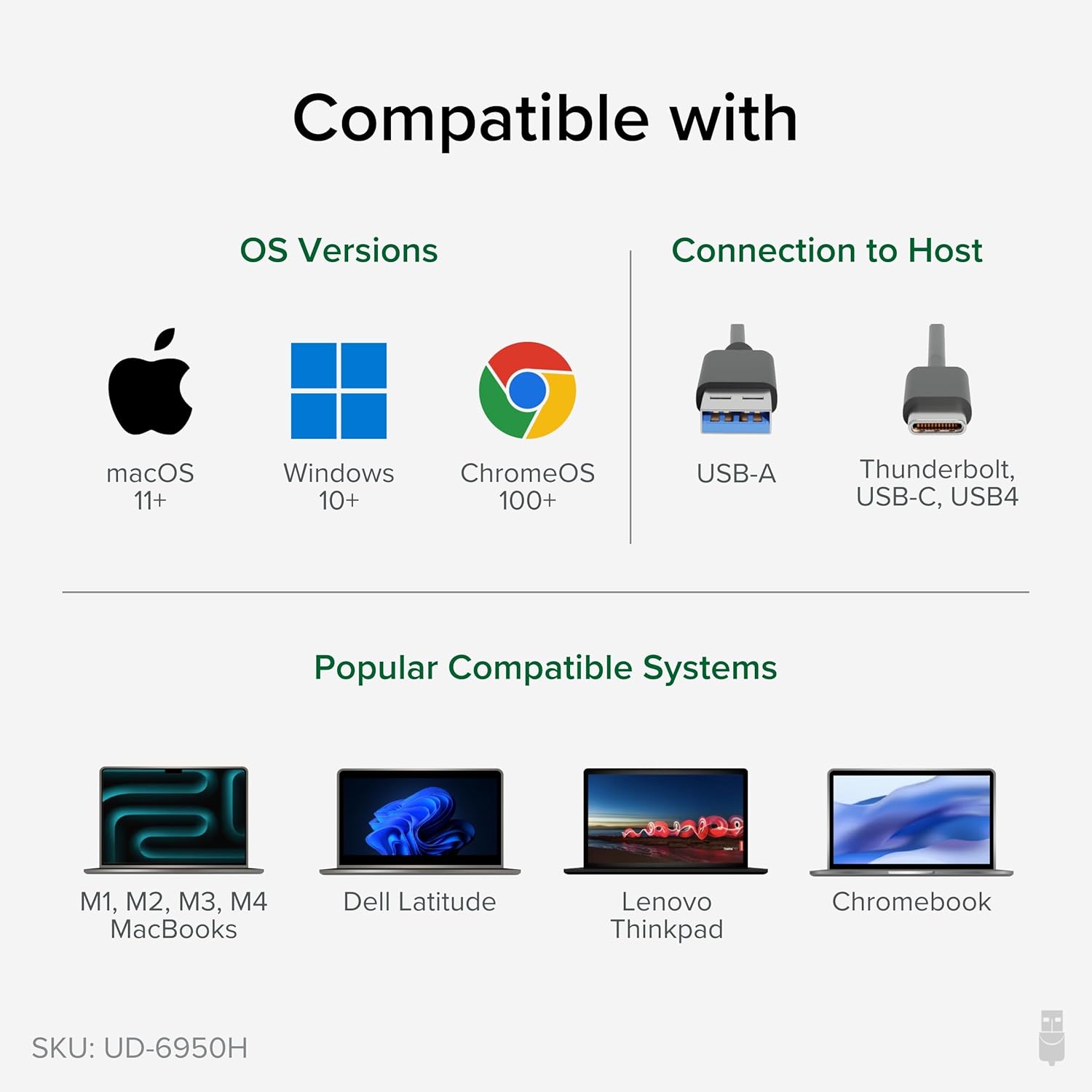
Figure 4: Operating system and host connection compatibility.

Figure 5: The docking station requires its own power adapter and does not charge the connected laptop.
5. Орнотуу нускамалары
Follow these steps to set up your Plugable UD-6950H docking station:
- Туташуу кубаты: Plug the included power adapter into the DC 20V power input on the rear of the docking station, then plug the adapter into a wall outlet. Turn on the power switch.
- Ноутбукка туташуу: Use the provided USB-C to USB-C cable (or USB-C to USB-A cable if your laptop has a USB-A port) to connect the 'TO HOST' port on the docking station to an available USB 3.0 port on your laptop.
- Install DisplayLink Drivers (macOS): For macOS, you will need to manually install the DisplayLink Manager application. Refer to Section 6 for detailed instructions. For Windows, drivers are typically installed automatically.
- Туташуу дисплейлери: Connect your monitors to the HDMI or DisplayPort outputs on the rear of the docking station. The dock supports dual 4K displays.
- Перифериялык түзүлүштөрдү туташтыруу: Plug your USB devices (keyboard, mouse, external drives) into the USB 3.0 ports on the front or rear of the docking station. Connect your Ethernet cable to the LAN port for wired network access. Connect headphones/speakers and a microphone to the respective audio jacks on the front.
Видео 1: Бүттүview of the Plugable USB 3.0 Dual 4K Display Horizontal Docking Station and its connections.

6-сүрөт: Мисample setup with a laptop connected to dual 4K displays.
6. Driver Installation (macOS)
For macOS users, manual installation of the DisplayLink Manager application is required for the display functionality to work correctly. Follow these steps:
- Драйверди жүктөп алуу: Navigate to the Plugable DisplayLink drivers page (plugable.com/displaylink) and download the latest DisplayLink Manager App version compatible with your macOS version.
- Программаны орнотуу: Open the downloaded package and follow the on-screen instructions to install the DisplayLink Manager. You will need to accept the software license agreement and enter your user password.
- Enable Screen Recording: During or after installation, you will be prompted to grant DisplayLink Manager access to screen recording in Privacy & Security settings. This is essential for DisplayLink to function; no data is actually recorded or stored. Click 'Open System Settings' and enable the toggle next to 'DisplayLink Manager' under 'Screen & System Audio Recording'.
- Restart Application: If prompted, click 'Quit & Reopen' to restart the DisplayLink Manager application.
- Allow USB Accessory: When connecting your docking station, you may be prompted to 'Allow accessory to connect'. Click 'Allow'.
Video 2: Step-by-step guide on installing the DisplayLink Manager application on macOS.
7. Иштөө нускамалары
Once the docking station is set up and drivers are installed, your connected displays and peripherals should function automatically. You can configure display settings through your operating system's display preferences.
- Кош дисплейлер: Extend or mirror your laptop's display across two external monitors. The dock supports resolutions up to 4K (3840x2160) at 60Hz on both displays simultaneously.
- USB перифериялык түзүлүштөрү: All six USB 3.0 ports provide high-speed data transfer for your devices.
- Ethernet: Enjoy stable and fast wired network connectivity.
- Аудио: Use the front audio jacks for convenient connection of headphones, speakers, and microphones.
8. Техникалык тейлөө
To ensure optimal performance and longevity of your docking station:
- Ашыкча ысып кетпеш үчүн аппаратты жакшы желдетилген жерде сактаңыз.
- Сыртын жумшак, кургак чүпүрөк менен тазалаңыз. Суюк тазалоочу каражаттарды колдонбоңуз.
- Бардык кабелдик байланыштар коопсуз экенин текшериңиз.
- Keep drivers updated for best compatibility and performance.
9. Кыйынчылыктарды
Эгер көйгөйлөргө туш болсоңуз, төмөндөгүлөрдү байкап көрүңүз:
- Дисплей жок: Ensure the docking station is powered on, connected securely to your laptop, and DisplayLink drivers are correctly installed (especially for macOS). Try restarting your laptop and the docking station.
- Flickering Display/Incorrect Resolution: Update your DisplayLink drivers. Check your display cables and ensure they are properly seated. Verify your monitors support the desired resolution.
- USB түзмөктөрү иштебейт: Try connecting the device to a different USB port on the dock or directly to your laptop to isolate the issue. Ensure the docking station has power.
- Тармак туташуусу жок: Док станциясына жана роутерге/модемге Ethernet кабелинин туташуусун текшериңиз. Компьютериңиздеги тармак жөндөөлөрүн текшериңиз.
- Аудио жок: Ensure headphones/speakers are correctly plugged into the audio output jack. Check your computer's audio output settings to ensure the docking station's audio device is selected.
10. Техникалык шарттар
| Бренд | Plugable |
| Модель номери | UD-6950H |
| Байланыш | USB-C or USB 3.0 (Type-A) to Host |
| Display Outputs | 2x HDMI 2.0, 2x DisplayPort 1.2 (supports dual 4K@60Hz displays) |
| USB порттору | 6x USB 3.0 Type-A (4 front, 2 rear) |
| Ethernet | Гигабит Ethernet (RJ45) |
| Аудио | 3.5mm Headphone Jack, 3.5mm Microphone Jack |
| Power Input | DC 20V (Power Adapter Included) |
| Өлчөмдөрү (LxWxH) | 9.5" x 3.25" x 1.25" |
| Салмагы | 11.7 унция |
11. Кепилдик жана колдоо
Every Plugable product, including this universal laptop docking station, is covered against defects for 2 years from the date of purchase. Additionally, Plugable provides lifetime technical support. For any questions or assistance, please contact our North American-based support team.
For further information or to contact support, visit plugable.com.


