1. Киришүү
Thank you for choosing the TechniSat HD-C 232 Digital Cable Receiver. This compact DVB-C receiver is designed for receiving unencrypted digital television and radio programs via cable. It offers high-definition (HDTV) picture quality and features an integrated USB media player and an Electronic Program Guide (EPG). This manual provides essential information for setting up, operating, and maintaining your device.
Негизги өзгөчөлүктөрү:
- Compact DVB-C receiver for unencrypted digital TV and radio.
- High-Definition Television (HDTV) support.
- Integrated USB media player for video, music, and image files.
- Electronic Program Guide (EPG) with up to 7 days of program preview.
- Remote control with 4 programmable learning keys.
- HDMI and Scart connectivity for versatile TV connections.
2. Коопсуздук маалыматы
Сураныч, аппаратты колдонуудан мурун бардык коопсуздук нускамаларын кылдат окуп чыгыңыз. Бул колдонмону келечекте маалымат алуу үчүн сактаңыз.
- Электр камсыздоо: Use only the provided external power supply. Ensure the voltage matches your local power grid.
- Вентиляция: Желдетүүчү тешиктерди жаппаңыз. Ашыкча ысып кетүүнүн алдын алуу үчүн түзмөктүн айланасында жетиштүү аба айланышын камсыз кылыңыз.
- Нымдуулук: Do not expose the device to rain, moisture, or liquids.
- Тазалоо: Disconnect the power before cleaning. Use a dry, soft cloth. Do not use liquid or aerosol cleaners.
- Тейлөө: Бул продуктту өзүңүз тейлөөгө аракет кылбаңыз. Бардык тейлөөнү квалификациялуу тейлөө кызматкерлерине тапшырыңыз.
- Жайгашкан жери: Place the device on a stable, flat surface. Avoid placing it near heat sources or in direct sunlight.
3. Пакеттин мазмуну
Пакетте бардык буюмдар бар экенин текшериңиз:
- TechniSat HD-C 232 Digital Cable Receiver
- Remote Control with 4 learning keys
- Тышкы энергия менен камсыздоо
- Пульт үчүн батареялар
- User Manual
4. Продукт бүтүп калдыview
4.1 алдыңкы панели
The front panel of the HD-C 232 features essential controls and indicators.

Сүрөт 4.1: Фронт view of the TechniSat HD-C 232 receiver. It shows the HDMI logo, a USB port, a green indicator light, a 4-digit display, and channel/power buttons.
- USB порт (алдыңкы): Медиа ойнотуу үчүн USB сактагыч түзүлүштөрдү туташтыруу үчүн.
- Дисплей: A 4-digit segment display shows the current channel number or time in standby mode.
- Индикатор жарыгы: Кубаттын абалын көрсөтөт.
- Башкаруу баскычтары: Channel up/down and power on/off buttons.
4.2 Арткы панель
The rear panel provides all necessary connection ports for your television and cable network.

Сүрөт 4.2: Арткы view of the TechniSat HD-C 232 receiver, showing various connection ports. From left to right: RF In, RF Out, S/PDIF (digital electrical audio out), HDMI Out, Scart (TV/Scart), and Power Input.
- Радиожыштыктын кириши: Connects to your cable wall outlet.
- RF Out (LoopThrough): Allows passing the cable signal to another receiver or TV.
- S/PDIF (Digital Electrical Audio Out): For connecting to an audio ampкөтөргүч же үй кинотеатры системасы.
- HDMI Чыгышы: Жогорку сапаттагы видео жана аудио үчүн телевизоруңузга туташат.
- Scart (TV/Scart): For connecting to older televisions or VCRs.
- Кубат киргизүү: Connects to the external power supply.
4.3 Алыстан башкаруу
The included remote control provides full functionality for your receiver, including 4 programmable learning keys.
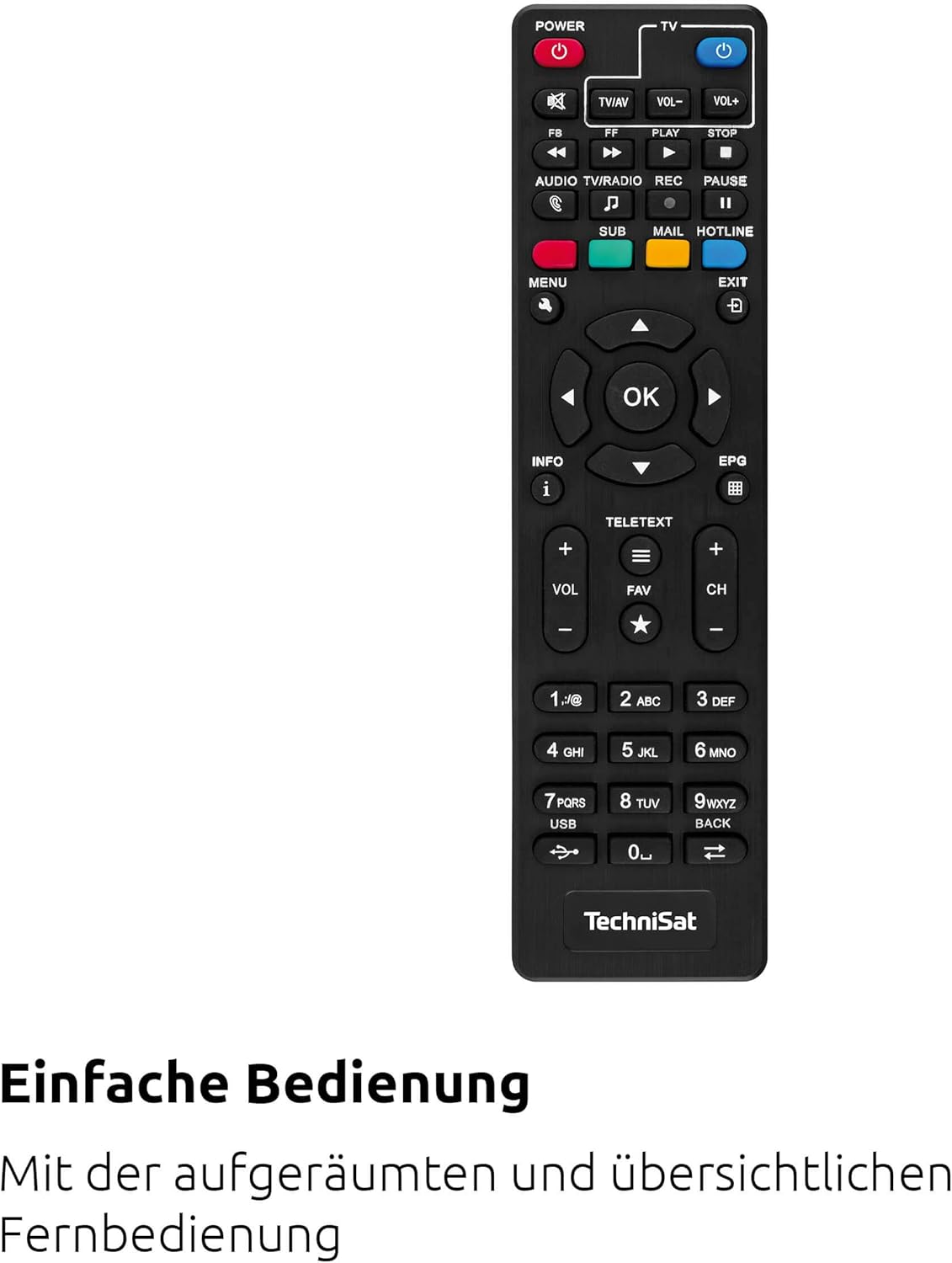
Сүрөт 4.3: The remote control for the TechniSat HD-C 232 receiver, featuring various buttons for power, volume, channel, menu navigation, EPG, and media playback.
Refer to the remote control section in Operating Instructions for details on its functions and how to use the learning keys.
5. Орнотуу
Follow these steps to connect your TechniSat HD-C 232 receiver and perform the initial setup.
5.1 Кабыл алгычты туташтыруу
- Кабель туташуу: Connect your cable network's antenna cable to the RF In ресивердин артындагы порт.
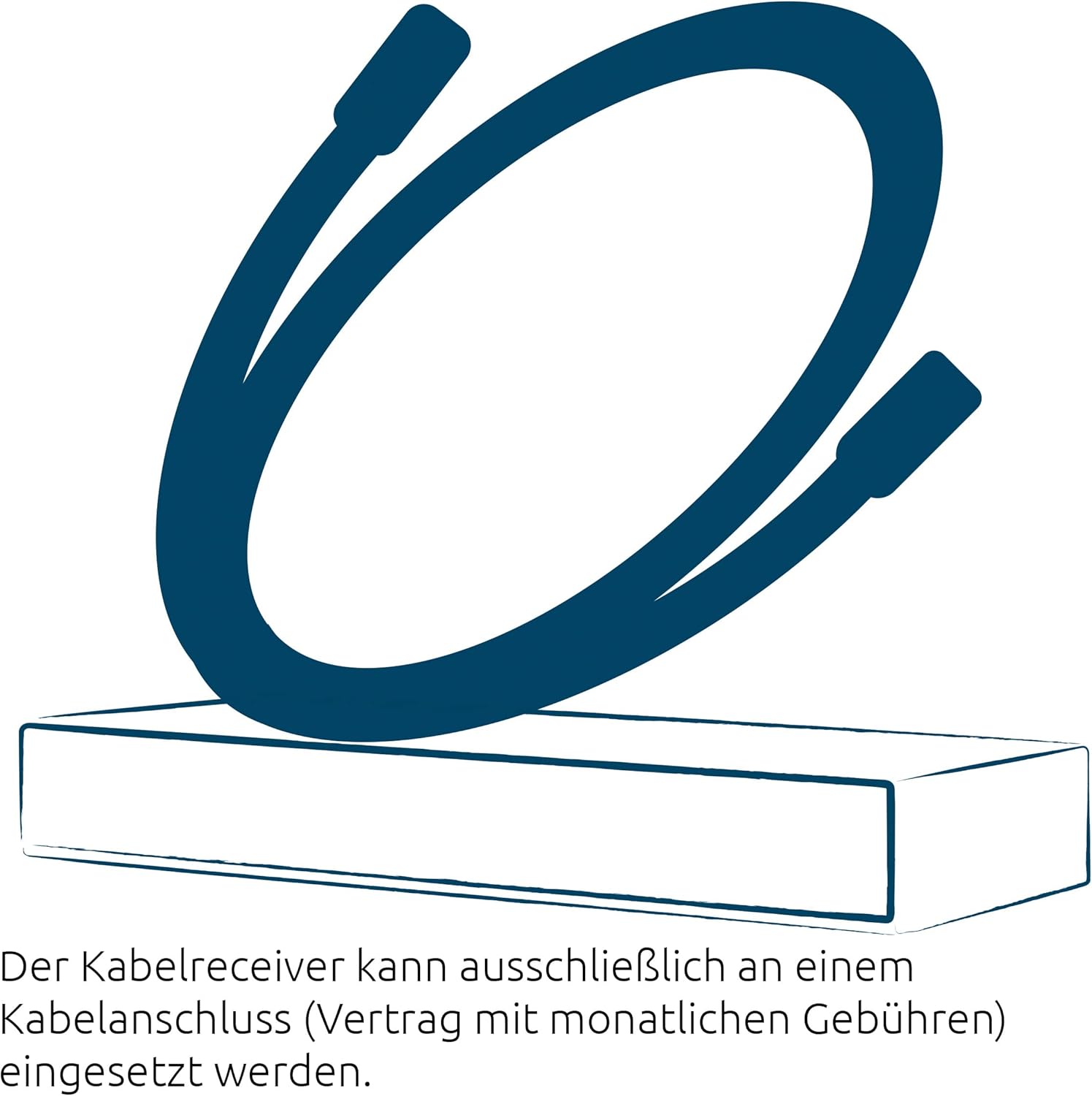
Сүрөт 5.1: Illustration showing a cable connected to a receiver, representing the cable network connection.
- TV Connection (HDMI): HDMI кабелин (кошумча эмес) туташтырыңыз HDMI чыгышы port on the receiver to an HDMI input on your television.
- TV Connection (Scart - Optional): If your TV does not have an HDMI input, connect a Scart cable from the Scart port on the receiver to the Scart input on your television.
- Audio System Connection (Optional): For enhanced audio, connect an S/PDIF cable from the S/PDIF port on the receiver to your audio ampкөтөргүч же үй кинотеатры системасы.
- Кубат туташуу: Тышкы электр менен камсыздоону туташтырыңыз Power Input on the receiver, then plug the power supply into a wall outlet.
5.2 Баштапкы орнотуу жана каналдарды сканерлөө
- Turn on your television and select the correct HDMI or Scart input source.
- Turn on the TechniSat HD-C 232 receiver using the power button on the front panel or the remote control.
- The receiver will likely guide you through an initial setup wizard. Follow the on-screen instructions.
- During the setup, you will be prompted to perform a channel scan. Select "Automatic Channel Scan" to find all available unencrypted digital cable channels. This process may take several minutes.
- Once the scan is complete, save the channels. Your receiver is now ready for use.
6. Иштөө нускамалары
6.1 Негизги телевизор Viewing
- Канал тандоо: колдонуу CH+ жана CH- buttons on the remote control or front panel to change channels. You can also enter channel numbers directly using the numeric keypad on the remote.
- Үндү көзөмөлдөө: колдонуу VOL+ жана VOL- үнүн жөндөө үчүн пульттогу баскычтар.
- Үнсүз: басыңыз БАСУУ аудиону убактылуу басуу үчүн баскыч.
6.2 Using the Electronic Program Guide (EPG)
The EPG provides a detailed overview of current and upcoming programs for up to seven days.

Сүрөт 6.1: Icon representing the Electronic Program Guide (EPG) feature.
- басыңыз EPG button on your remote control to access the Electronic Program Guide.
- Navigate through channels and program times using the arrow keys.
- Select a program to view detailed information (if available).
- Басыңыз ЧЫГУУ to leave the EPG.
6.3 USB Media Player
The integrated USB media player allows you to play video, music, and image fileтуташкан USB сактагыч түзмөгүнөн s.

Сүрөт 6.2: Icons representing the USB media player's capabilities for playing video, music, and image files.
- Insert a USB storage device (e.g., USB stick, external hard drive) into the USB port on the front panel of the receiver.
- Access the media player function via the main menu or a dedicated button on the remote control (if available).
- Сиздин аркылуу чабыттоо files and folders using the remote control.
- а тандаңыз file to play. The receiver supports common video (MPEG-2, H.264), audio, and image formats.
6.4 Remote Control Learning Function
The remote control has 4 programmable learning keys that can be assigned functions from another remote control (e.g., your TV remote's power, volume, or input selection).
To program a learning key:
- Place the TechniSat remote control and the remote control to be learned from head-to-head (infrared emitters facing each other) at a distance of about 1-3 cm.
- Enter the learning mode on the TechniSat remote (refer to your remote's specific instructions, usually by holding a specific button for a few seconds).
- Press the learning key on the TechniSat remote that you wish to program.
- Press the corresponding button on the other remote control whose function you want to copy.
- The TechniSat remote will indicate successful learning (e.g., an LED flashes). Repeat for other keys.
- Exit the learning mode.
7. Техникалык тейлөө
Proper care ensures the longevity of your TechniSat HD-C 232 receiver.
- Тазалоо: Disconnect the receiver from the power outlet before cleaning. Use a soft, dry, lint-free cloth to wipe the exterior. Do not use abrasive cleaners, waxes, or solvents.
- Вентиляция: Желдетүү тешиктери чаң же таштандылар менен бүтөлүп калбагандыгын үзгүлтүксүз текшерип туруңуз.
- Сактагыч: Аппаратты узак убакытка сактасаңыз, аны электр кубатынан ажыратып, салкын, кургак жерде сактаңыз.
8. Кыйынчылыктарды
If you encounter issues with your receiver, refer to the following common problems and solutions.
| Көйгөй | Мүмкүн себеп | Чечим |
|---|---|---|
| Күч жок | Power cable not connected; power outlet faulty; power supply unit faulty. | Check power cable connection. Try a different power outlet. Ensure the external power supply is correctly connected. |
| Сүрөт же үн жок | Incorrect TV input selected; HDMI/Scart cable loose or faulty; no signal from cable network. | Select the correct HDMI/Scart input on your TV. Check all cable connections. Ensure the cable network is active and connected to the receiver's RF In. Perform a channel scan. |
| Пульт иштебей жатат | Batteries depleted or incorrectly inserted; infrared sensor blocked; remote control faulty. | Replace batteries. Ensure batteries are inserted with correct polarity. Remove any obstructions between the remote and receiver. |
| USB медиа ойнобой жатат | USB device not recognized; file format not supported; USB device faulty. | Ensure the USB device is properly inserted. Check if the file format is supported (MPEG-2, H.264 for video). Try a different USB device. |
| Сүрөттүн сапаты начар | Weak cable signal; faulty cable connection; TV settings. | Check cable connections. Contact your cable provider if signal strength is consistently low. Adjust TV picture settings. |
9. Техникалык шарттар
| Өзгөчөлүк | Деталь |
|---|---|
| Бренд | TechniSat |
| Модел | HD-C 232 |
| Модель номери | 0000/4830 |
| Түс | Кара |
| Тюнер түрү | DVB-C (Digital Cable) |
| Видеону коддоо | MPEG-2 MP@HL/ML, H.264/MPEG-4 AVC |
| Байланыштар | 1x HDMI Out, 1x Scart, 1x USB 2.0 (front), 1x RF In, 1x RF Out (LoopThrough), 1x S/PDIF (Digital Electrical Audio Out) |
| Жалпы USB порттору | 1 |
| Жалпы HDMI порттору | 1 |
| Өзгөчөлүктөр | Electronic Program Guide (EPG), USB Media Player, Remote Control with Learning Function |
| Шайкеш түзмөктөр | Телевидение |
| Аудио чыгаруу режими | Surround (5.1, 7.1 channel configuration) |
| Өлчөмдөрү (W x Y x D) | 16.9 см х 4 см х 10.3 см |

Сүрөт 9.1: Diagram showing the dimensions of the TechniSat HD-C 232 receiver: 16.9 cm width, 4 cm height, and 10.3 cm depth.
10. Кепилдик жана колдоо
Кепилдик жөнүндө маалымат жана кардарларды колдоо үчүн, өнүмүңүз менен кошо берилген кепилдик картасын караңыз же расмий TechniSat веб-сайтына кириңиз. webсайт. Ар кандай кепилдик дооматтары үчүн сатып алганыңыздын далилин сактаңыз.
Өндүрүүчү: TechniSat Digital GmbH
Келип чыккан өлкө: Франция


