Introduction
This manual provides essential information for the proper use and maintenance of your DualShock 4 Wireless Controller for PlayStation 4 V2. This special limited edition controller features a unique Sunset Orange color and offers familiar controls along with innovative features for an enhanced gaming experience.
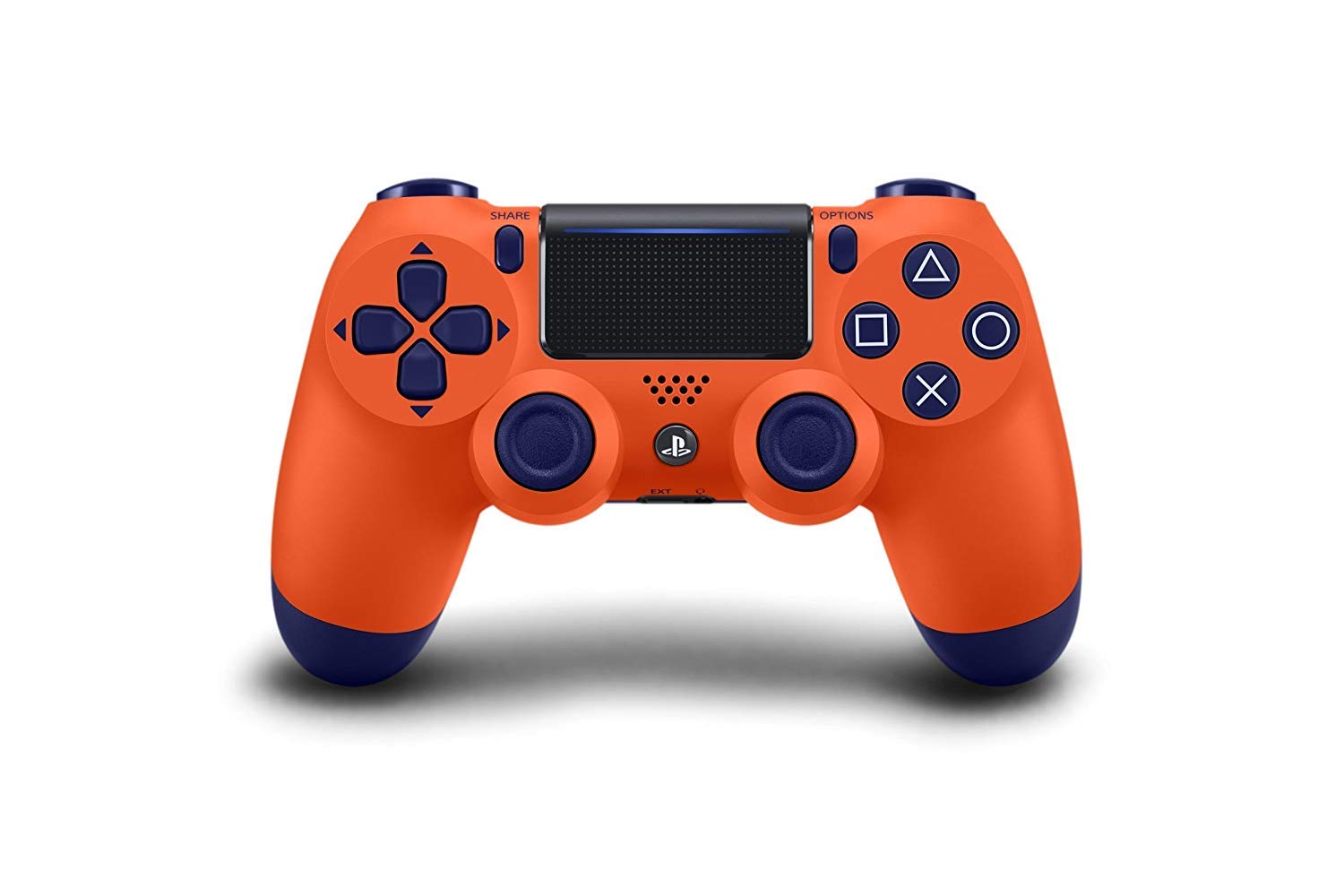
Сүрөт 1: Алдыңкы view of the DualShock 4 Wireless Controller (Sunset Orange).
Жайгашуу
1. Баштапкы жупташтыруу жана туташуу
To use the controller for the first time, you must pair it with your PlayStation 4 system. Connect the controller to your PS4 system using the supplied USB cable. Once connected, press the PS button. The controller will turn on, and the light bar will glow. After the light bar glows, you can disconnect the USB cable and use the controller wirelessly.
2. Контроллерди заряддоо
The controller contains a built-in rechargeable lithium-ion battery. To charge the controller, connect it to your PS4 system using a USB cable while the system is turned on or in rest mode. The light bar will slowly blink orange while charging and turn off when charging is complete. You can also charge the controller using a compatible USB wall charger (sold separately).

2-сүрөт: Артка view of the controller, highlighting the USB charging port.
Контроллерди иштетүү
The DualShock 4 controller features a range of buttons and functions designed for intuitive gameplay.
Негизги компоненттери жана функциялары:
- Analog Sticks (L3/R3): Used for precise movement and camera control. Pressing them down functions as L3 and R3 buttons.
- Directional Buttons (D-Pad): Менюда навигация жана оюндагы белгилүү бир аракеттер үчүн.
- Аракет баскычтары (Үч бурчтук, Тегерек, Крест, Төрт бурчтук): Primary input buttons for various in-game actions.
- БӨЛҮШҮҮ баскычы: Оюн процессиңиздин скриншотторун жана видеоклиптерин бөлүшүүгө мүмкүндүк берет.
- ПАРАМЕТРЛЕР баскычы: Used to pause games, access in-game menus, and other options.
- PS баскычы: Turns on the PS4 system, displays the Home screen, and can be used to switch users or turn off the system.
- Сенсордук такта: A capacitive touch pad that can be used for navigation, gestures, and as an additional button (click).
- Light Bar: Changes color to indicate player number, character health, or other game-specific information.
- L1/R1 баскычтары: Shoulder buttons for various actions.
- L2/R2 триггерлери: Analog triggers for precise control, often used for acceleration, braking, or shooting.
- Камтылган динамик: Provides additional audio cues from the controller.
- Stereo Headset Jack: Connect a compatible headset for game audio and voice chat.

3-сүрөт: Бурчтуу view of the controller, highlighting the various buttons and the touchpad.
Техникалык тейлөө
Тазалоо:
To clean the controller, use a soft, dry cloth. Do not use chemical solvents or abrasive cleaners, as they may damage the surface or internal components. Avoid getting moisture into any openings.
Сактагыч:
Store the controller in a cool, dry place away from direct sunlight, extreme temperatures, and high humidity. When not in use for extended periods, ensure the controller is fully charged before storing to preserve battery life.
Батареяга кам көрүү:
The built-in battery is not user-replaceable. To maximize battery lifespan, avoid fully discharging the battery frequently. Charge the controller regularly, even if not in constant use.
Проблемаларды чечүү
Controller Not Connecting or Responding:
- Ensure the controller is charged. Connect it to the PS4 with a USB cable.
- Try re-pairing the controller by connecting it via USB and pressing the PS button.
- Контроллерди баштапкы абалга келтирүү: Locate the small reset button on the back of the controller, near the L2 shoulder button. Use a small, unfolded paper clip or similar tool to press and hold the button for 3-5 seconds. Then, reconnect the controller to the PS4 with a USB cable and press the PS button to re-pair.
- Жакын жерде күчтүү зымсыз тоскоолдуктар жок экенин текшериңиз.
кубаттоо маселелери:
- Verify the USB cable is securely connected to both the controller and the PS4 system.
- Try a different USB cable or a different USB port on the PS4.
- Ensure the PS4 system is powered on or in rest mode (orange light on PS4).
Техникалык шарттар
| Өзгөчөлүк | Деталь |
|---|---|
| Продукциянын өлчөмдөрү | 3.15 x 8.19 x 7.09 дюйм |
| Элемент Салмагы | 12.35 унция |
| Байланыш | Bluetooth, USB |
| Батарея түрү | 1 Lithium Polymer battery (included, non-replaceable) |
| Өндүрүүчү | Sony |
| Модел | DualShock 4 Wireless Controller V2 |
Кепилдик жана колдоо
For information regarding warranty coverage, technical support, or service for your DualShock 4 Wireless Controller, please refer to the official PlayStation support website or contact PlayStation customer service. Warranty terms and conditions may vary by region.
Расмий PlayStation колдоосу: www.playstation.com/support


