Introduction
The VTech VM3261 2.8" Digital Video Baby Monitor provides a secure and reliable connection to your baby. With features like pan and tilt camera control, two-way talk, soothing sounds, and automatic night vision, you can monitor your little one with peace of mind. This manual will guide you through the setup, operation, and maintenance of your baby monitor.
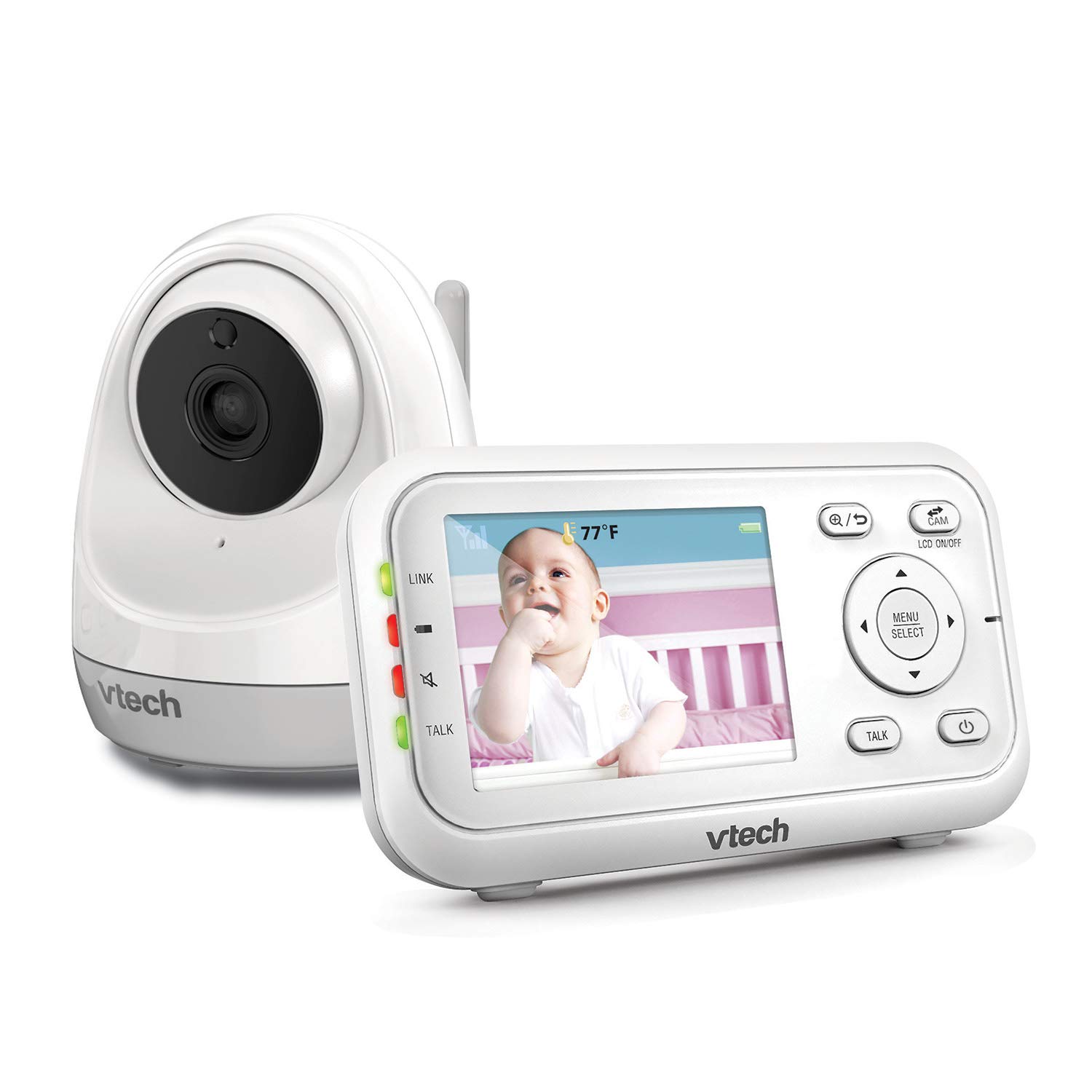

Продукт өзгөчөлүктөрү
- Plug & Play: The monitor’s parent unit and the camera are pre-configured for local monitoring, requiring no complex setup.
- Fully Motorized Pan & Tilt with 2X Zoom: Remotely control the camera to pan 260-degrees side to side and tilt 23-degrees up and down, with 2x digital zoom for a closer look.
- Узак аралык: Maintain connection with your baby from up to 1000 feet away.
- Эки тараптуу сүйлөшүү: Comfort your baby from another room using the built-in talk-back intercom.
- Тынчтандыруучу үндөр жана бешик ырлары: Choose from 5 calming melodies and 4 ambient sounds (including white noise and trickling stream) to help your baby sleep.
- Night Vision, Sound, and Temperature Sensor: ачык-айкын foo камсыз кылатtage in low light, alerts you to sounds, and displays the nursery temperature on the LCD screen.
- Үндү активдештирүү режими: Conserve battery by having the parent unit screen turn off until noise is detected, with visual and audio alerts.
Жайгашуу
Пакеттин мазмуну
- VM3261 Parent Unit
- VM3261 Baby Unit (Camera)
- Кубаттуу адаптер (2)
- Rechargeable Battery for Parent Unit (pre-installed)
- Колдонуучунун колдонмосу
Баштапкы орнотуу кадамдары
- Ата-эне блогун кубаттоо: Connect the small plug of the power adapter to the parent unit's power jack and the large end to a wall outlet. The battery icon will indicate charging. For optimal performance, charge the parent unit for at least 12 hours before first use.
- Power the Baby Unit: Connect the small plug of the power adapter to the baby unit's power jack and the large end to a wall outlet. The baby unit will power on automatically.
- Position the Baby Unit: Наристе бөлүгүн тунук болгон жерге кой view of your baby, such as on a dresser or shelf. Ensure it is at least 3 feet (1 meter) away from the baby to avoid potential hazards. Do not place the camera within reach of the baby.
- Байланышты текшерүү: Once both units are powered on, the parent unit should automatically connect to the baby unit and display the video feed. If no connection is established, ensure both units are within range and properly powered.
Иштөө нускамалары
Ата-энелик блоктун башкаруу элементтери
- Күйгүзүү/өчүрүү: басып, кармап туруңуз КҮЙГҮЗҮҮ/ӨЧҮРҮҮ ата-эне бөлүгүндөгү баскычты басыңыз.
- Үндү көзөмөлдөө: колдонуу Үндү көтөрүү жана Үндү төмөндөтүү угуу үнүн тууралоо үчүн баскычтар.
- Жарыктыкты көзөмөлдөө: Adjust the screen brightness via the menu settings.
- Меню/Тандоо: басыңыз МЕНЮ/ТАНДОО button to access settings and confirm selections.
- Чабыттоо баскычтары: жебе баскычтарын колдонуңуз (Өйдө, ылдый, сол, оң) to navigate through menus and control camera pan/tilt.
- Сүйлөшүү баскычы: басып, кармап туруңуз СҮЙЛӨШҮҮ button to speak to your baby through the baby unit. Release to listen.
Камераны башкаруу (панорамалоо, эңкейтүү, масштабдоо)
The VM3261 allows you to remotely adjust the camera's view from the parent unit.

- Панорама/Тилт: Ал эми viewing the live feed, press the Сол оң arrow buttons to pan the camera horizontally (up to 260 degrees). Press the Өйдө/Төмөн arrow buttons to tilt the camera vertically (up to 23 degrees).
- Чоңойтуу: басыңыз Чоңойтуу button (magnifying glass icon) to digitally zoom in or out (2x zoom).
Эки тараптуу сүйлөшүү
Communicate with your baby or partner in the nursery using the two-way talk feature.

To use, press and hold the СҮЙЛӨШҮҮ button on the parent unit. Speak clearly into the microphone. Release the button to hear your baby's sounds.
Тынчтандыруучу үндөр жана бешик ырлары
Help your baby relax and fall asleep with built-in melodies and ambient sounds.

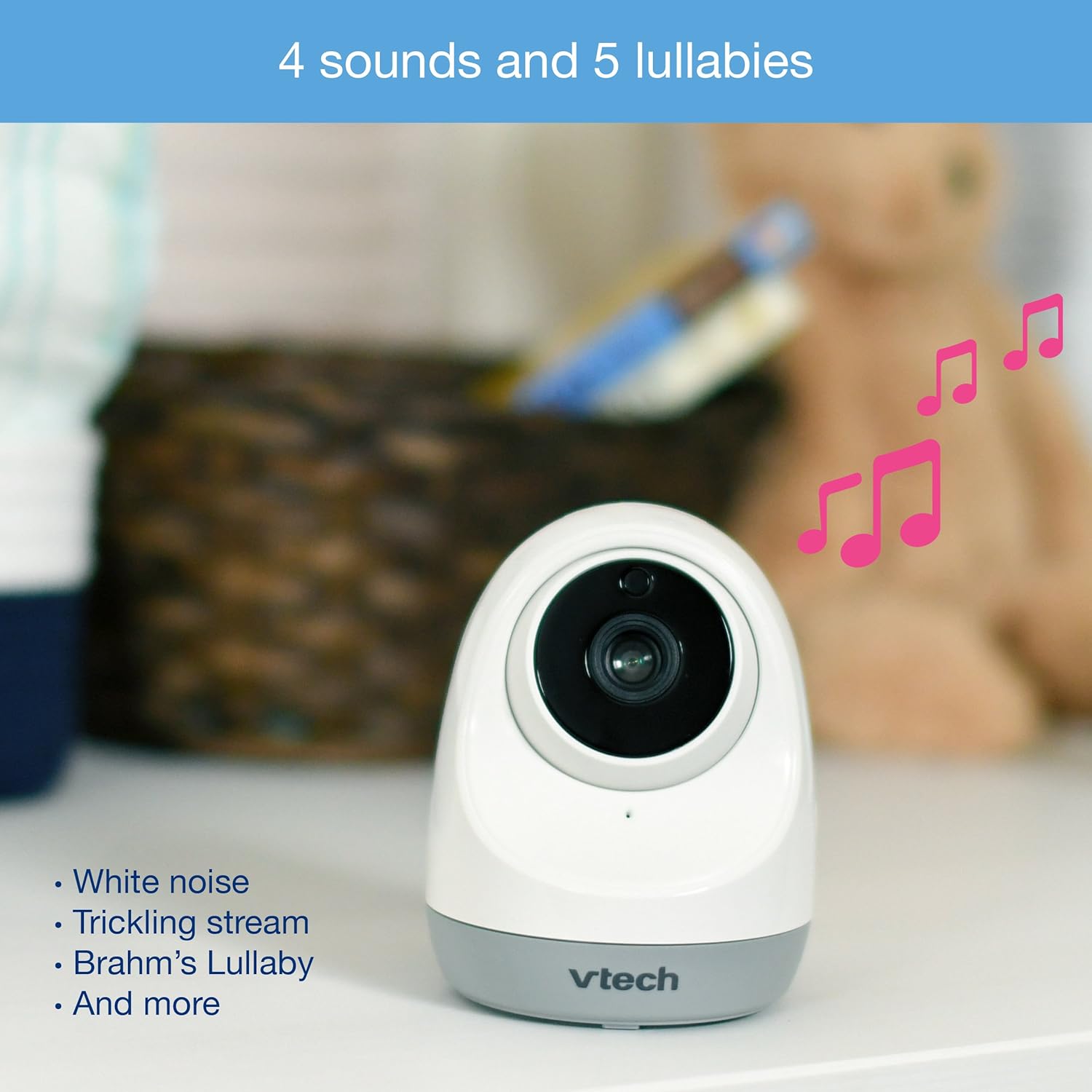
Access the lullaby menu from the parent unit to select from 5 melodies and 4 ambient sounds, including white noise and a trickling stream. You can set a timer for how long the sounds play.
Night Vision and Temperature Monitoring
The monitor automatically switches to infrared night vision in low light conditions, providing a clear black and white image. The baby unit also includes a temperature sensor.

The current room temperature is displayed on the parent unit's LCD screen. You can set temperature alerts to be notified if the room becomes too hot or too cold.
Үндү активдештирүү режими (VOX)
To save power, especially during nap times, enable the sound activation mode.

When activated, the parent unit screen will turn off to conserve battery. It will automatically turn back on and provide audio/visual alerts when noise is detected in the baby's room.
Видео бүттүview
Watch this official product video for a visual guide to the VTech VM3261's features and operation.
Official VTech VM3261 Video Baby Monitor overview, showcasing its pan, tilt, zoom, long range, and night vision capabilities.
Техникалык тейлөө
- Тазалоо: Clean the monitor and camera units with a soft, damp кездеме. Тазалоочу спрейлерди же суюк тазалоочу каражаттарды колдонбоңуз.
- Батареяга кам көрүү: To prolong battery life, fully charge the parent unit before initial use and avoid completely draining the battery frequently.
- Сактагыч: If storing the unit for an extended period, remove the battery from the parent unit and store both units in a cool, dry place.
Проблемаларды чечүү
| Көйгөй | Мүмкүн себеп | Чечим |
|---|---|---|
| No link/Poor connection | Units are too far apart or out of range. Obstructions between units. | Move parent unit closer to baby unit. Reduce obstructions (walls, electronics). |
| Сүрөт/үн жок | Baby unit or parent unit is off or not powered. | Ensure both units are plugged in and powered on. Check battery level of parent unit. |
| Screen is black in VOX mode | Sound activation mode is enabled and no sound is detected. | This is normal operation. The screen will activate when sound is detected. Disable VOX mode in settings if continuous display is desired. |
| Температураны окуу туура эмес көрүнөт | Camera placed near heat source/vent or in direct sunlight. | Relocate the baby unit to a more central location in the room, away from direct heat or cold sources. |
| Статикалык же интерференция | Жакын жерде башка электрондук шаймандар. | Move the monitor away from other electronic devices like cell phones, Wi-Fi routers, or microwaves. |
Техникалык шарттар
| Өзгөчөлүк | Деталь |
|---|---|
| Модель номери | VM3261 |
| Screen Size | 2.8 дюйм |
| Панорама камерасы | 260 градус горизонталдуу |
| Камеранын кыйшаюусу | 23 градус вертикалдуу |
| Чоңойтуу | 2x Digital Zoom |
| Диапазон | 1000 футка чейин (көрүү сызыгы) |
| Power Source | Battery Powered (Parent Unit), AC Adapter (Baby Unit) |
| Байланыш технологиясы | Зымсыз (2.4 ГГц FHSS) |
| Түнкү көрүнүш | Автоматтык инфракызыл |
| Өзгөчөлүктөр | Two-Way Talk, Lullabies, Temperature Sensor, Sound Activation |
| Өлчөмдөрү (Ата-эне бирдиги) | Окутуу үчүн. 4.89 х 4.13 х 3.36 дюйм |
| Салмагы | Болжол менен 1.41 фунт |
Кепилдик жана колдоо
VTech products are manufactured with high-quality components and are designed to provide years of reliable performance. For detailed warranty information, please refer to the warranty card included in your product packaging or visit the official VTech website. If you encounter any issues or require technical assistance, please contact VTech customer support.
VTech кардарларды колдоо кызматы:
- Продуктуңуздун таңгагында көрсөтүлгөн байланыш маалыматын караңыз.
- Расмий VTechга барыңыз website for FAQs, troubleshooting guides, and contact options: www.vtechphones.com/support


