Introduction
The Xiaomi Mi Selfie Stick Tripod is a versatile accessory designed for mobile photography and videography. It integrates both a monopod (selfie stick) and a tripod into a single, compact unit. This device features a detachable Bluetooth remote control for convenient photo capture and a phone holder that rotates 360 degrees to accommodate various shooting angles. Its grip extends to securely hold a wide range of smartphone sizes, with an adjustment range of 56-89mm.
Кутуда эмне бар
- 1 x Xiaomi Mi Selfie Stick Tripod
- 1 x Bluetooth алыстан башкаруу
- 1 x User Manual
Негизги өзгөчөлүктөрү
- Integrated Monopod and Tripod Design
- Detachable Bluetooth Remote Control
- 360-Degree Rotatable Phone Holder
- Adjustable Phone Grip (56-89mm)
- Non-slip Pad for Stable Grip
Жайгашуу
1. Unfolding the Device
To use the device, gently pull the top section upwards to extend the monopod. The tripod legs are folded into the handle. To deploy the tripod, firmly grasp the handle and pull the bottom section downwards. The three legs will unfold and lock into place, forming a stable base.

Image: The Xiaomi Mi Selfie Stick Tripod in its extended monopod configuration, ready to hold a smartphone.
2. Смартфонуңузду тиркөө
Locate the phone holder at the top of the device. Gently pull the spring-loaded clamp open and insert your smartphone. Ensure the phone is securely seated within the holder. The holder can rotate 360 degrees; adjust it to your desired orientation (portrait or landscape).
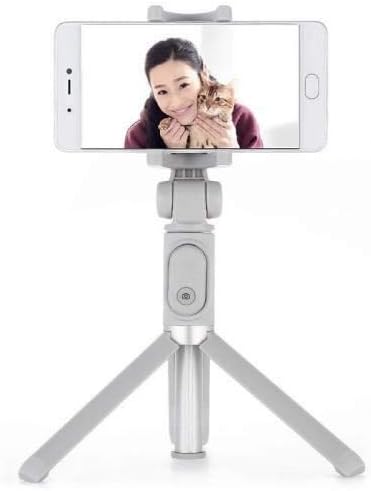
Image: The Xiaomi Mi Selfie Stick Tripod deployed as a tripod with a smartphone securely mounted, demonstrating its stability for hands-free use.
3. Bluetooth пультунун жупташуусу
- The Bluetooth remote control is integrated into the handle. To remove it, gently slide it out from its slot.
- Алыстан башкаруу пультундагы баскычты индикатор жарыгы күйүп-өчө баштаганга чейин басып туруңуз, бул анын жупташуу режиминде экенин билдирет.
- Смартфонуңуздан Bluetooth жөндөөлөрүнө өтүңүз.
- Издөө available devices and select "XMZPG" or a similar name.
- Жупташтырылгандан кийин, пульттагы индикатор жарыгы күйүп-өчүп токтойт.

Сүрөт: жакын план view of the Xiaomi Mi Selfie Stick Tripod in its compact, folded state, highlighting the detachable Bluetooth remote control embedded in the handle.
Иштөө нускамалары
Селфи таякчасы катары колдонуу
With your phone securely mounted and the device extended, hold the handle firmly. Use the Bluetooth remote control to trigger your phone's camera shutter. This allows for wider angle selfies and group photos.
Штатив катары колдонуу
Extend the tripod legs and place the device on a flat, stable surface. Adjust the height of the monopod and the angle of your phone holder as needed. Use the Bluetooth remote control to take photos or start/stop video recording from a distance, ideal for stable shots, time-lapses, or video calls.
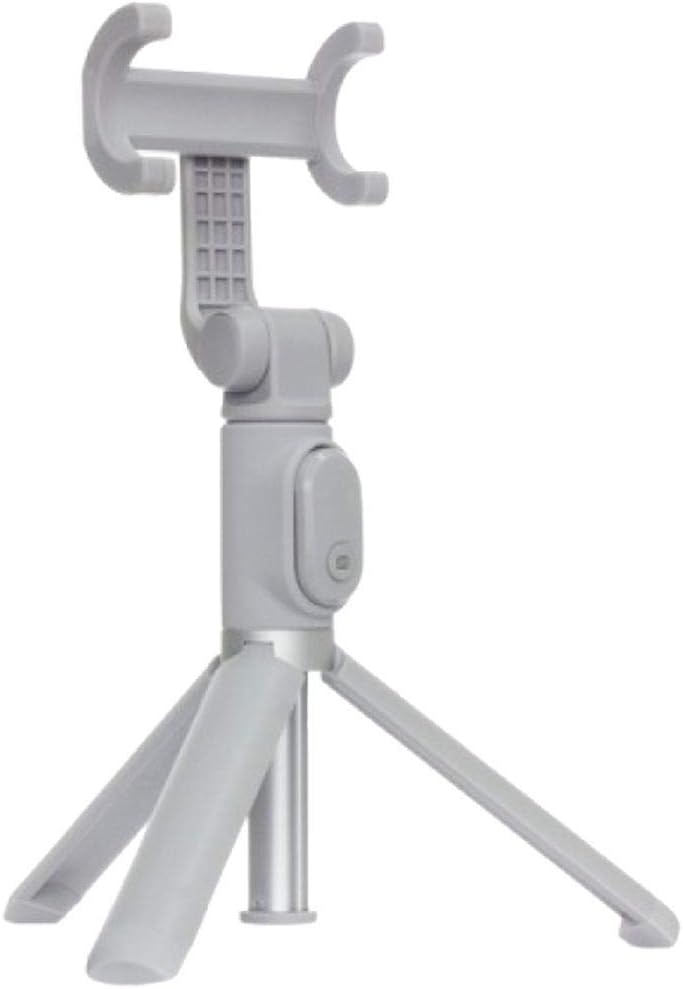
Image: The Xiaomi Mi Selfie Stick Tripod standing independently in tripod mode, demonstrating its stability and readiness for hands-free photography or videography.
Phone Holder Rotation
The phone holder can be rotated 360 degrees. Gently twist the holder to switch between portrait and landscape orientations without needing to remount your phone.
Техникалык тейлөө
- Тазалоо: Түзмөктү жумшак, кургак чүпүрөк менен сүртүңүз. Катуу химиялык заттарды же абразивдүү материалдарды колдонуудан алыс болуңуз.
- Сактагыч: When not in use, fold the selfie stick tripod to its compact size and store it in a cool, dry place away from direct sunlight and extreme temperatures.
- Battery Replacement (Bluetooth Remote): The remote control uses a replaceable button cell battery (e.g., CR1632). To replace, locate the battery compartment on the side or back of the remote, open it, and insert a new battery with the correct polarity.
Проблемаларды чечүү
- Remote Control Not Pairing/Working:
- Ensure the remote control battery is not depleted. Replace if necessary.
- Смартфонуңузда Bluetooth иштетилгенин текшериңиз.
- Телефонуңуздун Bluetooth жөндөөлөрүнөн түзмөктү ажыратып, кайра жупташтырыңыз.
- Ensure the remote is fully charged if it's a rechargeable model (though this model uses a button cell).
- Phone Not Fitting Securely:
- Verify your phone's width is within the 56-89mm adjustment range of the phone holder.
- Коопсуз орнотууга тоскоол боло турган көлөмдүү телефон кутуларын алып салыңыз.
- Штативдин туруксуздугу:
- Ensure the tripod legs are fully extended and locked into place.
- Штативди тегиз, тегиз жана туруктуу бетке коюңуз.
- Avoid extending the monopod to its maximum length when using it as a tripod, especially with heavier phones, to maintain stability.
- Device Not Extending/Folding Smoothly:
- Check for any obstructions or debris in the extending mechanism.
- Do not force the mechanism; if it's stiff, try gently wiggling it while extending/folding.
Техникалык шарттар
| Өзгөчөлүк | Спецификация |
|---|---|
| Продукциянын өлчөмдөрү | 1.77 x 1.93 x 7.48 дюйм (бүктөлгөн) |
| Элемент Салмагы | 3.52 унция (0.1 килограмм) |
| Модель номери | FBA4071US |
| ASIN | B07DFBRTPV |
| Түс | Боз |
| Шайкеш түзмөктөр | Смартфон |
| Phone Grip Adjustment Range | 56-89мм |
| Батарея түрү (Алыскы) | 1 Lithium Ion battery required (typically CR1632) |
| Өндүрүүчү | Xiaomi |
Кепилдик жана колдоо
Кепилдик маалыматы жана кардарларды колдоо үчүн расмий Xiaomi'ге кайрылыңыз website or contact your local authorized Xiaomi service center. Keep your purchase receipt as proof of purchase for any warranty claims.
Сиз ошондой эле расмий бара аласыз Amazonдагы XIAOMI дүкөнү көбүрөөк продукт маалымат жана колдоо ресурстар үчүн.


