1. Киришүү
This manual provides detailed instructions for the installation, configuration, and operation of your xmartO Hybrid Wireless Security Camera System, model WPK13822-1TB. This system includes an 8-channel 1080p Network Video Recorder (NVR), two 960p wireless Pan-Tilt (PT) cameras with built-in audio, and two 960p fixed-angle WiFi bullet cameras. Please read this manual thoroughly before use to ensure proper setup and optimal performance.
2. Пакеттин мазмуну
Verify that all items listed below are present in your package. If any components are missing or damaged, please contact xmartO customer support.
- 1x 8-Channel 1080p NVR with 1TB Hard Drive
- 2x 960p Wireless Pan-Tilt (PT) Cameras
- 2x 960p Fixed-Angle WiFi Bullet Cameras
- NVR жана камералар үчүн кубат адаптерлери
- USB чычкан
- Ethernet кабели
- Монтаждоочу бурамалар топтомдору
- Колдонуучунун колдонмосу

Сүрөт 2.1: Бүттүview of the xmartO Hybrid Wireless Security Camera System package contents, including the NVR, four cameras, power adapters, mouse, and cables.
3. Системаны орнотуу
3.1 Баштапкы туташуу
- NVRди туташтырыңыз: Connect the NVR to a power outlet using the provided power adapter. Connect the NVR to a monitor via HDMI or VGA cable. Connect the USB mouse to the NVR.
- Камераларды туташтыруу: Plug each camera into a power outlet using its respective power adapter. The cameras will automatically attempt to pair with the NVR.
- Тармакка туташуу (милдеттүү эмес, бирок сунушталат): Алыскы үчүн viewing and firmware updates, connect the NVR to your home router using the supplied Ethernet cable.

Сүрөт 3.1: The xmartO NVR and four cameras, illustrating the main components of the security system.
3.2 Camera Placement and Wi-Fi Range
Optimal camera placement is crucial for effective surveillance and stable wireless connection. Consider the following:
- Көрүү сызыгы: For best signal strength, position cameras with a clear line of sight to the NVR or to other cameras acting as Wi-Fi relays.
- Wi-Fi Relays (Dream Liner Tech): The system supports cameras acting as Wi-Fi repeaters. If a camera is too far from the NVR, placing another camera between them can extend the signal range.

Сүрөт 3.2: Diagram illustrating the xmartO Dream Liner Wi-Fi Relay Technology, where cameras can extend the wireless range by acting as signal repeaters.

Сүрөт 3.3: Illustration of the xmartO NVR's built-in router, which creates a dedicated wireless network for the cameras, reducing reliance on home Wi-Fi.
4. Системаны иштетүү
4.1 NVR Interface Overview
Upon booting, the NVR will display the live view from connected cameras. Use the USB mouse to navigate the on-screen menu. Right-click to access the main menu for settings, playback, and system configuration.
4.2 Pan-Tilt (PT) Camera Control
The two PT cameras offer flexible viewing angles. From the NVR interface or mobile app, you can remotely control the pan (horizontal) and tilt (vertical) movements of these cameras.
- Пан аралыгы: Болжол менен 180 градус.
- Жантайма диапазону: Болжол менен 55 градус.

Сүрөт 4.1: Diagram illustrating the 180-degree pan and 55-degree tilt capabilities of the xmartO PT cameras.
4.3 Жазуу жана ойнотуу
The NVR is equipped with a 1TB hard drive, capable of storing approximately 30 days of continuous 24/7 recording. Motion-activated recording is also available to conserve storage space.
- Тынымсыз жаздыруу: Foo жаздыtagд дайыма.
- Кыймылды аныктоо жазуусу: Records only when motion is detected, saving disk space and making event review жеңилирээк.
- Ойнотуу: Жазылган footage through the NVR's menu or the mobile application.

Сүрөт 4.2: Visual representation of the 1TB HDD inside the NVR and a mobile phone screen showing playback options for recorded video.
4.4 Аудио өзгөчөлүктөрү
The PT cameras include built-in microphones for audio recording. The fixed-angle bullet cameras are audio compatible, meaning they can support external microphones (not included) if desired.

Сүрөт 4.3: Close-up of an xmartO PT camera lens, highlighting the built-in microphone for HD video with audio capabilities.
4.5 Mobile Application (WallPixel)
Download the "WallPixel" app from your smartphone's app store (available on iOS and Android) to access live view, playback, and control your cameras remotely.

Сүрөт 4.4: A smartphone displaying the WallPixel app interface, showing live camera feed and control options, with app store icons for download.
5. Техникалык тейлөө
- Тазалоо: Regularly clean camera lenses with a soft, dry cloth to ensure clear image quality. Do not use harsh chemicals.
- Программалык камсыздоонун жаңыртуулары: Periodically check the xmartO official website or your NVR's system settings for available firmware updates to ensure optimal performance and security.
- Катуу дискти башкаруу: The 1TB HDD will automatically overwrite the oldest footage when full. Back up important recordings as needed.
6. Кыйынчылыктарды
| Көйгөй | Мүмкүн себеп | Чечим |
|---|---|---|
| No camera image on NVR. | Camera not powered, out of Wi-Fi range, or not paired. | Ensure camera is powered. Relocate camera closer to NVR or another camera (for relay). Manually pair camera via NVR menu if necessary. |
| Wi-Fi сигналы начар. | Obstructions (walls, metal), distance. | Utilize Dream Liner Wi-Fi Relay technology by positioning cameras strategically. Reduce obstructions. |
| Cannot access system remotely. | NVR not connected to internet, incorrect app settings. | Ensure NVR is connected to your home router via Ethernet. Verify network settings on NVR and app. Check router firewall settings. |
| PT camera not responding to controls. | Power issue, network lag, mechanical obstruction. | Check camera power. Ensure stable network connection. Inspect for physical obstructions. |
7. Техникалык шарттар
| Өзгөчөлүк | Деталь |
|---|---|
| Модель номери | WPK13822-1TB |
| NVR каналдары | 8-Channel (Supports up to 8 cameras) |
| NVR Video Resolution | 1080p |
| Камеранын чечилиши | 960p |
| Камтылган камералар | 2x 960p Wireless PT Cameras, 2x 960p Fixed-Angle WiFi Bullet Cameras |
| PT Camera Pan Range | 180 градус |
| PT Camera Tilt Range | 55 градус |
| Сактагыч | 1TB HDD (pre-installed) |
| Жазуу режимдери | Үзгүлтүксүз, кыймылды аныктоо |
| Аудио | Built-in mic on PT cameras, audio compatible fixed cameras |
| Байланыш | Wireless (NVR built-in router), Ethernet |
| Өзгөчөлүктөр | Motion Sensor, Dream Liner Wi-Fi Relay Technology |
| Power Source | 12V DC (via power adapters) |
| Operating Voltage | 12 вольт |
| Infrared Night Vision | Ооба |
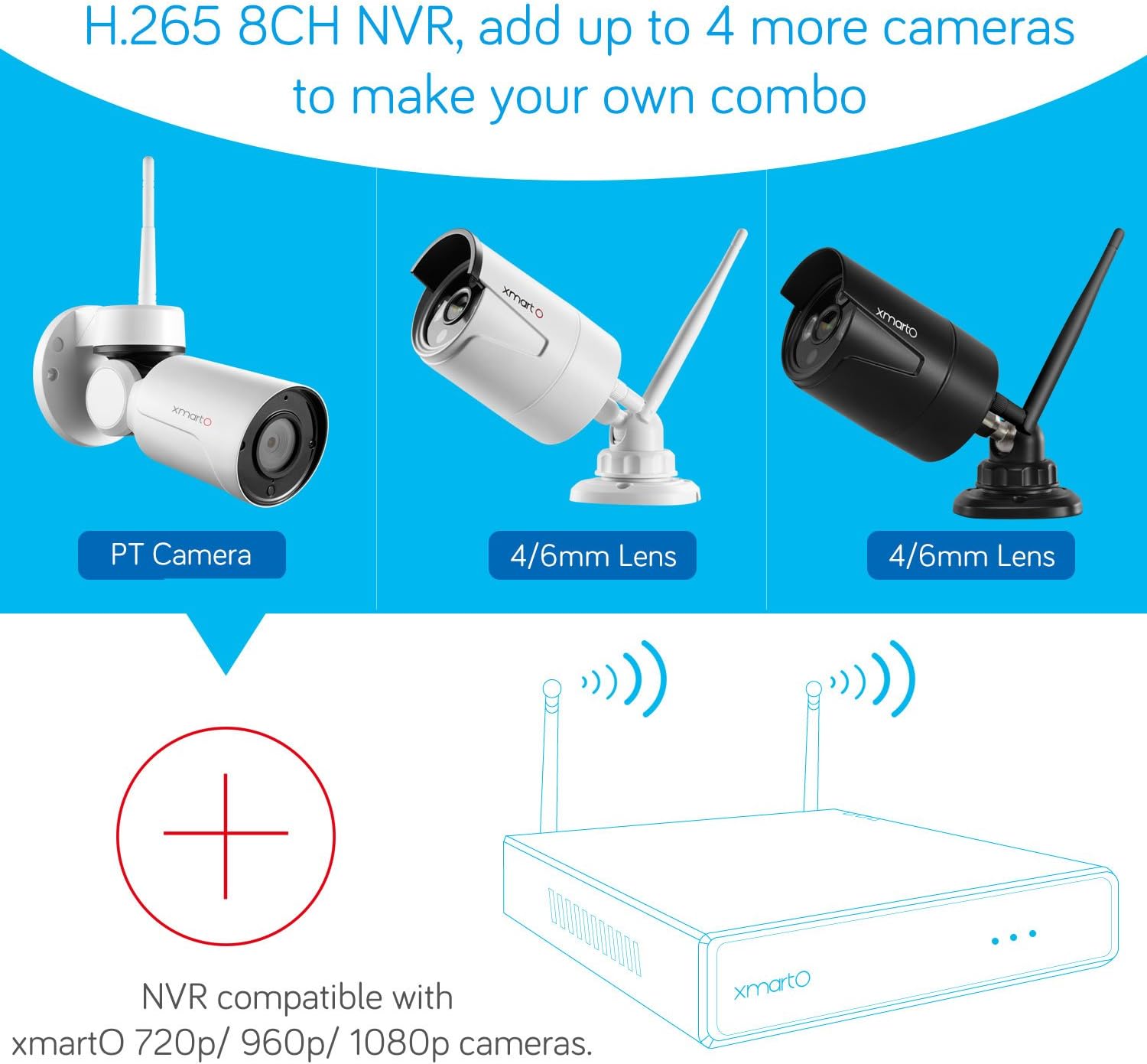
Сүрөт 7.1: Diagram showing the xmartO 8-channel NVR's compatibility with various xmartO camera types (PT, 4/6mm lens bullet cameras) and its expandability to add up to 4 more cameras.
8. Кепилдик жана колдоо
For warranty information, technical support, or service inquiries, please refer to the official xmartO webсайтка же түздөн-түз кардарларды тейлөөгө кайрылыңыз. Кепилдик дооматтар үчүн сатып алуу дүмүрчөгүңүздү сактаңыз.
Онлайн ресурстар: Visit the xmartO official website for FAQs, updated manuals, and support contact information.


