Introduction
The myTouchSmart 39845 WiFi Smart Outdoor Plug-in Light Switch provides convenient control over your outdoor lighting and other devices. This weather-resistant smart plug integrates with your existing 2.4GHz Wi-Fi network, allowing for remote operation, scheduling, and voice control through compatible smart home assistants like Amazon Alexa and Google Assistant. This manual will guide you through the installation, operation, and maintenance of your device.
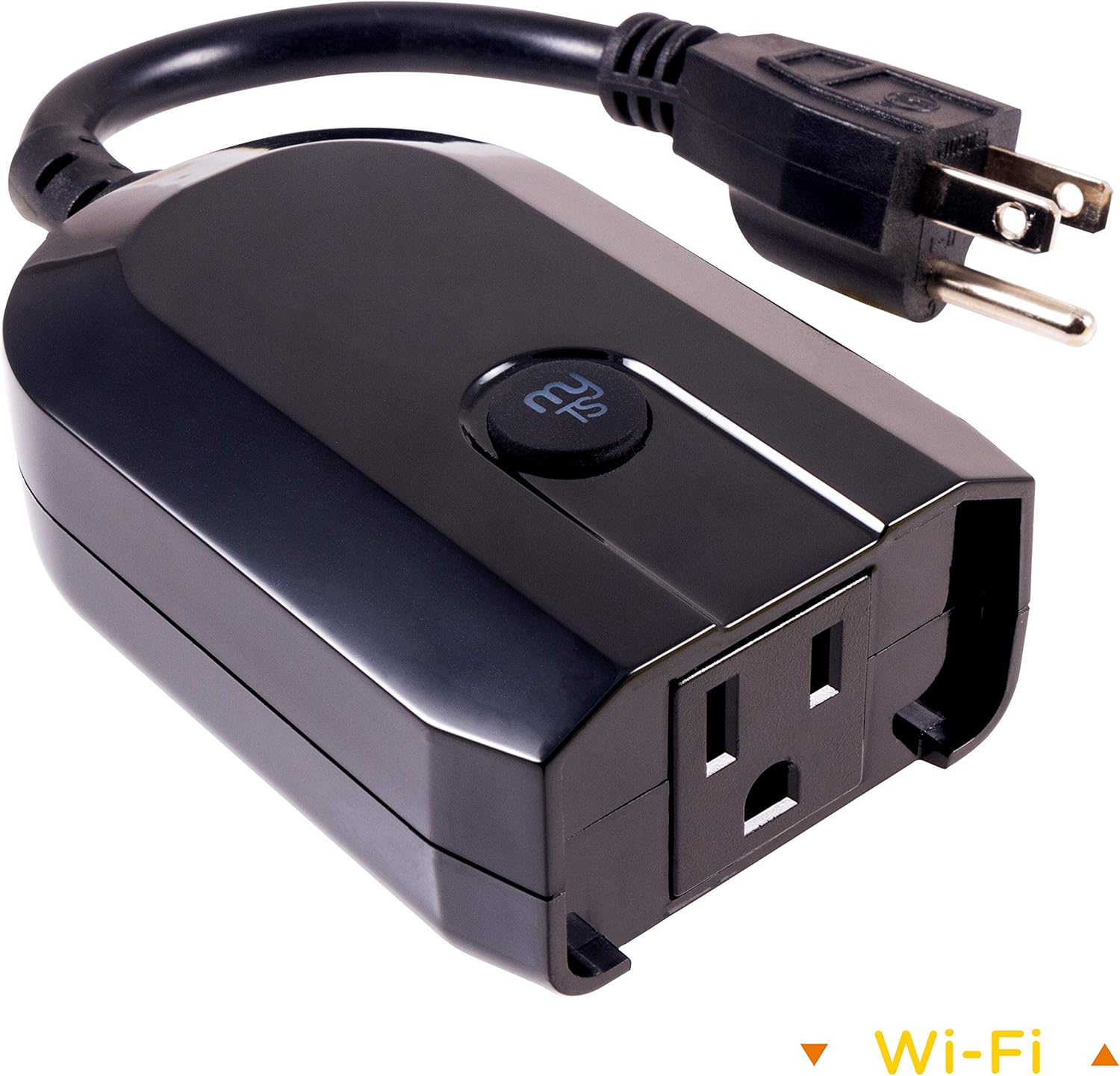
Image: The myTouchSmart 39845 WiFi Smart Outdoor Plug-in Light Switch, a black, weather-resistant device with a grounded plug and a single outlet, designed for outdoor use.
Продукт өзгөчөлүктөрү
- Үн буйруктары: Compatible with Amazon Alexa and Google Assistant for hands-free control without a hub.
- Universal Wi-Fi: Utilizes your 2.4GHz Wi-Fi network for scheduling and ON/OFF operation from any location with internet access.
- Колдонуучуга ыңгайлуу колдонмо: The myTouchSmart app, available on Apple App Store and Google Play, enables remote operation of lights and landscape features.
- Оңой орнотуу: Features one-touch presets, personalized ON/OFF times, and custom countdown options for flexible programming.
- Куралсыз орнотуу: Plugs into any outdoor or indoor grounded outlet, requiring no wiring.
- Аба ырайына туруктуу дизайн: Suitable for outdoor use, protecting against elements.

Image: A collage showing the myTouchSmart Wi-Fi Smart Plug in various outdoor settings, including seasonal lighting, decks and patios, and landscape lighting, highlighting its versatility.
Пакеттин мазмуну
The myTouchSmart 39845 WiFi Smart Outdoor Plug-in Light Switch package typically includes:
- 1 x myTouchSmart 39845 WiFi Smart Outdoor Plug-in Light Switch
- Колдонуучунун Колдонмосу (бул документ)
Please check the packaging for any additional components or accessories.
Коопсуздук маалыматы
Before using your myTouchSmart 39845, please read and understand all safety instructions. Failure to follow these instructions may result in electric shock, fire, or serious injury.
- Do not immerse the device in water or expose it to extreme weather conditions beyond its weather-resistant rating.
- Ensure the device is plugged into a grounded outlet.
- Түзмөктүн максималдуу электрдик көрсөткүчтөрүнөн (15) ашпаңыз Amps, 120 Volts AC).
- Keep children away from the device and electrical outlets.
- Unplug the device from the outlet when not in use or before cleaning.
- Аппаратты ажыратууга же өзгөртүүгө аракет кылбаңыз. Ичинде колдонуучу тейлей турган бөлүктөр жок.
- Operate the device within the specified temperature range (32°F to 102°F).
Жайгашуу
1. Download the myTouchSmart App
To control your smart plug, you need to download the myTouchSmart app. Издөө "myTouchSmart" in the Apple App Store (for iOS devices) or Google Play Store (for Android devices).
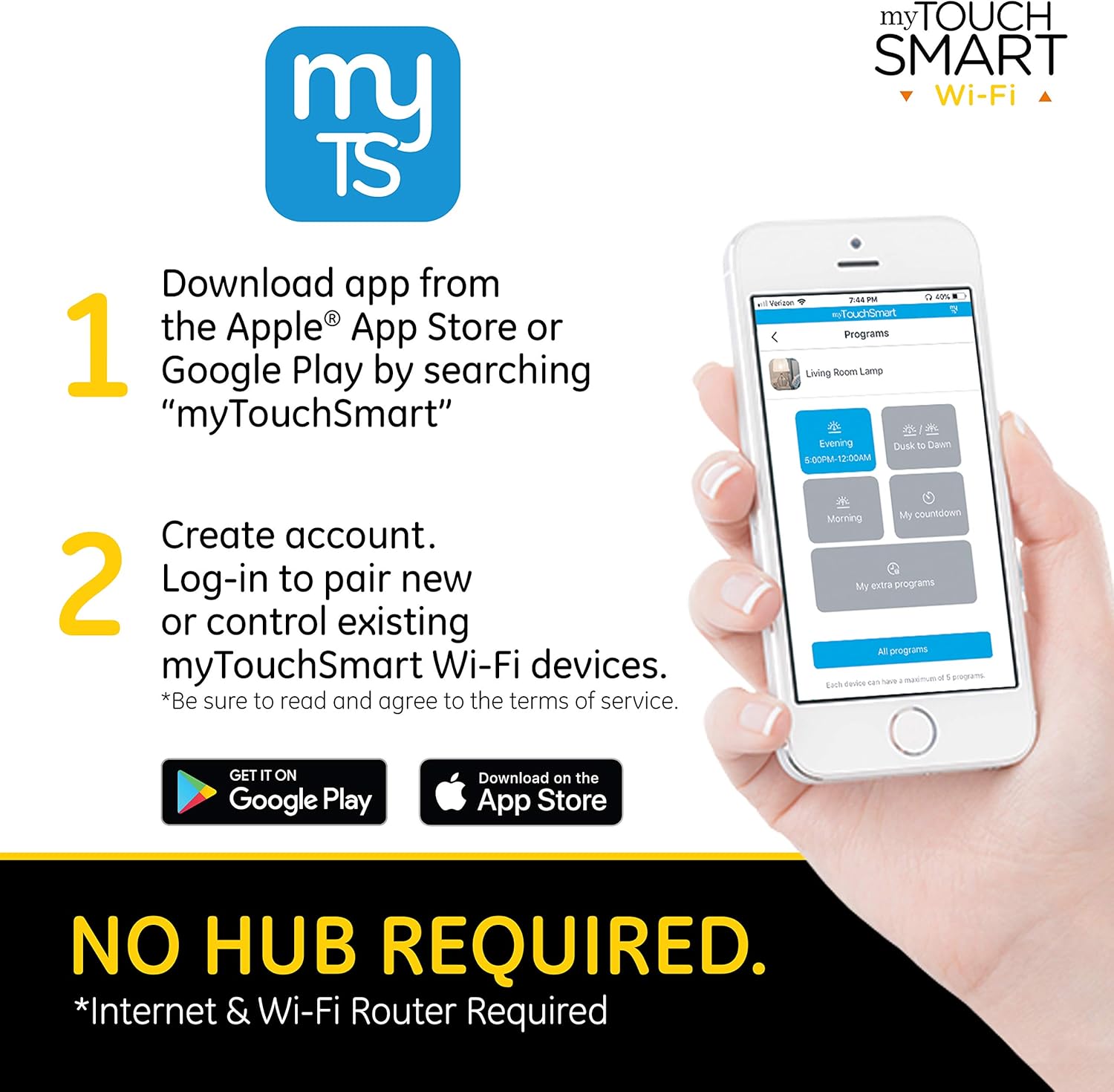
Image: A smartphone displaying the myTouchSmart app download instructions, indicating availability on Apple App Store and Google Play.
2. Каттоо эсебин түзүңүз
Open the myTouchSmart app after installation. You will be prompted to create a new account or log in if you already have one. Follow the on-screen instructions to complete the account creation process. Ensure you read and agree to the terms of service.
3. Pairing Steps
Once logged in, follow these steps to pair your myTouchSmart Outdoor Plug-in Light Switch:
- Find New Device: In the myTouchSmart app, tap "Find New Device" to initiate the connection process for your new Wi-Fi device.
- Wi-Fi туташуусу: Select your 2.4GHz Wi-Fi network from the list and enter your Wi-Fi password. The device requires a 2.4GHz network for connection.
- Түзмөктү сайыңыз: Plug the myTouchSmart Wi-Fi Smart Plug into your desired outdoor or indoor grounded outlet. The blue LED on the device will flash rapidly, indicating it's in pairing mode. If the LED is not flashing rapidly, press and hold the "myTS" button on the device for 10 seconds to reset it.

Image: Visual representation of the three pairing steps: finding a new device in the app, entering Wi-Fi credentials, and plugging in the device while observing the flashing LED.
Продукт бүттүview Video
Видео: Аткаминерview of myTouchSmart Wi-Fi Smart Controls, demonstrating how to schedule and control home lighting and devices from anywhere using the myTouchSmart app, highlighting features like manual ON/OFF, custom presets, personalized settings, and countdown features. It also shows the app interface for device control and grouping.
Иштөө нускамалары
Колдонмо башкаруу
Once paired, you can control your myTouchSmart plug directly from the app. The app allows you to:
- Кол менен күйгүзүү/өчүрүү: Toggle the power of the connected device directly from the app interface.
- Customizable Names and Images: Assign unique names and images to each device for easy identification.
- Топтоо: Group multiple myTouchSmart devices to control them simultaneously with a single command.

Image: A screenshot of the myTouchSmart app showing program settings, including options for Evening/Morning schedules, Dusk to Dawn, Countdown, and Extra Programs, demonstrating the flexibility of scheduling.
Үн менен башкаруу
The myTouchSmart 39845 is compatible with Amazon Alexa and Google Assistant, enabling voice-activated control. To set up voice control:
- Ensure your myTouchSmart device is successfully paired with the app and connected to your Wi-Fi network.
- Open the Amazon Alexa app or Google Home app on your smartphone or tablet.
- Follow the instructions within the Alexa or Google Home app to link your myTouchSmart account.
- Once linked, you can use voice commands such as "Alexa, turn on the patio lights" or "Hey Google, turn off the landscape lights."

Image: The myTouchSmart Smart Plug shown with icons for Amazon Alexa and Google Assistant, illustrating its voice control capabilities. A text bubble indicates a voice command: "Turn landscape lights ON."
Scheduling and Programs
The myTouchSmart app allows you to create various programs to automate your devices:
- Evening/Morning: Schedule specific ON/OFF times to match your daily routine.
- Күн баткандан таң атканга чейин: Automatically adjust ON/OFF times based on local sunset/sunrise times.
- Артка саноо: Set the device to turn off after a custom countdown, up to 24 hours.
- Extra Program: Add additional ON/OFF times to further customize your schedule.
Each device can have a maximum of 5 programs assigned.
Техникалык тейлөө
To ensure the longevity and proper functioning of your myTouchSmart 39845 WiFi Smart Outdoor Plug-in Light Switch, follow these maintenance guidelines:
- Тазалоо: Disconnect the device from power before cleaning. Use a soft, dry cloth to wipe the exterior. Do not use harsh chemicals or abrasive cleaners.
- Курчап турган чөйрөнү коргоо: While weather-resistant, avoid prolonged exposure to extreme conditions such as heavy snow, ice, or direct water submersion. Ensure the outlet is protected from direct rain or splashing.
- Сактагыч: Аппаратты узак убакытка сактасаңыз, аны розеткадан сууруп, салкын, кургак жерде сактаңыз.
- Үзгүлтүксүз текшерүүлөр: Periodically inspect the plug and cord for any signs of damage or wear. Do not use if damaged.
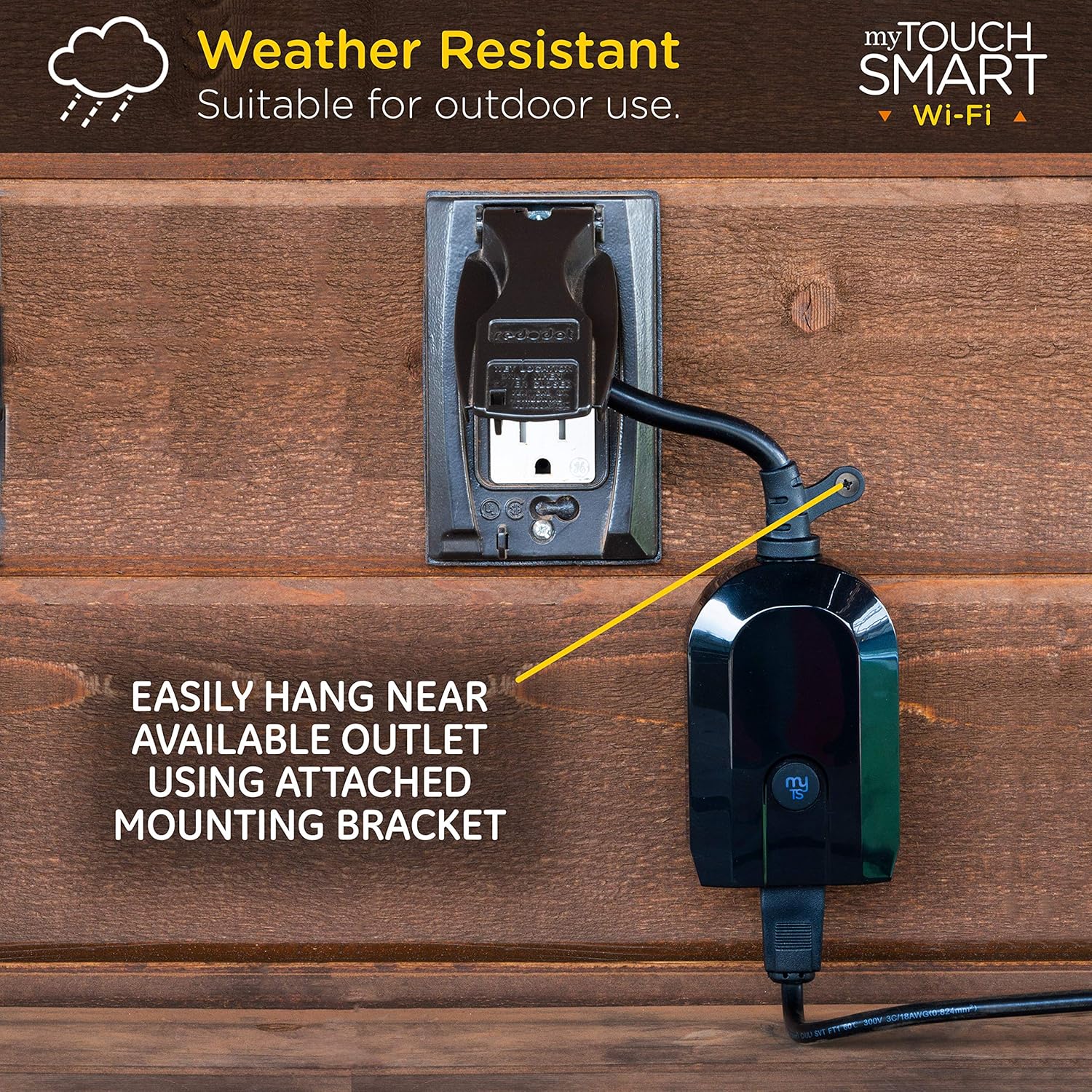
Image: The myTouchSmart Smart Plug mounted on an outdoor wall, demonstrating its weather-resistant design and the use of its integrated mounting bracket for easy installation near an available outlet.
Проблемаларды чечүү
If you encounter issues with your myTouchSmart 39845, refer to the following common troubleshooting steps:
| Көйгөй | Мүмкүн болгон себеп / Чечим |
|---|---|
| Түзмөк Wi-Fi'га туташпай жатат. |
|
| Device loses connection after a power outage. |
|
| Үн буйруктары иштебей жатат. |
|
| Schedules are not activating. |
|
Техникалык шарттар
| Атрибут | Нарк |
|---|---|
| Бренд | myTouchSmart |
| Модель номери | 39845 |
| Иштөө режими | OFF-NONE-ON |
| Учурдагы рейтинг | 15 Amps |
| Operating Voltage | 120 вольт (AC) |
| Байланыш түрү | Плагин |
| Туташтыргыч түрү | Плагин |
| Элементтин өлчөмдөрү (L x W x Y) | 2.5 x 5.6 x 8.2 дюйм |
| Элемент Салмагы | 7.2 унция |
| Circuit Type | 1-жол |
| Монтаж түрү | Plug-In Mount |
| Актуатор түрү | Плагин |
| Байланыш материалы | Никель |
| Эл аралык коргоо рейтинги | Not IP Rated (Weather-Resistant for outdoor use) |
| Төмөнкү температура рейтинги | 32 градус Фаренгейт |
| Жогорку температура рейтинги | 102 градус Фаренгейт |
| Controller Type | Google Жардамчысы, Amazon Alexa |
| Башкаруу ыкмасы | Үн, колдонмо |
| Connectivity Protocol | Wi-Fi (2.4 ГГц) |
| Түс | Кара |
| UPC | 030878398459 |

Image: A diagram illustrating the dimensions of the myTouchSmart Smart Plug, including its length, width, height, and the length of its power cord, along with the location of the mounting bracket and pair/manual control button.
Кепилдик жана колдоо
myTouchSmart products are designed for reliability and performance. For specific warranty details, please refer to the warranty information included with your product packaging or visit the official myTouchSmart webсайт.
For further assistance, technical support, or frequently asked questions (FAQ), you can access the "Contact us" and "FAQ" sections within the myTouchSmart app. These resources provide valuable information and direct contact options for support.
- Колдонмодогу колдоо: Access FAQ, instructions, and contact information directly through the myTouchSmart app.
- Онлайн ресурстар: Visit the myTouchSmart official webкошумча колдоо жана продукт маалымат үчүн сайт.


