1. Киришүү
Thank you for choosing the THE G-LAB Kult Helium Wired USB Gaming Mouse. This manual provides essential information for setting up, operating, maintaining, and troubleshooting your new gaming mouse. Designed for comfort and performance, the Kult Helium features an optical sensor, adjustable DPI, 7-color LED backlighting, and 6 responsive buttons. Its ergonomic and ambidextrous design accommodates all grip styles: palm, claw, and fingertip. It also features silent click buttons, suitable for various gaming environments.

Сүрөт 1.1: Алдыңкы view of the THE G-LAB Kult Helium Wired USB Gaming Mouse, showcasing its black finish and multi-color LED lighting.
2. Орнотуу
The Kult Helium mouse is designed for simple plug-and-play installation. No additional drivers are typically required for basic functionality.
2.1 Чычканды туташтыруу
- Locate an available USB port on your computer or compatible console.
- Insert the USB connector of the Kult Helium mouse firmly into the USB port.
- Your operating system will automatically detect and install the necessary drivers. The mouse LED lighting will illuminate upon successful connection.
2.2 Шайкештик
The Kult Helium mouse is compatible with a wide range of systems:
- Операциялык системалар: Windows, macOS, Linux
- Оюн консолдору: PlayStation 4 (PS4), PlayStation 5 (PS5), Xbox One, Xbox Series S/X
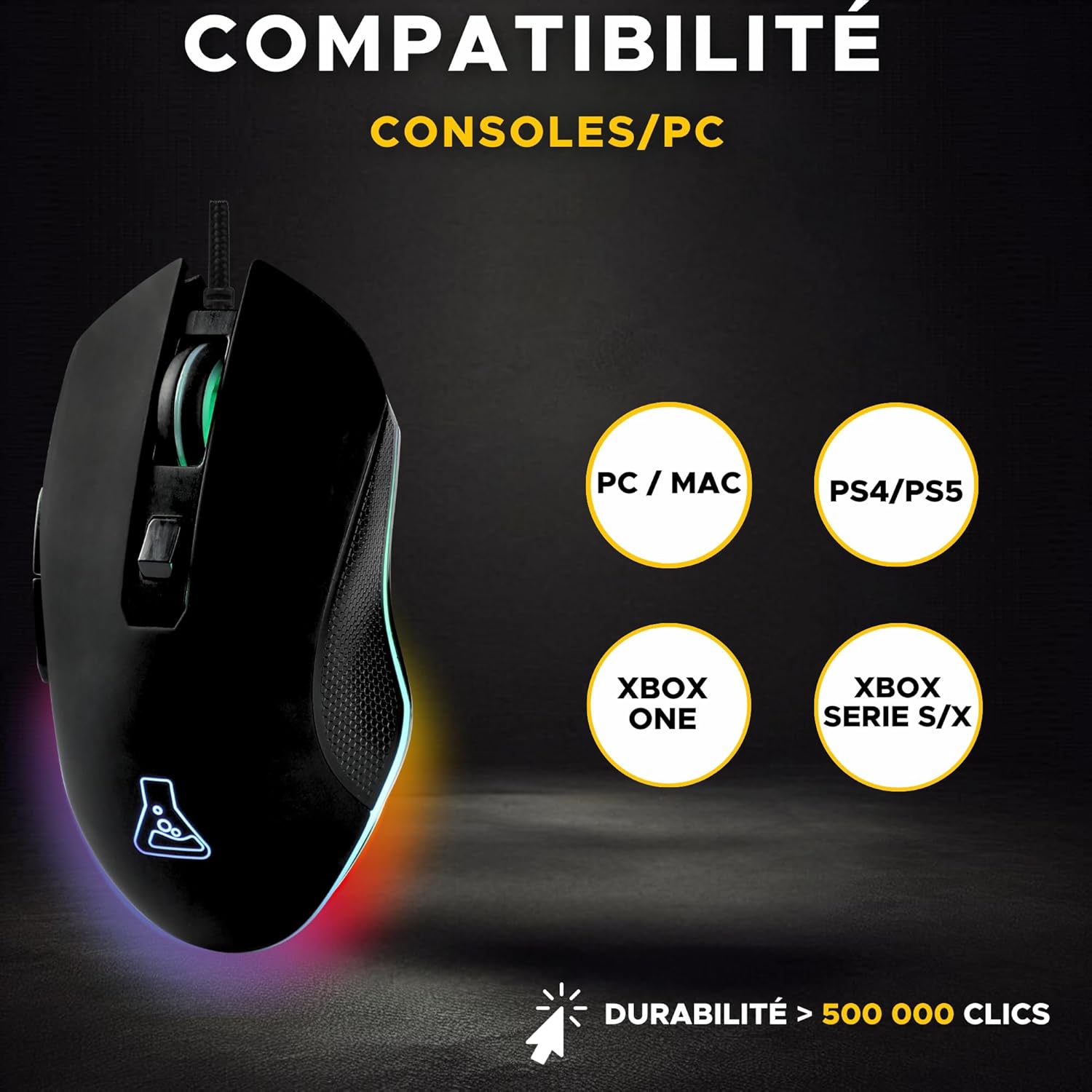
Image 2.1: Diagram illustrating the compatibility of the Kult Helium mouse with PC, Mac, PS4, PS5, Xbox One, and Xbox Series S/X.
3. Иштөө нускамалары
3.1 Баскыч функциялары
The Kult Helium mouse features 6 buttons for enhanced control. The mouse buttons are designed for silent operation.
- Сол чыкылдатуу баскычы: Негизги аракет.
- Оң баскычты чыкылдатуу: Кошумча аракет/контексттик меню.
- Жылдыруу дөңгөлөгү: Мазмунду тигинен жылдырат. Ортоңку чыкылдатуу функциясы үчүн да басууга болот.
- DPI жөндөө баскычы: Cycles through DPI sensitivity settings.
- Каптал баскычтар (2): Often used for forward/backward navigation in browsers or custom functions in games.
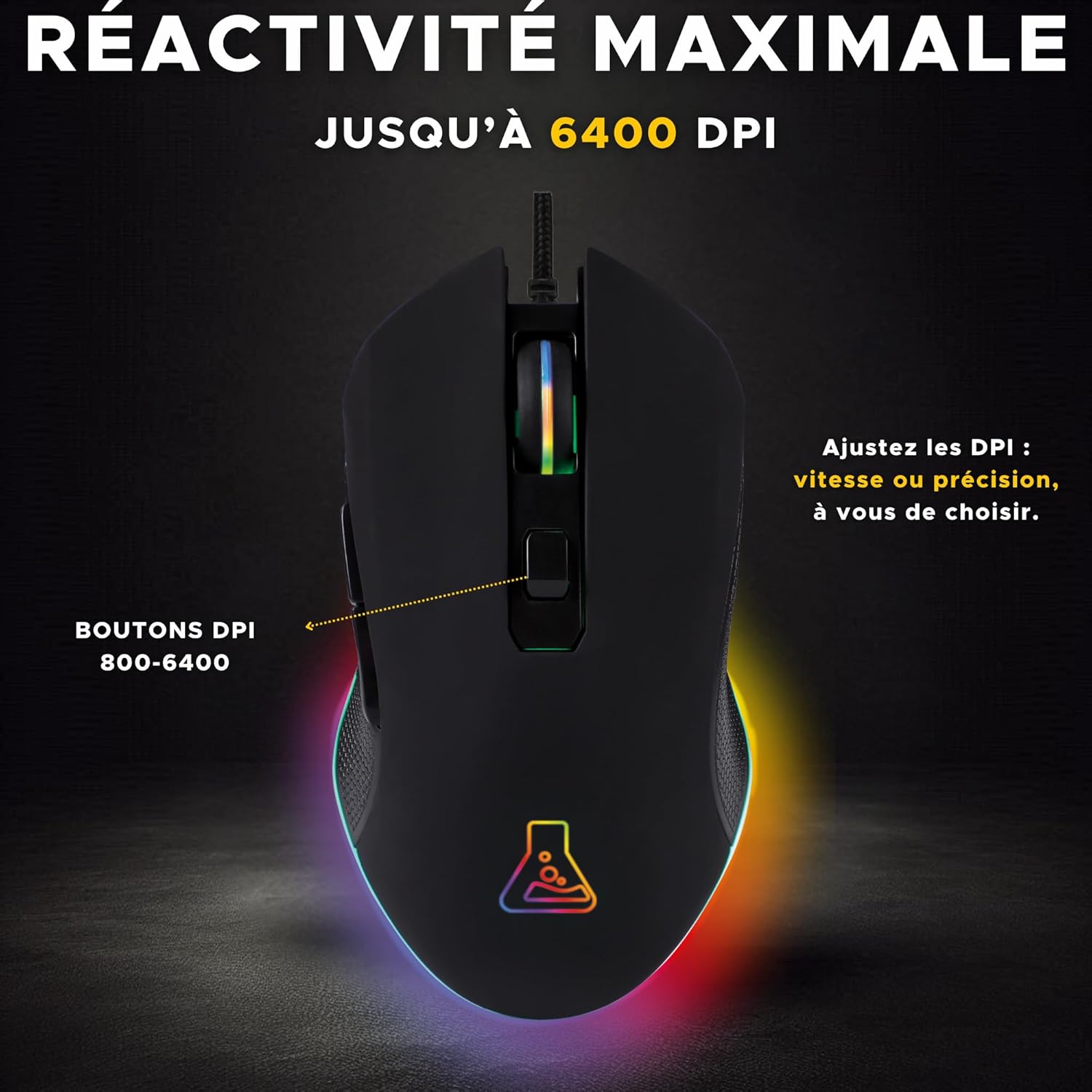
Сүрөт 3.1: Жогорку view of the Kult Helium mouse highlighting the DPI adjustment button and its function.
3.2 DPI жөндөө
The mouse features an optical sensor with adjustable DPI (Dots Per Inch) settings, allowing you to change cursor sensitivity on the fly.
- басыңыз DPI жөндөө баскычы (located behind the scroll wheel) to cycle through available DPI settings.
- The mouse supports DPI values from 800 to 3200 DPI, providing options for both precision and speed. Some product images indicate support for up to 6400 DPI.
- The LED lighting may briefly change or flash to indicate a DPI change.
3.3 LED Backlighting
The Kult Helium mouse features dynamic 7-color LED backlighting.
- The mouse cycles through 7 distinct colors: green, blue, purple, white, yellow, cyan, and red.
- The lighting effect is a "breathing" pattern, where colors transition smoothly.
- This lighting is purely aesthetic and cannot be customized or turned off via the mouse itself.
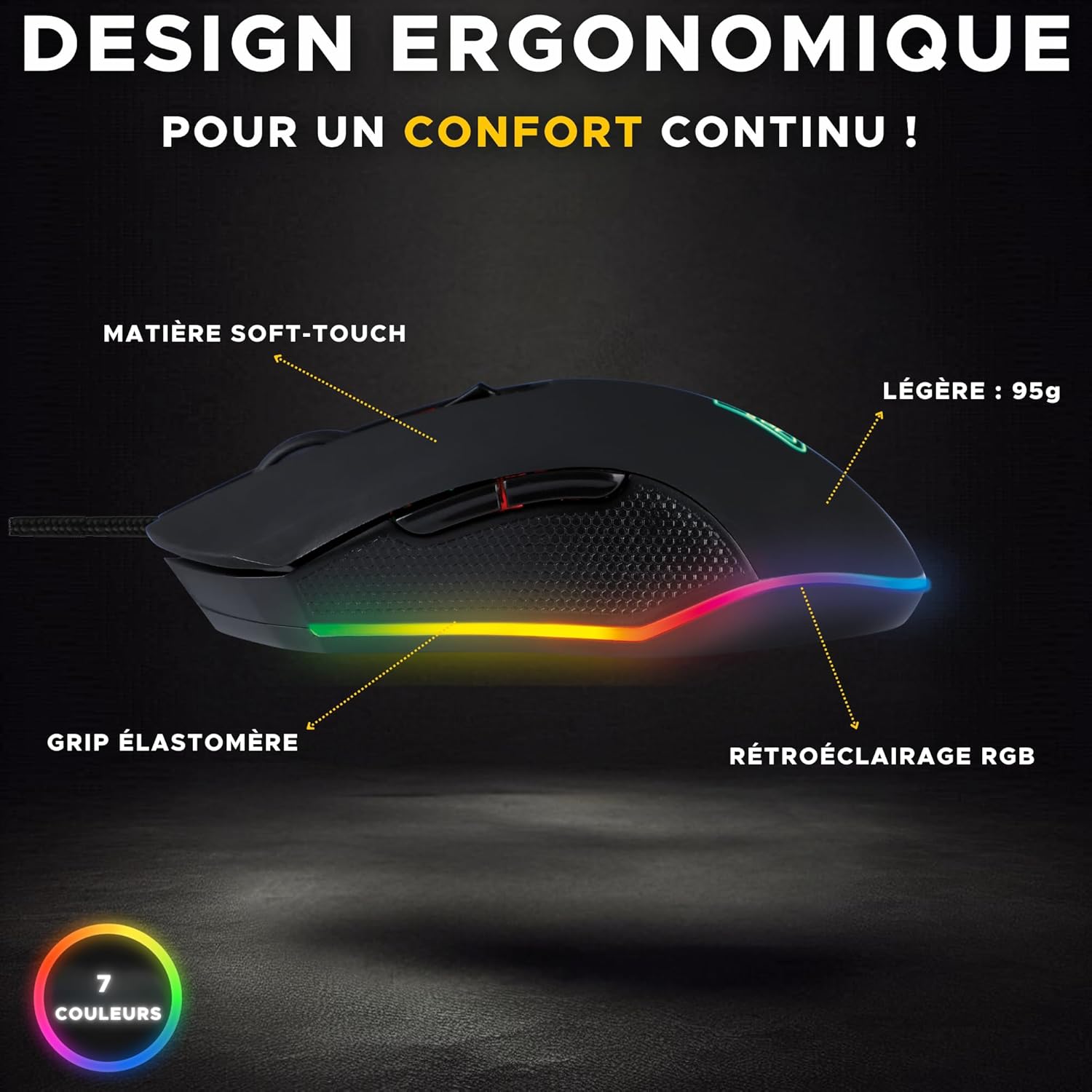
Сүрөт 3.2: Каптал view of the Kult Helium mouse, illustrating its ergonomic shape, soft-touch material, elastomer grip, and RGB backlighting.
4. Техникалык тейлөө
Proper care will extend the lifespan and maintain the performance of your Kult Helium mouse.
4.1 Тазалоо
- Тазалоодон мурун чычканды компьютериңизден ажыратыңыз.
- Чычкандын бетин сүртүү үчүн жумшак, кургак, түксүз чүпүрөктү колдонуңуз.
- өжөр кир үчүн, бир аз гampen the cloth with water. Avoid harsh chemicals, solvents, or abrasive cleaners.
- баскычтарды жана жылдыргыч дөңгөлөктү тазалоо үчүн кебез тампонду же кысылган абаны колдонуңуз.
- Чычканды кайра туташтырардан мурун анын толугу менен кургагандыгын текшериңиз.
4.2 Кабельге кам көрүү
- Avoid sharp bends or kinks in the braided USB cable.
- Чычкандын кабелинен тартпаңыз. Сайганда же сууруп жатканда ар дайым USB туташтыргычын кармаңыз.
- Keep the cable away from heat sources or sharp edges.
5. Кыйынчылыктарды
If you encounter issues with your Kult Helium mouse, try the following solutions:
- Чычкан жооп бербейт:
- USB кабели иштеп жаткан USB портуна бекем туташтырылганын текшериңиз.
- Чычканды башка USB портуна туташтырууга аракет кылыңыз.
- Компьютериңизди же консолуңузду өчүрүп күйгүзүңүз.
- Test the mouse on another computer to determine if the issue is with the mouse or the system.
- LED Lighting Not Working:
- Verify the mouse is properly connected and receiving power.
- The lighting is automatic; if the mouse is functional but lights are off, contact support.
- DPI Adjustment Not Changing Sensitivity:
- Туура DPI баскычын басып жатканыңызды текшериңиз.
- Some operating systems or games may override mouse sensitivity settings. Check your system's mouse settings or in-game options.
- Курсордун кыймылы туруксуз же так эмес:
- Чычкандын астындагы оптикалык сенсорду тазалаңыз.
- Ensure you are using the mouse on a clean, uniform surface (a mouse pad is recommended).
- Avoid highly reflective or transparent surfaces.
6. Техникалык шарттар
| Модель аты | Kult Helium |
| Байланыш | Зымдуу USB |
| Сенсор түрү | Оптикалык |
| DPI диапазону | 800 - 3200 DPI (up to 6400 DPI as per some visuals) |
| баскычтардын саны | 6 |
| Арткы жарыктандыруу | 7-Color LED (breathing effect) |
| Салмагы | 135г |
| Кабель түрү | Reinforced Braided Cable |
| Өмүр | 5 миллиондон ашык чыкылдатуу |
| Колдун багыты | Ambidextrous (supports Palm, Claw, Fingertip grips) |
| Шайкеш OS | Windows, macOS, Linux |
| Шайкеш түзмөктөр | PC, PS4, PS5, Xbox One, Xbox Series S/X |

Image 6.1: Visual representation of the mouse's robust design, highlighting its durability and 2-year warranty.
7. Кепилдик жана колдоо
7.1 Өндүрүүчүнүн кепилдиги
The THE G-LAB Kult Helium Wired USB Gaming Mouse comes with a 2 жылдык өндүрүүчүнүн кепилдиги. Бул кепилдик нормалдуу колдонуудагы материалдардагы жана жасалгадагы кемчиликтерди камтыйт. Кепилдик дооматтары үчүн сатып алганыңыздын далилин сактап коюңуз.
7.2 Parts Availability
Бул буюмдун запастык бөлүктөрү сатып алынган күндөн тартып 2 жыл бою жеткиликтүү.
7.3 Кардарларды колдоо
For technical assistance, warranty claims, or any questions regarding your THE G-LAB Kult Helium mouse, please refer to the official THE G-LAB webсайтка же түздөн-түз кардарларды колдоо менен байланышыңыз.


