1. Продукт бүтүп калдыview
The Estink 360 Rotating Display Stand is an electric turntable designed for showcasing various items. It features a mirror-like surface and adjustable rotation speeds, making it suitable for displaying jewelry, watches, cosmetics, toy models, mobile phones, and digital cameras.
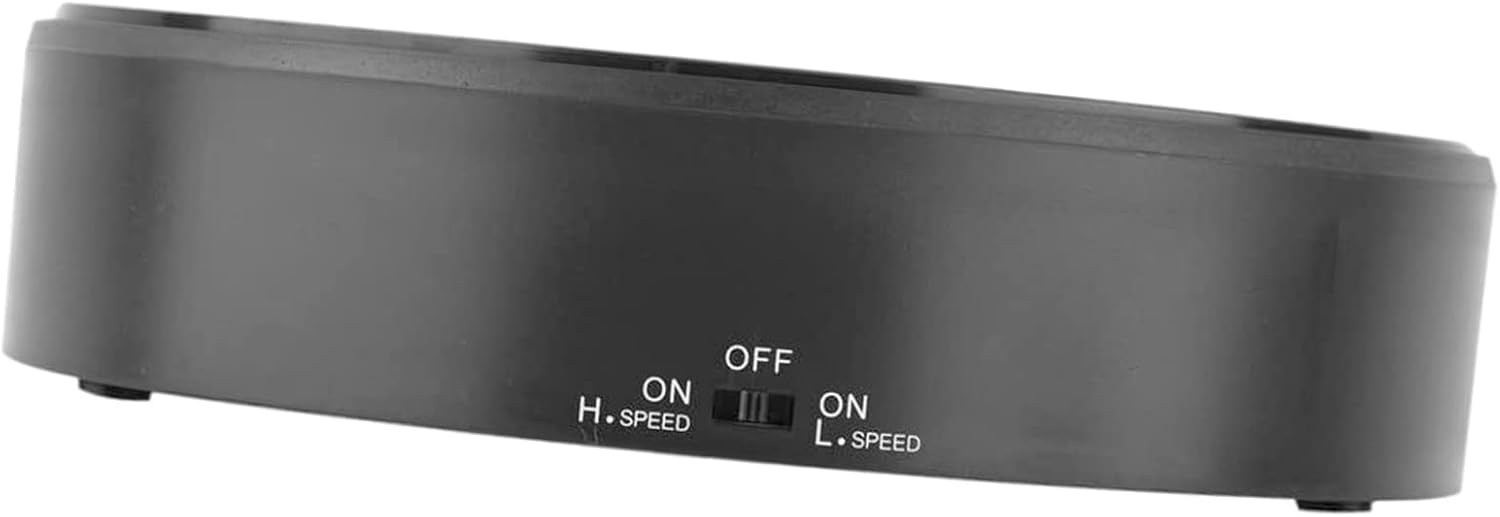
Сүрөт: жогорудан төмөнгө view of the Estink 360 Rotating Display Stand, showcasing its mirror surface and compact design.
Негизги өзгөчөлүктөрү:
- Премиум материал: Constructed from durable ABS material, ensuring sturdiness and longevity.
- Жүк көтөрүү жөндөмдүүлүгү: Capable of supporting items weighing up to 1 to 1.5 kg (2.2-3.3 lbs).
- Күзгү бети: Enhances the visibility and appeal of displayed products.
- 360 градуска айлануу: Provides a continuous rotating display.
- Жөнгө салынуучу ылдамдык: Offers both high and low-speed rotation options to suit different display needs.
2. Орнотуу нускамалары
2.1 Кубат булагы
The Estink 360 Rotating Display Stand is battery-powered. It requires batteries for operation (batteries are not included). To install batteries:
- Locate the battery compartment on the underside of the display stand.
- Батарея уясынын капкагын ачыңыз.
- Туура полярдуулукту (+/-) камсыз кылуу менен керектүү батарейкаларды салыңыз.
- Батарея уясынын капкагын бекем жабыңыз.
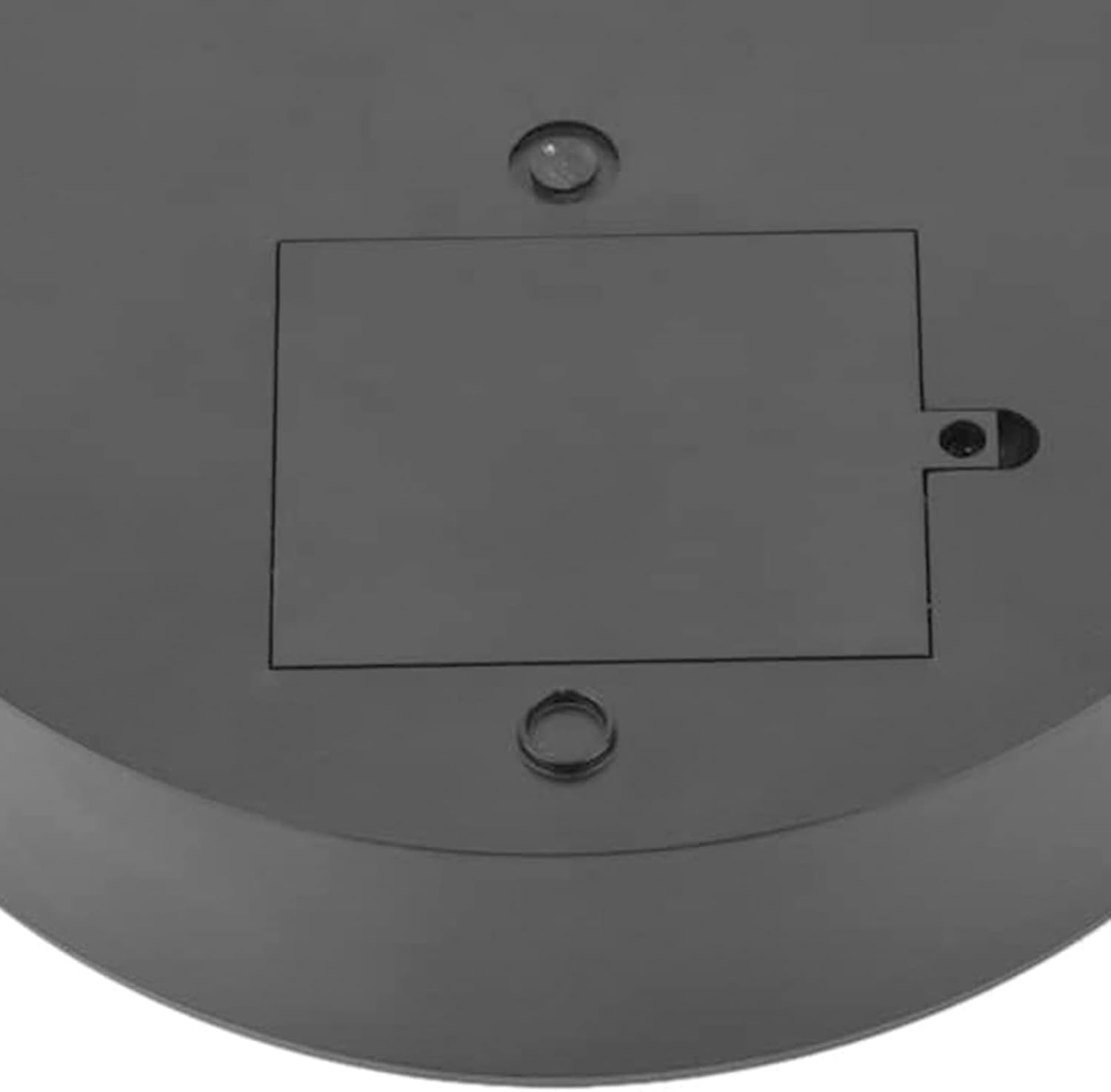
Image: The underside of the display stand, highlighting the battery compartment for power installation.
2.2 Орнотуу
Place the display stand on a stable, flat surface to ensure smooth and consistent rotation. Avoid placing it on uneven or vibrating surfaces.
3. Иштөө нускамалары
The display stand features a control switch on its side for power and speed adjustment.
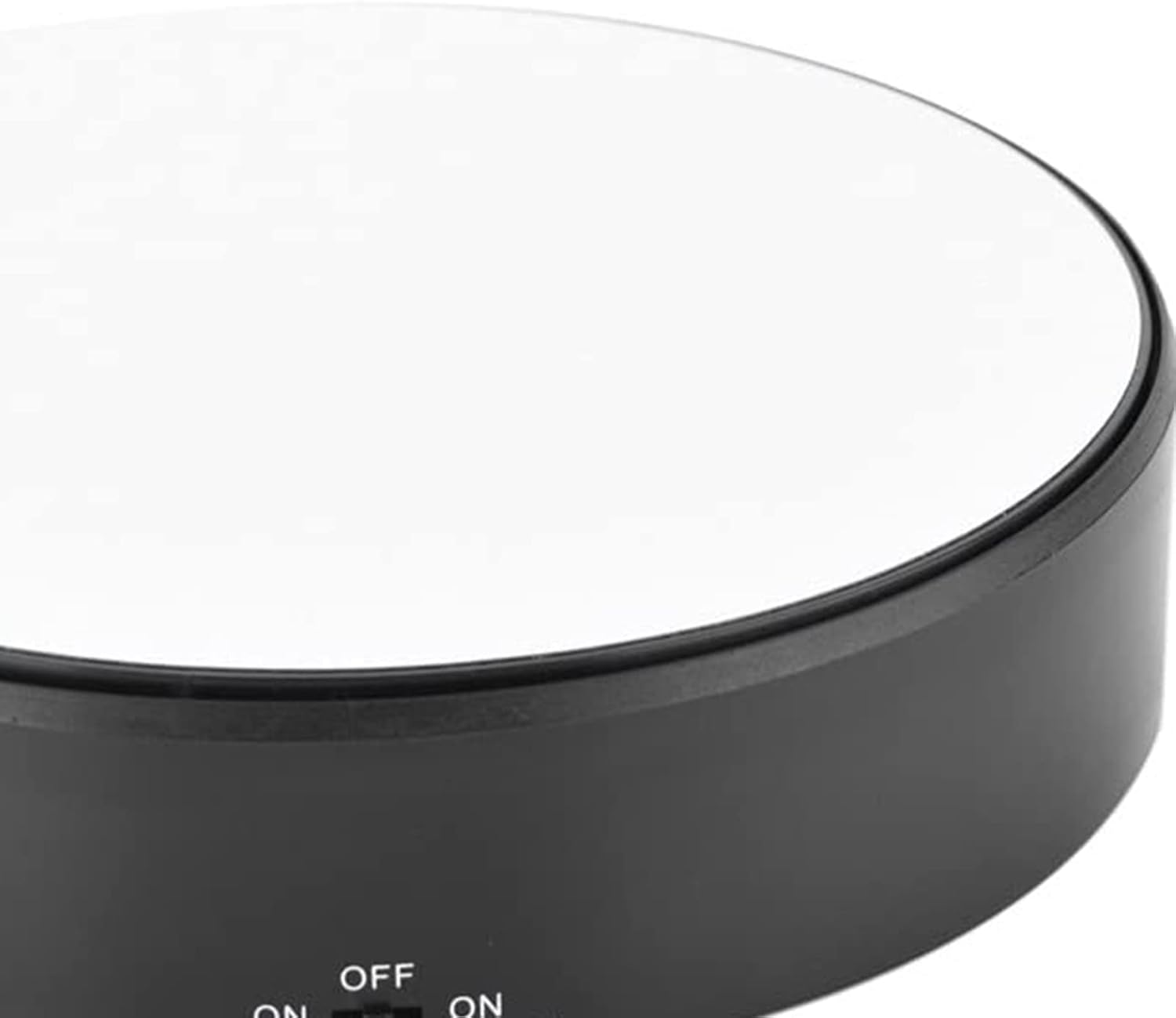
Сүрөт: Жакын план view of the control switch, indicating 'OFF', 'ON H.SPEED', and 'ON L.SPEED' settings.
3.1 Күйгүзүү/өчүрүү жана ылдамдыкты жөндөө
- To Turn On (High Speed): Slide the control switch to the position labeled "ON H.SPEED". The stand will begin rotating at a faster speed.
- To Turn On (Low Speed): Slide the control switch to the position labeled "ON L.SPEED". The stand will begin rotating at a slower speed.
- Өчүрүү: Slide the control switch to the "OFF" position. The rotation will stop.
3.2 Placing Items on the Stand
Carefully place the item you wish to display onto the center of the mirror surface. Ensure the item's weight does not exceed the maximum load capacity of 1.5 kg (3.3 lbs) to prevent damage or irregular rotation.

Image: The display stand in use, showcasing a watch on its rotating mirror surface in a home setting.
4. Техникалык тейлөө
4.1 Бетти тазалоо
To maintain the mirror-like finish, gently wipe the surface with a soft, damp cloth. Avoid using abrasive cleaners or materials that could scratch the surface. Ensure the stand is turned off and batteries are removed before cleaning.
4.2 Батареяны алмаштыруу
Replace batteries when the rotation speed decreases significantly or the stand stops functioning. Always use new batteries of the specified type and dispose of old batteries responsibly.
5. Кыйынчылыктарды
- Stand does not rotate:
- Батареялар туура орнотулганын жана түгөнбөгөнүн текшериңиз. Керек болсо алмаштырыңыз.
- Ensure the power switch is set to either "ON H.SPEED" or "ON L.SPEED".
- Rotation is jerky or inconsistent:
- Verify that the item placed on the stand does not exceed the maximum load capacity of 1.5 kg (3.3 lbs).
- Ensure the stand is on a completely flat and stable surface.
- Check battery levels; low batteries can affect motor performance.
- Surface appears dull or scratched:
- Ensure any protective film has been removed from the mirror surface.
- Clean the surface gently as per maintenance instructions.
6. Техникалык шарттар
| Бренд | Estink |
| Модел | 360 Rotating Display Stand |
| Материал | ABS |
| Сунушталган максималдуу жүк | 1.5 кг (3.3 фунт) |
| Power Source | Батарея менен иштейт (Батареялар камтылган эмес) |
| Айлануу | 360-degree, adjustable speed (High/Low) |
| Элемент Салмагы | 13 унция |
| Пакеттин өлчөмдөрү | 7.83 x 7.24 x 2.13 дюйм |
7. Кепилдик жана колдоо
Specific warranty details and direct support contact information are not provided in this manual. For warranty claims, technical assistance, or further inquiries, please refer to the product packaging, the retailer's website where the product was purchased, or the official Estink brand webсайт.


