1. Киришүү
This manual provides comprehensive instructions for the installation, operation, and maintenance of your Lorex 4K Analog Security Camera. This camera is designed for both outdoor and indoor surveillance, offering advanced features to enhance your security system.

Сүрөт 1: Алдыңкы view of the Lorex 4K Analog Security Camera, showing the lens and integrated LED light.
Негизги өзгөчөлүктөрү:
- Smart Active Deterrence: Features a motion-activated LED warning light and remote-activated siren options to deter intruders.
- HD 4K Camera System: Delivers 4K video resolution with realistic color representation and superior digital zoom capabilities for clear imaging in various lighting conditions.
- Түнкү көрүнүш: Provides enhanced nighttime clarity and better video evidence with Color Night Vision (requires ambient lighting) and a wide 111° field of view. Long-range IR night vision offers clear black and white images in darker environments.
- Outdoor Security System: Constructed with durable aluminum alloy housing, the camera is weatherproof rated (IP65) to withstand temperatures from -40°F to 131°F.
- Шайкештик: Designed for use with Lorex D841, D841B, D861, LHV5100, and LHV5100W series recorders.

Figure 2: Visual comparison demonstrating the sharper video and superior digital zoom capabilities of 4K Ultra HD.

Figure 3: Comparison showing enhanced nighttime clarity with Color Night Vision versus traditional infrared night vision.

Figure 4: Illustration of Active Deterrence, including motion-activated LED warning lights and remote siren activation via a mobile app.
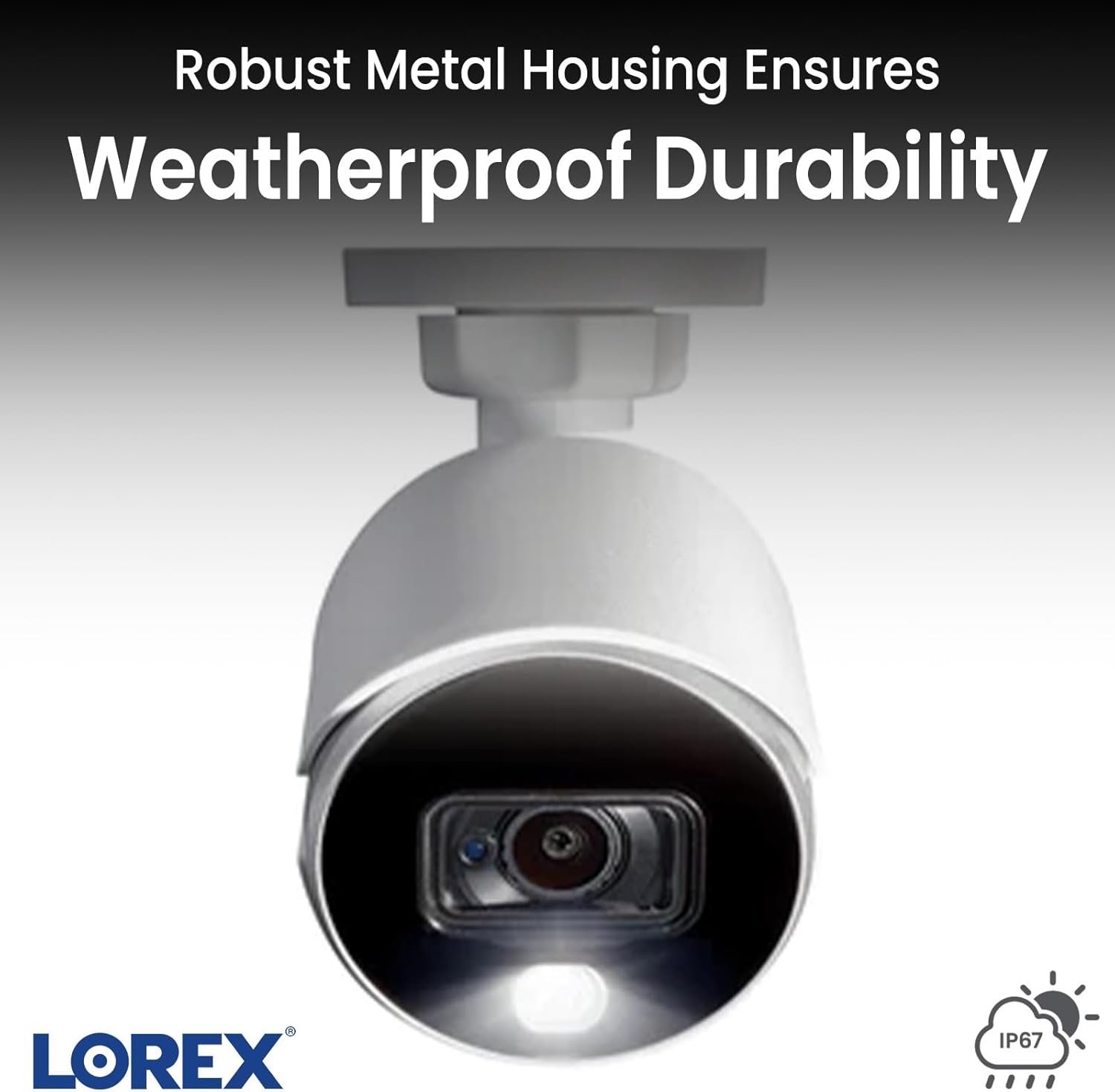
Figure 5: Close-up of the camera's robust metal housing, highlighting its weatherproof durability (IP65 rating).
2. Орнотуу
Follow these steps to set up your Lorex 4K Analog Security Camera system:
- Компоненттерди таңгактан чыгаруу: Verify all included components are present: camera, mounting kit, power adapter, extension cable, and quick start guide.
- Камераны орнотуу: Choose a suitable location for your camera, ensuring it has a clear field of view. Use the provided mounting kit to securely attach the camera to a wall or ceiling. The camera is designed for both indoor and outdoor use.
- Connecting to DVR/NVR: Connect the camera to your compatible Lorex DVR/NVR (D841 / D841B / D861 / LHV5100 / LHV5100W series) using the provided extension cable. Ensure a secure connection.
- Кубат туташуу: Connect the camera's power adapter to a regular power outlet.
- DVR/NVR Setup: Connect your DVR/NVR to a display (e.g., TV) using an HDMI cable. Power on the DVR/NVR.
- Колдонмо орнотуу: Download and install the Lorex mobile application on your smartphone or tablet. This app allows for remote viewing and control of your camera system.
- Тутумдун конфигурациясы: Follow the on-screen prompts on your DVR/NVR and within the Lorex app to complete the initial system configuration, including setting up network access and user accounts.

Figure 6: The Lorex DVR/NVR hub, illustrating its connections to the camera and display via HDMI and power.
3. Operating the Camera System
Your Lorex security camera system offers various ways to monitor and manage your surveillance footage.
3.1. Түз эфир View жана Ойнотуу
- Экрандагы дисплей: View live feeds from all connected cameras directly on your connected TV or monitor. Use the provided mouse to navigate the main menu, switch between individual camera views, and access playback options.
- Мобилдик колдонмо: Түз эфирге кирүү views of individual cameras from anywhere using the Lorex mobile app. The app allows you to select specific cameras to view, providing real-time monitoring.
3.2. Эки тараптуу сүйлөшүү
Some Lorex camera models support two-way audio communication. If your camera has this feature, you can speak through the camera and hear audio from the camera's location directly through the mobile app. This is useful for communicating with visitors or deterring unwanted individuals.
3.3. Кыймылды аныктоо жана эскертүүлөр
The system is equipped with advanced motion detection capabilities. You can configure detection zones and sensitivity settings to receive alerts when motion, people, or vehicles are detected. These alerts can be sent directly to your mobile device, allowing for immediate awareness of events.
3.4. Жаздыруу жана сактоо
The DVR/NVR includes a 1 terabyte hard drive for extensive video storage. The system is designed to continuously loop record, automatically overwriting the oldest footage once the storage is full. You can also search for specific events or playback recorded footage through the DVR/NVR interface or the mobile app.
4. Техникалык тейлөө
Regular maintenance ensures optimal performance and longevity of your Lorex security camera system.
- Камера линзасын тазалоо: Periodically clean the camera lens with a soft, lint-free cloth to remove dust, dirt, or smudges that may affect image clarity. Avoid abrasive cleaners.
- Байланыштарды текшерүү: Ensure all cables (power, video, network) are securely connected to prevent signal loss or power interruptions.
- Программалык камсыздоонун жаңыртуулары: Лорексти текшериңиз website or your mobile app for available firmware updates for your DVR/NVR and cameras. Keeping firmware updated can improve performance and add new features.
- Экологиялык эске алуулар: While the camera is weatherproof (IP65), ensure its mounting location minimizes direct exposure to extreme weather conditions where possible, such as prolonged standing water or direct impact from debris.
- Катуу дисктин ден соолугу: Monitor the health of your DVR/NVR's hard drive through the system settings to ensure continuous recording.
5. Кыйынчылыктарды
If you encounter issues with your Lorex security camera system, refer to the following common troubleshooting steps:
5.1. No Image/Signal on Display
- Күчтү текшерүү: Ensure the camera and DVR/NVR are properly powered on and connected to a working power outlet.
- Байланыштарды текшерүү: Confirm that all video cables (BNC/HDMI) are securely connected between the camera, DVR/NVR, and display.
- Киргизүүнү тандоо: Ensure your TV/monitor is set to the correct input source (e.g., HDMI 1, HDMI 2).
- Test Camera: If possible, test the camera with a different video input or a known working channel on your DVR/NVR.
5.2. Жаздыруудагы көйгөйлөр
- Катуу дисктин абалы: Check the DVR/NVR settings to ensure the hard drive is detected and functioning correctly. Reformat the hard drive if necessary (this will erase all existing recordings).
- Жазуу графиги: Verify that the recording schedule is properly configured for continuous or motion-activated recording.
- Кыймылды аныктоо жөндөөлөрү: If using motion-activated recording, ensure motion detection is enabled and sensitivity levels are appropriate for the environment.
5.3. Алыстан Viewing Issues (Mobile App)
- Тармак туташуусу: Ensure your DVR/NVR is connected to the internet via an Ethernet cable and has a stable network connection.
- Колдонмого кирүү: Confirm you are logged into the Lorex app with the correct credentials.
- Маршрутизатор орнотуулары: Check your router's firewall settings to ensure they are not blocking the Lorex system's access to the internet. Port forwarding may be required in some cases.
- Колдонмо жаңыртуулары: Ensure your Lorex mobile app is updated to the latest version.
6. Техникалык шарттар
| Өзгөчөлүк | Спецификация |
|---|---|
| Модель номери | C882DA |
| Видео тартуунун резолюциясы | 4K (8 МП эффективдүү токтом) |
| Байланыш технологиясы | Зымдуу |
| Power Source | Зымдуу электр (8 ватт) |
| Монтаж түрү | Шып / Дубалга орнотуу |
| Ички/тышкы колдонуу | Ички/тышкы |
| Эл аралык коргоо рейтинги | IP65 (Аба ырайына чыдамдуу) |
| Түнкү көрүү диапазону | 150 Фут |
| Төмөн жарык технологиясы | Түнкү көрүнүш |
| Эскертүү түрү | Кыймыл гана |
| Материал | Поликарбонат (PC) |
| Элементтин өлчөмдөрү (L x W x Y) | 5.9 x 2.8 x 3.2 дюйм |
| Элемент Салмагы | 2.31 фунт |
| Камтылган компоненттер | Camera, mounting kit, power adapter, extension cable, quick start guide |
| Compatible DVR/NVR Series | D841 / D841B / D861 / LHV5100 / LHV5100W |
7. Кепилдик жана колдоо
Lorex products typically come with a limited warranty. For specific warranty details, duration, and terms, please refer to the warranty card included with your product or visit the official Lorex webсайт. Кепилдик дооматтар үчүн сатып алганыңыздын далилин сактаңыз.
For technical support, product registration, or to access additional resources such as FAQs and software downloads, please visit the Lorex support page on their official webсайт. Ошондой эле, кардарларды тейлөө кызматынын байланыш маалыматын ал жерден таба аласыз.
Маанилүү: Always ensure you are using official Lorex support channels for assistance.


