1. Маанилүү коопсуздук нускамалары
Бул продуктуну колдонуудан мурун бардык коопсуздук көрсөтмөлөрүн кунт коюп окуп чыгыңыз жана келечекте колдонуу үчүн бул колдонмону сактап коюңуз. Бул көрсөтмөлөрдү аткарбоо электр тогуна урунууга, өрткө же олуттуу жаракат алууга алып келиши мүмкүн.
- Бул шайман үй ичинде гана колдонуу үчүн. Сыртта же нымдуу беттерде колдонбоңуз.
- Do not allow children to operate the vacuum cleaner. Supervise children and pets when the vacuum is operating.
- Do not use the vacuum cleaner to pick up large objects, sharp objects, or liquids.
- Ensure the charging base is placed against a wall in an open area, free from obstacles.
- Do not handle the charging base or vacuum cleaner with wet hands.
- Turn off the power switch and unplug the charging base before cleaning or performing maintenance.
- Use only the original power adapter and charging base provided by MOOKA.
- Электр зымы бузулган болсо, коркунучтарды болтурбоо үчүн аны өндүрүүчү же квалификациялуу тейлөө агенти алмаштырышы керек.
2. Продукт бүтүп калдыview
Familiarize yourself with the components of your MOOKA I3 Robot Vacuum Cleaner.
2.1 робот чаң соргуч
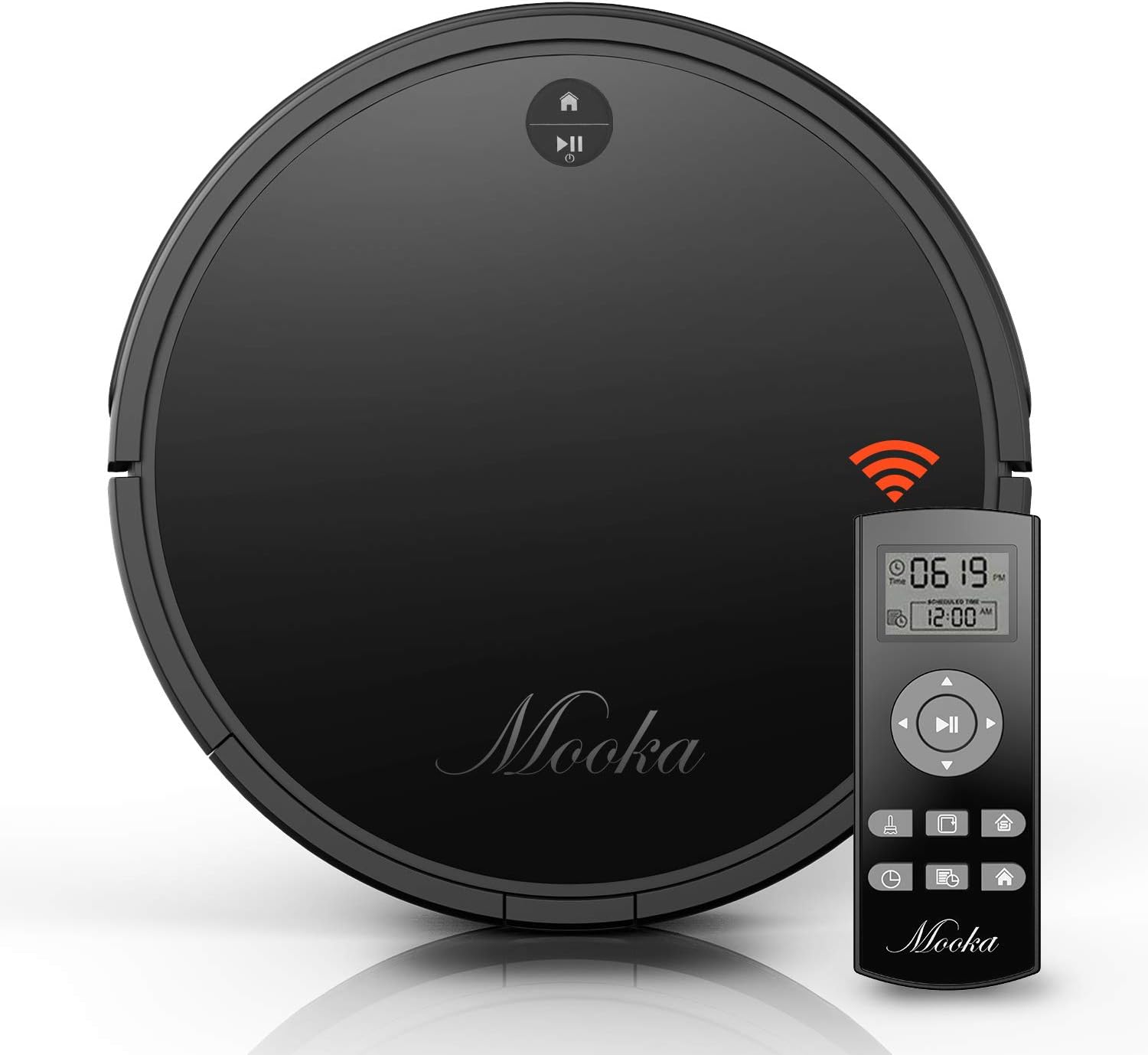
The main unit of the MOOKA I3 Robot Vacuum Cleaner features a sleek, low-profile design allowing it to clean under furniture. It is equipped with various sensors for navigation and cleaning.

The robot utilizes laser distance sensors, numerous other sensors, and an advanced processor for intelligent navigation and cleaning. It employs a precise SLAM algorithm for efficient path planning.

The underside reveals a 3-point cleaning system, including dual side brushes, a floating main brush, and powerful suction for effective debris collection from various surfaces.
2.2 Алыстан башкаруу
The remote control allows you to operate the vacuum cleaner from a distance, select cleaning modes, set schedules, and direct the robot manually. It requires 2 AAA batteries (not included).
2.3 Кубаттоочу база
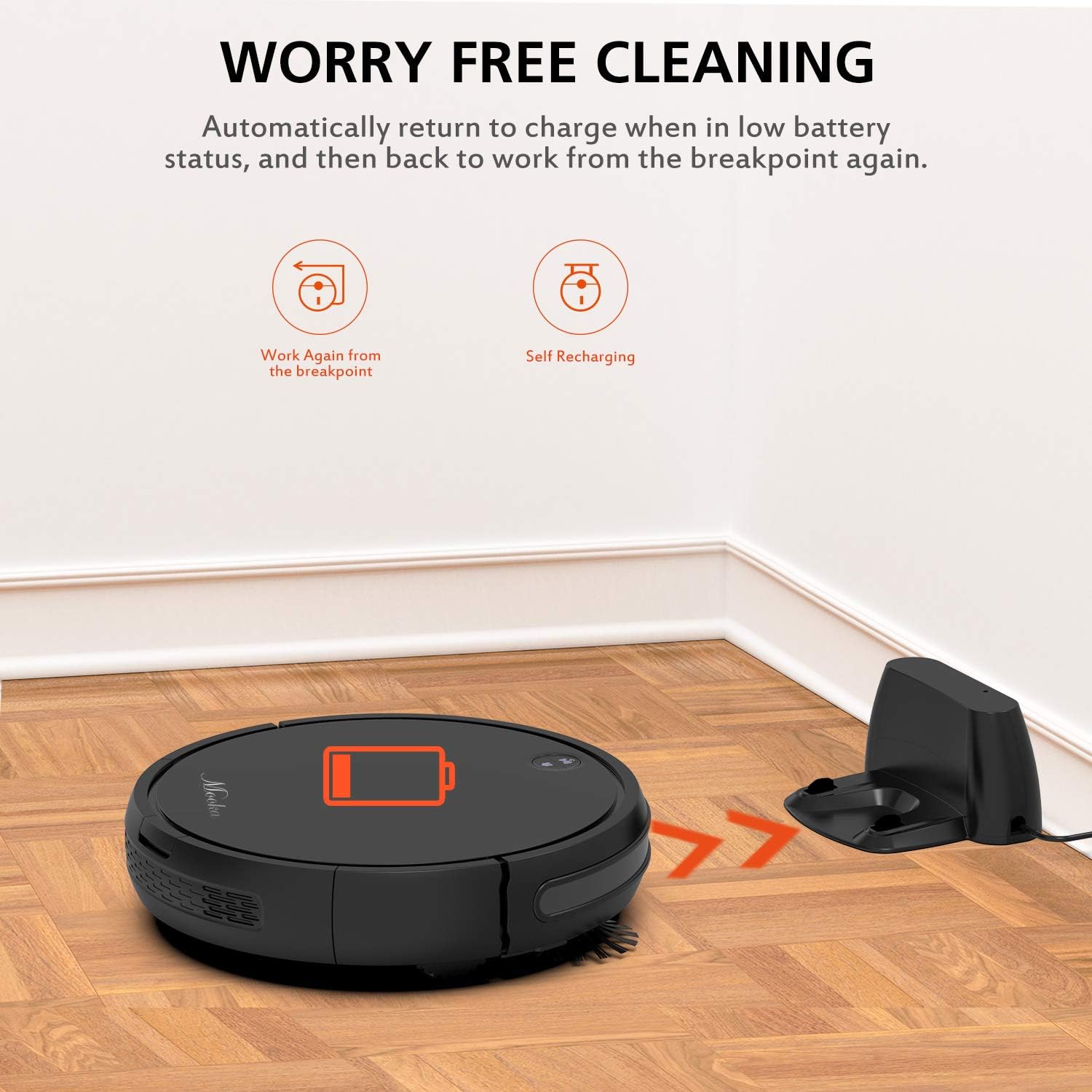
The charging base serves as the robot's home station, where it automatically returns to recharge when its battery is low or after completing a cleaning cycle. It connects to an AC power adapter.
2.4 Кошумча жабдуулар

Пакет төмөнкү нерселерди камтыйт:
- MOOKA I3 Robot Vacuum Cleaner
- Алыстан башкаруу (2 AAA батарейкасы камтылган эмес)
- Заряддоо базасы
- AC кубат адаптери
- HEPA-style Filter (1 pre-installed, 1 replacement)
- Каптал щеткалары (2 жуп)
- Тазалоочу щетка
- Screwdriver
- Instruction Manual
3. Баштоо
3.1 кутудан чыгаруу
Бардык компоненттерди таңгактан кылдаттык менен алып салыңыз. Таңгакты келечекте ташуу же сактоо үчүн сактаңыз.
3.2 Заряддоо базасын жайгаштыруу
Place the charging base against a wall in an open, uncluttered area. Ensure there is at least 1 meter (3 feet) of clear space to the front and 0.5 meters (1.5 feet) to each side of the charging base. Plug the AC power adapter into the charging base and then into a wall outlet. The indicator light on the charging base will illuminate.
3.3 Алгачкы заряддоо

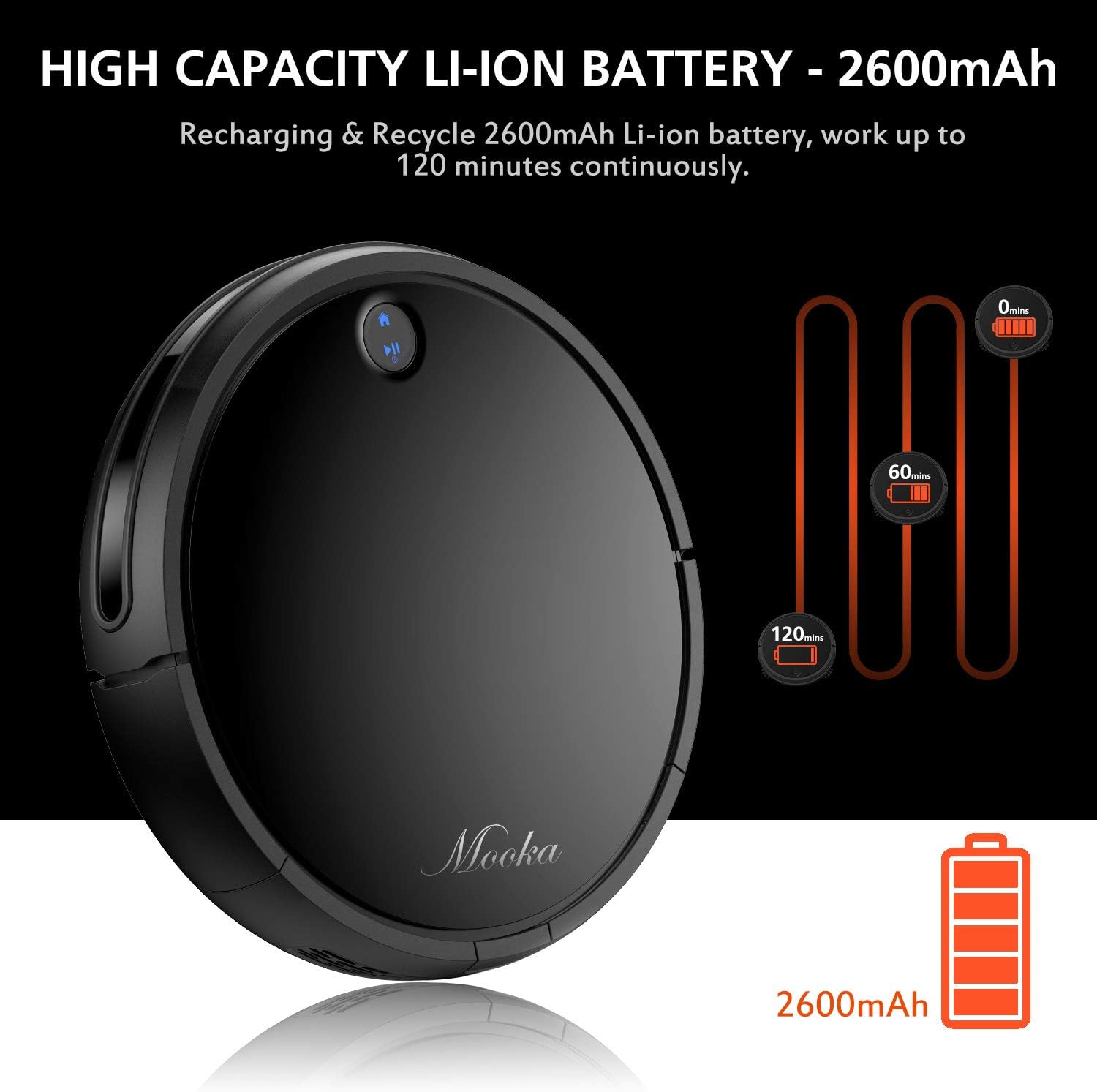
Before first use, fully charge the robot vacuum cleaner. Place the robot onto the charging base, ensuring the charging contacts align. The robot will emit a sound and the indicator light will show charging status. A full charge typically takes 3 to 5 hours. The robot features a 2600mAh Lithium-ion battery, providing approximately 100-120 minutes of cleaning time on a full charge.
The robot is designed to automatically return to its charging base when the battery is low, ensuring it is always ready for the next cleaning cycle.
3.4 Каптал щеткаларды орнотуу
Attach the side brushes by pressing them onto the posts on the underside of the robot until they click into place. Ensure they are securely fastened.
4. Робот вакуумду иштетүү
4.1 Күйгүзүү/өчүрүү
- Күйгүзүү үчүн: Press the power button on the robot or the remote control. The indicator light will illuminate.
- Өчүрүү үчүн: Press and hold the power button on the robot until the indicator light turns off, or use the power button on the remote control.
4.2 Тазалоо режимдери
The MOOKA I3 offers multiple cleaning modes to suit different needs:
- Автоматтык тазалоо: The robot automatically navigates and cleans the entire floor area. This is the default mode.
- Тазалоо: The robot cleans a concentrated area in a spiral pattern, ideal for small spills or heavily soiled spots.
- Четтерин тазалоо: The robot cleans along walls and furniture edges to ensure thorough coverage.
- Бир бөлмөнү тазалоо: The robot cleans a specific room and then returns to its charging base.
4.3 Тазалоону пландаштыруу
You can program the robot to clean automatically at a specific time each day (Daily Cycle Cleaning). Refer to the remote control section for detailed instructions on setting the time and schedule.
4.4 Алыстан башкарууну колдонуу
The remote control provides convenient access to all functions. Insert 2 AAA batteries into the remote control before use. The remote control distance is approximately 7 meters.
- Кубат баскычы: Turns the robot on or off.
- Багыт баскычтары: Роботту кол менен башкарыңыз.
- Үй баскычы: Sends the robot back to the charging base.
- Режим тандоо баскычтары: Select Auto, Spot, Edge, or Single Room cleaning modes.
- Schedule Button: Set or cancel daily cleaning schedules.
- Убакытты жөндөө: Adjust the current time on the robot.
5. Техникалык тейлөө жана кам көрүү
Regular maintenance ensures optimal performance and extends the lifespan of your MOOKA I3 Robot Vacuum Cleaner.
5.1 Чаң урнасын бошотуу
The dust bin should be emptied after each cleaning cycle or when the 'full' indicator (if available) illuminates. Press the dust bin release button, remove the bin, and empty its contents into a trash receptacle.
5.2 HEPA чыпкасын тазалоо
Remove the HEPA filter from the dust bin. Tap it gently over a trash can to remove loose debris. The filter can be rinsed with water; ensure it is completely dry before reinserting. Replace the HEPA filter every 3-6 months, or as needed, to maintain suction performance.
5.3 Cleaning the Side Brushes and Main Brush
Periodically check the side brushes and main brush for tangled hair or debris. Use the provided cleaning tool or a pair of scissors to cut and remove any tangled hair. The side brushes can be pulled off for easier cleaning and replaced if worn.
5.4 Сенсорлорду тазалоо
Wipe the anti-drop sensors, anti-collision sensors, and charging contacts on the robot and charging base with a clean, dry cloth. Keep these sensors clear of dust and debris for proper operation.
6. Кыйынчылыктарды
If you encounter issues with your MOOKA I3, refer to the table below for common problems and solutions.
| Көйгөй | Мүмкүн себеп | Чечим |
|---|---|---|
| Робот күйбөйт. | Батареянын аздыгы; Кубат өчүрүү. | Роботту кубаттаңыз; Негизги кубат которгучун күйгүзүңүз. |
| Робот заряддалбайт. | Charging contacts dirty; Charging base not powered; Robot not aligned. | Clean charging contacts; Ensure charging base is plugged in; Realign robot on base. |
| Робот бат-баттан тыгылып калат. | Тоскоолдуктар (кабелдер, килемчелер); Сенсорлор кир. | Таза тоскоолдуктар; Таза сенсорлор. |
| Начар тазалоо көрсөткүчү. | Dust bin full; Filter clogged; Brushes tangled/worn. | Empty dust bin; Clean/replace filter; Clean/replace brushes. |
| Робот заряддоо базасына кайтып келбейт. | Кубаттоочу база тосулуп калган; Робот базадан өтө алыс. | Ensure clear path to base; Manually place robot closer to base. |
7. Техникалык шарттар
Below are the technical specifications for the MOOKA I3 Robot Vacuum Cleaner:
| Өзгөчөлүк | Спецификация |
|---|---|
| Модел | I3 |
| Түс | Кара |
| Suction Option | Direct Suction (Brushless Suction) |
| Тазалоо режимдери | Auto, Edge, Spot, Single Room |
| Чыпка түрү | Жогорку натыйжалуу HEPA чыпкасы |
| Side Brushes | Dual |
| Working Voltage | DC 14.8V |
| Номиналдуу кубаттуулук | 24 Вт |
| Батарея түрү | Литий-ион |
| Батарея сыйымдуулугу | 2600mAh |
| Авто заряддоо | Ооба |
| Убакытты пландаштыруу | Daily Cycle Cleaning |
| Заряддоо убактысы | Болжол менен 3-5 саат |
| Чаң урнасынын сыйымдуулугу | 500 мл |
| Жумуш убактысы | 100-120 мүнөт |
| Элемент Салмагы | 6.1 фунт |
| Surface Recommendation | Carpet, Wood, Tile |
| Өзгөчөлүктөр | Remote Control, HEPA Filtration, Rechargeable Battery, Anti-Drop Sensors, Smart Anti-Collision |
8. Кепилдик жана Кардарларды колдоо
MOOKA provides a 1-YEAR warranty for the I3 Robot Vacuum Cleaner from the date of purchase. Additionally, a 30 күндүк акчаны кайтаруу кепилдиги is offered. This warranty covers manufacturing defects and issues arising from normal use.
For warranty claims, technical assistance, or any questions regarding your product, please contact MOOKA customer support. Please have your purchase receipt and product model number ready when contacting support.
Contact information for MOOKA customer support can typically be found on the product packaging, the official MOOKA webсайты же сатуучу аркылуу.


