Introduction
Thank you for choosing the Koss BT232i Wireless Bluetooth Earclips. These earclips are designed to provide high-quality wireless audio with the convenience of Bluetooth connectivity, an in-line microphone, and remote controls. Their sweat-resistant design makes them ideal for active lifestyles. Please read this manual carefully to ensure proper use and maintenance of your device.

Image: The Koss BT232i Wireless Bluetooth Earclips, dark grey and black, featuring the earclip design and the in-line remote control.
Кутуда эмне бар
Your Koss BT232i package should contain the following items:
- Koss BT232i Wireless Bluetooth Earclips
- Three (3) pairs of ear cushion sizes (Small, Medium, Large)
- Кабель башкаруу клип
- USB charging cable (not explicitly listed but implied for rechargeable battery)
Продукт бүттүview
The Koss BT232i features an intuitive design for ease of use and comfort.
Earclips and Earbuds
The earclips are designed to securely fit over your ears, providing stability during movement. The earbuds are equipped with soft silicone cushions for comfortable in-ear placement and optimal sound delivery.
Сүрөт: Жакын план view of the Koss BT232i earclips and earbuds, highlighting the ergonomic design.
In-Line Microphone and Remote
The in-line remote control is conveniently located on the cable, allowing easy access to various functions without needing to interact directly with your connected device.

Сүрөт: деталдуу view of the in-line remote control on the Koss BT232i, showing the buttons for volume, play/pause, and call management.
Жайгашуу
1. Charging the Earclips
Before first use, fully charge your BT232i earclips. A full charge provides over 6 hours of battery life.
- Locate the charging port on the in-line remote.
- Connect the provided USB charging cable to the earclips and a compatible USB power source (e.g., computer USB port, wall adapter).
- The LED indicator on the remote will show charging status (refer to LED indicator section for details, if available).
- Толук заряддалгандан кийин, кабелди ажыратыңыз.

Image: An illustration showing the Koss BT232i earclips connected to a power source, indicating the charging process and battery icon.
2. Bluetooth Жупташтыруу
To connect your BT232i earclips to a Bluetooth-enabled device:
- Ensure the earclips are turned off.
- LED индикатору жупташтыруу режимин көрсөтүүчү көк жана кызыл күйүп турганча, линиядагы пульттагы көп функциялуу баскычты басып, кармап туруңуз.
- Түзмөгүңүздө (смартфон, планшет, компьютер) Bluetooth жөндөөлөрүнө өтүп, Bluetooth'ду иштетиңиз.
- Издөө жеткиликтүү түзмөктөрдү тандап, тизмеден "Koss BT232i" тандаңыз.
- Once paired, the LED indicator on the earclips will flash blue slowly or turn solid blue (refer to LED indicator section for specifics).
- The earclips are now ready for use.
3. Fitting the Earclips
For optimal comfort and sound quality, select the correct ear cushion size and adjust the cable.
- Кулак жаздыктары: Experiment with the three included ear cushion sizes (Small, Medium, Large) to find the best fit for your ears. A good seal improves bass response and noise isolation.
- Cable Management Clip: Use the cable management clip to secure any excess cable, preventing tangles and ensuring a snug fit during activities.

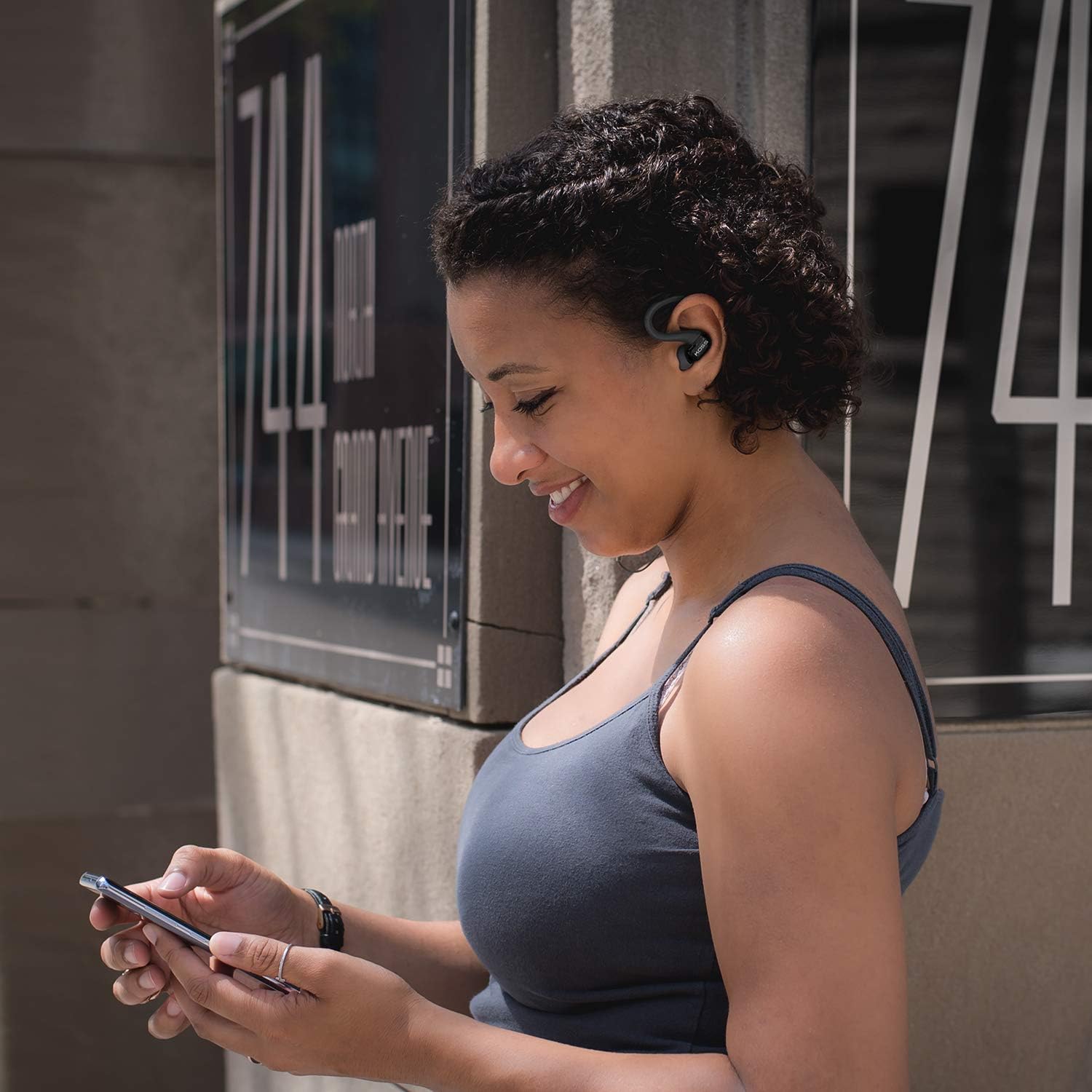
Image: A person wearing the Koss BT232i earclips, demonstrating the over-ear fit and in-ear placement.
Иштөө нускамалары
Интернеттеги пульт аудио жана чалууларыңызды ыңгайлуу башкарууга мүмкүндүк берет.
| Баскыч/Аракет | Функция |
|---|---|
| Күйгүзүү/өчүрүү | Көп функциялуу баскычты басып, кармап туруңуз. |
| Музыканы ойнотуу/тындыруу | Көп функциялуу баскычты бир жолу басыңыз. |
| Кийинки трек | Үндү жогорулатуу (+) баскычын басып, кармап туруңуз. |
| Мурунку трек | Үндү азайтуу (-) баскычын басып, кармап туруңуз. |
| Үндү көтөрүү | Press the Volume Up (+) button once. |
| Үндү төмөндөтүү | Press the Volume Down (-) button once. |
| Чалууга жооп берүү/аяктоо | Кирүүчү чалуу же активдүү чалуу учурунда көп функциялуу баскычты бир жолу басыңыз. |
| Чакырууну четке кагуу | Кирүүчү чалуу учурунда көп функциялуу баскычты басып, кармап туруңуз. |
| Үн жардамчысын жандырыңыз | Double-press the multi-function button (functionality may vary by device). |
Техникалык тейлөө
Proper care will extend the life and performance of your Koss BT232i earclips.
- Тазалоо: Gently wipe the earclips and earbuds with a soft, dry cloth. For ear cushions, remove them and clean with a mild soap solution if necessary, then rinse and dry thoroughly before reattaching. Do not use harsh chemicals or abrasive materials.
- Тер каршылык: The BT232i earclips are sweat resistant. After intense workouts, it is recommended to wipe them dry to prevent moisture buildup. Do not submerge the earclips in water.
- Сактагыч: When not in use, store the earclips in a clean, dry place away from extreme temperatures and direct sunlight. Avoid tangling the cable.
Проблемаларды чечүү
If you encounter issues with your Koss BT232i earclips, try the following solutions:
| Көйгөй | Мүмкүн чечим |
|---|---|
| Earclips won't turn on. | Батарея заряддалганын текшериңиз. Кубат булагына туташтырып, кайра күйгүзүүдөн мурун, аны жок дегенде 30 мүнөт заряддап коюңуз. |
| Түзмөк менен жупташтыруу мүмкүн эмес. |
|
| Үн жок же үнү төмөн. |
|
| Үн бурмаланган же үзүлүп калган. |
|
Техникалык шарттар
| Өзгөчөлүк | Деталь |
|---|---|
| Модель аты | BT232i Bluetooth зымсыз кулакчындары |
| Элемент моделинин номери | 196651 |
| Байланыш технологиясы | Зымсыз |
| Зымсыз байланыш технологиясы | Bluetooth 4.2 |
| Батареянын иштөө мөөнөтү | 6 саат |
| Заряддоо убактысы | 6 саат |
| Жыштык диапазону | 18-20,000 Гц |
| Сууга туруктуулук деңгээли | Water Resistant (Sweat Resistant) |
| Башкаруу түрү | Volume Control, Touch-based In-Line Remote |
| Микрофон | In-line микрофон |
| Кулак жайгаштыруу | Кулакта |
| Форма фактору | Кулак үстүндө |
| Материал | Пластик |
| Элемент Салмагы | 1.94 унция (0.06 килограмм) |
| Продукциянын өлчөмдөрү | 0.98 x 0.98 x 0.98 дюйм |
Кепилдик жана колдоо
Кепилдик маалымат
The Koss BT232i Wireless Bluetooth Earclips come with a Бир жылдык Чектелген Кепилдик. Please retain your proof of purchase for warranty claims. For detailed warranty terms and conditions, please refer to the official Koss website or contact Koss customer support.
Кардарларды колдоо
For further assistance, technical support, or warranty inquiries, please visit the official Koss webсайтка же кардарларды тейлөө бөлүмүнө кайрылыңыз. Көбүрөөк маалымат жана өнүмдөрдү бул жерден таба аласыз Koss Store on Amazon.


