1. Киришүү
The DJI RS 4 Mini is a compact and lightweight gimbal designed for camera stabilization. It incorporates features such as automated axis locks, intelligent tracking capabilities, Teflon™ enhanced balancing, and native vertical shooting functionality. This manual provides instructions for the setup, operation, and maintenance of your DJI RS 4 Mini.
2. Кутуда эмне бар
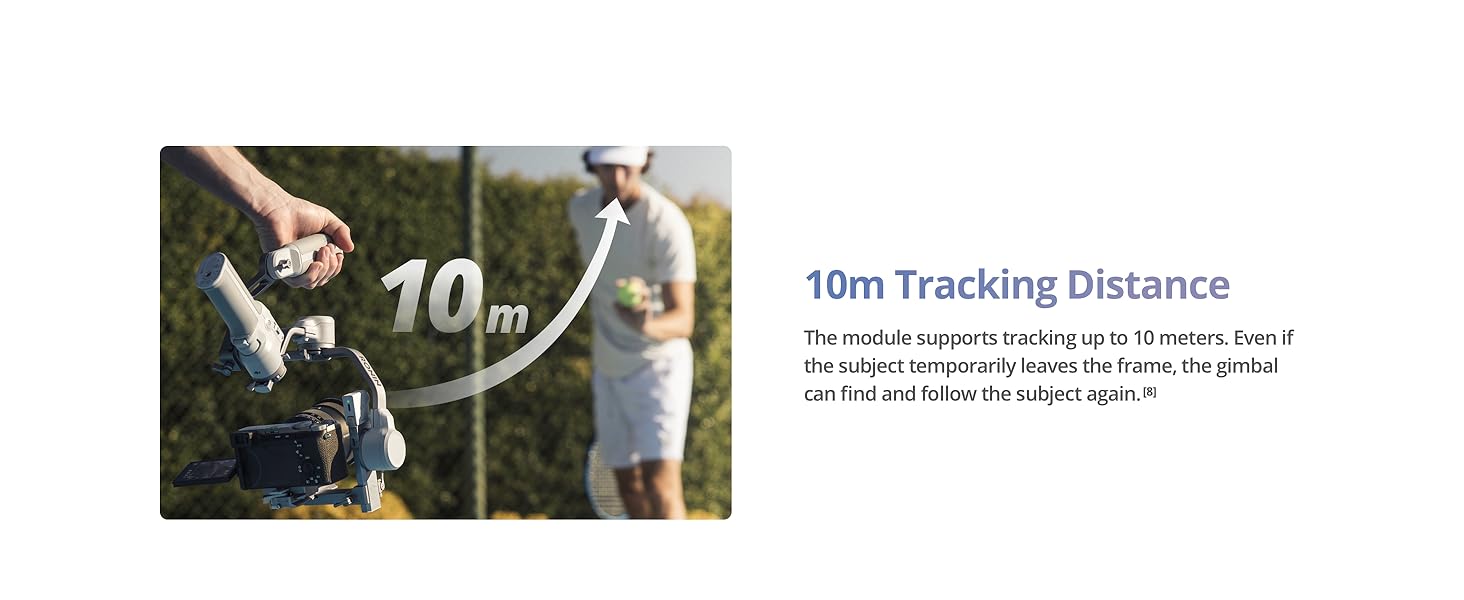
Image: The DJI RS 4 Mini gimbal, quick-release plate, and RS 4 Mini tripod, as typically found in the product packaging.
- Gimbal x1
- Тез ачылуучу пластина x1
- RS 4 Mini штатив x1
- L формасындагы көп камералуу башкаруу кабели (USB-C, 30 см) x1
- USB-C кубаттоочу кабели (40 см) x1
- Бурама комплект x1
3. Орнотуу
3.1. Баштапкы активдештирүү
To activate your DJI RS 4 Mini, follow these steps:
- Press and hold the power button to turn on the DJI RS 4 Mini, then select the language.
- Смартфонуңузда Bluetooth'ду иштетиңиз.
- Launch the Ronin app on your smartphone and register or log in with your DJI account. Tap Connect and select DJI RS 4 Mini. Enter the default password 12345678 and follow the on-screen instructions to activate DJI RS 4 Mini.
- Ийгиликтүү иштетилгенден кийин, DJI RS 4 Mini уйку режимине өтөт. Колдонуудан мурун уйку режиминен чыгуу үчүн кубат баскычын бир жолу басыңыз.
Эскертүү: Активдештирүү учурунда мобилдик түзмөгүңүз интернетке туташкандыгын текшериңиз. DJI RS 4 Mini активдештирүүсүз бешке чейин сыноону колдойт. Андан кийин, андан ары колдонуу үчүн активдештирүү талап кылынат.
3.2. Гимбалды тең салмактоо
Proper balancing is crucial for optimal performance. The DJI RS 4 Mini features Teflon™ interlayers to reduce friction and a fine-tuning knob for precise adjustments.
Сүрөт: Жакын план views illustrating the Teflon™ interlayers for reduced friction, the fine-tuning knob for precise camera balancing, and the three positioning slots for varied camera installations.
The new fine-tuning knob on the tilt axis enables millimeter-level camera balancing. Three positioning slots allow for different installation positions based on your camera, providing more balancing space.
3.3. Камера туташуу
DJI RS 4 Mini Bluetooth жапкыч туташуусун жана камераны башкаруу кабелинин туташуусун колдойт.
1-ыкма: Bluetooth жапкычын туташтыруу
- Bluetooth жана камеранын алыстан башкаруу функциясын иштетиңиз.
- On the touchscreen, swipe down from the top of the home page to enter the control center. Tap the Bluetooth icon in the upper right corner, and DJI RS 4 Mini will start searching for Bluetooth signals of surrounding devices. Select the corresponding Bluetooth of your camera to connect. Certain camera models require a linking password. After successful linking, the Bluetooth icon turns blue.
Эскертүү: DJI RS 4 Mini can connect to only one camera at a time. When connecting to another camera, it will automatically disconnect from the previously connected camera. For information on whether your camera supports Bluetooth shutter connection and related setup methods, please check the Ronin Series Compatibility page on the official DJI webсайт.
2-ыкма: Камера жапкычын башкаруу кабелин туташтыруу
Сураныч, камераңыздын моделине ылайык тиешелүү камераны башкаруу кабелин тандаңыз. Кабелдин бир учун камерадагы жапкычты башкаруу портуна, ал эми экинчи учун DJI RS 4 Miniдеги камераны башкаруу портуна сайыңыз.
Эскертүү: Кутуга кирбеген кабелдер кошумча сатып алууну талап кылат.
3.4. Auto Axis Locks
The DJI RS 4 Mini features automated axis locks to streamline setup and storage.
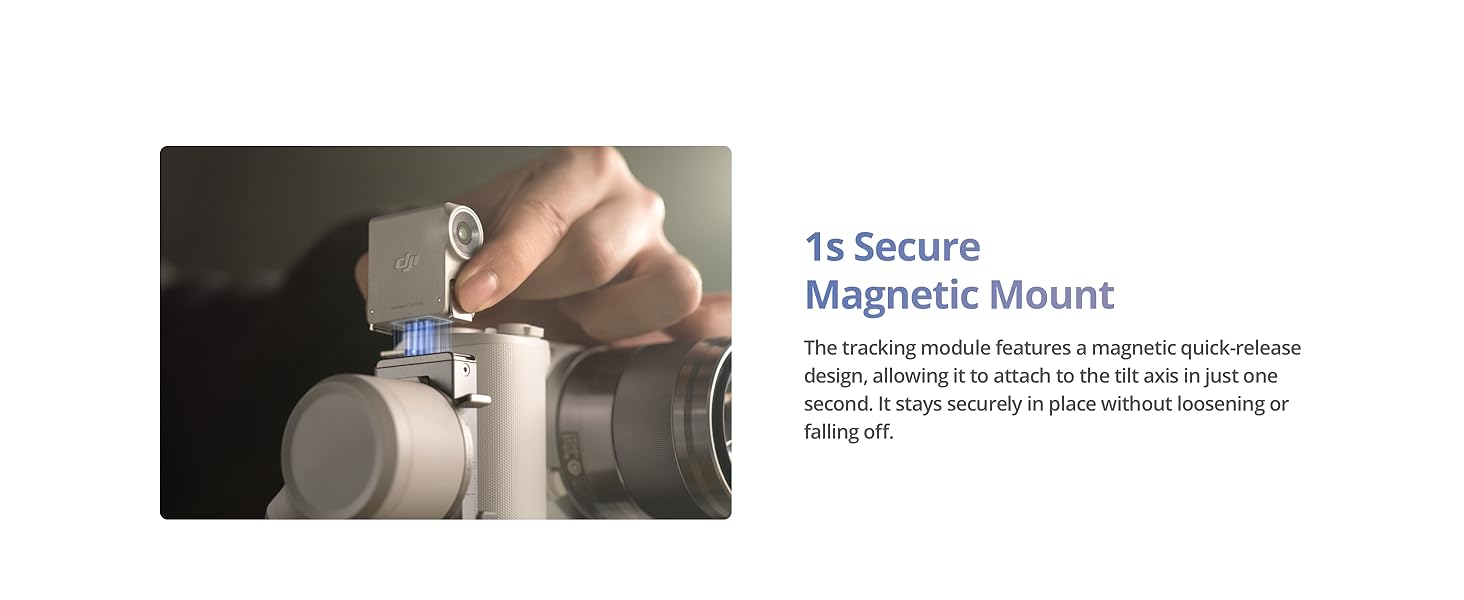
Image: The gimbal's axis arms folding flatter for storage and expanding for immediate use, demonstrating the 1-second unlock feature.
Newly added axis locks accelerate the filming, transitioning, and storage processes. Axis arms fold flatter to save space, making it easy to fit into a bag for convenient carrying.
4. Гимбалды иштетүү
4.1. Basic Controls and Shortcuts
The DJI RS 4 Mini offers various buttons and controls for efficient operation.

Image: A summary of the gimbal's key shortcuts and their functions.
- 1. Кубат баскычы
- Басыңыз жана кармап туруңуз: Күйгүзүү/өчүрүү.
- Press once/twice: Sleep/wake.
- Press once with the gimbal powered off: Check the current battery level of the gimbal.
- 2. Trigger
- Press and hold: Enter Lock/FPV mode.
- Эки жолу басыңыз: Гимбалды кайра ортого коюңуз.
- Press three times: Enter Selfie mode.
- 3. Алдыңкы терүү
- The default setting is electronic focusing. You can change the function on the touchscreen.
- 4. Камераны башкаруу баскычы
- Press halfway: Autofocus.
- Бир жолу басыңыз: Жазууну баштоо/токтот.
- Press and hold: Take a photo.
- 5. Джойстик
- Масштабды башкаруу: Push up or pull down: Control Power Zoom for Sony PZ lenses, or Sony Clear Image Zoom.
- Gimbal башкаруу: Push up or pull down: Control tilt axis movement (default setting). Push left or right: Control pan axis movement (default setting).
- 6. M баскычы
- Press once: Can be customized to Take Photos or C1/Fn1 Button Mapping.
- Press and hold: Enter Sport Mode.
- Триггерди эки жолу басып, M баскычын басып, кармап туруңуз: Кириңиз жана Спорт режиминде кала бериңиз. Чыгуу үчүн кайталаңыз.
- Press and hold the M button and trigger: Start auto tune.
4.2. Intelligent Tracking
The DJI RS Intelligent Tracking Module assists in keeping subjects framed during filming.

Image: Visual representation of the intelligent tracking capabilities, including subject framing, magnetic mount, gesture control, and tracking range.
The new DJI RS Intelligent Tracking Module keeps the human subject in a consistent position within the frame, useful for orbit shots, backward tracking, and fixed-position tracking.

Image: The gimbal tracking a subject up to 10 meters away.
The module supports tracking up to 10 meters. If the subject temporarily leaves the frame, the gimbal can re-acquire and follow the subject.

Image: Gesture recognition for initiating tracking or recording.
Open your palm towards the tracking module, and it will detect you as the subject within 1 second and start/stop intelligent tracking. This is suitable for selfies. You can also press the trigger once to initiate.

Image: The magnetic quick-release mount for the tracking module.
The tracking module features a magnetic quick-release design, allowing it to attach to the tilt axis in just one second. It remains securely in place.
4.3. Тик атуу
The RS 4 Mini allows for quick switching between horizontal and vertical shooting orientations.
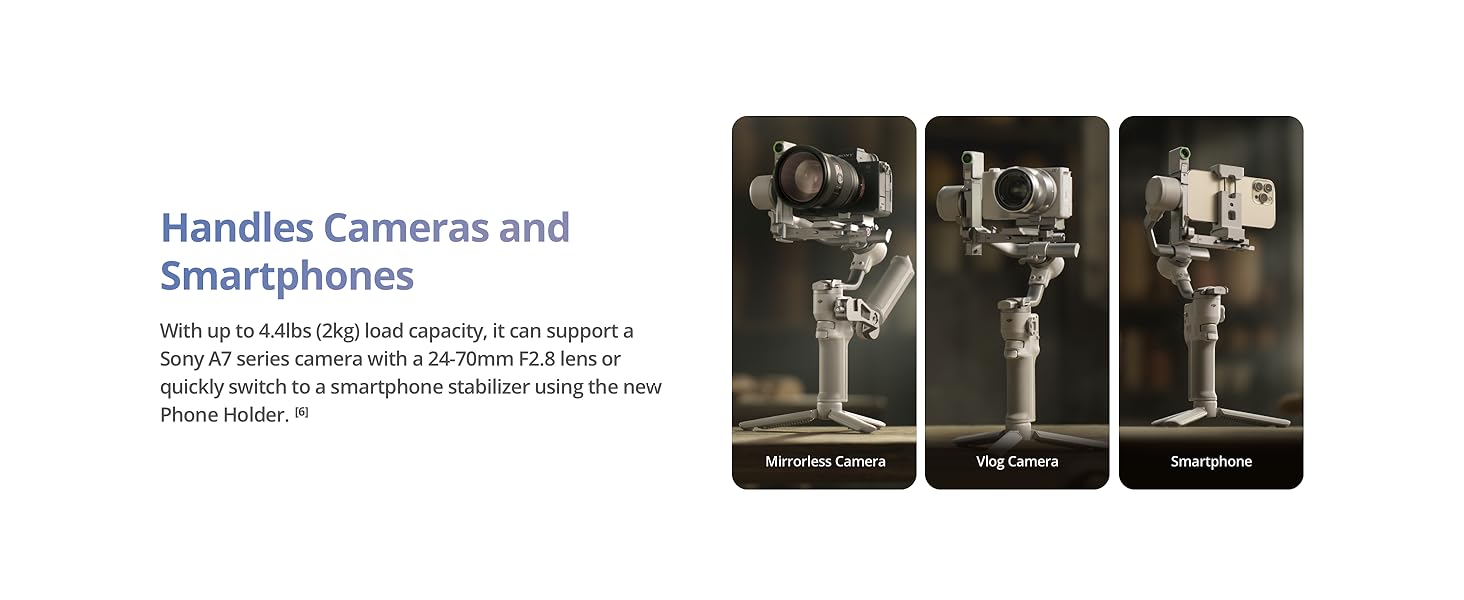
Image: The gimbal configured for both horizontal and vertical shooting.
RS 4 Mini offers a fast switch between horizontal and vertical shooting in the RS series. This can be done in 10 seconds, suitable for mobile phone viewing.
4.4. Follow Modes
The gimbal offers responsive and smooth follow modes.

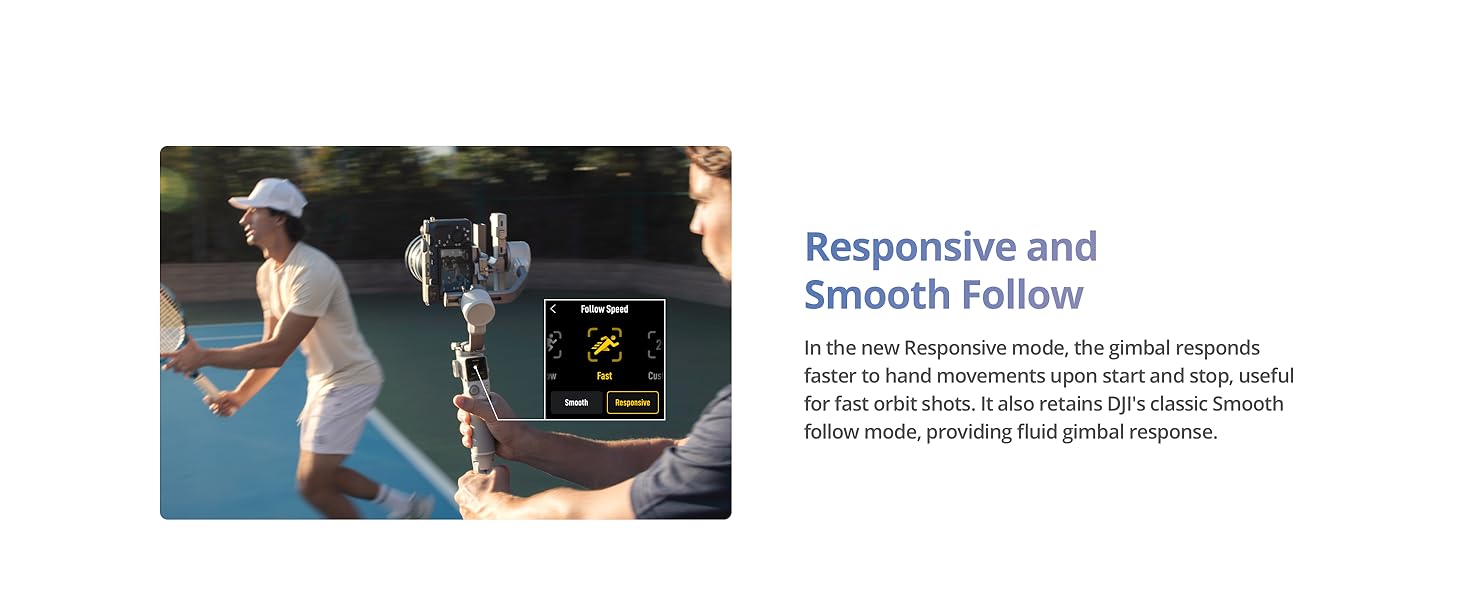
Image: A user filming with the gimbal in a responsive follow mode.
In the new Responsive mode, the gimbal responds faster to hand movements upon start and stop, useful for fast orbit shots. It also retains DJI's classic Smooth follow mode, providing fluid gimbal response.
4.5. Payload and Compatibility
The DJI RS 4 Mini supports a range of cameras and smartphones.

Image: The gimbal configured with a mirrorless camera, a vlog camera, and a smartphone.
With up to 4.4 lbs (2 kg) load capacity, it can support a Sony A7 series camera with a 24-70mm F2.8 lens or quickly switch to a smartphone stabilizer using the new Phone Holder.

Image: The gimbal with a camera mounted, highlighting its payload capacity.
Weighing only 2 lbs (890 g), RS 4 Mini boasts a payload capacity of up to 4.4 lbs (2 kg). It supports a wide range of mainstream mirrorless cameras and lens combinations, delivering powerful performance.
Камеранын шайкештик тизмеси

Image: Part 1 of the camera compatibility list for Bluetooth Shutter Control.

Image: Part 2 of the camera compatibility list for Multi-Camera Control Cable or Bluetooth Shutter Control.
For the most up-to-date and detailed compatibility information, please refer to the official DJI webсайт.
4.6. Батареяны башкаруу
The DJI RS 4 Mini offers extended operating time and fast charging capabilities.

Image: Visuals indicating the battery life and charging speed of the gimbal.
With a 13-hour maximum operating time, it provides ampКүн бою тартуу үчүн кубаттуулукту камсыз кылат. Ошондой эле, ал тез кубаттоону колдойт, болгону 30 мүнөт кубаттоо менен 5 сааттык колдонууну сунуштайт.
5. Техникалык тейлөө
To ensure the longevity and optimal performance of your DJI RS 4 Mini, follow these maintenance guidelines:
- Тазалоо: Гимбалды тазалоо үчүн жумшак, кургак чүпүрөктү колдонуңуз. Суюк тазалагычтарды же эриткичтерди колдонуудан алыс болуңуз.
- Сактагыч: Store the gimbal in a cool, dry place away from direct sunlight and extreme temperatures. Ensure the axis locks are engaged during storage to protect the motors.
- Батареяга кам көрүү: For extended storage, charge the battery to approximately 50-60%. Recharge every three months to prevent over-discharge.
- Программалык камсыздоонун жаңыртуулары: Regularly check the official DJI website or the Ronin app for firmware updates to ensure the best performance and access to new features.
6. Кыйынчылыктарды
6.1. DJI Ronin тиркемесинин шайкештиги
Due to platform compatibility issues, the DJI Ronin app has been removed from Google Play. To download the user manual and the latest DJI Ronin app for an optimal experience, visit the official DJI webсайт.
6.2. Intelligent Tracking Limitations

Image: Information regarding supported follow modes for intelligent tracking.
Intelligent tracking and composition function is only supported in the PF (pan and follow) and PTF (pan and tilt follow) modes. It is not supported in the FPV (tilt, roll and pan follow) mode.

Image: Information regarding detectable subjects for intelligent tracking.
The RS Intelligent Tracking Module only supports detecting human subjects and does not support other subjects.

Image: Information regarding the number of subjects that can be tracked simultaneously.
It supports tracking only one subject at a time.
6.3. Унаага орнотулган атуу

Image: Information regarding vehicle-mounted shooting compatibility.
DJI RS 4 Mini кеңейтүүчү базалык комплект менен шайкеш келбейт жана унаага орнотулган атуу үчүн колдонулбайт.
7. Техникалык шарттар
| Өзгөчөлүк | Деталь |
|---|---|
| Продукциянын өлчөмдөрү | 6.89 x 7.17 x 13.31 дюйм (7.17"D x 6.89"W x 13.3"H) |
| Элемент Салмагы | 2.27 фунт (1030 грамм) |
| ASIN | B07FTDB2BJ |
| Элемент моделинин номери | 6941565995230 |
| Батареялар | 1 CR5 батарейкасы талап кылынат (кошулган) |
| Бренд | DJI |
| Шайкеш түзмөктөр | Камера, смартфон |
| Катталган өлчөмү | 9.29 x 2.52 x 12.44 дюйм |
| UPC | 190021120334 |
| Түс | Боз |
| Өндүрүүчү | DJI |
8. Кепилдик жана колдоо
For detailed warranty information, technical support, and the latest product updates, please visit the official DJI webсайт. The webсайтында ар тараптуу ресурстар, анын ичинде Көп берилүүчү суроолор, көйгөйлөрдү чечүү боюнча колдонмолор жана кардарларды тейлөө кызматы үчүн байланыш маалыматы камтылган.


