1. Киришүү
This manual provides comprehensive instructions for the assembly, operation, and maintenance of your FLEXISPOT Standing Desk Frame (Model E1). Designed for home and office use, this electric sit-stand desk base offers adjustable height, an integrated power strip, and a cable management tray for an efficient and organized workspace.

The FLEXISPOT Standing Desk Frame provides a versatile foundation for your workstation, allowing for both sitting and standing positions.
2. Коопсуздук маалыматы
Маанилүү коопсуздук чаралары:
- Ensure the desk is securely anchored when used as a standing desk.
- Сунушталган максималдуу салмактан 70 кг (154 фунт) ашпаңыз.
- Handle electrical components with care to avoid any risk of electric shock.
- Иш учурунда балдарды жана үй жаныбарларын столдон алыс кармаңыз.
- Avoid placing liquids directly on the control panel or motor.
3. Бөлүктөр тизмеси
Before assembly, verify that all components are present and undamaged. Refer to the diagram below for identification.

All components included in the FLEXISPOT Standing Desk Frame package.
Камтылган компоненттер:
- Desk Frame (Legs and Crossbeam)
- Desk Clamp Power Strip (3 AC Outlets, 2 USB Ports)
- Кабелди башкаруу науасы
- Memory Controller/Keypad
- Transmission Rod
- Чогултуу куралдары (аллен ачкычы, гайка ачкычы)
- Бурамалар жана бекиткичтер
4. Орнотуу жана орнотуу
FLEXISPOT provides detailed assembly instructions and all necessary tools. The setup process typically takes less than 30 minutes. For a visual guide, please refer to the official installation video below.
Official FLEXISPOT Standing Desk Frame Installation Guide. This video demonstrates each step of the assembly process, from inserting the motor to attaching the desktop.
Ассамблея кадамдарыview:
- Муфтаны моторго киргизиңиз: Ensure correct direction as shown in the video.
- Моторду жана оң тилкени салыңыз: Secure the motor within the column.
- Кайчылаш устунду орнотуу: Align the protrusions with the holes and secure with screws.
- Колдоочу плиталарды орнотуу: Attach the support plates to the frame.
- Install the desk foot: Secure the feet to the bottom of the columns.
- Туурасынан тууралоо: Ensure the crossbeam is properly aligned and tightened.
- Install table board (customer provided): Secure your chosen desktop to the frame using the provided screws.
- Трансмиссиянын штангасын орнотуу: Connect the transmission rod between the motor and the other lifting column.
- Трансмиссиянын штангасынын гайкасын бекемдеңиз: Ensure the rod is securely fastened.
- Клавиатураны орнотуу: Attach the control keypad to the underside of the desk.
- Илгичти орнотуу: Attach the headphone hook to the side of the desk.
- Connect all cables: Ensure all motor, power, and control cables are properly connected and managed.
DIY Desktop Workstation: The adjustable desk legs are compatible with various desktop sizes, providing maximum flexibility for your DIY setup. Recommended desktop sizes: width of 39.3" to 63", depth of 19.7" to 31.5".

The desk frame is designed to accommodate various desktop sizes, allowing for personalized customization.
5. Операция
Your FLEXISPOT Standing Desk Frame features an electric lifting mechanism and a memory controller for easy height adjustments.
Башкаруу панелинин функциялары:

The programmable control panel allows for precise height adjustments and memory settings.
- Өйдө/төмөн жебелер: Press and hold to continuously adjust the desk height. The adjustable height range is 28.1''-45.7''.
- LED дисплей панели: Учурдагы столдун бийиктигин дюйм менен көрсөтөт.
- Эстутум жөндөөлөрү (1, 2, 3, 4): Press a numbered button to move the desk to a pre-saved height. To save a height, adjust the desk to your desired position, then press and hold one of the numbered buttons until the display flashes or beeps.
Integrated Power Strip and Cable Management:
The desk comes with a clamp power strip for convenient access to power outlets and USB ports, reducing clutter. The integrated cable management tray helps keep your cords organized and out of sight.
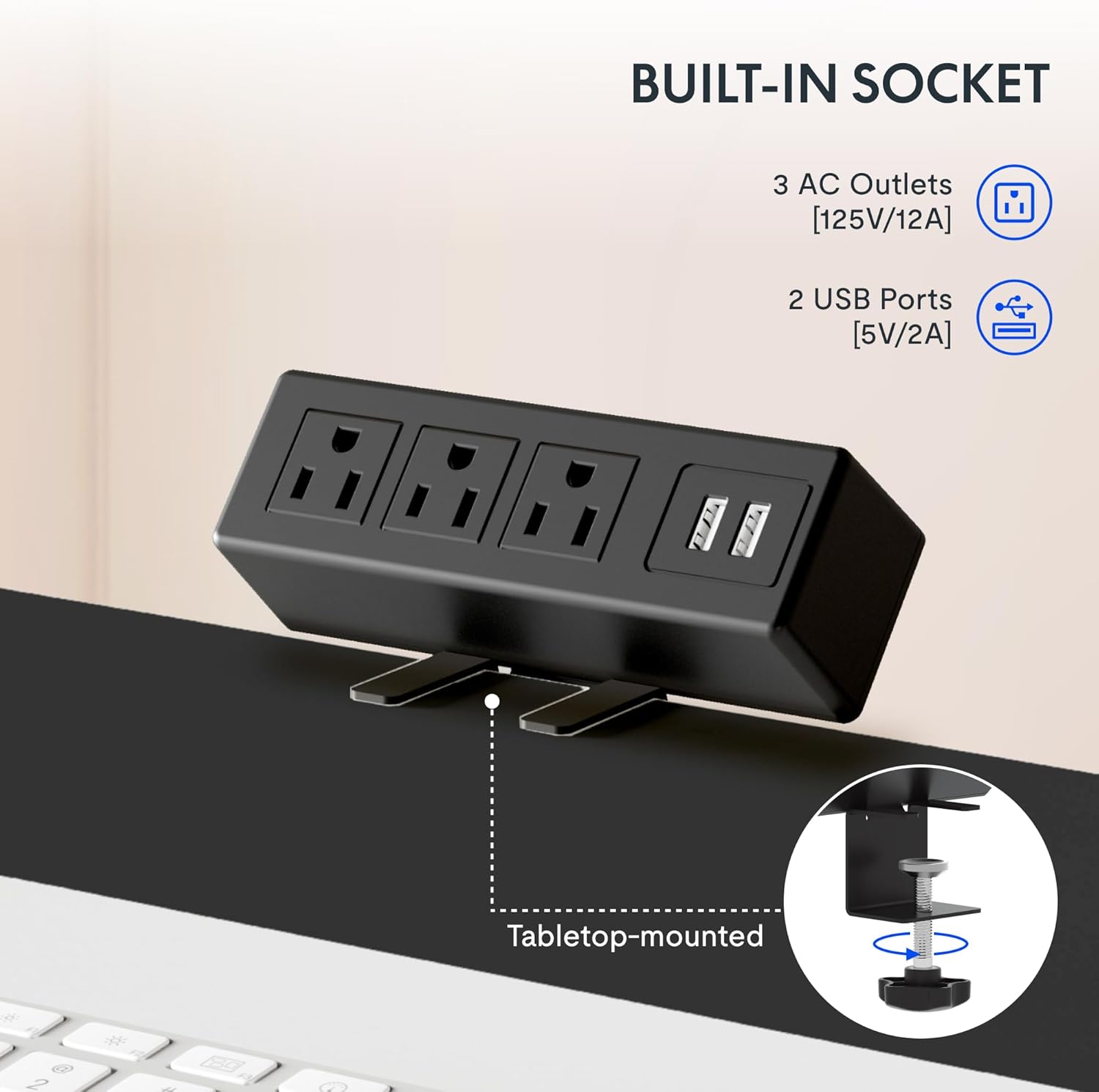
The integrated power strip provides easy access to power for your devices.
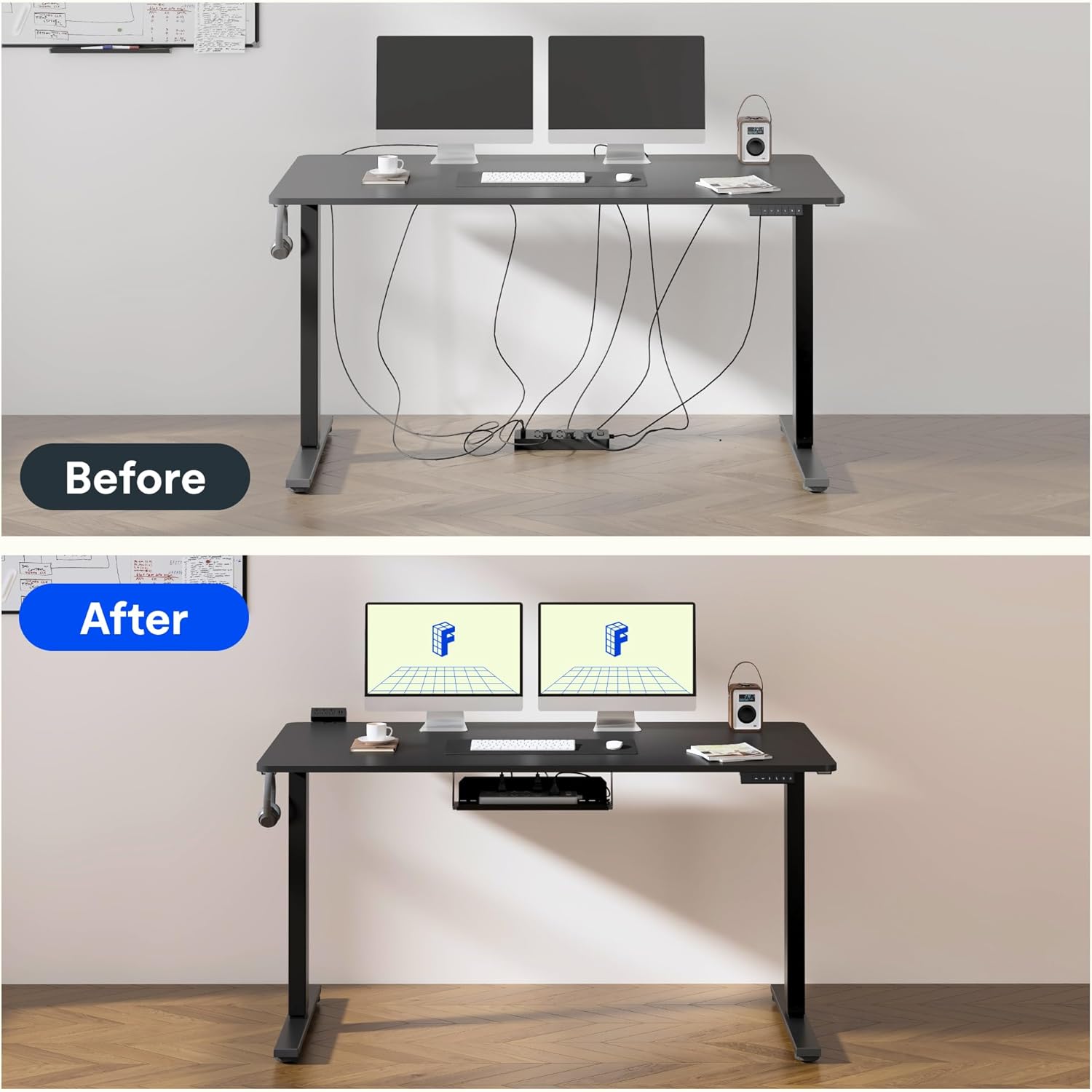
Effective cable management helps maintain a clean and clutter-free workspace.
6. Сапат жана сыноо
FLEXISPOT products undergo rigorous testing to ensure durability and stability. The desk frame features dual-stage legs for continuous height adjustment and enhanced stability.

Dual-stage legs provide a wide range of continuous height adjustment for optimal ergonomics.
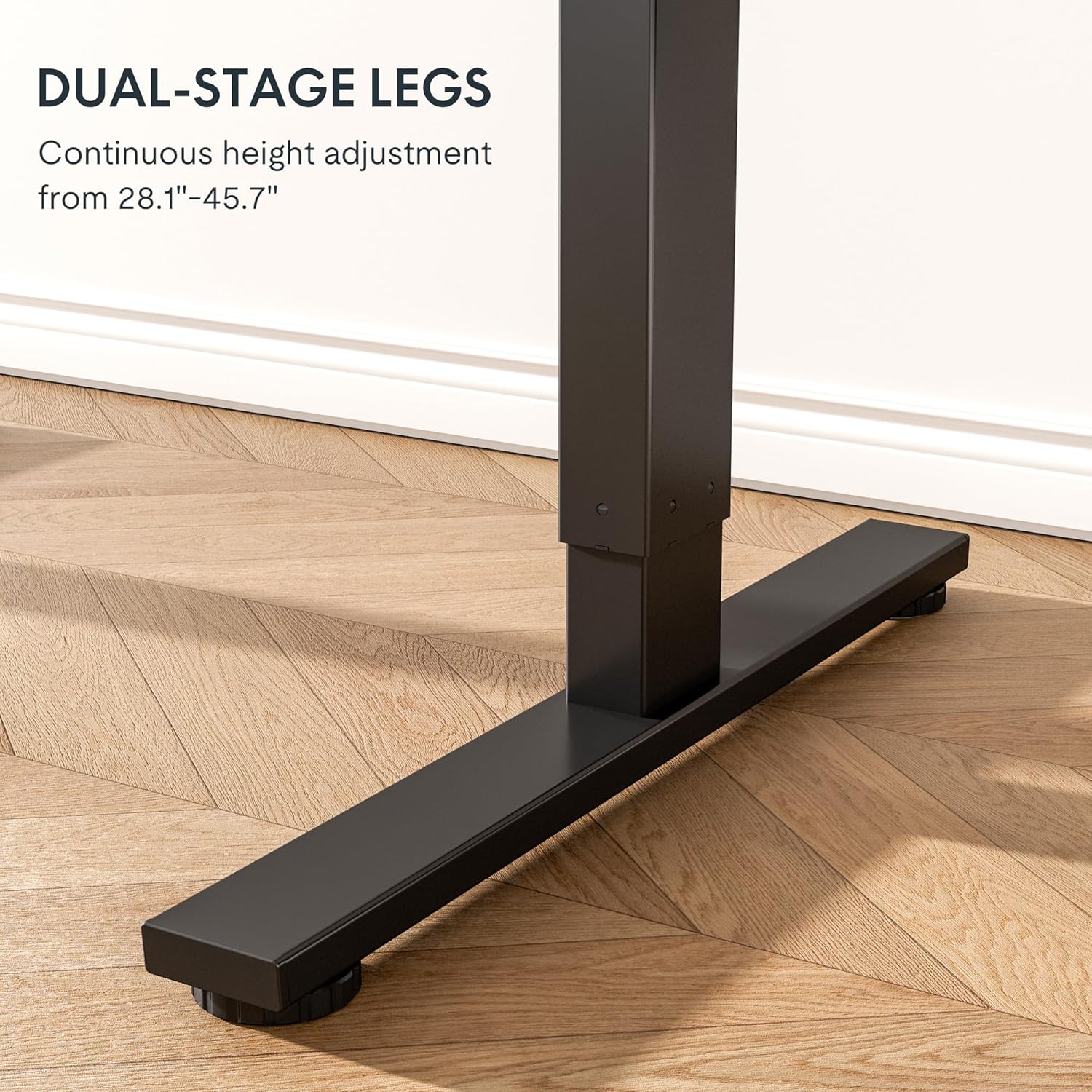
The robust design with bigger flanks, thicker columns, and wider feet ensures superior stability.
This video demonstrates the rigorous testing procedures for FlexiSpot standing desks, including durability and stability tests.
A demonstration of the computer workstation table's stability and functionality under various conditions.
An overview видео шоуcasing the features and benefits of the FLEXISPOT Standing Desk.
7. Техникалык тейлөө
To ensure the longevity and optimal performance of your FLEXISPOT Standing Desk Frame, follow these simple maintenance guidelines:
- Regularly wipe down the frame with a soft, damp чаңды жана калдыктарды тазалоо үчүн кездеме. Катуу химиялык заттардан алыс болуңуз.
- Check all screws and fasteners periodically to ensure they are tight. Retighten if necessary.
- Keep the electrical components (motor, control panel, power strip) dry and free from spills.
- Кабелдердин тыкан башкарылышын жана чымчылып же чаташып калбагандыгын текшериңиз, айрыкча бийиктикти тууралоодо.
- Үстөлдү анын максималдуу салмагы 70 кг (154 фунт) ашыкча жүктөбөңүз.
8. Кыйынчылыктарды
If you encounter any issues with your FLEXISPOT Standing Desk Frame, refer to the common troubleshooting tips below. If the problem persists, please contact customer support.
| Көйгөй | Мүмкүн себеп | Чечим |
|---|---|---|
| Стол кыймылдабай же жооп бербей жатат. | Электр кабели ажыратылган; ашыкча жүктөн коргоо иштетилди; мотор катасы. | Check power connections. Reduce weight on the desk. Unplug for 10 seconds and plug back in to reset. |
| Бир калыпта эмес бийиктикти жөнгө салуу. | Loose screws; uneven weight distribution. | Check and tighten all assembly screws. Redistribute weight evenly on the desktop. |
| Иш учурунда адаттан тыш үндөр. | Loose components; motor wear. | Ensure all parts are securely fastened. If noises persist, contact customer support. |
| Эстутум орнотуулары иштебей жатат. | Туура эмес программалоо. | Reprogram the memory settings by adjusting to desired height, then pressing and holding the numbered button until confirmation. |
9. Техникалык шарттар
| Өзгөчөлүк | Деталь |
|---|---|
| Бренд | FLEXISPOT |
| Модель номери | E1 |
| Түс | Кара |
| Жөнгө салынуучу бийиктик диапазону | 28.1 дюймдан 45.7 дюймга чейин |
| Сунушталган столдун туурасы | 39.3-63" |
| Сунушталган жумушчу столдун тереңдиги | 19.7-31.5" |
| Максималдуу салмак боюнча сунуш | 154 фунт (70 кг) |
| Негизги материал | Эритме болот |
| Көтөрүү механизми | Электр |
| Камтылган компоненттер | Desk Clamp Power Strip, Cable Management Tray |
| Керектүү Ассамблея | Ооба |
| Бардык монтаждоо куралдарын камтыйт | Ооба |

Detailed dimensions of the FLEXISPOT Standing Desk Frame.
10. Кепилдик жана колдоо
Кепилдик маалыматы:
The FLEXISPOT Standing Desk Frame is covered by a comprehensive warranty:
- 5 жылдык кепилдик: Covers the frame, motor, and other mechanical mechanisms.
- 2 жылдык кепилдик: Covers the controller, switch, and electronics.
Кепилдик дооматтары үчүн сатып алганыңыздын далилин сактап коюңуз.
Кардарларды колдоо:
For further assistance, technical support, or warranty inquiries, please visit the official FLEXISPOT website or contact their customer service team. You can find more information and contact details on the Amazonдагы FLEXISPOT дүкөнү.


