Introduction
Thank you for choosing the iTOMA CKS801 Alarm Clock. This device combines a digital alarm clock with convenient features such as wireless charging, a USB charging port, dual alarms, an adjustable night light, and an indoor temperature and humidity display. This manual will guide you through the setup, operation, and maintenance of your new alarm clock to ensure optimal performance and user experience.
Продукт өзгөчөлүктөрү
- Зымсыз кубаттоо функциясы: Compatible with most universal wireless charging enabled mobile phones.
- USB кубаттоо порту: Provides an additional port for charging other mobile devices.
- Dual Alarm with Snooze: Set two independent alarms with a 9-minute snooze function (up to 6 times).
- Adjustable Night Light: Features two night light modes for ambient lighting.
- 4-Level Display Dimmer: Adjust the brightness of the LED display.
- Indoor Temperature and Humidity Display: Shows ambient temperature (Celsius/Fahrenheit) and relative humidity.
- 12/24 саат убакыт форматы: Select your preferred time display format.
Түзмөктүн жайгашуусу
Familiarize yourself with the buttons and display elements of your iTOMA CKS801 alarm clock.
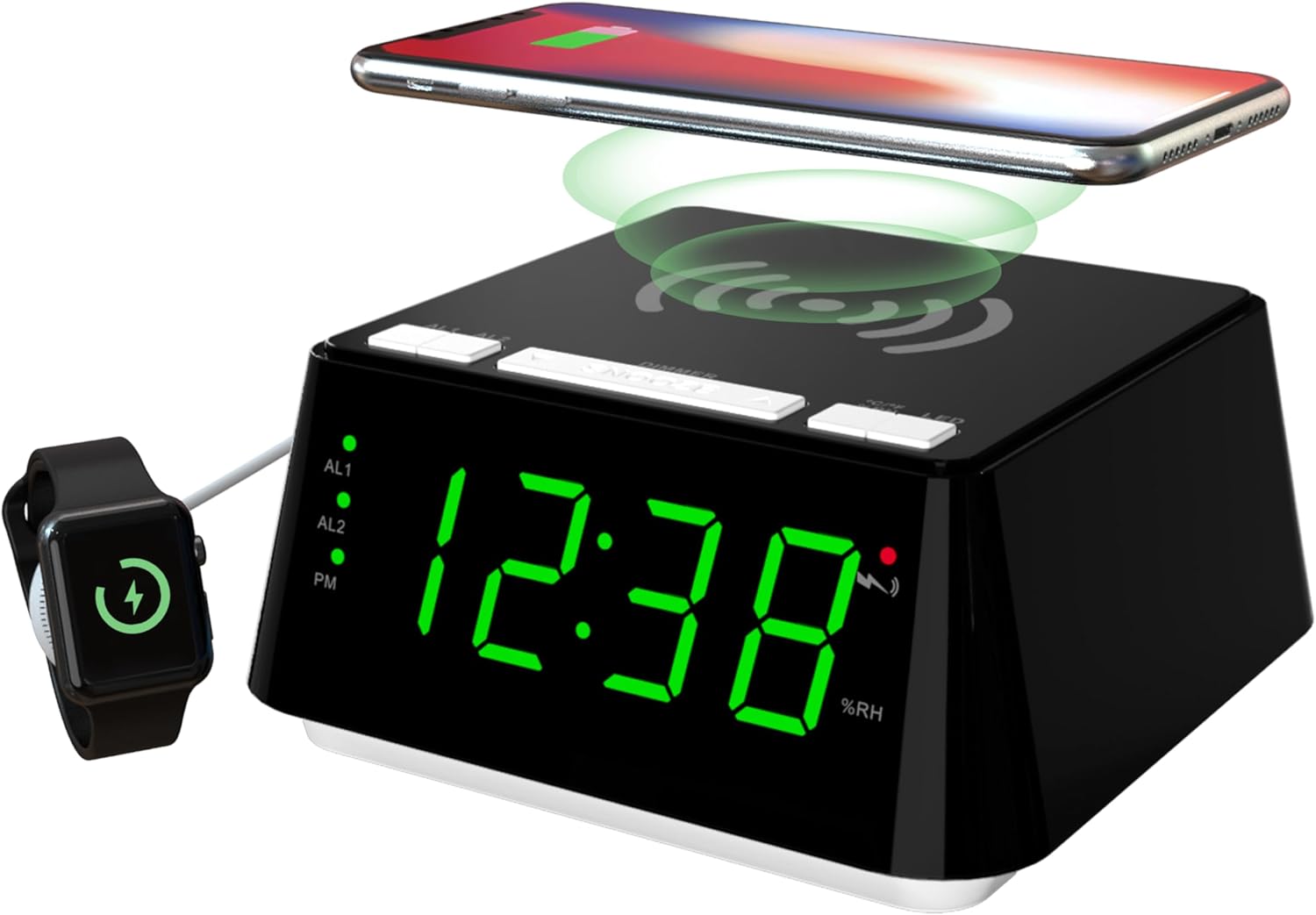
Сүрөт 1: Алды менен үстү view of the iTOMA CKS801 alarm clock, showing the digital time display, alarm indicators (AL1, AL2), PM indicator, humidity percentage (%RH), and the wireless charging pad on top. A smartphone is shown wirelessly charging, and a smartwatch is connected to the USB port.
- Жогорку панель: Wireless charging pad, SNOOZE/DIMMER button, AL1/AL2 buttons, °C/°F/%RH button, LED (Night Light) button.
- Алдыңкы дисплей: Large LED display showing time, AL1/AL2 indicators, PM indicator, temperature, and humidity.
- Арткы Panel: Power input, USB charging port.
Жайгашуу
- Кубат туташуу: Connect the provided power adapter to the DC input port on the back of the alarm clock and then plug it into a standard wall outlet. The display will light up.
- Баштапкы убакыт жөндөөсү: Upon first power-up, the clock may display a default time. Refer to the "Time Setting" section under Operating Instructions to set the correct time.
Иштөө нускамалары
1. Убакытты белгилөө
- басып, кармап туруңуз УБАКЫТТЫ ОРНОТУУ button (if available, otherwise use a combination of buttons, e.g., SNOOZE/DIMMER for setting mode and AL1/AL2 for adjustment).
- колдонуу AL1 or AL2 buttons (or dedicated UP/DOWN buttons if present) to adjust the hour.
- басыңыз УБАКЫТТЫ ОРНОТУУ button again to move to minute adjustment. Use AL1 or AL2 мүнөт тууралоо үчүн.
- басыңыз УБАКЫТТЫ ОРНОТУУ ырастоо жана убакыт орнотуу режиминен чыгуу үчүн дагы бир жолу басыңыз.
- 12 сааттык жана 24 сааттык форматтын ортосунда которулуу үчүн, басыңыз °C/°F/%RH button while the time is displayed. The PM indicator will appear for 12-hour format afternoon times.
2. Alarm Setting (AL1 & AL2)

Сүрөт 2: Close-up of the iTOMA CKS801 display and top buttons, illustrating the dual alarm indicators (AL1, AL2) and the three alarm modes: ALL-7-DAY, WEEKDAY, and WEEKEND.
- 1-ойготкучту (AL1) орнотуу:
- басып, кармап туруңуз AL1 баскычы. Саат дисплейи жарк этет.
- колдонуу SNOOZE / DIMMER button (or dedicated UP/DOWN) to adjust the alarm hour.
- Басыңыз AL1 again to move to minute adjustment. Use SNOOZE / DIMMER мүнөт тууралоо үчүн.
- Басыңыз AL1 again to select the alarm mode (ALL-7-DAY, WEEKDAY, WEEKEND). Use SNOOZE / DIMMER режимдер аркылуу айлануу үчүн.
- Басыңыз AL1 once more to confirm and activate Alarm 1. The AL1 indicator will light up.
- 2-ойготкучту (AL2) орнотуу: Follow the same steps as for AL1, using the AL2 баскычы.
- Ойготкучтарды иштетүү/өчүрүү: баскычын кыскача басыңыз AL1 or AL2 button to toggle the respective alarm on or off. The AL1/AL2 indicator will show its status.
- Чырым Function: Ойготкуч чыкканда чоң баскычты басыңыз SNOOZE / DIMMER button on top to activate snooze. The alarm will pause for 9 minutes and sound again. This can be repeated up to 6 times.
- Ойготкучту токтотуу: To stop an alarm completely, press any other button (e.g., AL1, AL2, LED) except the SNOOZE/DIMMER button. The alarm will reset for the next day.
3. Зымсыз заряддоо

Сүрөт 3: A smartphone placed on the top surface of the iTOMA CKS801 alarm clock, indicating active wireless charging with a charging icon on the phone screen.
- Place your Qi-compatible smartphone directly on the wireless charging pad located on the top surface of the alarm clock.
- Ensure the phone is centered on the charging pad for optimal charging.
- A charging indicator (usually on your phone screen) will confirm that charging has begun.
- Remove any metal objects or thick cases from your phone that may interfere with wireless charging.
4. USB кубаттоочу порт
- Locate the USB charging port on the rear of the alarm clock.
- Connect your device's USB charging cable to this port.
- This port provides a convenient way to charge non-wireless charging devices or additional accessories like smartwatches.
5. Night Light Operation

Сүрөт 4: The iTOMA CKS801 alarm clock displaying the time, with its integrated night light illuminated, casting a soft glow around the base.
- басыңыз LED button on the top panel to turn the night light on.
- басыңыз LED button again to cycle through the available night light modes (e.g., different brightness levels or colors, if applicable, as the description mentions "two modes").
- басыңыз LED button repeatedly until the night light turns off.
6. Температура жана нымдуулук дисплей

Сүрөт 5: Two iTOMA CKS801 alarm clocks side-by-side, one displaying "23C" (Celsius) and the other "73F" (Fahrenheit), demonstrating the temperature display feature.

Сүрөт 6: The iTOMA CKS801 alarm clock displaying "55%RH", indicating the indoor humidity percentage.
- The alarm clock automatically displays the indoor temperature and humidity.
- To switch between Celsius (°C) and Fahrenheit (°F) for temperature, briefly press the °C/°F/%RH баскычы.
- The humidity is displayed as a percentage (%RH).
7. Дисплейдин жарыктыгын күңүрттөөнү башкаруу

Сүрөт 7: Төрт views of the iTOMA CKS801 alarm clock, demonstrating the four levels of display brightness: High (L-3), Medium (L-2), Low (L-1), and Off.
- баскычын кыскача басыңыз SNOOZE / DIMMER button to cycle through the 4 levels of display brightness: High (L-3), Medium (L-2), Low (L-1), and Off.
- Select the brightness level that is most comfortable for your environment.
Техникалык тейлөө
- Тазалоо: Аппаратты жумшак, кургак чүпүрөк менен сүртүңүз. Абразивдүү тазалагычтарды же эриткичтерди колдонбоңуз.
- Жайгашкан жери: Place the alarm clock on a stable, flat surface away from direct sunlight, heat sources, and moisture.
- Күч: Always use the original power adapter provided with the device.
Проблемаларды чечүү
| Көйгөй | Мүмкүн болгон себеп / Чечим |
|---|---|
| Clock display is off or flickering. |
|
| Зымсыз кубаттоо иштебей жатат. |
|
| Ойготкуч угулбайт. |
|
| Incorrect temperature/humidity reading. |
|
Техникалык шарттар
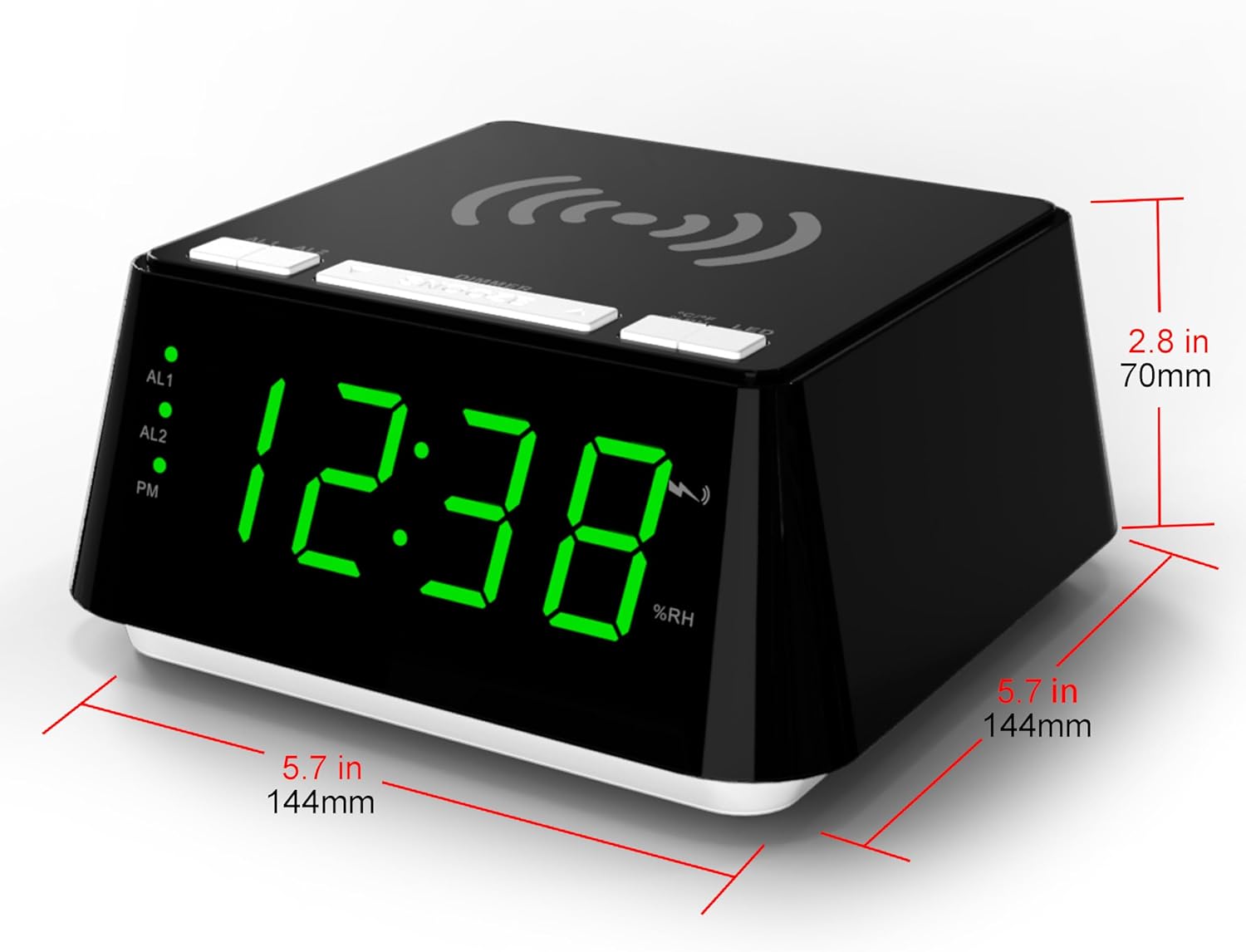
Сүрөт 8: Diagram showing the dimensions of the iTOMA CKS801 alarm clock: 5.7 inches (144mm) in width, 5.7 inches (144mm) in depth, and 2.8 inches (70mm) in height.
| Өзгөчөлүк | Деталь |
|---|---|
| Модел | CKS801 |
| Өлчөмдөрү (L x W x Y) | 14.4 x 13 x 7.11 см (5.7 x 5.1 x 2.8 дюйм) |
| Салмагы | 381.02 г (0.84 фунт) |
| Дисплей түрү | Digital LED |
| Түс | Green (LED display color, product casing is black) |
| Power Source | AC Power Adapter (Batteries not required for operation) |
| Өзгөчөлүктөр | Alarm, Wireless Charging, USB Charging, Night Light, Temperature Display, Humidity Display |
Кепилдик жана колдоо
For warranty information or technical support, please refer to the documentation included with your purchase or visit the official iTOMA website. If you encounter any issues not covered in this manual, please contact iTOMA customer service for assistance.


