Introduction
This manual provides essential instructions for the safe and efficient use of your itel it2160 dual SIM mobile phone. Please read this guide thoroughly before operating the device and retain it for future reference.
Пакеттин мазмуну
Продукцияңыздын таңгагында бардык элементтер бар экенин текшериңиз:
- itel it2160 Mobile Phone
- Батарея
- Заряддагыч
- Колдонуучунун Колдонмосу (бул документ)
Түзмөктүн жайгашуусу
Familiarize yourself with the key components of your itel it2160 phone.

Сүрөт: Фронт view of the itel it2160 mobile phone, showing the display, keypad, and navigation buttons.
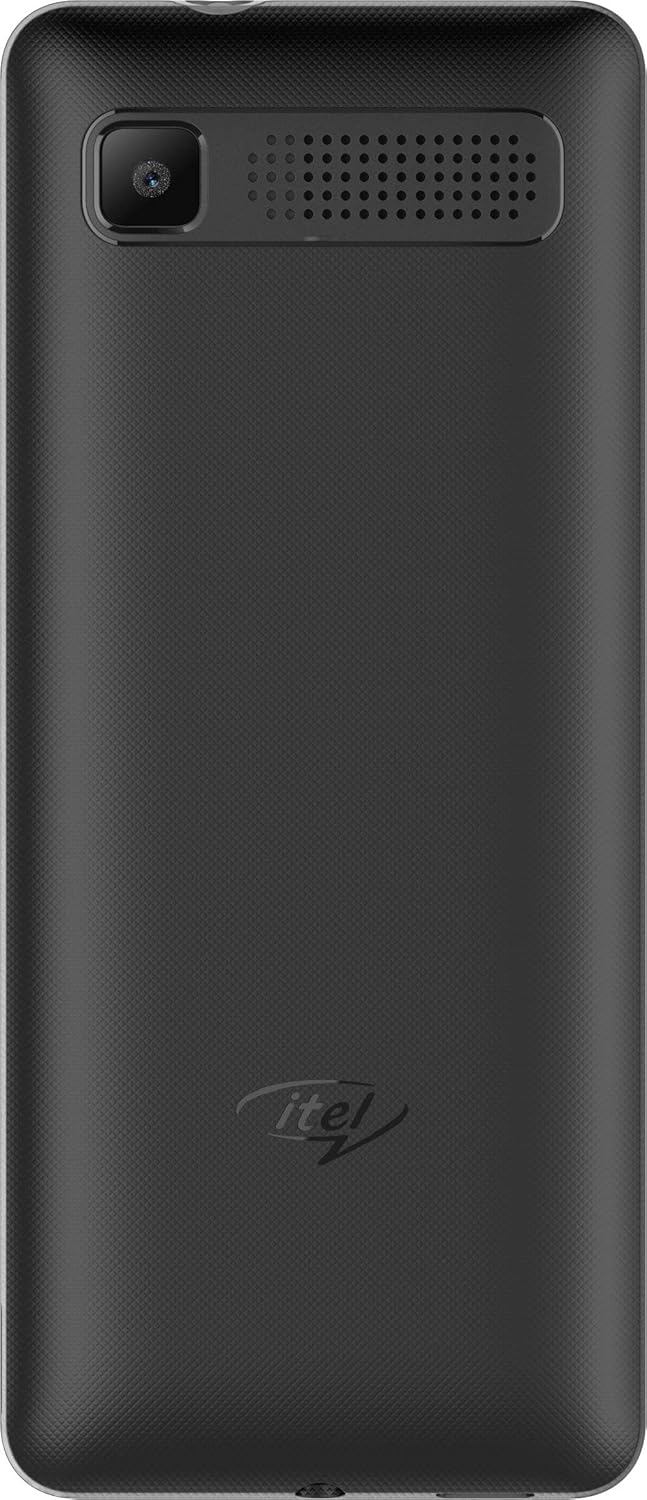
Сүрөт: Арткы view of the itel it2160 mobile phone, showing the camera and speaker grille.
- Дисплей: 1.77 дюймдук экран үчүн viewмаалымат алуу.
- Баскычтоп: Alphanumeric keys for dialing and text input.
- Чабыттоо баскычтары: Менюда навигация жана тандоо үчүн.
- Чалуу/аяктоо баскычтары: To initiate and terminate calls.
- Арткы камера: Located on the back for capturing photos.
- Баяндамачы: Аудио чыгаруу үчүн.
Жайгашуу
1. Installing SIM Cards and Battery
- Телефондун арткы капкагын оюктан акырын ачып, чечиңиз.
- Insert your SIM card(s) into the designated SIM slots. Ensure the gold contacts face downwards. This phone supports dual SIM cards.
- If applicable, insert a microSD card into the memory card slot for expanded storage.
- Батареяны салыңыз, контакттарды туура тегиздеңиз.
- Арткы капкакты чыкылдатмайынча ордуна коюңуз.
2. Батареяны заряддоо
- Connect the charger to the charging port on your phone.
- Заряддоо түзүлүштү розеткага сайыңыз.
- Allow the phone to charge completely before first use. The battery indicator on the screen will show charging status.
3. Күйгүзүү / Өчүрүү
- Күйгүзүү үчүн: Press and hold the Power/End key until the screen lights up.
- Өчүрүү үчүн: Press and hold the Power/End key until the power-off options appear, then select "Power off".
Иштөө нускамалары
1. Чалууларды кабыл алуу жана кабыл алуу
- Чалуу үчүн: Enter the phone number using the keypad and press the Call key. If using dual SIM, select the desired SIM for the call.
- Чакырууну кабыл алуу үчүн: Телефон шыңгыраганда Чакыруу баскычын басыңыз.
- Чалууну аяктоо үчүн: Аяктоо баскычын басыңыз.
2. SMS жөнөтүү жана алуу
- SMS жөнөтүү үчүн: Go to "Menu" > "Messages" > "Write message". Enter your message and the recipient's number, then send.
- To Read SMS: New messages will be indicated on the screen. Go to "Menu" > "Messages" > "Inbox" to view.
3. Камераны колдонуу
- "Меню" > "Камера" бөлүмүнө өтүңүз.
- Дисплейди колдонуп кадрыңызды тартыңыз.
- Press the center navigation key or a designated camera key to capture the image.
4. FM радиосу
- Connect headphones to the phone's audio jack (headphones act as an antenna).
- "Меню" > "FM радио" бөлүмүнө өтүңүз.
- Станцияларды издөө же кол менен жөндөө үчүн навигация баскычтарын колдонуңуз.
Техникалык тейлөө
- Батареяга кам көрүү:
- Ашыкча температурадан сактаныңыз.
- Батареяны тез-тез ашыкча заряддабаңыз же толугу менен бошотпоңуз.
- Түзмөк менен кошо берилген оригиналдуу кубаттагычты гана колдонуңуз.
- Тазалоо:
- Wipe the phone with a soft, dry cloth.
- Avoid using liquid cleaners or aerosols.
- Сактагыч:
- Телефонду салкын, кургак жерде, күндүн нуру түз тийбеген жерде сактаңыз.
- Балдар жана үй жаныбарлары жетпеген жерде сактаңыз.
Проблемаларды чечүү
| Көйгөй | Мүмкүн чечим |
|---|---|
| Телефон күйбөйт. | Батарея туура салынганын жана заряддалганын текшериңиз. Кубаттоочу түзүлүштү туташтырып, кайра аракет кылыңыз. |
| Тармак сигналы жок. | Check if SIM cards are properly inserted. Move to an area with better network coverage. Contact your service provider. |
| Чалууларды кабыл алуу же жасоо мүмкүн эмес. | Verify network signal. Check if call barring is active. Ensure sufficient balance on your SIM card. |
| Батарея бат эле түгөнөт. | Reduce screen brightness. Close unused applications. Limit background activities. |
Техникалык шарттар
| Өзгөчөлүк | Деталь |
|---|---|
| Модель аты | IT2160 |
| Дисплей өлчөмү | 1.77 дюйм |
| Display Resolution | 128 x 160 пиксель |
| Арткы камера | 1.3 мегапиксел |
| Алдыңкы камера | Жок |
| Тутум RAM | 4 Megabytes |
| Сактоо сыйымдуулугу | 256 Gigabytes (Expandable) |
| Операция системасы | Proprietary Feature Phone OS |
| CPU модели | Basic Feature Phone Processor |
| CPU ылдамдыгы | 260 МГц |
| Продукциянын өлчөмдөрү | 11.2 x 4.8 x 1.43 см; 80 грамм |
Кепилдик маалымат
Your itel it2160 mobile phone comes with a warranty. Please review төмөнкү шарттар:
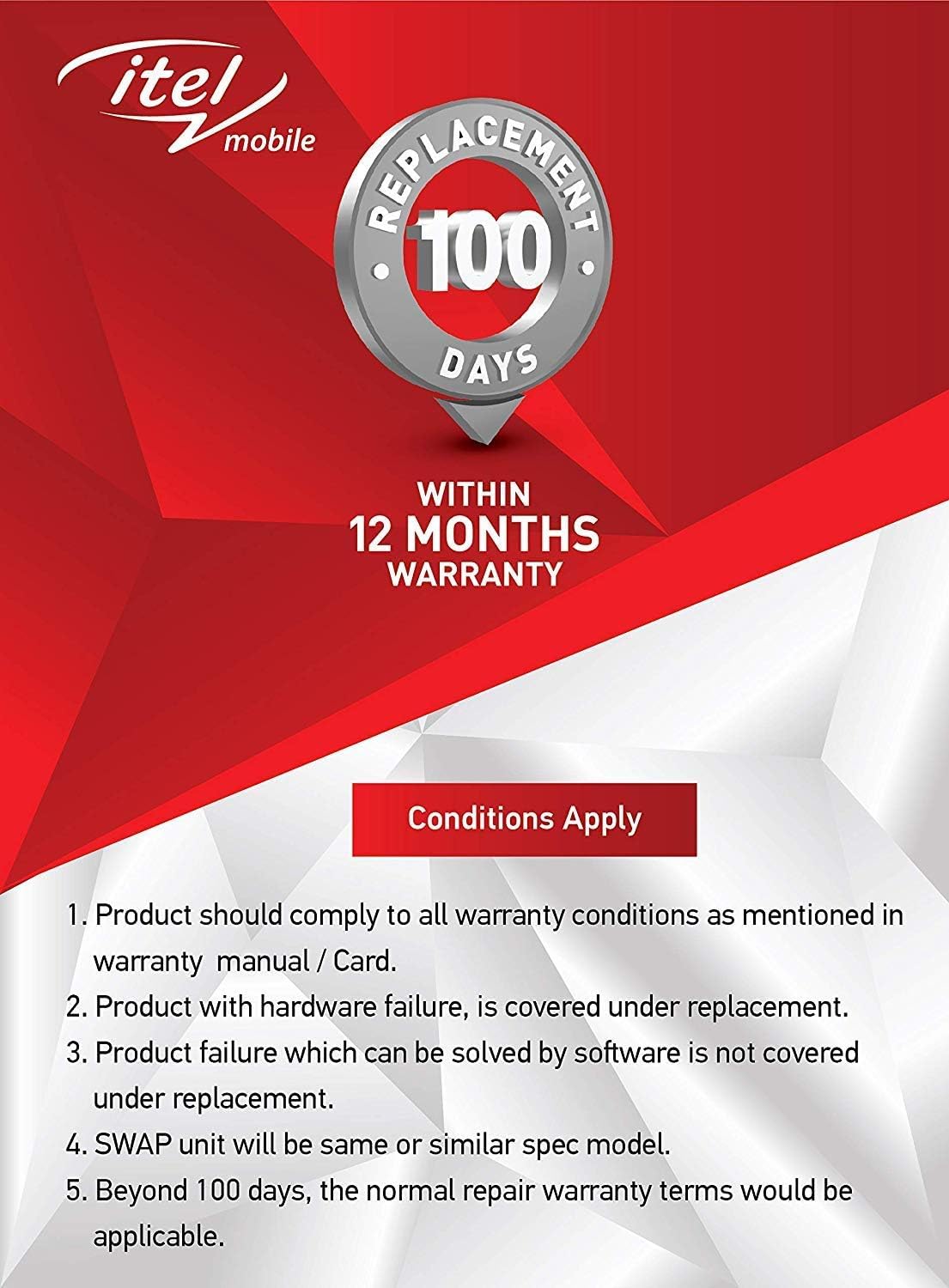
Сүрөт: Warranty details for itel mobile products, indicating 100 days replacement and 12 months warranty.
- Product must comply with all warranty conditions as mentioned in the warranty manual/card.
- Product with hardware failure is covered under replacement.
- Product failure which can be solved by software is not covered under replacement.
- A SWAP unit will be the same or a similar spec model.
- Beyond 100 days, the normal repair warranty terms would be applicable.
- The warranty period is typically 12 months from the date of purchase.
For detailed warranty terms and conditions, refer to the warranty card included in your package or contact itel customer support.
Колдоо
For further assistance, technical support, or service inquiries, please contact itel customer service. Contact details can typically be found on the official itel webсайтында же кепилдик картаңызда.
Онлайн ресурстар: You may find additional support and FAQs on the official itel brand store.


