Introduction
The Clarity AltoPlus Amplified Phone is designed to provide clear and accessible communication for individuals with hearing loss or low vision. This manual provides detailed instructions for setting up, operating, and maintaining your phone, ensuring optimal performance and user experience.
Маанилүү коопсуздук маалыматы
- Телефонду сууга же нымга тийгизбеңиз.
- Аппарат менен кошо берилген кубат адаптерин гана колдонуңуз.
- Телефонду жылуулук булактарынан жана түз күн нурунан алыс кармаңыз.
- Телефонду өзүңүз ачууга же оңдоого аракет кылбаңыз. Бардык тейлөөлөрдү квалификациялуу кызматкерлерге тапшырыңыз.
- Балдар жетпеген жерде сактаңыз.
Пакеттин мазмуну
- Clarity AltoPlus Phone Base
- Телефон
- Уюлдук аппараттын шнуры
- Телефон линиясы
- AC кубат адаптери
- Колдонуучунун Колдонмосу (бул документ)
Орнотуу колдонмосу
1. Телефонду туташтыруу
- Connect one end of the coiled handset cord to the handset and the other end to the handset jack on the side of the phone base.
- Connect one end of the telephone line cord to the LINE jack on the back of the phone base and the other end to a telephone wall jack.
- Connect the AC power adapter to the DC IN jack on the back of the phone base and plug the other end into a standard electrical outlet.

1-сүрөт: Каптал view of the Clarity AltoPlus phone, illustrating the connection points for the handset, telephone line, and power adapter.
2. Battery Installation (Backup)
The AltoPlus phone requires 4 AA batteries (not included) for backup power during outages. Locate the battery compartment on the underside of the phone base, insert the batteries according to the polarity markings, and close the compartment cover.
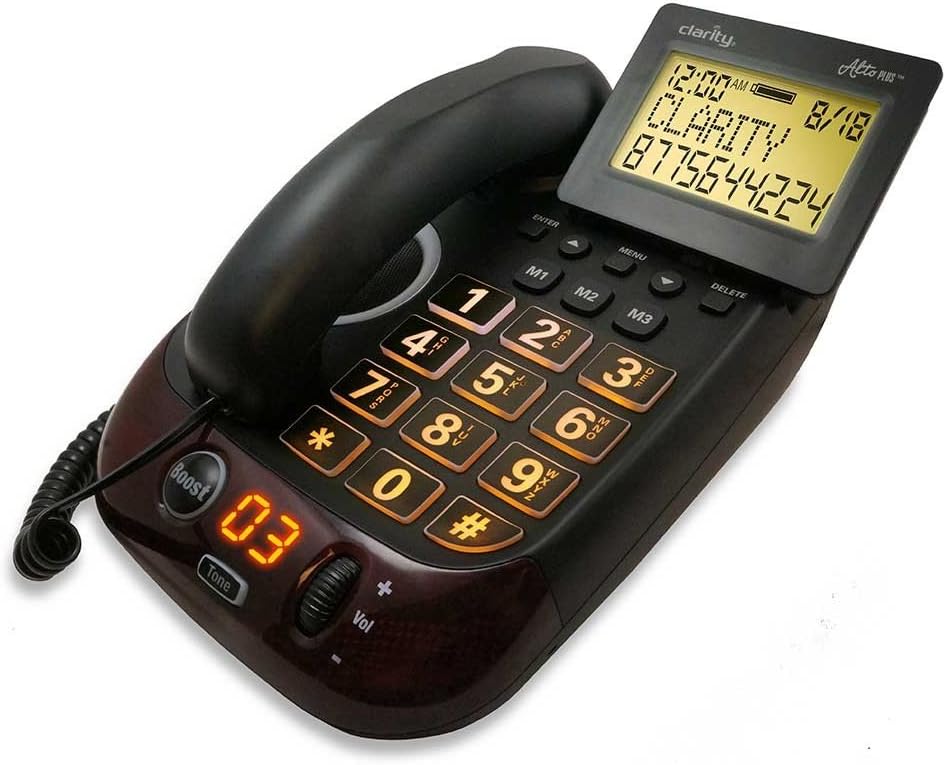
Figure 2: The Clarity AltoPlus Amplified Phone, displaying its large buttons, backlit screen, and the 'Boost' feature.
Иштөө нускамалары
Чалууларды кабыл алуу жана кабыл алуу
- Чалуу үчүн: Lift the handset or press the SPEAKERPHONE button, then dial the desired number using the large keypad.
- Чакырууну кабыл алуу үчүн: When the phone rings, lift the handset or press the SPEAKERPHONE button.
- Чалууну аяктоо үчүн: Place the handset back in the cradle or press the SPEAKERPHONE button again if using speakerphone.
Amplification Features
The AltoPlus offers significant amplification to enhance call clarity:
- 53дБ чейин Ampжашоо: Adjust the volume control dial on the side of the phone to increase the incoming sound level.
- Boost Override: басыңыз Boost button to activate maximum amplification for all calls. The indicator light will illuminate when Boost is active.
- Тон көзөмөлү: Use the Tone button and associated dial to adjust the frequency range of the incoming audio, customizing it to your specific hearing needs.
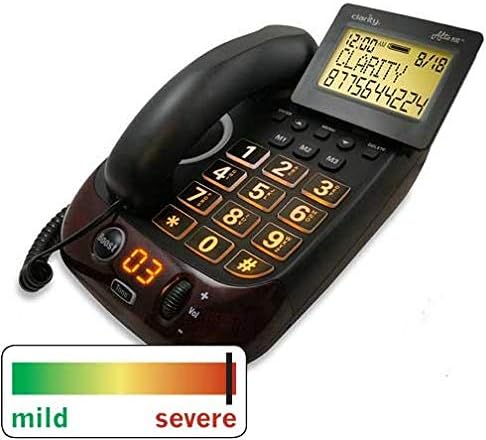
Figure 3: The Clarity AltoPlus phone, highlighting its capability to assist users across a spectrum of hearing loss, from mild to severe.
Talking Caller ID and Keypad
- Сүйлөшүүчү чалуучу ID: The phone announces the caller's name or number (if available) before you answer, providing an audible alert in addition to the visual display.
- Talking Keypad: Each number pressed on the keypad is audibly announced, assisting users with low vision or those who prefer auditory confirmation.
Memory Buttons
The phone features three one-touch memory buttons (M1, M2, M3) for frequently called numbers. Refer to the full manual for programming instructions.
Динамик
Press the SPEAKERPHONE button to engage hands-free communication. The built-in microphone and speaker allow for clear conversations without holding the handset.
Headset and Neckloop Jacks
The AltoPlus includes a 2.5mm headset jack for connecting a compatible headset and a 3.5mm neckloop jack for use with hearing aids equipped with a T-coil.
Outgoing Speech Amplification (OSA)
The Outgoing Speech Amplification feature increases your voice by up to 15dB, making it easier for the person you are speaking with to hear you clearly.
Техникалык тейлөө
- Тазалоо: Телефонду жумшак, d менен сүртүңүзamp кездеме. Катуу химиялык заттарды же абразивдүү тазалагычтарды колдонбоңуз.
- Батареяны алмаштыруу: Replace the 4 AA backup batteries annually or as needed to ensure continuous operation during power outages.
Проблемаларды чечүү
- Терүү үнү жок: Ensure all cords (handset, line, power) are securely connected. Check if the telephone line is active.
- Жок Ampжашоо: Verify the Boost button is pressed and the volume control is adjusted.
- Дисплей иштебейт: Check the power connection. If using battery backup, ensure batteries are fresh and correctly installed.
- Чалуучунун ID көрсөтүлбөйт: Ensure Caller ID service is subscribed through your telephone service provider.
Техникалык мүнөздөмөлөр
- Ampжашоо: 53дБ чейин
- Коңгуроонун үнү: Up to 100dB with visual indicator
- Экран: 4-inch backlit display with large font
- Outgoing Speech Amplification (OSA): 15дБ
- Батареянын камдык көчүрмөсү: 4 AA батарейки талап (киргизилген эмес)
- Өлчөмдөрү: 10.4" x 8" x 4.4"
- Сертификаттар: TIA-4953 certified for mild, moderate, and severe hearing loss; TIA1083 hearing aid compatible
- Кубат булагы: AC Adapter, AA Battery Powered (for backup)
- Терүүчү түрү: Жалгыз баскычтоп
- Жооп берүү системасынын түрү: Digital (if applicable, check model variant)
- Чалуучунун идентификациясы: Ооба
- UPC: 826725767765
- ASIN: B07H41NB3V
Кепилдик жана колдоо
The Clarity AltoPlus Amplified Phone comes with a manufacturer's warranty. Please refer to the warranty card included with your purchase for specific terms and conditions. For technical support, troubleshooting assistance, or warranty claims, please contact Clarity customer service.


