1. Киришүү
The TechniSat DIGITRADIO 230 OD is a robust and versatile DAB+ construction site radio designed for demanding environments. It offers a wide range of audio options including DAB+, FM radio, Bluetooth streaming, and AUX-in connectivity. Its durable casing provides protection against impacts, and with an IP65 rating, it is resistant to dust and water. The integrated rechargeable battery ensures flexible operation without trailing cables, making it an ideal companion for various work settings.

1.1-сүрөт: The DIGITRADIO 230 OD in a typical construction site environment, demonstrating its robust design.
2. Коопсуздук маалыматы
Түзмөктү иштетүүдөн мурун бардык коопсуздук көрсөтмөлөрүн кунт коюп окуп чыгыңыз. Бул колдонмону келечекте колдонуу үчүн сактап коюңуз.
- Суу жана чаңга туруктуулук (IP65): The DIGITRADIO 230 OD is protected against dust ingress and low-pressure water jets from any direction. While robust, avoid submerging the device or exposing it to high-pressure water. Ensure all port covers are securely closed to maintain IP65 rating.
- Батареянын коопсуздугу: The device contains an integrated rechargeable Lithium-ion battery. Do not expose the battery to excessive heat, direct sunlight, or fire. Do not attempt to replace the battery yourself. Use only the provided power adapter for charging.
- Электр камсыздоо: Only use the power adapter supplied with the device. Ensure the power cable is not damaged or placed in a position where it can be tripped over.
- Вентиляция: Do not block any ventilation openings. Ensure adequate airflow around the device.
- Тазалоо: Disconnect the device from the power supply before cleaning. Use a soft, dry cloth. Do not use liquid cleaners or aerosols.

2.1-сүрөт: The radio features an IP65 rating, indicating protection against dust and water splashes.
3. Пакеттин мазмуну
Сураныч, бардык буюмдар бар экенин жана жакшы абалда экендигин текшериңиз:
- TechniSat DIGITRADIO 230 OD unit
- Integrated rechargeable battery pack
- Кубаттуу адаптер
- Колдонуучунун Колдонмосу (бул документ)
4. Продукт бүтүп калдыview
4.1 Фронт View

4.1-сүрөт: Фронт view of the DIGITRADIO 230 OD, showing the display, control buttons, and speakers.
The front panel features the main display, control buttons, and stereo speakers. The robust design includes protective elements on the sides.
- Дисплей: Станция маалыматын, убакытты жана меню параметрлерин көрсөтөт.
- Башкаруу баскычтары:
- РЕЖИМ: DAB+, FM, Bluetooth жана AUX режимдеринин ортосунда которуштурат.
- МЕНЮ: Accesses menu settings for the current mode.
- ОЙНОО: (Function varies by mode, e.g., play/pause for Bluetooth).
- МААЛЫМАТ: Displays additional information (e.g., program details, signal strength).
- ОРНОТУУ: Accesses stored favorite stations.
- Үн баскычтары: Located on the top panel, control audio output level.
- Tuning/Scan Knobs: Located on the top panel, used for station tuning and scanning.
4.2 Арткы View жана Байланыштар

4.2-сүрөт: Арткы view of the DIGITRADIO 230 OD, highlighting the AUX input, USB port, and integrated power cable storage.
The rear panel provides connectivity options and convenient storage for the power cable.
- AUX киргизүү: 3.5mm jack for connecting external audio devices. Features a protective cover.
- USB порт: For charging external mobile devices. Features a protective cover.
- Integrated Power Cable Storage: Allows for neat storage of the power cable when not in use or during transport.
- Антенна: Integrated antenna for radio reception.
5. Орнотуу
5.1 Аппаратты кубаттоо
The DIGITRADIO 230 OD can be powered either by its integrated rechargeable battery or directly from the mains power supply.
- Электр энергиясы: Unwind the integrated power cable from its storage compartment on the rear of the device. Plug the power adapter into a suitable wall socket. The device will automatically begin charging the internal battery if it is not full.
- Батарея кубаттуулугу: The integrated Lithium-ion battery provides up to 10 hours of playback on a full charge. To use battery power, simply disconnect the device from the mains. Ensure the battery is sufficiently charged before portable use.
5.2 Initial Setup and First Use
Upon first power-on, the radio may perform an automatic scan for available DAB+ stations. Follow any on-screen prompts.
- Connect the radio to a power source or ensure the battery is charged.
- Press the power button (if available, otherwise it powers on when connected to mains or battery).
- The display will light up. If it's the first use, a DAB+ scan may start automatically.
- Once the scan is complete, the radio will tune to the first available station.
6. Иштөө нускамалары
6.1 DAB+ радио режими
DAB+ (Digital Audio Broadcasting Plus) offers a wide range of digital radio stations with enhanced sound quality.
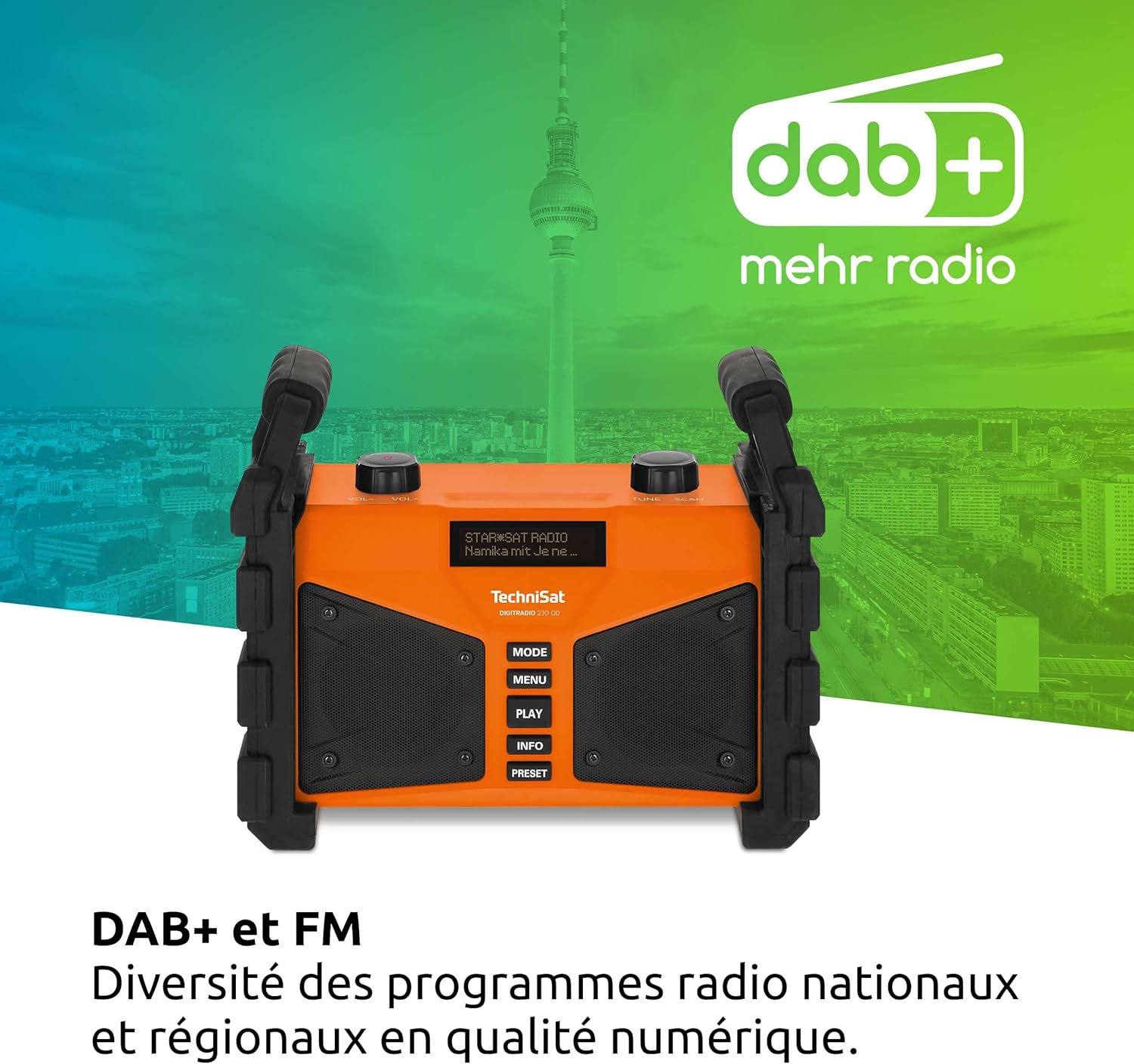
6.1-сүрөт: The radio displaying DAB+ functionality, indicating digital radio reception.
- басыңыз РЕЖИМ button until "DAB+" is displayed.
- If no stations are found, perform a full scan by pressing МЕНЮ, then navigating to "Full Scan" and confirming.
- колдонуу ТҮЗӨТҮҮ/СКАНДОО knob to scroll through the list of available stations. Press the knob to select a station.
- Басыңыз INFO чейин view details such as program type, signal strength, and bit rate.
- Алдын ала орнотууларды сактоо: To save a favorite station, press and hold the АЛДЫН АЛА баскычы. колдонуу ТҮЗӨТҮҮ/СКАНДОО knob to select a preset number, then press the knob to confirm.
- Алдын ала орнотууларды эстөө: баскычын кыскача басыңыз АЛДЫН АЛА баскычын басып, андан кийин ТҮЗӨТҮҮ/СКАНДОО knob to select your desired preset.
6.2 FM радио режими
The radio also supports traditional FM radio reception with RDS (Radio Data System).
- басыңыз РЕЖИМ баскычын "FM" көрсөтүлгөнчө басыңыз.
- колдонуу ТҮЗӨТҮҮ/СКАНДОО knob to manually tune to a frequency. Press and hold the knob to automatically scan for the next available station.
- If RDS data is available, the display will show station name and program information.
- Алдын ала орнотууларды сактоо: Follow the same procedure as for DAB+ presets (press and hold АЛДЫН АЛА).
- Алдын ала орнотууларды эстөө: Follow the same procedure as for DAB+ presets (briefly press АЛДЫН АЛА).
6.3 Bluetooth агымы
Аудиону зымсыз агым аркылуу ойнотуу үчүн смартфонуңузду же башка Bluetooth иштетилген түзмөгүңүздү туташтырыңыз.

6.2-сүрөт: Wireless music enjoyment by streaming audio from a smartphone to the radio via Bluetooth.
- басыңыз РЕЖИМ button until "Bluetooth" is displayed. The radio will enter pairing mode, indicated by a flashing Bluetooth icon or message on the display.
- On your mobile device, enable Bluetooth and search for available devices. Select "DIGITRADIO 230 OD" from the list.
- Once paired, the radio will confirm the connection. You can now play audio from your device, and control playback (play/pause, skip) using your mobile device or the radio's ОЙНОО баскычы.
6.4 Audio Quality and Equalizer
The DIGITRADIO 230 OD delivers rich stereo sound. You can adjust the audio output to your preference using the integrated equalizer.

6.3-сүрөт: Illustration of the radio's excellent stereo sound quality.
- To access the equalizer settings, press the МЕНЮ button and navigate to the "Equalizer" option.
- колдонуу ТҮЗӨТҮҮ/СКАНДОО knob to select from preset equalizer modes or to manually adjust bass and treble levels.
6.5 AUX In Mode
Connect external audio sources such as MP3 players or older devices using a 3.5mm audio cable.
- Open the protective cover for the AUX input on the rear of the radio.
- Connect one end of a 3.5mm audio cable to the AUX input on the radio and the other end to the headphone jack or audio output of your external device.
- басыңыз РЕЖИМ баскычын "AUX In" көрсөтүлгөнгө чейин басыңыз.
- Тышкы түзмөгүңүздөн ойнотууну жана үнүн башкарыңыз.
- Remember to close the protective cover after use to maintain the IP65 rating.
6.6 USB кубаттоо
The USB port on the rear of the radio can be used to charge external mobile devices.
- Open the protective cover for the USB port on the rear of the radio.
- Connect your mobile device's charging cable to the USB port on the radio.
- Ensure the radio is powered on (either by mains or battery) for charging to occur.
- Remember to close the protective cover after use to maintain the IP65 rating.
7. Техникалык тейлөө
Proper maintenance ensures the longevity and optimal performance of your DIGITRADIO 230 OD.
- Тазалоо: Disconnect the radio from the power supply. Use a soft, dry, lint-free cloth to clean the exterior. For stubborn dirt, a slightly damp кездемени колдонсо болот, бирок ным эч кандай тешиктерге кирбеши керек. Абразивдүү тазалагычтарды же эриткичтерди колдонбоңуз.
- Порттун капкактары: Always ensure the protective covers for the AUX and USB ports are securely closed when not in use to maintain the IP65 dust and water resistance.
- Батареяга кам көрүү: For optimal battery life, avoid fully discharging the battery frequently. If storing the radio for an extended period, charge the battery to approximately 50-70% and store in a cool, dry place. Recharge every few months to prevent deep discharge.
- Сактагыч: Store the radio in a dry, dust-free environment when not in use.
8. Кыйынчылыктарды
If you encounter issues with your DIGITRADIO 230 OD, please refer to the following common problems and solutions:
| Көйгөй | Мүмкүн себеп | Чечим |
|---|---|---|
| Кубат жок / Түзмөк күйбөйт. | Battery is discharged; Power cable not connected or faulty. | Connect the radio to mains power and allow the battery to charge. Check the power cable connection. |
| DAB+ же FM кабыл алуусу начар. | Weak signal; Antenna not positioned correctly; Interference. | Relocate the radio to an area with better reception. Ensure the integrated antenna is fully extended and oriented for best signal. Perform a full scan in DAB+ mode. |
| Bluetooth түзмөгү жупташа албайт. | Radio not in pairing mode; Bluetooth disabled on mobile device; Device too far. | Ensure the radio is in Bluetooth mode and actively searching for devices. Enable Bluetooth on your mobile device. Move the mobile device closer to the radio. |
| USB кубаттоо иштебей жатат. | Radio not powered on; USB cable faulty; Device not compatible. | Ensure the radio is powered on. Try a different USB cable. Some devices may draw too much power or are not compatible with the charging output. |
| Үн бурмаланган же өтө акырын угулат. | Volume too low; Audio source issue; Equalizer settings. | Adjust the volume on the radio and the connected audio source (if applicable). Check equalizer settings in the menu. |
9. Техникалык шарттар
| Өзгөчөлүк | Деталь |
|---|---|
| Бренд | TechniSat |
| Модель номери | 0000/3907 |
| Түс | Ачык күрөң |
| Байланыш технологиясы | Көмөкчү, Bluetooth, USB |
| Тюнинг технологиясы | DAB+/FM |
| Колдоого алынган радио тилкелери | DAB+/DAB, FM (87.5-108 MHz) |
| Өзгөчөлүктөр | Integrated battery (up to 10 hours playback), IP65 dust and water resistant, Robust construction, USB interface for charging external devices, Bluetooth audio streaming, Digital radio DAB+, FM radio with RDS, Suitable for construction sites, Favorite station memory, Adjustable equalizer |
| Жалпы USB порттору | 1 |
| Шайкеш түзмөктөр | Headphones, Speakers, Smartphone, Laptop, MP3 Player |
| Заряддалуучу батарея | Yes (1 Lithium-ion battery required/included) |
| Power Source | Battery Powered / Mains Power |
| Продукциянын өлчөмдөрү (LxWxH) | 26.2 x 13.4 x 21.9 см |
10. Кепилдик жана колдоо
This TechniSat DIGITRADIO 230 OD comes with a manufacturer's warranty of 2 years (2 Jahre Gewährleistung).
For technical support, warranty claims, or further assistance, please contact your retailer or visit the official TechniSat webбайланыш маалыматы үчүн сайт.
Сураныч, кепилдик максаттары үчүн сатып алганыңыздын далилин сактап коюңуз.


