Introduction
Thank you for choosing Groov-e Bluetooth DJ Style Wireless On-Ear Headphones. These headphones are designed for young users, offering wireless freedom, comfortable wear, and an audio-sharing feature. This manual provides essential information for setting up, operating, maintaining, and troubleshooting your new headphones to ensure a safe and enjoyable listening experience.
Пакеттин мазмуну
Сураныч, төмөнкү нерселер үчүн кутучаны белгилеңиз:
- 1 x Groov-e Bluetooth Kids Headphones with Audio Sharing Port
- 1 x 3.5 мм аудио уяча кабели
- 1 x Micro USB заряддоо кабели
- 1 х Колдонуучунун колдонмосу (бул документ)
Продукт бүттүview
Familiarize yourself with the various parts and controls of your Groov-e headphones.
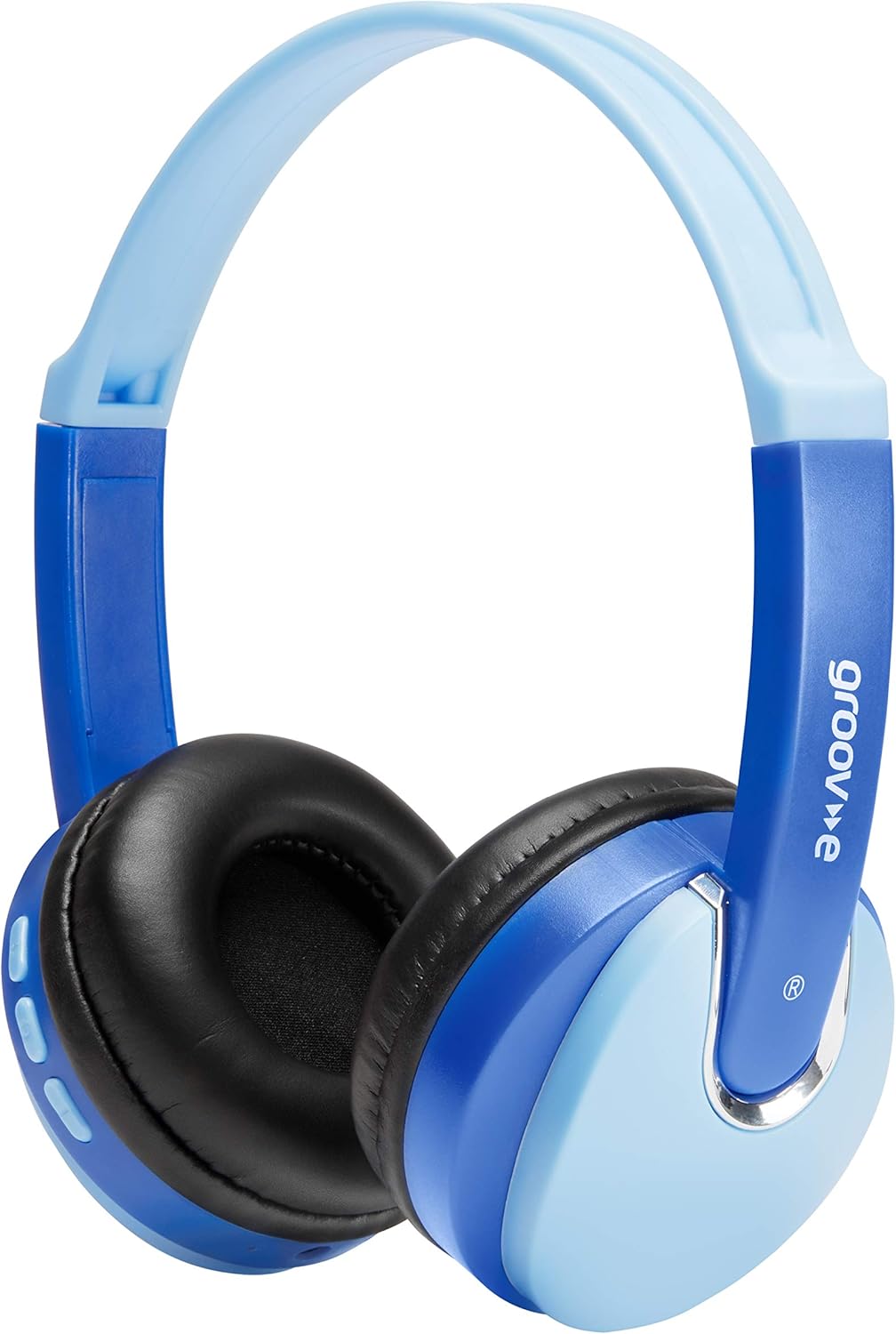
Фронт view of the Groov-e Bluetooth DJ Style Wireless On-Ear Headphones in blue.

Side view of the right earcup, displaying the volume and track control buttons.
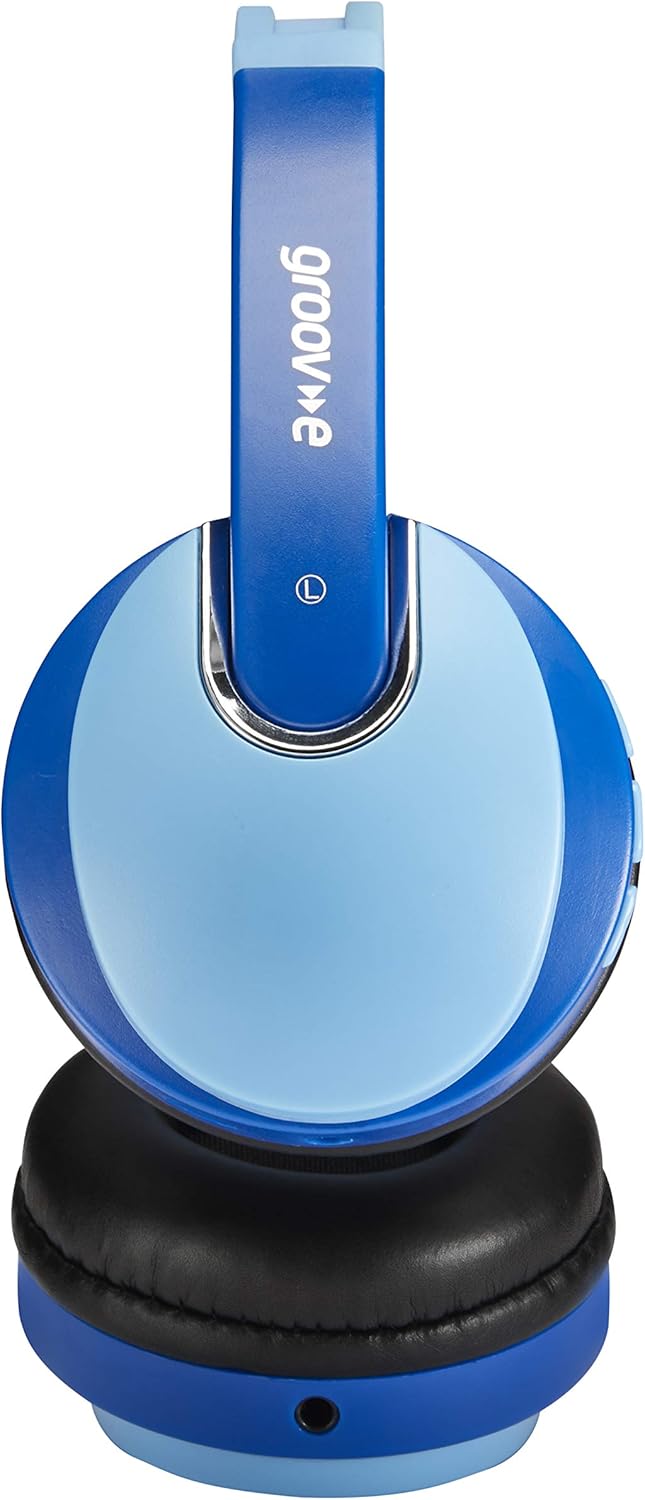
Side view of the left earcup, showing the 3.5mm audio input and the audio sharing port.
- Жөнгө салынуучу баш боосу: Ыңгайлуу жана коопсуз отуруу үчүн.
- Жумшак кулактыктар: Узакка созулган кийүүдө ыңгайлуулук үчүн иштелип чыккан.
- Башкаруу баскычтары: Located on the earcup for power, volume, and track control.
- Микрофон: Колсуз чалуулар үчүн орнотулган.
- 3.5 мм аудио уячасы: Зымдуу түзмөктөргө туташуу үчүн.
- Микро USB кубаттоочу порт: Ички батареяны кайра заряддоо үчүн.
- Audio Sharing Port: Allows another pair of headphones to connect and share audio.
Жайгашуу
Наушниктерди заряддоо
Before first use, fully charge the headphones. Connect the Micro USB charging cable to the charging port on the headphones and the other end to a USB power source (e.g., computer USB port, USB wall adapter). The LED indicator will show charging status (typically red while charging, turning off or blue when fully charged). A full charge provides up to 7.5 hours of wireless playback.
Bluetooth Жупташтыруу
- Наушниктердин өчүрүлгөнүн текшериңиз.
- Күйгүзүү баскычын LED индикатору кезектешип көк жана кызыл түстө күйүп-өчкөнгө чейин басып туруңуз, бул жупташтыруу режимин көрсөтөт.
- Түзмөгүңүздө (смартфон, планшет, ноутбук) Bluetooth иштетип, жаңы түзмөктөрдү издеңиз.
- Select "Groov-e Kidz DJ" (or similar name) from the list of available devices.
- Once connected, the LED indicator will typically flash blue slowly or remain solid blue.
Зымдуу туташуу
If Bluetooth is not available or the battery is depleted, you can use the included 3.5mm audio cable. Simply plug one end into the 3.5mm audio jack on the headphones and the other end into the audio output of your device.
Иштөө нускамалары
Күйгүзүү/өчүрүү
- Күйгүзүү: LED индикатору күйгөнгө чейин Кубат баскычын болжол менен 3 секунд басып туруңуз.
- Өчүрүү: LED индикатору өчмөйүнчө кубат баскычын болжол менен 3 секунд басып туруңуз.
Музыканы ойнотуу
- Ойнотуу/тындыруу: Play/Pause баскычын кыска басыңыз.
- Көлөмү: "+" баскычын кыска басыңыз.
- Үнүн азайтуу: "-" баскычын кыска басыңыз.
- Кийинки трек: "+" баскычын көпкө басыңыз.
- Мурунку трек: "-" баскычын көпкө басыңыз.
Hands-Free Чалуу
- Чалууга жооп берүү/аяктоо: Play/Pause баскычын кыска басыңыз.
- Чакырууну четке кагуу: Play/Pause баскычын көпкө басыңыз.
- Акыркы номерди кайра терүү: Play/Pause баскычын эки жолу басыңыз.
Audio Sharing (Daisy Chain)
The headphones feature a 'daisy chain' audio-sharing port. To share audio with another pair of headphones:
- Connect your Groov-e headphones to your audio source (via Bluetooth or 3.5mm cable).
- Plug a 3.5mm audio cable into the Audio Sharing Port on your Groov-e headphones.
- Connect the other end of the 3.5mm audio cable to the audio input of a second pair of headphones.
- Both pairs of headphones will now play the same audio.
Техникалык тейлөө
Тазалоо
Wipe the headphones with a soft, dry cloth. Do not use abrasive cleaners or solvents. Avoid getting moisture into any openings.
Сактагыч
Наушниктерди салкын, кургак жерде күндүн тике тийген нурунан жана экстремалдык температурадан алыс сактаңыз. Алардын үстүнө оор нерселерди коюудан алыс болуңуз.
Батареяга кам көрүү
To prolong battery life, avoid fully discharging the battery frequently. If storing for a long period, charge the headphones at least once every three months.
Проблемаларды чечүү
| Көйгөй | Мүмкүн себеп | Чечим |
|---|---|---|
| Кулакчындар күйбөйт. | Батарея аз же түгөнүп калган. | Наушниктерди толук заряддаңыз. |
| Bluetooth аркылуу жупташтыруу мүмкүн эмес. | Кулакчындар жупташтыруу режиминде эмес; түзмөк Bluetooth өчүк; аппараттан өтө алыс. | Наушниктердин жупташтыруу режиминде экенин текшериңиз (кызыл/көк күйүп турат). Түзмөктүн Bluetooth'ун күйгүзүңүз. Наушниктерди аппаратка жакыныраак жылдырыңыз (10 метр аралыкта). |
| Үн жок. | Үнү өтө төмөн; аудио булагы туура эмес; кулакчындар туташтырылган эмес. | Increase volume on headphones and device. Ensure headphones are properly connected (Bluetooth or wired). Check if the correct audio output is selected on your device. |
| Үндүн бузулушу. | Түзмөктөн өтө алыс; тоскоолдук. | Move closer to the Bluetooth device. Avoid strong electromagnetic interference. |
Техникалык шарттар
| Өзгөчөлүк | Деталь |
|---|---|
| Модель аты | GV590 KIDS DJ |
| Модель номери | GVBT590BE |
| Байланыш технологиясы | Bluetooth, Wired (3.5mm Jack), USB (Charging) |
| Зымсыз байланыш | Bluetooth |
| Ойнотуу убактысы | Up to 7.5 hours (wireless) |
| Айдоочунун өлчөмү | 40мм |
| Жаш аралыгы (сүрөттөө) | Kid (Suitable for children aged 3+) |
| Материал | Пластик |
| Шайкеш түзмөктөр | All Bluetooth devices, devices with 3.5mm jacks (MP3, smartphone, tablet, PC, laptop, portable DVD) |
| Элемент Салмагы | 298 грамм (0.3 килограмм) |
| Продукциянын өлчөмдөрү | 7.7 x 18.2 x 24 см |
| Батарея түрү | 1 литий-иондук батарейка (кошулган) |
| Түс | Bluetooth көк |
| Форма фактору | On Ear |
Кепилдик маалымат
Groov-e products are manufactured to high standards. For specific warranty details, please refer to the warranty card included with your purchase or visit the official Groov-e webсайт. Ар кандай кепилдик дооматтары үчүн сатып алганыңыздын далилин сактаңыз.
Кардарларды колдоо
If you encounter any issues not covered in this manual or require further assistance, please contact Groov-e customer support. Contact details can typically be found on the product packaging, the official Groov-e webсайты же сатуучу аркылуу.


