1. Киришүү
This manual provides detailed instructions for the setup, operation, and maintenance of your BenQ PD2700U 27-inch 4K UHD IPS monitor. Please read this manual thoroughly before using the product to ensure proper functionality and safety. Keep this manual for future reference.
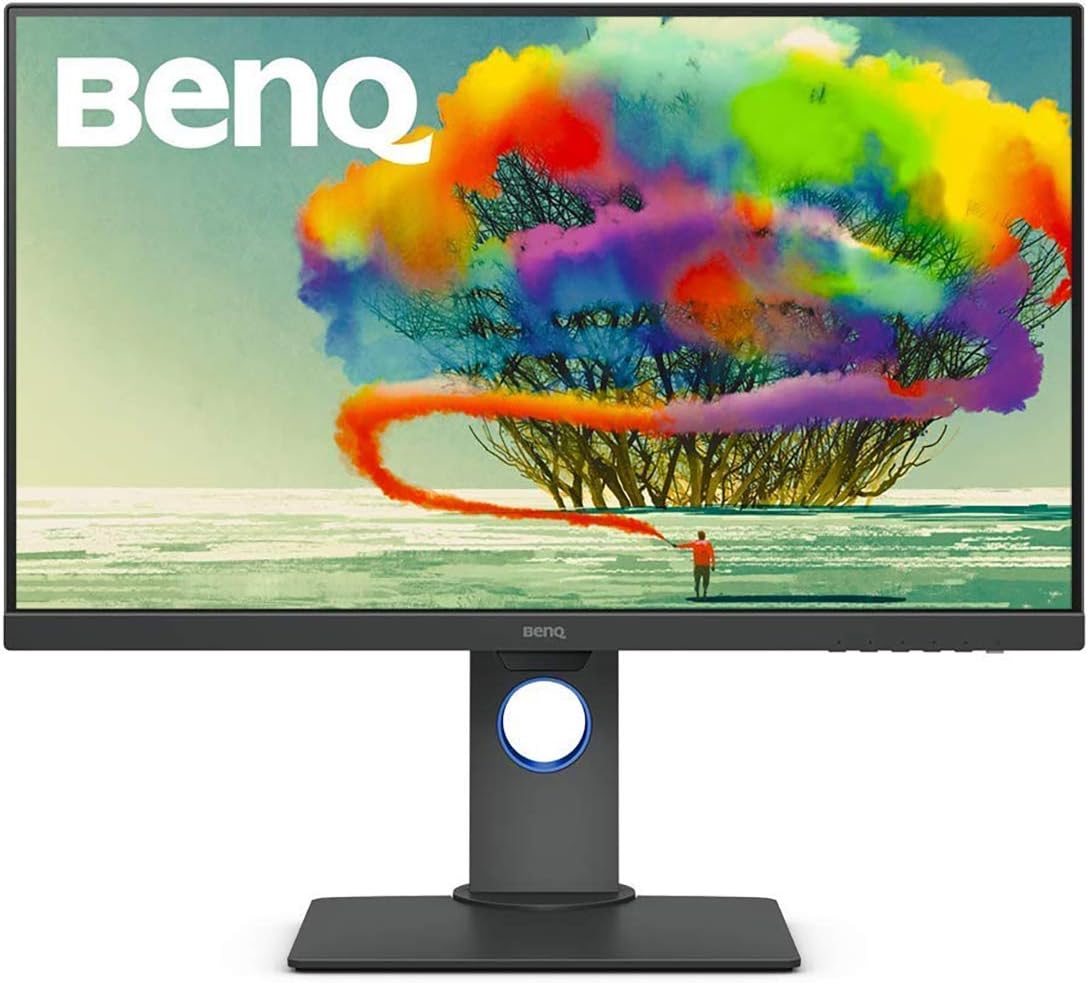
Figure 1: BenQ PD2700U 27-inch 4K UHD IPS Monitor (Front View)
2. Коопсуздук маалыматы
Өрт, электр тогуна урунуу жана жаракат алуу коркунучун азайтуу үчүн ар дайым төмөнкү негизги коопсуздук чараларын аткарыңыз:
- Мониторду жамгырга же нымдуулукка дуушар кылбаңыз.
- Мониторду ачпаңыз casinг. Ичинде колдонуучу тейлей турган бөлүктөр жок.
- Монитордун айланасында туура желдетүүнү камсыз кылыңыз.
- Монитор менен кошо берилген кубат адаптерин гана колдонуңуз.
- Keep the monitor away from heat sources and direct sunlight.
3. Кутуда эмне бар
Таңгакта бардык буюмдар бар экенин текшериңиз:
- BenQ PD2700U Monitor
- Кубаттуу адаптер
- DisplayPort кабели
- USB 3.0 Upstream кабели
- Quick Start Guide
- Калибрлөө отчету
4. Орнотуу
4.1 Физикалык Ассамблея
Attach the stand to the monitor panel. Ensure it clicks securely into place. For VESA mounting, remove the stand and attach a compatible VESA mount (100x100mm) to the monitor's rear panel.

Figure 2: Monitor Dimensions and Rear Panel
4.2 Компьютерге туташуу
Connect the monitor to your computer using one of the following cables:
- DisplayPort: DisplayPort кабелинин бир учун монитордун DisplayPort киришине, экинчи учун компьютериңиздин DisplayPort чыгышына туташтырыңыз.
- HDMI: Connect an HDMI cable (not included) to the monitor's HDMI input and your computer's HDMI output.
For USB hub functionality, connect the included USB 3.0 upstream cable from the monitor to a USB 3.0 port on your computer.
4.3 Күйгүзүү/өчүрүү
Connect the power adapter to the monitor and then to a power outlet. Press the power button located on the bottom right of the monitor to turn it on or off.
5. Мониторду иштетүү
5.1 Экрандагы дисплей (OSD) навигациясы
Use the buttons on the bottom right bezel of the monitor to navigate the OSD menu. The buttons allow you to access various settings including Picture Mode, Color, Display, KVM Switch, Audio, Custom Key, and System settings.
5.2 Сүрөт режимдери
The PD2700U offers several optimized picture modes for different professional applications:
- Анимация: Enhances dark areas without overexposing bright regions.
- CAD/CAM: Provides superior contrast for lines and shapes in technical drawings.
- Караңгы бөлмө: Adjusts image brightness and contrast for work in dark environments.
- HDR: High Dynamic Range mode for compatible content.
- Төмөн көк жарык: Reduces blue light emissions to minimize eye strain.
- Rec.709: Standard for HDTV production.
- sRGB: Standard Red Green Blue color space.
- Колдонуучу: Ыңгайлаштырылган орнотуулар.

Figure 3: Monitor's Expertized Color Modes
5.3 AQCOLOR Technology
BenQ's AQCOLOR technology ensures accurate color reproduction. The PD2700U is factory-calibrated and comes with a calibration report, guaranteeing Delta E≤3 for precise color performance.

Figure 4: AQCOLOR Technology for Accurate Colors
5.4 Көздү кароо технологиясы
The monitor incorporates BenQ's exclusive Eye-Care technology, including Flicker-Free and Low Blue Light features, to reduce eye fatigue during extended use.
5.5 KVM которуштуруу функциясы
The built-in KVM (Keyboard, Video, Mouse) switch allows you to control two different computer systems using a single keyboard, mouse, and the PD2700U monitor. Connect your peripherals to the monitor's USB hub and the two computers to the monitor's video inputs and USB upstream ports.
5.6 Daisy Chain Setup
Utilize the DisplayPort output to daisy chain multiple monitors, creating an extended desktop environment with fewer cables.
5.7 Эргономикалык жөндөөлөр
The monitor stand supports tilt, pivot, swivel, and height adjustments for optimal viewсооронуч.

Figure 5: Ergonomic Adjustments
5.8 Software Calibration
For advanced color management and consistency across multiple BenQ monitors, utilize the Display ColorTalk and Palette Master Ultimate software.
Video 1: Instructions for using BenQ Display ColorTalk software to achieve color consistency across multiple monitors.
Video 2: Guide to using BenQ PD Series Palette Master Ultimate software for monitor calibration.
6. Техникалык тейлөө
6.1 Тазалоо
Монитордун экранын тазалоо үчүн аны жумшак, түксүз чүпүрөк менен акырын сүртүңүз. өжөр белгилер үчүн, гampen the cloth slightly with water or a mild, non-abrasive screen cleaner. Avoid using alcohol-based cleaners or harsh chemicals.
6.2 Сактоо
When storing the monitor, ensure it is in a cool, dry place, away from direct sunlight and extreme temperatures. Use the original packaging if available for best protection.
7. Кыйынчылыктарды
- Кубат жок: Электр кабели мониторго да, электр розеткасына да бекем туташтырылганын текшериңиз. Электр розеткасынын иштешин текшериңиз.
- Сигнал жок: Verify that the video cable (DisplayPort, HDMI) is correctly connected to both the monitor and the computer. Ensure the correct input source is selected in the OSD menu.
- Жаркылдаган экран: Check the video cable connection. Try a different video cable or port. Ensure your graphics card drivers are up to date.
- Туура эмес түстөр: Reset the monitor to factory default settings via the OSD menu. Perform a software calibration using Display ColorTalk or Palette Master Ultimate.
8. Техникалык шарттар
| Өзгөчөлүк | Спецификация |
|---|---|
| Модель номери | PD2700U |
| Screen Size | 27 дюйм |
| Резолюция | 3840x2160 (4K UHD) |
| Панел түрү | IPS |
| Түс гаммасы | 100% Rec.709, 100% sRGB |
| Delta E | ≤3 |
| Байланыш | DisplayPort, HDMI, USB 3.0 Hub (4 ports) |
| Баяндамачылар | Камтылган |
| Эргономика | Эңкейтүү, айлануу, айлануу, бийиктикти жөндөө |
| Салмагы | 16.96 фунт |
| Өлчөмдөрү (LxWxH) | 9.06 x 14.49 x 24.5 дюйм |
9. Кепилдик жана колдоо
For warranty information and technical support, please refer to the warranty card included with your product or visit the official BenQ webсайт. Сатып алганыңыздын далили катары сатып алуу дүмүрчөгүңүздү сактаңыз.


