1. Продукт бүтүп калдыview
The Fossil FTW4021 Smartwatch is a touchscreen device designed to integrate modern style with sport functionality. Powered by Wear OS by Google, it offers a range of features including heart rate tracking, activity monitoring, customizable watch faces, and smartphone notifications. This smartwatch is compatible with both iOS and Android devices.

Image: The Fossil FTW4021 Smartwatch, showcasing анын саркеч дизайн жана санариптик дисплей.
2. Баштоо: Орнотуу
2.1. Баштапкы заряддоо
Before first use, fully charge your Fossil FTW4021 Smartwatch. The watch uses a Lithium Ion battery with an average life of 24 hours. Connect the included charging cable to the back of the watch and a power source. A full charge typically takes approximately one hour.

Сүрөт: Арткы view of the smartwatch, highlighting the heart rate sensor and charging rings.
2.2. Смартфонуңуз менен жупташуу
- Ensure your smartphone is running Android OS 4.4+ or iOS 9.3+ and has Bluetooth enabled.
- Download and install the Wear OS by Google app from your phone's app store.
- Open the Wear OS app and follow the on-screen instructions to pair your smartwatch. The watch uses Bluetooth connectivity for communication with your phone.
- Accept all necessary permissions on both your phone and watch to ensure full functionality.
3. Акылдуу саатыңызды иштетүү
3.1. Негизги навигация
- Сенсордук экран: Swipe left, right, up, or down to navigate through menus, notifications, and quick settings. Tap to select items.
- Таажы баскычы: Press the rotating crown button to return to the watch face or access the app drawer. Rotate the crown to scroll through lists.
- Каптал баскычтары: The two additional side buttons can be customized for quick access to your favorite apps or functions.

Сүрөт: Side profile of the smartwatch, illustrating the crown and programmable buttons.
3.2. Негизги өзгөчөлүктөрү
- Activity Tracker & Pedometer: Monitors your steps, distance, and calories burned using the built-in accelerometer.
- Жүрөктүн кагышын көзөмөлдөөчү: The optical heart rate sensor continuously tracks your heart rate. Access this feature via the Google Fit app on your watch.

Image: Smartwatch display showing real-time heart rate data and a historical graph.
- GPS: The built-in GPS allows for accurate tracking of your runs, walks, and other outdoor activities without needing your phone.

Image: Smartwatch display showing GPS tracking of a route on a map.
- Эскертмелер: Receive alerts for calls, messages, emails, and social media directly on your wrist.
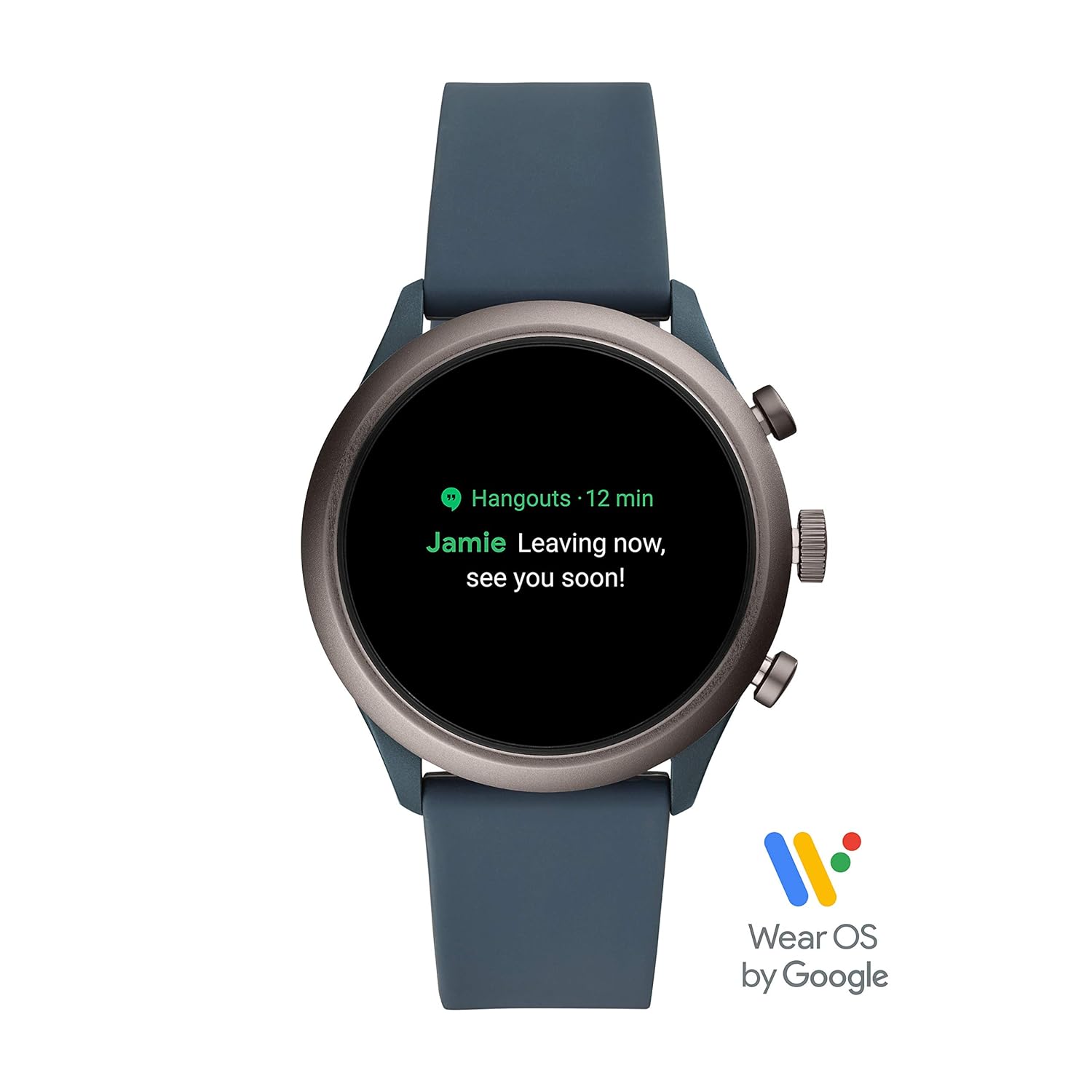
Image: Smartwatch display showing an incoming notification.
- NFC: Utilize NFC for contactless payments (where supported).
- Музыка ойноткучу: Билегиңизден музыка ойнотууну башкарыңыз.
- Үн менен башкаруу: Use Google Assistant for hands-free commands.
- Altimeter: Measures altitude changes.
- Уйкунун мониторинги: Track your sleep patterns.
4. Техникалык тейлөө
4.1. Акылдуу саатыңызды тазалоо
To maintain the appearance and functionality of your smartwatch, regularly clean the case and strap. Use a soft, damp cloth to wipe away dirt and sweat. For silicone straps, mild soap and water can be used. Ensure the watch is completely dry before charging or wearing.
4.2. Сууга туруктуулук
The Fossil FTW4021 Smartwatch has a water resistance level of 50 meters (5 ATM) and an IPX5 waterproof rating. This means it is suitable for showering and shallow-water activities like swimming. However, it is not recommended for diving or high-speed water sports. Avoid exposing the watch to hot water, steam, or chemicals, as this may compromise its water resistance.
4.3. Программалык камсыздоону жаңыртуу
Periodically check for software updates through the Wear OS by Google app on your smartphone. Updates often include performance improvements, new features, and bug fixes. Ensure your watch is sufficiently charged before initiating any software update.
5. Кыйынчылыктарды
5.1. Батареянын бат түгөнү
- Экран жарыктыгын азайтыңыз.
- Disable 'Always-on display' feature.
- Фондук колдонмону жаңыртууну чектеңиз.
- Колдонулбай турган учурда Wi-Fi же GPSти өчүрүп коюңуз.
- Фондо ашыкча иштеп жаткан колдонмолор жок экенин текшериңиз.
5.2. Connectivity Issues (Bluetooth)
- Саатыңызда жана смартфонуңузда Bluetooth иштетилгенин текшериңиз.
- Саатыңызды да, смартфонуңузду да өчүрүп күйгүзүңүз.
- Unpair and re-pair the watch through the Wear OS app.
- Keep your watch and phone within close proximity.
5.3. Touchscreen Unresponsive or Lagging
- Акылдуу саатты кайра иштетиңиз.
- Экран таза жана кургак экенин текшериңиз.
- Жеткиликтүү программалык камсыздоо жаңыртууларын текшериңиз.
- If issues persist, a factory reset may be necessary (note: this will erase all data on the watch).
6. Техникалык шарттар
| Өзгөчөлүк | Деталь |
|---|---|
| Модель номери | FTW4021 |
| Операция системасы | Wear OS by Google (Android, iOS compatible) |
| Дисплей түрү | Санарип |
| Резолюция | 454 x 454 |
| Screen Size | 1.19 дюйм |
| Эстутум сактоо сыйымдуулугу | 4 ГБ |
| Орнотулган RAM эс тутуму | 512 MB |
| Байланыш технологиясы | Bluetooth, 802.11b Wi-Fi |
| Communication Feature | NFC |
| Сенсорлор | Accelerometer, Optical Heart Rate Sensor, Ambient Light, Gyroscope |
| GPS | Камтылган GPS |
| Батарея клеткасынын түрү | Литий ион |
| Батареянын орточо иштөө мөөнөтү | 24 саат |
| Сууга туруктуулук деңгээли | 50 Metres (5 ATM) |
| Суу өткөрбөйт рейтинги | IPX5 |
| Иштин материалы | Дат баспаган болот |
| Топтун материалы | Силикон |
| Элемент Салмагы | 99 грамм |
7. Кепилдик жана колдоо
7.1. Кепилдик маалыматы
The Fossil FTW4021 Smartwatch comes with a 1-year manufacturer warranty from the date of purchase.
To avail warranty:
- Продуктуңузду онлайн каттоодон өтүңүз https://www.fossilcare.com/registration/.
- To claim your warranty, present the original bill copy/invoice at an authorized Fossil service center. A warranty card and stamp are not mandatory for online purchases.
7.2. Кардарларды колдоо кызматы
For any service-related inquiries or feedback, please contact Fossil India customer support:
- Акысыз номер: 1860-4253-747 (Monday to Sunday, 10:00 AM to 7:00 PM)
- Электрондук почта: service.in@fossil.com


