Introduction
This manual provides essential instructions for the safe and efficient operation of your JBL Charge 4 portable Bluetooth speaker. Please read this manual thoroughly before using the product to ensure optimal performance and longevity.
Кутуда эмне бар
The JBL Charge 4 package includes the following items:
- 1x JBL Charge 4 Portable Bluetooth Speaker
- 1x USB Type-C кабели
- 1x коопсуздук баракчасы
- 1x Ыкчам Баштоо Көрсөтмөсү
- 1x Кепилдик картасы
Продукт бүттүview
Familiarize yourself with the physical components and controls of your JBL Charge 4 speaker.
Фронт View

Сүрөт: алдыңкы view of the JBL Charge 4 speaker, showcasing the fabric grille and the JBL logo. The LED indicator lights are visible at the bottom.
Жогорку панелдин башкаруу элементтери

Image: Top panel of the JBL Charge 4 speaker, displaying the control buttons for Bluetooth pairing, volume adjustment, power on/off, and JBL Connect+.
- Bluetooth баскычы: Bluetooth жупташтыруу режимине кирүү үчүн басыңыз.
- Үнүн төмөндөтүү баскычы: Үндү азайтуу үчүн басыңыз.
- Кубат баскычы: Динамикти күйгүзүү же өчүрүү үчүн басыңыз.
- JBL Connect+ баскычы: Press to link with other JBL Connect+ compatible speakers.
- Үнүн жогорулатуу баскычы: Үнүн көбөйтүү үчүн басыңыз.
- Ойнотуу/тындыруу баскычы: Аудиону ойнотуу же тындыруу үчүн басыңыз.
Rear Panel and Ports
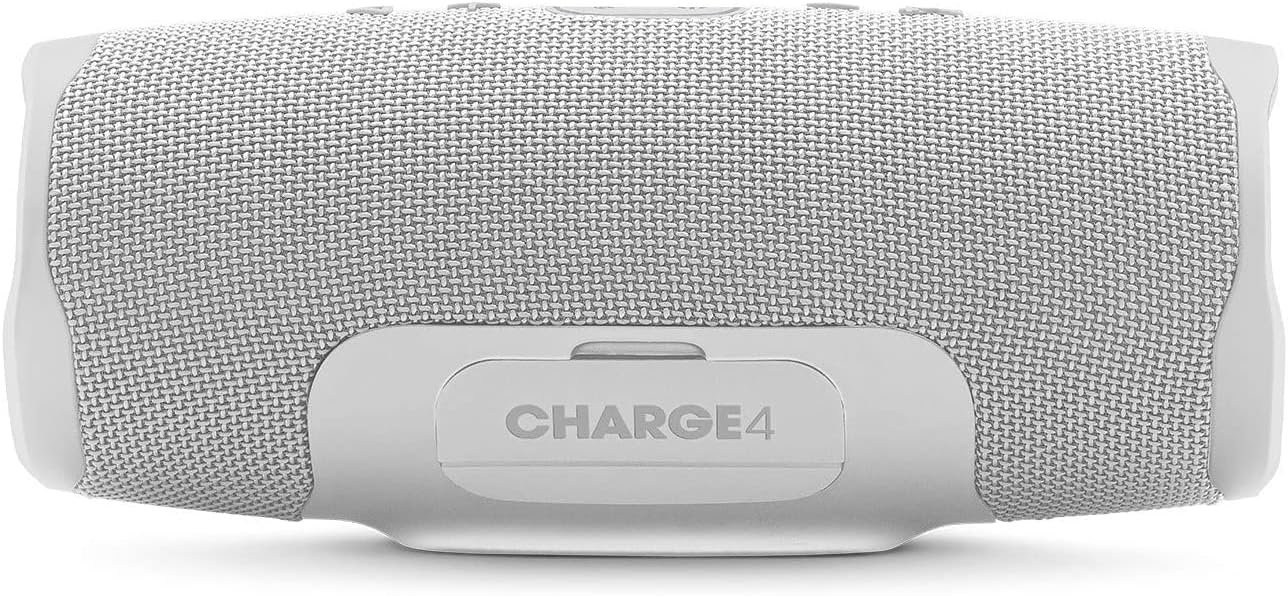
Сүрөт: Арткы view of the JBL Charge 4 speaker, showing the sealed port cover which protects the charging and auxiliary ports from water.

Сүрөт: Арткы view of the JBL Charge 4 speaker with the port cover open, illustrating the USB-C input for charging the speaker, the USB-A output for charging external devices, and the 3.5mm auxiliary input. A smartphone is shown connected to the USB-A port.
- USB-C заряддоо порту: For charging the JBL Charge 4 speaker.
- USB-A чыгаруу порту: Тышкы түзмөктөрдү кубаттоо үчүн (кубат банк функциясы).
- 3.5 мм көмөкчү киргизүү: For connecting audio devices via a 3.5mm audio cable.
Каптал пассивдүү радиаторлор

Сүрөт: каптал view of the JBL Charge 4 speaker, highlighting one of the passive radiators with an exclamation mark design, contributing to enhanced bass.

Сүрөт: каптал view of the JBL Charge 4 speaker, showing the other passive radiator with the JBL logo, which also enhances bass performance.
Жайгашуу
Спикерди заряддоо
Before initial use, fully charge your JBL Charge 4 speaker. Connect the provided USB Type-C cable to the speaker's USB-C port and to a compatible USB power adapter (not included). The LED indicator lights will show the charging status. All five LEDs will illuminate when the speaker is fully charged.
Күйгүзүү/өчүрүү
басыңыз Кубат баскычы on the top panel to turn the speaker on or off.
Иштөө нускамалары
Bluetooth Жупташтыруу
- Turn on the JBL Charge 4 speaker.
- басыңыз Bluetooth баскычы жогорку панелде. Bluetooth индикатору күйүп-өчөт, бул анын жупташуу режиминде экенин билдирет.
- On your smartphone or tablet, navigate to Bluetooth settings and select "JBL Charge 4" from the list of available devices.
- Туташкандан кийин Bluetooth көрсөткүчү туруктуу бойдон калат.
- To pair a new device, press the Bluetooth button again to re-enter pairing mode.
JBL Connect+
JBL Connect+ allows you to wirelessly link multiple JBL Connect+ compatible speakers together to ampугуу тажрыйбасын жандандырыңыз.
- Ensure all JBL Connect+ compatible speakers are powered on.
- Play music on one speaker (the primary speaker).
- басыңыз JBL Connect+ баскычы негизги баяндамачы боюнча.
- басыңыз JBL Connect+ баскычы on all other speakers you wish to connect.
- The speakers will link automatically, playing the same audio.
Power Bank катары колдонуу
The JBL Charge 4 can charge external devices using its built-in power bank function.
- Динамиктин арткы бетиндеги коргоочу капкакты ачыңыз.
- Түзмөгүңүздүн кубаттоочу кабелин JBL Charge 4тин USB-A чыгаруу портуна туташтырыңыз.
- Түзмөгүңүз кубатталып баштайт.
Көмөкчү киргизүү
To play audio from a device without Bluetooth, use a 3.5mm audio cable (not included).
- Динамиктин арткы бетиндеги коргоочу капкакты ачыңыз.
- Connect one end of the 3.5mm audio cable to the auxiliary input port on the JBL Charge 4.
- Connect the other end to your audio device's headphone jack.
- Динамик автоматтык түрдө кошумча киргизүү режимине өтөт.
Техникалык тейлөө
Тазалоо
Динамикти жумшак менен сүртүңүз, гamp cloth. Do not use harsh chemicals or abrasive materials. Ensure the port cover is securely closed before cleaning or exposing to water.
Сууга туруктуулук (IPX7)
The JBL Charge 4 is IPX7 waterproof, meaning it can be submerged in water up to 1 meter for up to 30 minutes. Ensure the protective port cover is completely sealed before exposing the speaker to water. Do not expose to salt water or other liquids besides fresh water.
Сактагыч
Динамикти түз күн нурунан жана өтө температурадан алыс салкын, кургак жерде сактаңыз.
Проблемаларды чечүү
| Көйгөй | Мүмкүн себеп | Чечим |
|---|---|---|
| Динамик күйбөйт. | Батарея түгөнүп калды. | Берилген USB-C кабели аркылуу динамикти кубаттаңыз. |
| Bluetooth аркылуу жупташтыруу мүмкүн эмес. | Динамик жупташтыруу режиминде эмес же түзмөк өтө алыс. | Press the Bluetooth button to enter pairing mode. Ensure your device's Bluetooth is on and within range (10 meters). Try forgetting the device on your phone and re-pairing. |
| Үн жок. | Volume is too low or audio source is paused. | Increase speaker and device volume. Check if the audio source is playing. |
| Үндүн бузулушу. | Volume is too high or audio source quality is poor. | Decrease volume on both speaker and device. Try a different audio source. |
| Device not charging from speaker. | Speaker battery is low or cable is faulty. | Ensure the speaker has sufficient charge. Try a different USB cable. |
Техникалык шарттар
- Бренд: JBL
- Модель аты: Заряддоо 4
- Чыгуу күчү: 30 Ватт
- Байланыш технологиясы: Bluetooth
- Аудио чыгаруу режими: Стерео
- Монтаж түрү: Стол үстү
- Материал: Fabric, Rubber
- Динамик түрү: Сыртта
- Өзгөчөлүктөр: Bluetooth, Waterproof (IPX7), Portable
- Сунушталган колдонуулар: Музыка, пляж
- Батарея түрү: 7800mAh Lithium-ion Polymer
- Батарея ойнотуу убактысы: 20 саатка чейин (үн деңгээлине жана аудио мазмунуна жараша өзгөрөт)
- Өлчөмдөрү: 220 x 95 x 93 мм (болжолдуу)
Коопсуздук маалыматы
- Динамикти экстремалдык температурага же түз күн нуруна узак убакытка калтырбаңыз.
- Ensure the port cover is securely closed before exposing the speaker to water.
- Динамикти ажыратууга же өзгөртүүгө аракет кылбаңыз.
- Заряддоо үчүн берилген USB-C кабелин гана колдонуңуз.
- Балдар жетпеген жерде сактаңыз.
- Батареяны жергиликтүү эрежелерге ылайык жок кылыңыз.
Кепилдик жана колдоо
Your JBL Charge 4 speaker comes with a limited warranty. Please refer to the warranty card included in your package for details on coverage and duration. For technical support or service inquiries, please visit the official JBL webсайтка же кардарларды тейлөөгө кайрылыңыз.
Расмий JBL дүкөнү: Amazonдагы JBL дүкөнү


