1. Киришүү
Thank you for choosing the Macally USB Type C Wired Mouse. This manual provides detailed instructions for setting up, operating, and maintaining your new mouse. Designed for simplicity and reliability, this plug-and-play mouse offers comfortable use with adjustable DPI settings for various computing needs.
2. Пакеттин мазмуну
- Macally USB Type C Wired Mouse
- Instruction Manual
3. Орнотуу
The Macally USB Type C Wired Mouse is designed for easy plug-and-play functionality, requiring no additional drivers for most operating systems.
- Чычканды туташтыруу: Locate an available USB-C port on your computer (MacBook Pro, iMac, PC, Laptop, Tablet, etc.). Insert the USB-C connector of the mouse cable firmly into the USB-C port.
- Автоматтык таануу: Your operating system should automatically detect and configure the mouse. No software installation is typically required.
- Колдонууну баштоо: Чычкан таанылгандан кийин, ал дароо колдонууга даяр болот.

Image: The Macally USB-C mouse connected to a laptop via its USB-C cable, demonstrating the plug-and-play setup.
Video: A demonstration of connecting the wired USB-C mouse to a laptop, highlighting its plug-and-play functionality for Type-C computers.
4. Иштөө нускамалары
4.1 Негизги колдонуу
The mouse features a standard 3-button layout for intuitive control:
- Сол чыкылдатуу баскычы: Буюмдарды тандоо, ачуу үчүн колдонулат fileс жана буйруктарды аткаруу.
- Оң баскычты чыкылдатуу: Контексттик менюларга жана кошумча параметрлерге кирүү үчүн колдонулат.
- Жылдыруу дөңгөлөгү: Документтерди жылдыруу үчүн колдонулат жана web pages. The scroll wheel can also be pressed as a middle click button for specific functions in some applications.

Сүрөт: жогорудан ылдыйга view of the Macally USB-C mouse, clearly showing the left-click, right-click, and scroll wheel buttons.
4.2 DPI жөндөө
The mouse features a dedicated DPI (Dots Per Inch) switch to adjust cursor sensitivity. This allows you to change the speed and responsiveness of the cursor to suit your preference or task.
- басыңыз DPI баскычы (located below the scroll wheel) to cycle through the available sensitivity settings: 800, 1200, 1600, and 2400 DPI.
- Select the DPI setting that provides the most comfortable and efficient cursor movement for your current activity.
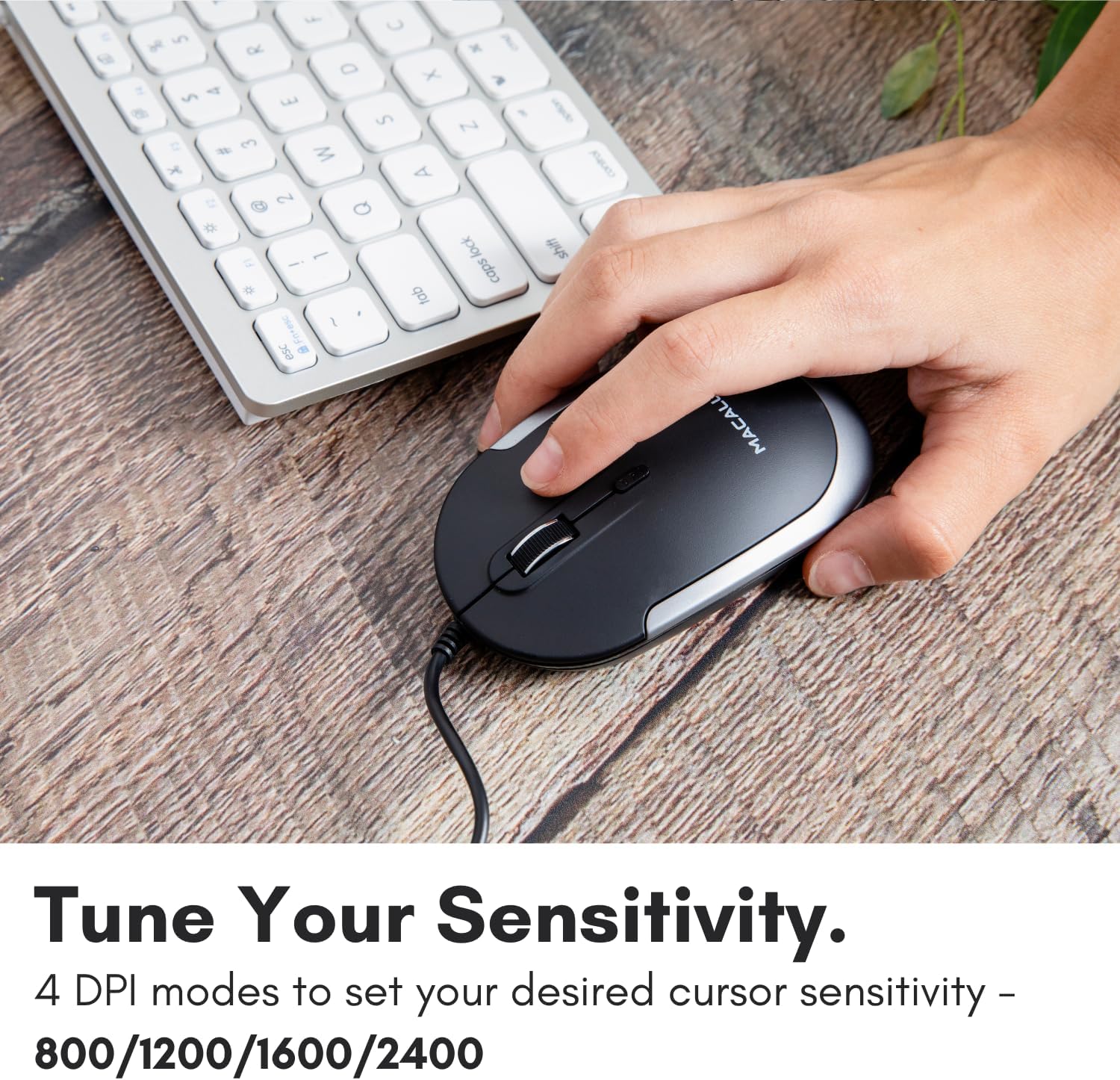
Image: A hand demonstrating how to press the DPI button on the Macally USB-C mouse to adjust sensitivity.
4.3 Шайкештик
The Macally USB Type C Wired Mouse is universally compatible with a wide range of devices and operating systems:
- Mac (macOS)
- PC (Windows)
- iPadOS
- Android devices with USB-C ports

Image: The Macally USB-C mouse displayed with compatibility logos for Mac, PC, iPadOS, and Android operating systems.
5. Негизги өзгөчөлүктөрү
- USB-C туташуусу: Specifically designed for modern laptops and computers with USB-C ports, ensuring a reliable wired connection.
- Ичке жана компакт дизайн: With a height of only 1 inch, the mouse is slim, comfortable, and portable, fitting snugly in your hand.
- Тынч чыкылдатуу баскычтары: Reduces clicking noise by 90% compared to traditional mice, providing a quieter work environment.
- Жөнгө салынуучу DPI: Easily switch between 800, 1200, 1600, and 2400 DPI settings for precise cursor control.
- 5-Foot Cable: камсыз кылат ample length for flexible setup and comfortable use, even with desktop computers.
- Эки тараптуу дизайн: Оң жана сол колдуу колдонуучулар үчүн ылайыктуу.

Image: The Macally USB-C mouse highlighting its elegant and slim design with dimensions.
Video: A detailed look at the Macally USB-C Optical Mouse, emphasizing its quiet click buttons and compatibility with Mac and PC.
6. Техникалык тейлөө
To ensure the longevity and optimal performance of your Macally USB Type C Wired Mouse, follow these simple maintenance guidelines:
- Тазалоо: Чычкандын бетин аарчуу үчүн жумшак, кургак, мамыксыз чүпүрөктү колдонуңуз. Өжөр кир үчүн бир аз сүртүңүзampчүпүрөктү суу же жумшак тазалоо эритмеси менен жууп салыңыз. Катуу химиялык заттарды же абразивдүү материалдарды колдонуудан алыс болуңуз.
- Оптикалык сенсор: Чычкандын астындагы оптикалык сенсорду чаңдан же таштандыдан таза кармаңыз. Керек болсо кебез тампонду же кысылган абаны колдонуңуз.
- Кабельге кам көрүү: Avoid sharp bends or excessive pulling on the USB-C cable to prevent damage. Store the cable neatly when not in use.
- Сактагыч: Колдонулбаганда, чычканды экстремалдык температурадан алыс, таза, кургак чөйрөдө сактаңыз.
7. Кыйынчылыктарды
If you encounter any issues with your Macally USB Type C Wired Mouse, please refer to the following common solutions:
| Көйгөй | Чечим |
|---|---|
| Чычкан жооп бербей жатат. |
|
| Курсордун кыймылы туруксуз же секирик. |
|
| Баскычтар же айландыруу дөңгөлөгү иштебей жатат. |
|
8. Техникалык шарттар
| Бренд | Macally |
| Модель номери | UCDYNAMOUSESG |
| Байланыш технологиясы | USB-C зымдуу |
| Кыймылды аныктоо технологиясы | Оптикалык |
| DPI орнотуулары | 800, 1200, 1600, 2400 |
| Кабелдин узундугу | 5 фут (болжол менен 1.5 метр) |
| Buttons | 3 (Left, Right, Scroll Wheel/Middle Click) + DPI Switch |
| Элемент Салмагы | 2.56 унция (болжол менен 72.5 грамм) |
| Продукциянын өлчөмдөрү (LxWxH) | 2.8 x 4.21 x 1 дюйм (болжол менен 7.1 x 10.7 x 2.5 см) |
| Шайкештик | Mac (macOS), PC (Windows), iPadOS, Android (with USB-C) |
9. Кепилдик жана колдоо
Macally provides a 1 жылдык кепилдик for this product. For technical support, troubleshooting assistance, or warranty claims, please contact Macally customer service. You can find contact information and additional resources on the official Macally webсайт:
Webсайт: www.macally.com
Macally also offers easy returns and lifetime support with your purchase.


