1. Киришүү
This manual provides detailed instructions for the installation, operation, and maintenance of your Corehan 7-inch Double Din Android Car Stereo. This unit features a 7-inch touch screen, Bluetooth, WiFi, and GPS navigation, running on Android 8.1. It supports steering wheel controls (SWC), rear camera input, and FM radio. The system allows for downloading additional applications from the Google Play Store to expand its functionality.

Figure 1: Corehan 7-inch Double Din Android Car Stereo Unit
2. Кутуда эмне бар
Төмөндө тизмеленген нерселердин баары пакетиңизге камтылганын текшериңиз:
- Car Stereo (x1)
- Wiring Harness (x1)
- RCA Cables (x1)
- USB кабели (x1)
- GPS антеннасы (x1)
- User & Installation Manual (x1)

Figure 2: All components included in the Corehan car stereo package.
3. Орнотуу жана орнотуу
Installation of the car stereo requires technical knowledge and should ideally be performed by a qualified professional. Refer to the included Installation Manual for detailed wiring diagrams and specific steps for your vehicle model. Ensure the vehicle's power is disconnected before beginning installation.
3.1. Basic Wiring Connections
- Кубат туташуу: Connect the main power harness to your vehicle's power supply, ensuring correct positive, negative, and accessory wire connections.
- Динамик байланыштары: Connect the speaker wires from the stereo harness to your vehicle's speakers.
- GPS антеннасы: GPS антеннасын ачык жерге орнотуңуз view асмандын, адатта аспаптар тактасында же алдыңкы айнектин астында.
- USB кабелдери: Connect the provided USB cables for external media or device charging.
- RCA кабелдери: Сырткы RCA кабелдерин туташтырыңыз ampкөтөргүчтөр, сабвуферлер же баш тирөөч мониторлоруна видео чыгаруу.
- Арткы камера киргизүү: If installing a rear camera, connect its video and power cables to the designated inputs on the stereo.
- Руль башкаруусу (SWC): Connect the SWC wires to your vehicle's steering wheel control interface (if applicable) to enable control from your steering wheel.
3.2. Баштапкы кубаттуулук
After all connections are secure, reconnect the vehicle's power. The unit should power on automatically or by pressing the power button. Follow any on-screen prompts for initial setup, such as language selection and time zone.
4. Иштөө нускамалары
4.1. Bluetooth байланышы
The unit features built-in Bluetooth for hands-free calling and audio streaming. To connect your device:
- Go to the Bluetooth settings on the stereo.
- Мобилдик түзмөгүңүздө Bluetooth'ду иштетиңиз жана жеткиликтүү түзмөктөрдү издеңиз.
- Select the stereo's name (e.g., "Corehan Car Stereo") from your device's list.
- Жупташтыруу кодун эки түзмөктө тең ырастаңыз.
Жупташтырылгандан кийин, сиз чалууларды жасап/кабыл алып, зымсыз музыка агымын ойното аласыз.

Figure 3: Bluetooth interface on the Corehan car stereo, showing a connected smartphone.
4.2. GPS навигациясы
The stereo includes a built-in GPS module and an external GPS antenna. It supports most navigation applications with offline map capabilities. This allows for navigation even in areas without mobile data signals.

Figure 4: GPS navigation displayed on the Corehan car stereo screen.
4.3. Күзгү шилтемесинин функциясы
The Mirror Link feature allows you to cast the screen of your Android or iOS device directly onto the head unit's display. This enables viewing content from your smartphone on the larger screen.

Figure 5: Mirror Link feature showing a smartphone screen mirrored on the car stereo.
4.4. Мультимедиа ойнотуу
The unit supports various multimedia channels including USB drives, micro SD cards, and Bluetooth for music and video playback. You can also download music and video applications from the Google Play Store.

Figure 6: Music playback interface on the Corehan car stereo.
4.5. Видео чыгаруу
The Android car stereo supports video output to external displays, such as headrest monitors. This allows passengers to view видеолорду бир убакта.
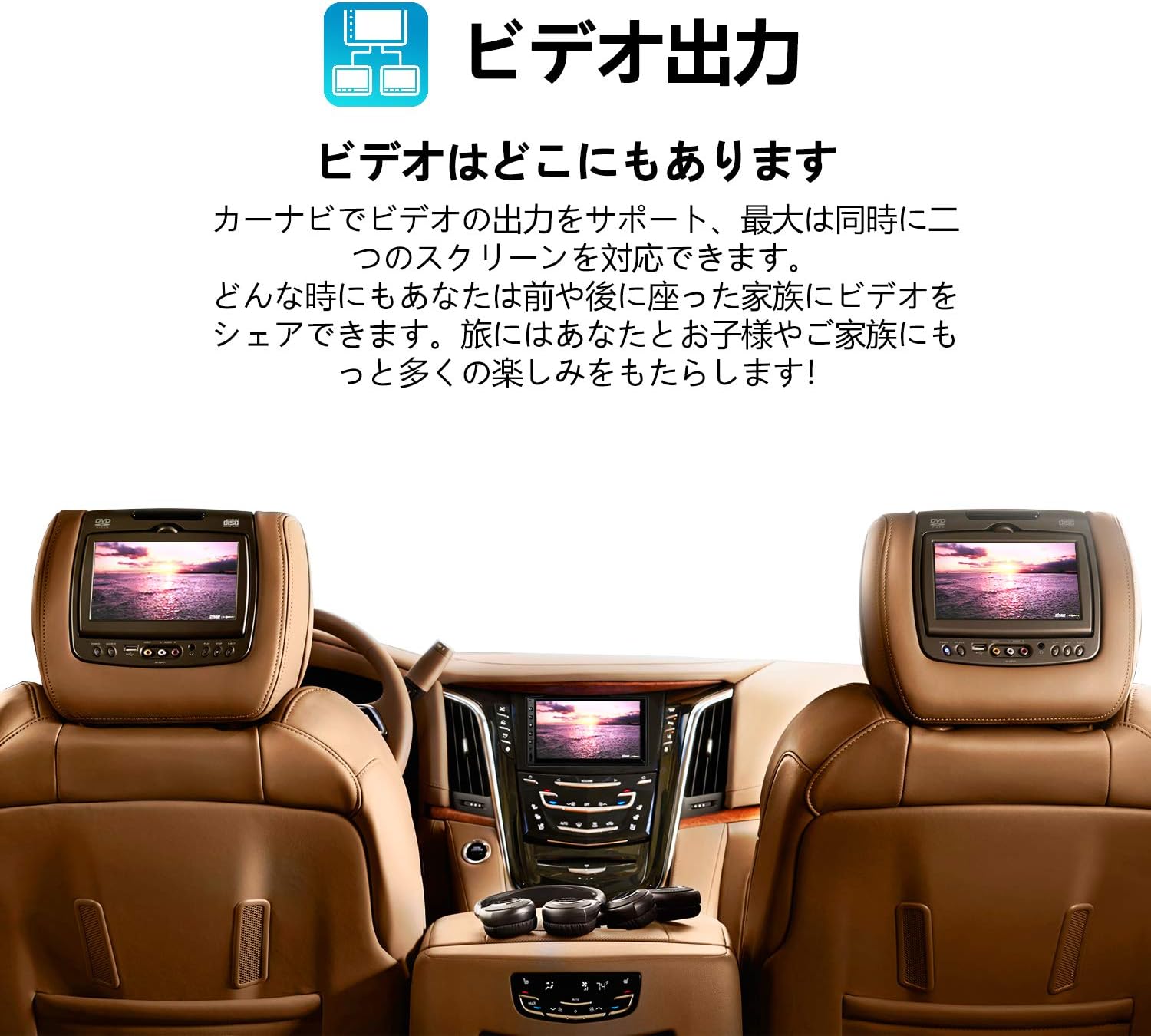
Figure 7: Car interior showing the Corehan stereo and two headrest monitors displaying the same video content.
4.6. OBDII Scanner Support
The unit supports connection to an OBDII scanner (sold separately), allowing you to monitor vehicle diagnostics and engine information directly on the stereo display.
5. Техникалык тейлөө
5.1. Экранды тазалоо
Сенсордук экранды акырын сүртүү үчүн жумшак, түксүз чүпүрөктү колдонуңуз. өжөр тактар үчүн, бир аз гampчүпүрөккө суу же экранды тазалоочу каражат. Катуу химиялык заттардан же абразивдүү материалдардан алыс болуңуз.
5.2. Программалык камсыздоону жаңыртуу
Оптималдуу иштөөнү жана жаңы функцияларга жетүүнү камсыз кылуу үчүн программалык камсыздоонун жаңыртууларын мезгил-мезгили менен текшерип туруңуз. Жаңыртууларды, адатта, системанын жөндөөлөрүнөн же өндүрүүчүнүн веб-сайтынан тапса болот. webсайт. Жаңыртуу процессинде экрандагы көрсөтмөлөрдү кылдаттык менен аткарыңыз.
6. Кыйынчылыктарды
If you encounter issues with your car stereo, try the following basic troubleshooting steps:
- Кубат жок: Бардык электр туташууларын жана сактагычтарын текшериңиз. Унаанын от алдыруу системасы күйүк экенин текшериңиз.
- Үн жок: Динамиктердин туташууларын, үн деңгээлин жана аудио булагын тандалганын текшериңиз.
- Bluetooth туташуу маселелери: Ensure Bluetooth is enabled on both devices and try re-pairing. Clear previous pairings if necessary.
- GPS сигналын жоготуу: GPS антеннасынын тунук экенин текшериңиз view асмандын жана коопсуз байланышта.
- Сенсордук экран жооп бербейт: Try restarting the unit. If the issue persists, a factory reset may be required (note: this will erase all user data).
- Система жайлап/тоңуп жатат: Close unnecessary applications. A system restart or factory reset can often resolve performance issues.
For more complex problems, refer to the detailed troubleshooting section in the full User & Installation Manual or contact customer support.
7. Техникалык шарттар
| Өзгөчөлүк | Спецификация |
|---|---|
| Продукциянын өлчөмдөрү | 5.7 x 7 x 4 дюйм |
| Элемент Салмагы | 1.98 фунт |
| Модель номери | COCS-JD-AN-03 |
| Операция системасы | Android 8.1 (as per product title, though specifications list Android 7) |
| RAM | 2 ГБ |
| Зымсыз байланыш | Bluetooth, WiFi |
| Connectivity Technologies | Bluetooth, USB, Wi-Fi |
| GPS | Supported (Built-in module and external antenna) |
| Өзгөчөлүктөр | Bluetooth, Touchscreen, Mirror Link, Video Output, OBDII Support |
| Display Resolution | 1024 x 600 |
| Screen Size | 7 дюйм |
| Өндүрүүчү | Corehan Technology |

Figure 8: Diagram illustrating the internal hardware of the Corehan car stereo.
8. Кепилдик жана колдоо
Corehan provides detailed installation instructions and video tutorials to assist with the setup of your unit. For any technical assistance, installation queries, or operational problems, 7*24 hours of after-sales technical support is available.
Please refer to the contact information provided in your product packaging or on the official Corehan webколдоо чоо-жайы үчүн сайт.


