1. Киришүү
Сатып алганыңыз үчүн рахматasing the SENCOR SSS 3200 Kids Bluetooth Speaker with Karaoke Microphone. This portable speaker is designed to provide entertainment with its Bluetooth connectivity, karaoke function, and vibrant LED lighting. Please read this manual carefully before using the product to ensure proper operation and to maximize its lifespan. Keep this manual for future reference.
2. Коопсуздук нускамалары
- Аппаратты экстремалдык температурага, түз күндүн нуруна же жогорку нымдуулукка дуушар кылбаңыз.
- Use only the supplied charger to recharge the product.
- Спикерди түшүрүүдөн же катуу таасирлерге дуушар кылуудан качыңыз.
- Аппаратты өзүңүз ажыратпаңыз же оңдоого аракет кылбаңыз. Бардык тейлөөлөрдү квалификациялуу кызматкерлерге тапшырыңыз.
- Keep the speaker away from water or other liquids to prevent electric shock.
- Колдонуу учурунда динамиктин айланасында туура желдетүүнү камсыз кылыңыз.
3. Пакеттин мазмуну
Carefully unpack your SENCOR SSS 3200 Kids speaker and check that all items are present and in good condition. The package should include:
- SENCOR SSS 3200 Kids Bluetooth Speaker
- Зымдуу микрофон
- 3.5 мм аудио кабель (AUX кабели)
- USB заряддоо кабели
- Кубаттуу адаптер
- Погон
- Колдонуучунун Колдонмосу (бул документ)

Image 3.1: Included accessories for the SENCOR SSS 3200 Kids speaker, including the wired microphone, various cables, power adapter, and shoulder strap.
4. Продукт бүтүп калдыview
4.1 алдыңкы панели

Сүрөт 4.1: Алдыңкы view of the SENCOR SSS 3200 Kids Bluetooth Speaker, showcasing the main speaker grille with LED backlighting and the SENCOR logo.
The front of the speaker features the main speaker grille, which is equipped with multi-color flashing LED backlighting for an enhanced visual experience. The SENCOR brand logo is prominently displayed.
4.2 Арткы панель жана башкаруу элементтери

Image 4.2: Rear panel of the SENCOR SSS 3200 Kids Bluetooth Speaker, showing various input ports, control buttons, and adjustment knobs.
The rear panel houses all the essential controls and connectivity ports:
- MIC-IN: Зымдуу микрофонду туташтыруу үчүн 6.3 мм уяча.
- GUITAR-IN: 6.3mm jack for connecting a guitar (if applicable).
- LINE IN EAR MIC: 3.5mm AUX input.
- USB порт: USB флэш-дискти ойнотуу үчүн.
- TF карта уячасы: MicroSD карталарын ойнотуу үчүн.
- DC 9V: Кубаттоо үчүн кубат киргизүү.
- Кубат которгучу: To turn the speaker ON/OFF.
- Дисплей: Digital display for mode and track information.
- Башкаруу баскычтары: Play/Pause, Skip tracks, Mode/Shift, Record/Delete.
- Баскычтар: VOLUME+, -TREBLE+, -ECHO+, -MIC VOL+ for audio adjustments.
- Батарея көрсөткүчү: Батареянын абалын көрсөтөт.
5. Орнотуу
5.1 Батареяны заряддоо
Before first use, fully charge the speaker's built-in rechargeable battery. Connect the supplied power adapter to the DC 9V input on the rear panel and plug it into a power outlet. The battery indicator will show charging status. A full charge typically takes 3-5 hours. Ensure the product is fully charged before initial operation to ensure proper functionality.
5.2 Микрофонду туташтыруу
Insert the plug of the wired microphone into the MIC-IN jack on the rear panel of the speaker. Ensure the microphone's ON/OFF switch is in the 'ON' position when in use.
6. Иштөө нускамалары
6.1 Күйгүзүү/өчүрүү
To turn the speaker ON, slide the Power switch on the rear panel to the 'ON' position. To turn it OFF, slide the switch to the 'OFF' position.
6.2 Bluetooth жупташтыруу
- Динамикти күйгүзүңүз. Ал автоматтык түрдө Bluetooth жупташтыруу режимине өтөт, бул дисплейде Bluetooth сүрөтчөсүнүн жаркылдап күйүшү менен көрсөтүлөт.
- Смартфонуңузда, планшетиңизде же башка шайкеш түзүлүшүңүздө Bluetooth'ду иштетиңиз.
- Издөө available Bluetooth devices and select "SSS 3200 Kids" from the list.
- Once paired, the speaker will emit a confirmation sound, and the Bluetooth icon on the display will stop flashing.
- Эми сиз түзмөгүңүздөн аудиону динамик аркылуу ойной аласыз.
6.3 USB/TF картасын ойнотуу
Insert a USB flash drive or a TF (microSD) card into the respective port/slot on the rear panel. The speaker will automatically detect the storage device and begin playing audio files. Use the control buttons (Play/Pause, Skip tracks) to manage playback.
6.4 AUX киргизүү
Connect an external audio device (e.g., MP3 player, laptop) to the LINE IN EAR MIC (3.5mm AUX) port using the supplied 3.5mm audio cable. Press the 'MODE/SHIFT' button to switch to AUX input mode. Audio will then play from your connected device.
6.5 Karaoke Function and Recording
With the microphone connected to the MIC-IN port, you can sing along to music playing from any source (Bluetooth, USB, TF, AUX). Adjust the microphone volume using the 'MIC VOL+' knob and add echo effects with the '-ECHO+' knob. The speaker also supports recording your karaoke performance. Refer to the 'REC/DEL' button for recording and deleting functions.
6.6 LED жарык режимдери
The speaker features multi-color flashing LED backlighting. These lights automatically activate when the speaker is on, enhancing the party atmosphere. There may be a dedicated button or a combination of buttons to cycle through different light modes or turn them off, if available (refer to specific product documentation for details).
6.7 Аудио тууралоолору
Use the 'VOLUME+' knob to adjust the overall speaker volume. The '-TREBLE+' knob allows you to fine-tune the treble levels for clearer sound. The '-ECHO+' and '-MIC VOL+' knobs are specifically for microphone effects and volume, respectively.
7. Техникалык тейлөө
7.1 Тазалоо
Динамиктин сыртын жумшак, кургак чүпүрөк менен сүртүңүз. Абразивдүү тазалагычтарды, момдорду же эриткичтерди колдонбоңуз. Динамиктин тешиктерине суюктуктар кирбесин.
7.2 Сактоо
When not in use for extended periods, store the speaker in a cool, dry place, away from direct sunlight and extreme temperatures. It is recommended to fully charge the battery every few months to maintain its health.
8. Кыйынчылыктарды
- Кубат жок: Ensure the speaker is charged. Connect the power adapter and allow it to charge for a few hours. Check the power switch is in the 'ON' position.
- Үн жок: Check the volume levels on both the speaker and the connected device. Ensure the correct input mode (Bluetooth, USB, AUX) is selected.
- Bluetooth туташпай жатат: Make sure the speaker is in pairing mode. Disable and re-enable Bluetooth on your device. Move your device closer to the speaker.
- Микрофон иштебейт: Ensure the microphone is securely plugged into the MIC-IN jack and its ON/OFF switch is in the 'ON' position. Adjust the 'MIC VOL+' knob.
- Бурмаланган үн: Reduce the volume on both the speaker and the connected device. Ensure audio fileлар бузулган эмес.
9. Техникалык шарттар
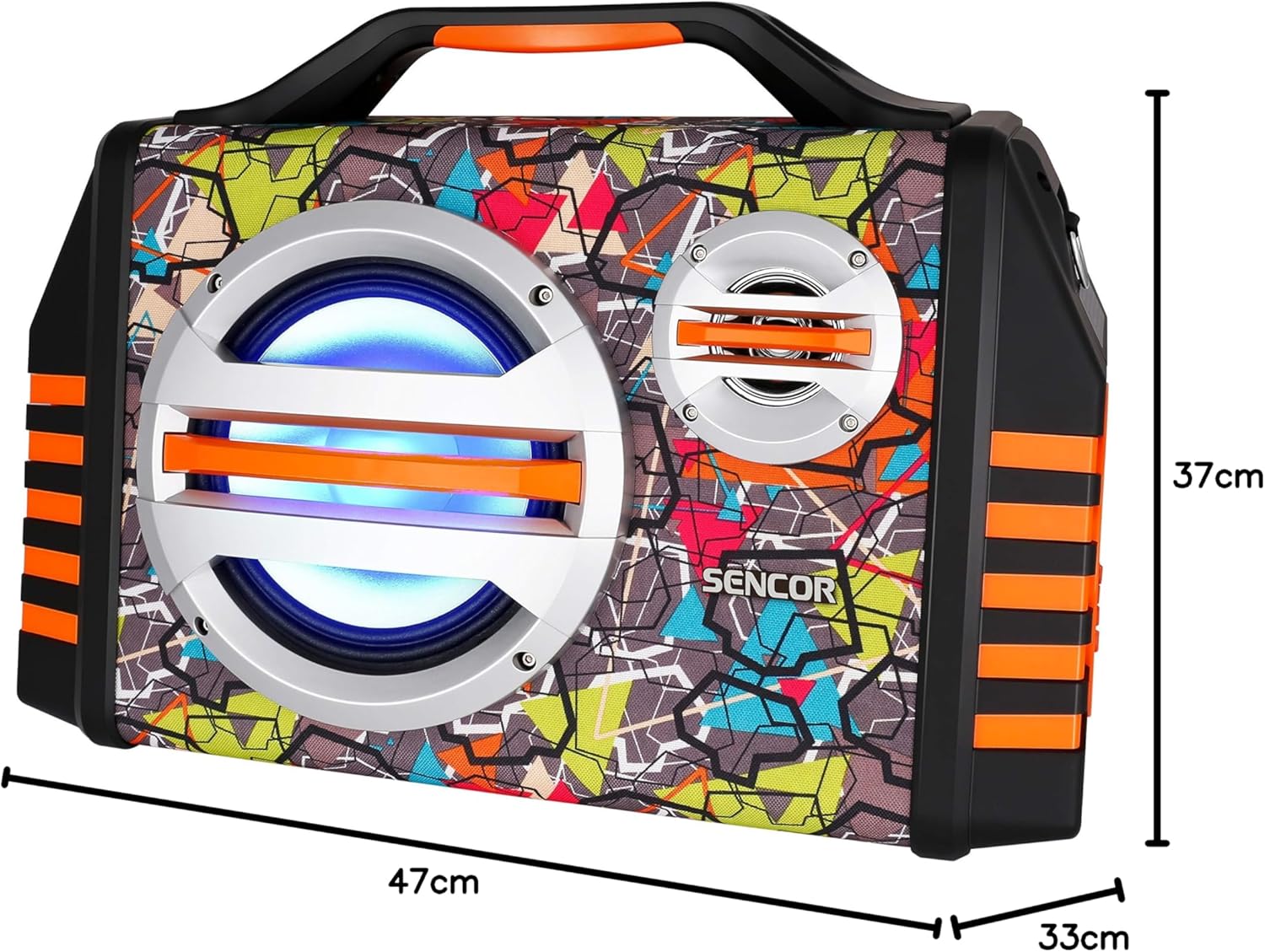
Image 9.1: Dimensions of the SENCOR SSS 3200 Kids Bluetooth Speaker, showing approximate measurements of 47cm (width), 37cm (height), and 33cm (depth).
| Өзгөчөлүк | Спецификация |
|---|---|
| Бренд | SENCOR |
| Модель номери | SSS3200KIDS |
| Түс | Көп түстүү |
| Байланыш технологиясы | Bluetooth |
| Байланыш порттору | 3.5 мм уяча, USB |
| Өзгөчөлүктөр | Integrated Microphone, Multi-color LED Backlight |
| Жалпы USB порттору | 1 |
| Импеданс | 4 Ом |
| Шайкеш түзмөктөр | Ноутбук, смартфон, планшет |
| Сунушталган Колдонуулар | Children's Entertainment, Music Activities |
| Power Source | Батарея менен иштейт |
| Баяндамачылардын саны | 1 |
10. Кепилдик жана колдоо
SENCOR products are designed and manufactured to the highest quality standards. For warranty information, please refer to the warranty card included with your purchase or contact your local SENCOR distributor. For technical support or service inquiries, please visit the official SENCOR webсайтка же кардарларды тейлөө бөлүмүнө кайрылыңыз.


