1. Киришүү
The FOSCAM Z2 is a versatile 1080P Full HD IP camera designed for home security and monitoring. Equipped with advanced features such as Pan & Tilt, 4X Optical Zoom, and Night Vision, it provides comprehensive surveillance for your indoor spaces. This manual will guide you through the setup, operation, maintenance, and troubleshooting of your FOSCAM Z2 camera.

The FOSCAM Z2 camera features a sleek, compact design, suitable for various indoor environments. It offers high-definition video quality and a wide range of motion for comprehensive monitoring.
2. Орнотуу колдонмосу
Follow these steps to set up your FOSCAM Z2 camera:
- Камераны таңгактан чыгаруу: Carefully remove all components from the packaging. Ensure you have the camera, power adapter, Ethernet cable, mounting bracket, and quick setup guide.
- Күйгүзүү: Connect the power adapter to the camera and plug it into a power outlet. The camera will begin its startup sequence.
- Download the Foscam App: Издөө "Foscam" in your mobile device's app store (iOS or Android) and install the official application.
- Баштапкы туташуу: For the first-time setup, it is recommended to connect the camera to your router using the provided Ethernet cable. This ensures a stable connection for initial configuration.
- Колдонмого түзмөк кошуу: Open the Foscam app, create an account if you don't have one, and follow the on-screen instructions to add your new camera. You may need to scan the QR code located on the camera's label.
- Wi-Fi конфигурациясы: Once connected via Ethernet, the app will guide you through connecting the camera to your Wi-Fi network. The FOSCAM Z2 supports both 2.4GHz and 5GHz dual-band Wi-Fi for flexible connectivity.
- Монтаждоо (кошумча): If desired, use the included mounting bracket and screws to install the camera on a ceiling or wall. Ensure the camera is securely fastened.

The package includes the FOSCAM Z2 camera, power adapter, Ethernet cable, mounting accessories, and a quick setup guide to facilitate easy installation.
The FOSCAM Z2 supports both 2.4GHz and 5GHz Wi-Fi bands, offering faster data transmission and reduced interference for a more reliable connection.
This video demonstrates the quick and easy setup process for the Foscam Z2 Wi-Fi camera, including initial connection and app integration.
3. Камераны иштетүү
The FOSCAM Z2 offers a range of functionalities for effective monitoring:
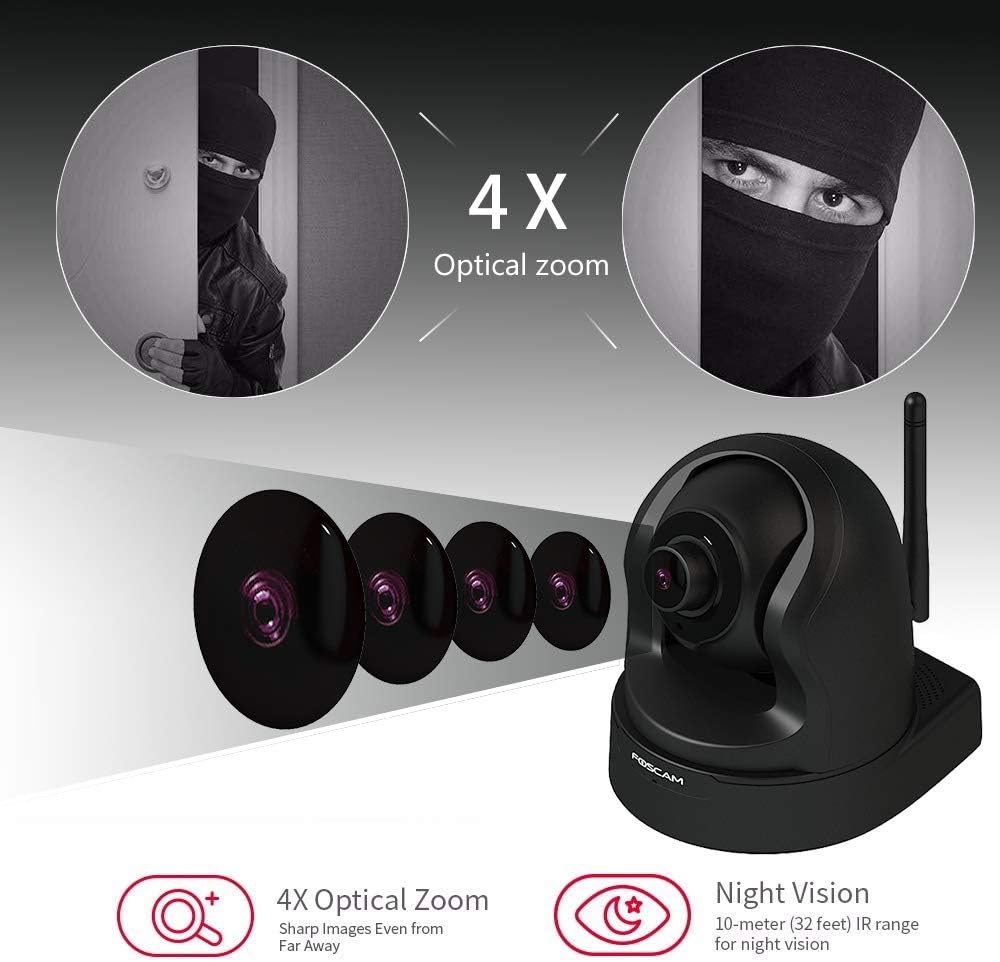
- Pan & Tilt with 4X Optical Zoom: Камераны башкарыңыз viewing angle remotely via the Foscam app. The 350° horizontal and 100° vertical rotation range provides extensive coverage. The 4X optical zoom allows you to magnify specific areas without compromising image quality.
- 1080P Full HD & Night Vision: Experience clear, detailed video with 1080P resolution at 25 frames per second. The camera's night vision extends up to 26 feet, ensuring visibility in low-light conditions.
- Кыймыл жана үндү аныктоо: Receive instant alerts on your smartphone or PC when motion or sound is detected. The camera can record these events and store them on a Micro SD Card, NVR, NAS, FTP, or Foscam Cloud.
- Эки тараптуу аудио: Communicate directly through the camera using the built-in microphone and speaker. This feature allows for real-time interaction with individuals on the camera's end.
- Privacy Protection Mode: Activate the one-button sleeping mode to physically hide the lens, ensuring your privacy when needed.
- Cloud Storage & Playback: Utilize the Foscam Cloud service (7-day free trial included) for secure storage of your recordings. The cloud playback timeline allows you to easily review өткөн окуялар.

The FOSCAM Z2 offers 4X optical zoom for detailed viewing and advanced night vision for clear images up to 26 feet in darkness.

Powered by an Ambarella chipset, the camera delivers crisp 1080P (1920x1080) video resolution for superior monitoring.

The camera provides intelligent motion and sound detection, sending instant alerts to your device for important events.

Utilize the one-button privacy protection mode to retract the camera lens, ensuring your personal space is not monitored.

The Foscam Cloud service offers secure cloud recording, playback, and management, powered by AWS for enhanced security.
This video highlights the key features of the Foscam Z2 camera, including its 4X optical zoom and 1080P resolution for clear surveillance.
4. Техникалык тейлөө
To ensure optimal performance and longevity of your FOSCAM Z2 camera, follow these maintenance guidelines:
- Тазалоо: Камеранын линзасын жана корпусун жумшак, кургак чүпүрөк менен акырын сүртүңүз. Бетине же линзага зыян келтирүүчү катаал химиялык заттарды же абразивдүү материалдарды колдонуудан алыс болуңуз.
- Программалык камсыздоонун жаңыртуулары: Regularly check for and install the latest firmware updates via the Foscam app. Firmware updates often include performance improvements, bug fixes, and new features.
- Экологиялык эске алуулар: While the camera is designed for indoor use, ensure it is placed in a stable environment, away from extreme temperatures, direct sunlight, and high humidity.
- Электр камсыздоо: Камерага зыян келтирбөө үчүн, аны менен кошо берилген түпнуска кубат адаптерин гана колдонуңуз.
5. Кыйынчылыктарды
If you encounter issues with your FOSCAM Z2 camera, refer to the following common troubleshooting tips:
- Кубат жок: Кубат адаптери камерага да, иштеп жаткан розеткага да бекем туташтырылганын текшериңиз. Зарыл болсо, башка розетканы колдонуп көрүңүз.
- Wi-Fi туташуу маселелери: Verify that your Wi-Fi network is active and the password entered in the app is correct. Ensure the camera is within range of your Wi-Fi router. If using 5GHz, confirm your router supports it and the camera is configured for the correct band.
- Оффлайн абалы: If the camera appears offline in the app, check its power and network connection. Restarting both the camera and your router can often resolve connectivity issues.
- Видеонун сапаты начар: Check your internet connection speed. Ensure the camera lens is clean and free from obstructions. Adjust the video resolution settings in the Foscam app if your network bandwidth is limited.
- Motion/Sound Detection Not Working: Verify that motion and sound detection settings are enabled in the app and that the sensitivity levels are appropriately configured. Check the recording schedule.
- Эки тараптуу аудио көйгөйлөр: Ensure the microphone and speaker volumes are not muted in the app. Check your mobile device's audio settings.
For more detailed troubleshooting or persistent issues, please visit the official FOSCAM support webсайтка же кардарларды тейлөөгө кайрылыңыз.
6. Техникалык шарттар
| Өзгөчөлүк | Спецификация |
|---|---|
| Видео тартуунун резолюциясы | 1080p (1920x1080) |
| Frame Rate | 25 кадр/сек |
| Байланыш технологиясы | Зымсыз (Wi-Fi) |
| Зымсыз байланыш технологиясы | Wi-Fi (2.4GHz & 5GHz Dual Band) |
| Пан колому | 350 ° Горизонталдуу |
| Тилтүү диапазону | 100 ° Vertical |
| Чоңойтуу түрү | 4X оптикалык масштаб |
| Түнкү көрүү диапазону | 26 Фут |
| Эскертүү түрү | Аудио жана кыймыл |
| Power Source | AC/DC |
| Controller Type | Amazon Alexa |
| Элемент Салмагы | 12.2 унция |
| Пакеттин өлчөмдөрү | 8.03 x 6.57 x 5.08 дюйм |
| Эл аралык коргоо рейтинги | IP65 |
7. Кепилдик жана колдоо
FOSCAM provides reliable customer support and warranty services for its products. For detailed information regarding your product's warranty period, terms, and conditions, please refer to the warranty card included in your product packaging or visit the official FOSCAM webсайт.
For technical assistance, product inquiries, or to access frequently asked questions (FAQs), please visit the FOSCAM Official Store on Amazon or their dedicated support portal. FOSCAM is committed to helping you feel safe and connected.


