1. Продукт бүтүп калдыview
The Elecom M-FBL01DBXSBK is a 5-button wireless mouse designed for comfortable and quiet operation. It features a Blue LED sensor for versatile surface compatibility and a compact USB receiver.

Image 1.1: Elecom M-FBL01DBXSBK Wireless Mouse with its compact USB receiver.
2. Пакеттин мазмуну
- Elecom M-FBL01DBXSBK Wireless Mouse
- USB зымсыз кабыл алгыч
- AA Alkaline Battery (for operation confirmation)
- Колдонуучунун Колдонмосу (бул документ)
3. Орнотуу нускамалары
3.1. Батареяны орнотуу
- Чычкандын астыңкы бетинен батарея бөлүмүнүн капкагын табыңыз.
- Бөлүмдү ачуу үчүн капкакты жылдырыңыз же көтөрүңүз.
- Insert one AA alkaline battery, ensuring the positive (+) and negative (-) terminals align correctly with the markings inside the compartment.
- Батарея уясынын капкагын бекем жабыңыз.

Image 3.1: The underside of the mouse, indicating the battery compartment and power switch.
3.2. USB кабылдагычты туташтыруу
- Remove the compact USB receiver from its storage slot on the underside of the mouse.
- USB ресиверди компьютериңиздеги жеткиликтүү USB-A портуна сайыңыз.
- Компьютериңиз керектүү драйверлерди автоматтык түрдө таап, орнотуп алышы керек. Бул бир нече мүнөткө созулушу мүмкүн.
3.3. Чычканды күйгүзүү
After installing the battery and connecting the receiver, locate the power switch on the underside of the mouse and slide it to the 'ON' position. The mouse is now ready for use.
3.4. OS Compatibility
The Elecom M-FBL01DBXSBK Wireless Mouse is compatible with:
- Windows 11, Windows 10, Windows RT8.1, Windows 8.1, Windows 7, Windows Vista
- macOS High Sierra 10.13 жана андан кийинкиси
Ensure your operating system is updated to the latest version and any service packs are installed for optimal performance.
4. Чычканды иштетүү
4.1. Негизги функциялар
The mouse features five buttons and a scroll wheel:
- Сол баскыч: Негизги чыкылдатуу функциясы.
- Оң баскыч: Экинчи чыкылдатуу функциясы (контексттик меню).
- Жылдыруу дөңгөлөгү: Документтерди жылдырат жана web pages vertically. Can also be pressed for a middle-click function.
- Алга баскычы: Алга карай жылдырат web браузерлер же file изилдөөчүлөр.
- Артка баскычы: Артка карай багыт алат web браузерлер же file изилдөөчүлөр.

Image 4.1: The five buttons of the Elecom M-FBL01DBXSBK mouse, including the scroll wheel.
4.2. Quiet Click Feature
All five buttons incorporate a silent switch mechanism, significantly reducing clicking noise. This allows for quiet operation in various environments.

Image 4.2: The silent switch design minimizes operational noise.
4.3. Blue LED Sensor
The mouse is equipped with a Blue LED optical sensor, which provides accurate tracking on a variety of surfaces, including those with slight unevenness or dust. This enhances usability in diverse settings.

Image 4.3: The Blue LED sensor allows for comfortable use on various surfaces.
4.4. Зымсыз байланыш
The mouse utilizes a 2.4 GHz wireless band for stable communication. The effective radio distance is approximately 3 meters (9.8 feet) on magnetic surfaces (e.g., steel desks) and up to 10 meters (32.8 feet) on non-magnetic surfaces (e.g., wooden desks).
4.5. Батарея индикатору
An integrated battery indicator light notifies you when the battery level is low, signaling that a replacement is needed.
4.6. Elecom Mouse Assistant Software
Button functions can be customized using the free downloadable Elecom Mouse Assistant software. This allows users to reassign functions to the mouse buttons for improved workflow efficiency.
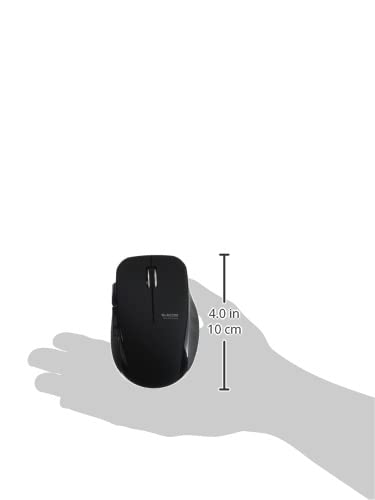
Image 4.4: The Elecom Mouse Assistant software enables button customization.
5. Техникалык тейлөө
5.1. Батареяны алмаштыруу
When the battery indicator signals low power, replace the AA battery with a new AA alkaline, manganese, or NiMH battery. Follow the battery installation steps outlined in Section 3.1.
5.2. Тазалоо
To clean the mouse, gently wipe its surface with a soft, dry cloth. Avoid using harsh chemicals or abrasive materials, as these can damage the finish. Ensure no liquid enters the mouse.
5.3. Receiver Storage
The USB receiver can be stored inside the mouse body when not in use or during transport. This helps prevent loss of the receiver.
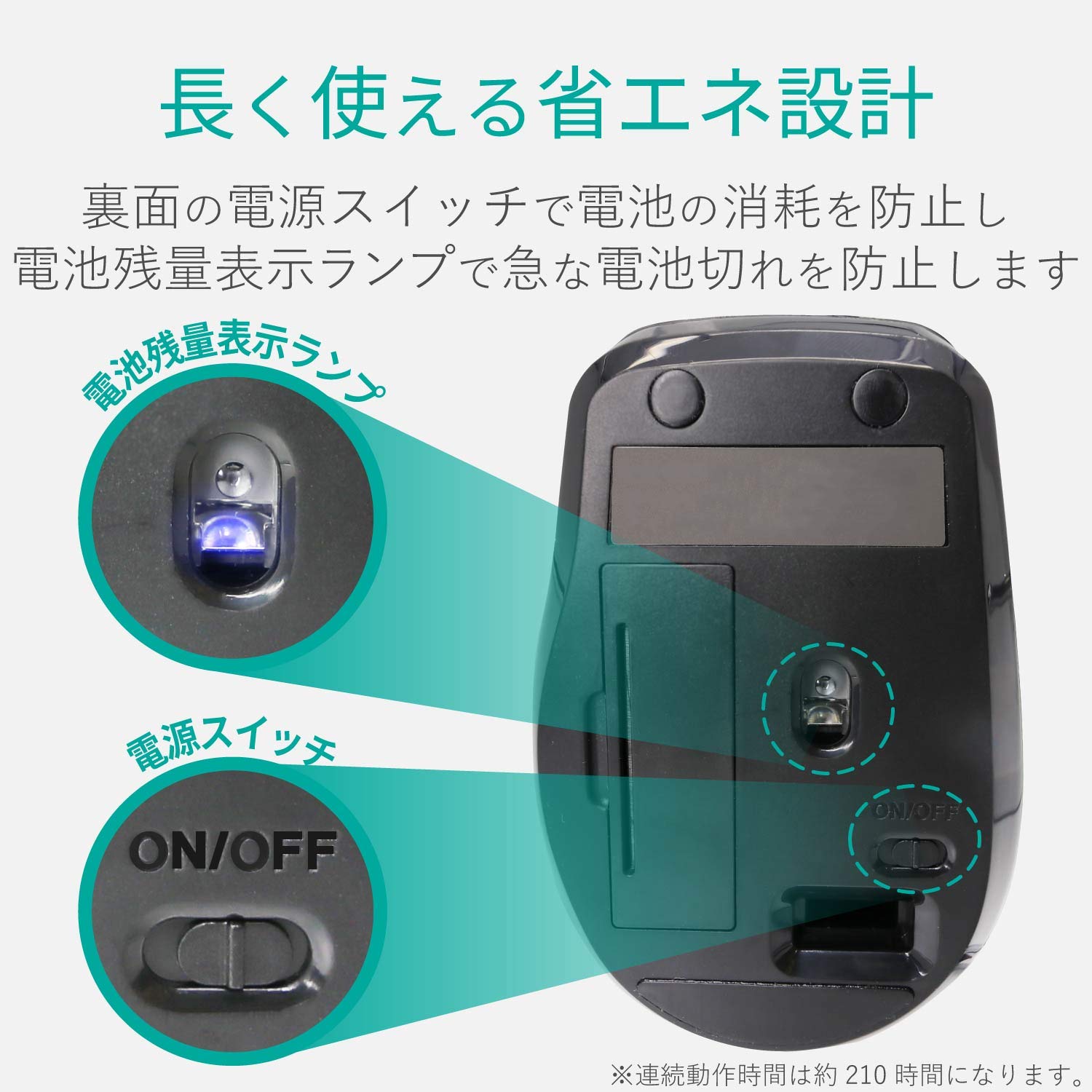
Image 5.1: The compact receiver can be stored within the mouse for convenience.
6. Кыйынчылыктарды
- Чычкан жооп бербей жатат:
- Check if the mouse is powered on (power switch on the underside).
- Батарея туура орнотулганын жана түгөнүп калбагандыгын текшериңиз. Керек болсо алмаштырыңыз.
- USB кабыл алгыч компьютериңиздеги иштеген USB портуна бекем сайылганын текшериңиз. Башка USB портун колдонуп көрүңүз.
- Компьютериңизди өчүрүп күйгүзүңүз.
- Курсордун туура эмес кыймылы:
- Clean the optical sensor area on the underside of the mouse.
- Чычканды ылайыктуу бетте колдонуп жатканыңызды текшериңиз. Өтө жарык чагылдыруучу же тунук беттерден алыс болуңуз.
- Check for interference from other wireless devices. Move the mouse closer to the receiver.
- Buttons not functioning correctly:
- If using Elecom Mouse Assistant, ensure button assignments are correct.
- Reinstall the Elecom Mouse Assistant software if issues persist.
7. Техникалык шарттар
| Интерфейс | USB |
| Connector Shape | USB-A Эркек |
| Шайкеш OS | Windows 11, 10, RT8.1, 8.1, 7, Vista; macOS High Sierra 10.13+ |
| Резолюция | 1600 эсеп |
| Байланыш ыкмасы | GFSK ыкмасы |
| Радио жыштыгы | 2.4 ГГц диапазону |
| Radio Distance | Magnetic objects: 3m (9.8 ft); Non-magnetic objects: 10m (32.8 ft) |
| Окуу ыкмасы | Оптикалык сенсор системасы (көк LED) |
| баскычтардын саны | 5 (дөңгөлөк баскычын кошо алганда) |
| Дөңгөлөктөрдүн саны | 1 |
| Receiver Storage | Ооба |
| Үзгүлтүксүз иштөө убактысы | Болжол менен 210 саат |
| Күтүү убактысы | Болжол менен. 1666 күн |
| Estimated Battery Usage Time | Болжол менен. 478 күн |
| Электр менен камсыздоо (негизги блок) | 1 AA alkaline, manganese, or NiMH battery |
| Rated Voltage (Body) | 1.5V |
| Түс | Кара |
| Салмак (Чычкан) | Болжол менен 62 г (батареясыз) |
| Тышкы өлчөмдөрү (кабыл алуучу) | 14.5 x 18.0 x 6.3 мм |
| Салмагы (кабыл алуучу) | Болжол менен 2г |
8. Кепилдик жана колдоо
8.1. Кепилдик мөөнөтү
Бул продукт сатып алынган күндөн тартып 6 айлык кепилдик менен келет.
8.2. Продукция боюнча суроолор
For product inquiries or technical support, please contact the Elecom General Information Center:
- TEL: 0570-084-465
- ФАКС: 0570-050-012
- Кабыл алуу убактысы: 10:00 - 19:00 (24/7)


