Introduction
The Nyko Wireless Core Controller is designed to enhance your gaming experience across multiple platforms, including Nintendo Switch, Android devices, and PC. This controller features an ergonomic design, reliable Bluetooth connectivity, and a programmable turbo function. Please read this manual thoroughly to ensure proper setup and operation of your new controller.
Эмне камтылган
Пакетте бардык буюмдар бар экенин текшериңиз:
- 1x Nyko Wireless Core Controller
- 1x USB Type-C заряддоо кабели

Image: Contents of the Nyko Wireless Core Controller package, showing the controller and its USB Type-C charging cable.
Өзгөчөлүктөрү
The Nyko Wireless Core Controller offers a range of features for an optimized gaming experience:
- Зымсыз туташуу: Utilizes Bluetooth for a responsive, lag-free connection.
- Эргономикалык дизайн: Full-sized controller with comfortable grips for extended gameplay sessions.
- Турбо функциясы: Programmable turbo button for any face buttons or triggers, allowing for rapid, automatic inputs.
- Кайра заряддалуучу батарея: Internal battery provides up to 20 hours of playtime, recharged via the included USB Type-C cable.
- Кыймылды башкаруу каражаттары: Integrated gyroscope supports games requiring motion control.
- Дирилдөө боюнча пикир: Оюн учурунда иммерсивдүү тактильдүү кайтарым байланышты камсыз кылат.
- Көп платформа шайкештиги: Works with Nintendo Switch, Android, and PC.
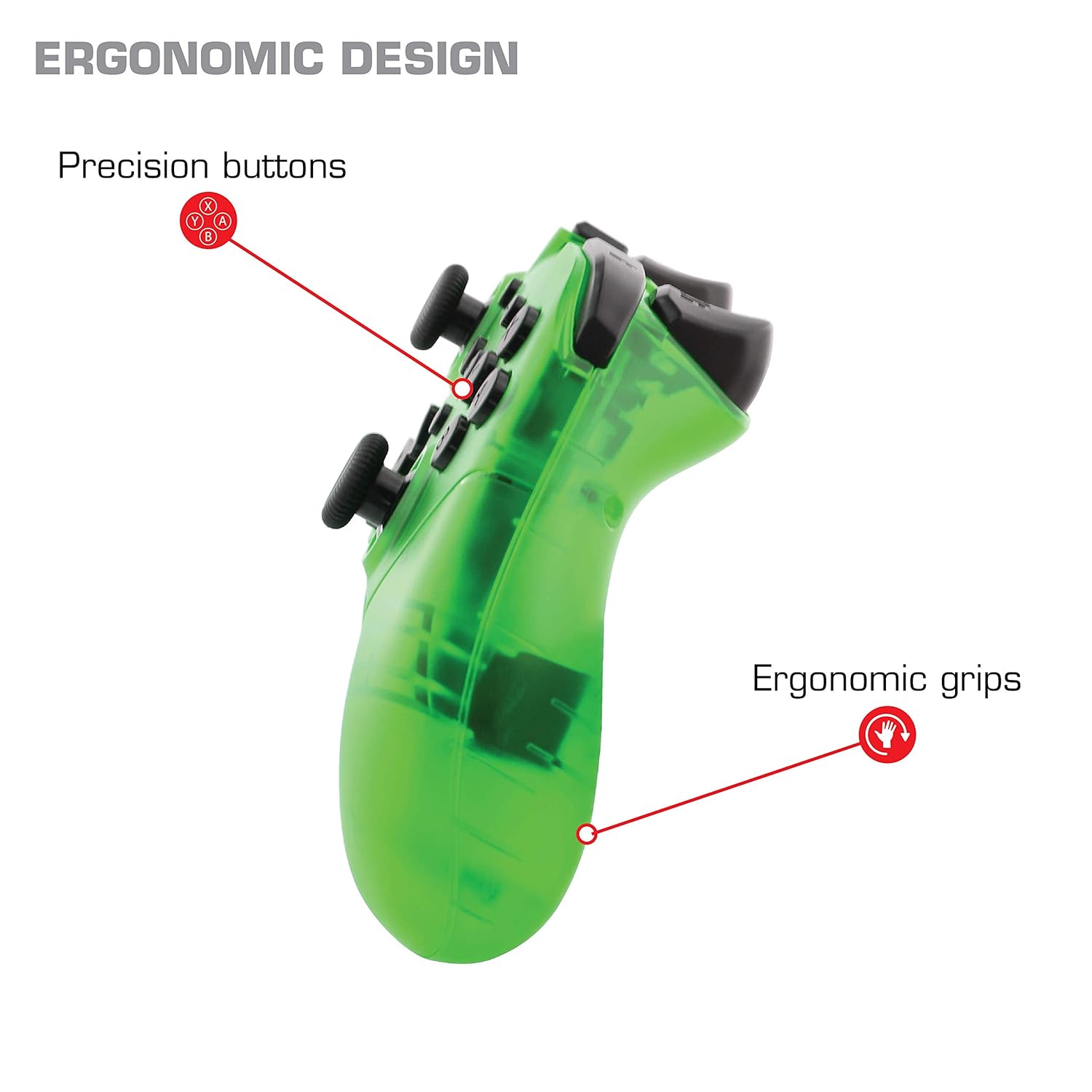
Сүрөт: Жакын план view of the Nyko Wireless Core Controller highlighting its ergonomic design and precision buttons.

Сүрөт: алдыңкы view of the Nyko Wireless Core Controller, indicating its compatibility with PC, the turbo feature, and LED player indicators.
Video: A comparison between the Nyko Wireless Core Controller and a standard Nintendo Switch Pro Controller, showcasing their similar layouts and features.
Жайгашуу
Баштапкы заряддоо
Before first use, fully charge the controller using the included USB Type-C cable. Connect the small end of the cable to the controller's USB-C port and the larger end to a USB power source (e.g., Nintendo Switch dock, PC, or USB wall adapter).
Nintendo Switch менен жупташтыруу
- Nintendo Switch консолуңуз күйгүзүлүп, системанын эң акыркы программалык камсыздоосуна жаңыртылганын текшериңиз.
- БАШКЫ БЕТ менюсунан "Контроллерлер" > "Тартууну/Тартипти өзгөртүү" дегенди тандаңыз.
- While on this screen, press and hold the SYNC button on the top of the Nyko controller for a few seconds until the player indicator LEDs begin to flash.
- Once the controller is recognized and paired, the player indicator LED(s) will light up solid.
- Эскертүү: For the first connection, it may be necessary to connect the controller physically to the Switch dock via the USB-C cable to initiate pairing.
Pairing with Android/PC
- Ensure Bluetooth is enabled on your Android device or PC.
- Түзмөгүңүздө Bluetooth жөндөөлөрүнө өтүп, жаңы түзмөктөрдү издеңиз.
- Press and hold the SYNC button on the top of the Nyko controller until the player indicator LEDs begin to flash, indicating it's in pairing mode.
- Select "Nyko Core Controller" (or similar name) from the list of available devices on your Android/PC.
- Once paired, the player indicator LED(s) will light up solid.
Иштөө нускамалары
Негизги башкаруу элементтери
The controller features standard button layouts including A, B, X, Y buttons, D-Pad, Left and Right Analog Sticks, L/R and ZL/ZR shoulder buttons, HOME, +, -, and Screenshot buttons. Refer to your game's instructions for specific button functions.
Programmable Turbo Functionality
The turbo function allows for rapid, repeated input of a button press. This can be set for multiple buttons simultaneously.

Image: Diagram of the Nyko Wireless Core Controller indicating which buttons are programmable for turbo functionality and which are not.
Enabling Turbo and Auto-Fire
- To enable Turbo: басып, кармап туруңуз Турбо баскычы, then press any face button (Y, X, B, A) or trigger (L, R, ZL, ZR) you wish to have turbo functionality. While holding the assigned button, it will rapidly input.
- To enable Auto-Fire: басып, кармап туруңуз Турбо баскычы, then press the desired button эки жолу. The button will now continuously input without needing to be held down.
Disabling Turbo and Auto-Fire
- To disable Turbo/Auto-Fire for a specific button: басып, кармап туруңуз Турбо баскычы, then press the assigned button эки жолу.
- To reset all Turbo/Auto-Fire settings: басып, кармап туруңуз Турбо баскычы жана (-) баскычы бир эле убакта.
Changing the Speed of Turbo and Auto-Fire
This setting affects the speed of all active turbo/auto-fire enabled buttons.
- басып, кармап туруңуз Турбо баскычы.
- To increase speed, tilt the right analog stick up.
- To decrease speed, tilt the right analog stick down.
- бошотуңуз Турбо баскычы when your desired speed is set.
Техникалык тейлөө
Тазалоо
Башкаргычты тазалоо үчүн жумшак, кургак чүпүрөктү колдонуңуз. Өжөр кир үчүн бир азampкездемени суу менен жууп салыңыз. Катуу химиялык заттарды, эриткичтерди же абразивдүү тазалоочу каражаттарды колдонуудан алыс болуңуз, анткени алар контроллердин сырткы көрүнүшүнө жана ички компоненттерине зыян келтириши мүмкүн.
Батареяга кам көрүү
Контроллерде орнотулган литий-иондук батарея бар. Батареянын иштөө мөөнөтүн узартуу үчүн:
- Батареяны бат-баттан толук кубаттап калуудан алыс болуңуз.
- Контроллерди узак убакыт бою колдонбогон учурда салкын, кургак жерде сактаңыз.
- Контроллерди экстремалдык температурага дуушар кылбаңыз.
Проблемаларды чечүү
Controller Not Connecting/Losing Connection
- Батареяны текшерүү: Ensure the controller is fully charged. A completely drained battery may prevent initial connection.
- Контроллерди кайра жупташтыруу: Follow the pairing instructions in the "Setup" section. For Nintendo Switch, try connecting via USB-C to the dock first.
- Аралык жана интерференция: Ensure the controller is within range of the console/device and there are no major obstructions or sources of wireless interference.
- Системаны жаңыртуу: Ensure your Nintendo Switch console or PC operating system is up to date.
Баскычтар жооп бербейт
- Кайра синхрондоштуруу: Try re-syncing the controller with your device.
- Кайра баштоо: Power off and on both the controller and the console/device.
- Таза: Баскычтардын айланасында эч кандай таштандылар топтолбогонун текшериңиз.
Rumble is Too Strong
The controller's vibration feature is designed to provide strong feedback. If the rumble intensity is too high, check the in-game settings of the specific game you are playing, as some games allow for rumble intensity adjustment. The controller itself does not have a direct setting to adjust rumble strength.
Техникалык шарттар
- Модель номери: 87264
- Байланыш: Bluetooth зымсыз
- Заряддоо порту: USB Type-C
- Батарея түрү: Литий-ион (кошулган)
- Approximate Playtime: 20 саатка чейин
- Продукциянын өлчөмдөрү: 6.3 x 2.76 x 5.91 дюйм
- Элемент Салмагы: 10.6 унция
- Өндүрүүчү: Nyko
- Шайкештик: Nintendo Switch, Android, PC
Кепилдик жана колдоо
Nyko products are manufactured to high-quality standards. For specific warranty information, please refer to the warranty card included with your product or visit the official Nyko website. For technical support, troubleshooting assistance, or to inquire about replacement parts, please contact Nyko Customer Support through their official channels.
Онлайн колдоо: www.nyko.com/support


