1. Киришүү
Thank you for choosing the AUNA Silver Star Internet Stereo Radio. This versatile music device combines powerful performance with multiple features and a stylish design. It offers a wide range of listening options including Internet Radio, DAB+, FM, Bluetooth, and USB playback. This manual provides essential information for setting up, operating, and maintaining your device to ensure optimal performance and longevity.

Figure 1: AUNA Silver Star Internet Stereo Radio, front view дисплей жана башкаруу менен.
2. Коопсуздук маалыматы
Сураныч, аппаратты колдонуудан мурун бардык коопсуздук нускамаларын кылдат окуп чыгыңыз. Бул колдонмону келечекте маалымат алуу үчүн сактаңыз.
- Кубат булагы: Берилген кубат адаптерин гана колдонуңуз. Voltage сиздин аймактын талаптарына дал келет.
- Суу жана ным: Түзмөктү жамгырдын, нымдуулуктун же тамчылаган/чачыраган суюктуктардын таасирине дуушар кылбаңыз. Түзмөктүн үстүнө вазалар сыяктуу суюктуктар толтурулган буюмдарды койбоңуз.
- Вентиляция: Ensure adequate ventilation. Do not block ventilation openings. Maintain a minimum distance of 10 cm around the device for proper airflow.
- Жылуулук: Түзмөктү радиаторлор, жылыткычтар, плиталар же башка жылуулук булактарынан (анын ичинде ampкөтөргүчтөр) жылуулукту пайда кылуучу.
- Тазалоо: Тазалоодон мурун түзмөктү розеткадан сууруп алыңыз. Жумшак, кургак чүпүрөктү колдонуңуз. Суюк тазалоочу каражаттарды же аэрозоль тазалоочу каражаттарды колдонбоңуз.
- Тейлөө: Бул продуктту өзүңүз тейлөөгө аракет кылбаңыз. Бардык тейлөөнү квалификациялуу тейлөө кызматкерлерине тапшырыңыз.
3. Пакеттин мазмуну
Carefully unpack your AUNA Silver Star Internet Stereo Radio and check that all items are present and in good condition:
- AUNA Silver Star Internet Stereo Radio Unit
- Алыстан башкаруу
- Желе адаптери
- Колдонуучунун колдонмосу (бул документ)
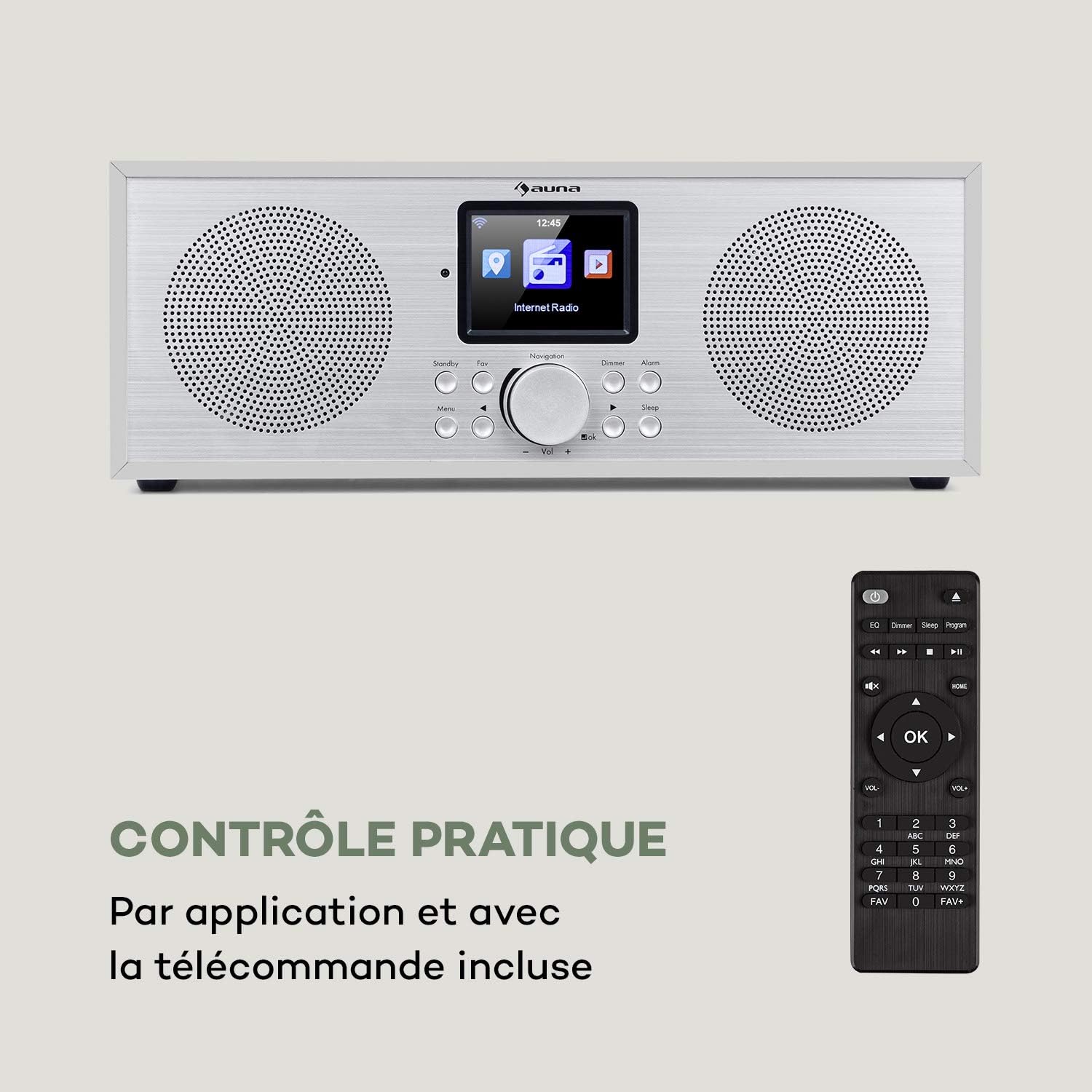
Figure 2: The AUNA Silver Star Internet Stereo Radio unit and its included remote control.
4. Орнотуу
4.1 Кубатты туташтыруу
Connect the provided mains adapter to the "DC IN" port on the rear of the radio and then plug the adapter into a wall outlet. Ensure the ON/OFF switch on the back is set to "ON".
4.2 Антеннаны туташтыруу
For optimal FM and DAB+ reception, extend the telescopic antenna located at the rear of the unit fully.
4.3 Тармакка туташуу (Wi-Fi)
To access Internet Radio features, the device requires a Wi-Fi connection. Upon first power-on, the radio will guide you through the network setup process on its display. Select your Wi-Fi network from the list and enter the password using the navigation controls.
4.4 Тышкы байланыштар
The radio features various ports for external devices:
- AUX IN: Connect external audio sources (e.g., MP3 player) using a 3.5mm audio cable.
- LINE OUT: Connect the radio to an external amplifier or active speakers for enhanced audio output.
- USB: Insert a USB flash drive for MP3 file ойнотуу.

Figure 3: Rear panel connections including AUX IN, LINE OUT, USB, and DC IN.
5. Иштөө нускамалары
5.1 Негизги башкаруу каражаттары
The radio can be operated using the buttons and rotary knob on the front panel, or via the included remote control. The 2.8" (7 cm) HCC display provides clear information and navigation.
- Күтүү/күтүү режими: Press the Standby button to turn the unit on or off.
- Навигация баскычы: Rotate to scroll through menus or adjust volume. Press to confirm selection.
- Меню: Башкы менюга кирүү.
- Артка: Мурунку менюга кайтуу.
- Сүйүктүү: Access favorite stations.
- тунарды: Дисплей жарыктыгын тууралоо.
- Ойготкуч: Ойготкучтарды коюу.
- Уйку: Уйку таймерин коюу.

Figure 4: The high-contrast color display for easy navigation.
5.2 Режимди тандоо
From the main menu, you can select different operating modes:
- Интернет радиосу: Access thousands of online radio stations worldwide. Browse by genre, location, or search.
- DAB+: Tune into digital audio broadcasting stations for high-quality sound.
- FM: Салттуу аналогдук FM радиостанцияларын угуңуз.
- Bluetooth: Pair your smartphone, tablet, or computer to stream audio wirelessly.
- USB: MP3 ойнотуу files from a connected USB flash drive.
- AUX кирүүсү: Play audio from an external device connected to the AUX IN port.
5.3 Bluetooth жупташтыруу
Bluetooth түзмөгүн жупташтыруу үчүн:
- Select "Bluetooth" mode on the radio. The radio will enter pairing mode.
- Мобилдик түзмөгүңүздө Bluetooth иштетип, жеткиликтүү түзмөктөрдү издеңиз.
- Select "AUNA Silver Star" from the list. Once connected, you can stream audio to the radio.

Figure 5: Wireless audio streaming via Bluetooth from a smartphone.
5.4 USB ойнотуу
Insert a USB flash drive into the USB port on the rear of the unit. Select "USB" mode from the menu. The radio will automatically detect and display playable MP3 files. Use the navigation controls to browse and select tracks.

Figure 6: Connecting a USB flash drive for MP3 playback.
5.5 Air Music Control App
For convenient control, download the "Air Music Control" app from your smartphone's app store (available on App Store and Google Play). This app allows you to control the radio, browse stations, and manage settings from your mobile device.

Figure 7: Controlling the radio using the Air Music Control app.
6. Техникалык тейлөө
6.1 Тазалоо
Always unplug the radio from the power outlet before cleaning. Use a soft, dry, lint-free cloth to wipe the surfaces. Do not use abrasive cleaners, waxes, or solvents as they may damage the finish. Avoid spraying liquids directly onto the unit.
6.2 Сактоо
If you plan to store the radio for an extended period, unplug it from the power supply and store it in a cool, dry place, away from direct sunlight and extreme temperatures.
7. Кыйынчылыктарды
If you encounter issues with your AUNA Silver Star Internet Stereo Radio, refer to the following common problems and solutions:
| Көйгөй | Мүмкүн себеп | Чечим |
|---|---|---|
| Күч жок | Кубат адаптери туташтырылган эмес; КҮЙГҮЗҮҮ/ӨЧҮРҮҮ баскычы өчүк. | Ensure power adapter is securely connected and plugged into a live outlet. Check ON/OFF switch on the back. |
| Үн жок | Үнү өтө төмөн; Үнсүз режим иштетилген; Туура эмес булак тандалган. | Increase volume. Check if mute is active. Select the correct input source (Internet Radio, DAB+, FM, Bluetooth, USB, AUX). |
| Wi-Fi'га туташпай жатат | Incorrect password; Router issue; Weak signal. | Double-check Wi-Fi password. Restart your router. Move the radio closer to the router or use a Wi-Fi extender. |
| DAB+/FM кабыл алуу начар | Антенна узартылган эмес; Жайгашкан жерге тоскоолдук бар. | Fully extend the telescopic antenna. Try repositioning the radio to a different location. |
| USB ойнотуу иштебей жатат | USB формат колдоого алынбайт; Files not MP3; USB drive issue. | Ensure USB drive is formatted to FAT32. Verify files are in MP3 format. Try a different USB drive. |
Бул чечимдерди колдонуп көргөндөн кийин көйгөй чечилбесе, кардарларды колдоо менен байланышыңыз.
8. Техникалык шарттар
| Бренд | AUNA |
| Модель номери | KC6-SilverStar ST WHs |
| Продукциянын өлчөмдөрү | 33 x 12 x 15 cm (L x H x D) |
| Элемент Салмагы | 2.3 кг |
| Чыгуу күчү | 2 x 8 Ватт RMS |
| Дисплей | 2.8" (7 cm) HCC (High Contrast Color) |
| Tuner Technology | FM, Internet Radio, DAB+ |
| Байланыш технологиясы | Bluetooth, Көмөкчү, Wi-Fi, USB |
| Материал | Wood, Aluminium |
| Power Source | Электр зымдары |
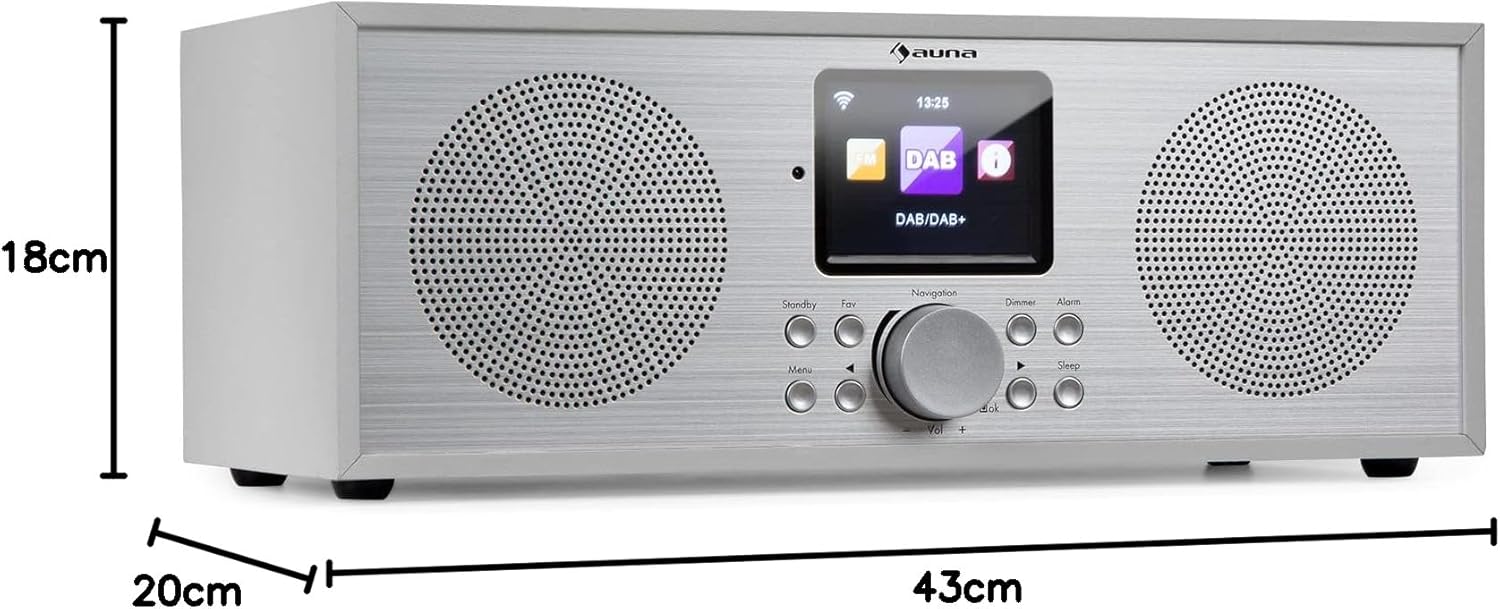
Сүрөт 8: Продукциянын өлчөмдөрү.
9. Кепилдик жана колдоо
Your AUNA Silver Star Internet Stereo Radio comes with a standard manufacturer's warranty. Please refer to the warranty card included in your package or visit the official AUNA webдеталдуу кепилдик шарттары жана шарттары үчүн сайт.
For technical support, troubleshooting assistance beyond this manual, or spare parts, please contact AUNA customer service through their official webсайт же сатып алуу менен камсыз болгон байланыш маалыматы.


