Introduction
This manual provides essential information for the installation, operation, and maintenance of your ZOTAC Gaming GeForce RTX 2080 Ti Blower graphics card. Please read this guide thoroughly before proceeding with installation to ensure proper setup and optimal performance.
Продукт бүттүview
The ZOTAC Gaming GeForce RTX 2080 Ti Blower is a high-performance graphics card designed for demanding gaming and professional applications. It features NVIDIA's Turing architecture, 11GB of GDDR6 memory, and a blower-style cooling solution.
- New Turing architecture for advanced graphics processing.
- 11GB 352-bit GDDR6 memory for high-bandwidth performance.
- Virtual Reality Ready for immersive experiences.
- 4K ready for ultra-high-definition gaming.
- Boost Clock 1545 MHz for enhanced speed.

Сүрөт: алдыңкы view of the ZOTAC Gaming GeForce RTX 2080 Ti Blower graphics card, showcasing its black shroud and single blower fan.

Image: Backplate view of the ZOTAC Gaming GeForce RTX 2080 Ti Blower graphics card, featuring a metal backplate for structural rigidity and heat dissipation.
Кутуда эмне бар
Пакетте бардык компоненттер бар экенин текшериңиз:
- ZOTAC GAMING GeForce RTX 2080 Ti Blower Graphics Card
- 2 x Dual 6-pin to 8-pin power cables
- User Manual (Quick Installation Guide)
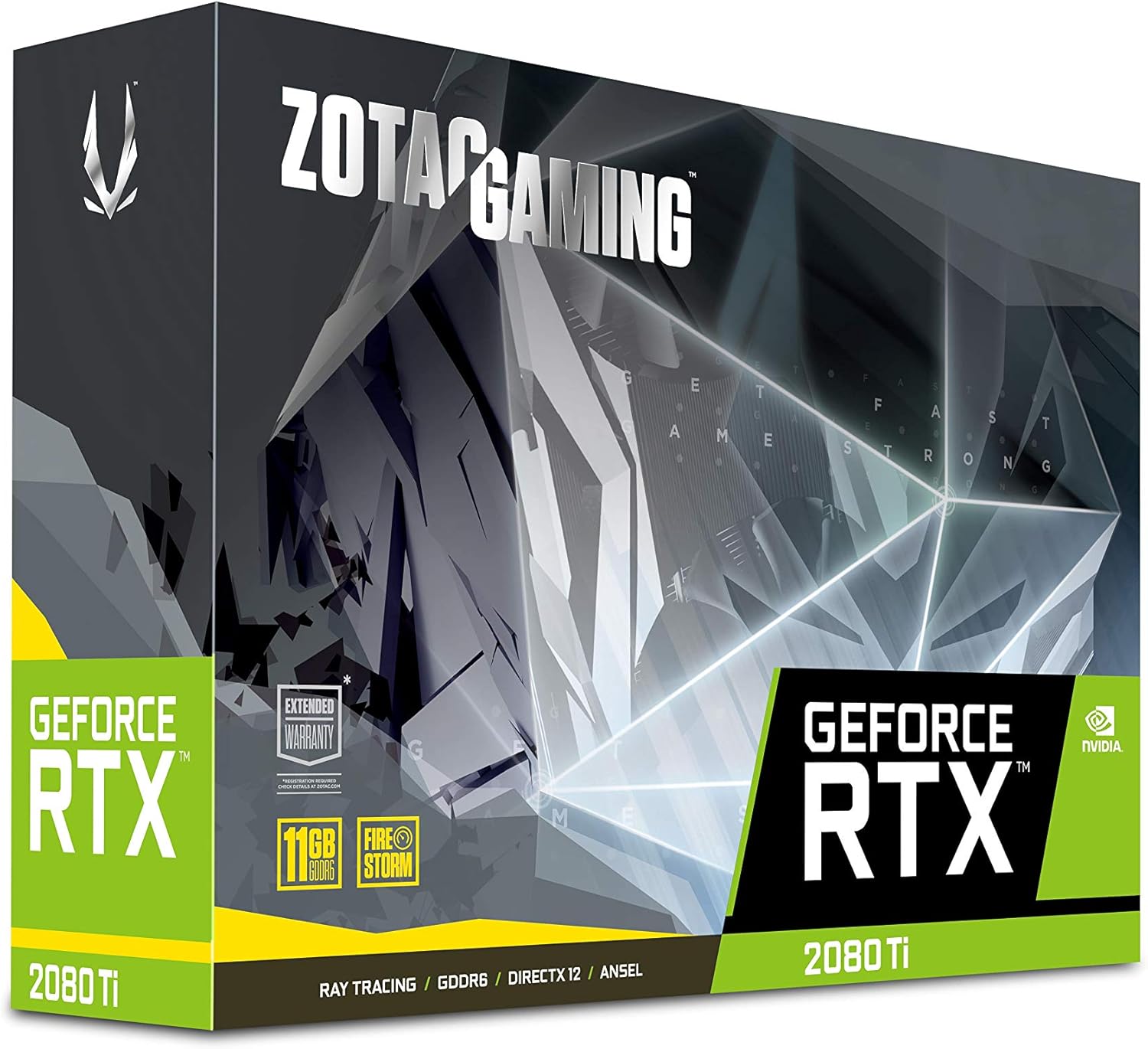
Image: The retail packaging for the ZOTAC Gaming GeForce RTX 2080 Ti Blower graphics card.

Image: The ZOTAC Quick Installation Guide, providing initial setup instructions.
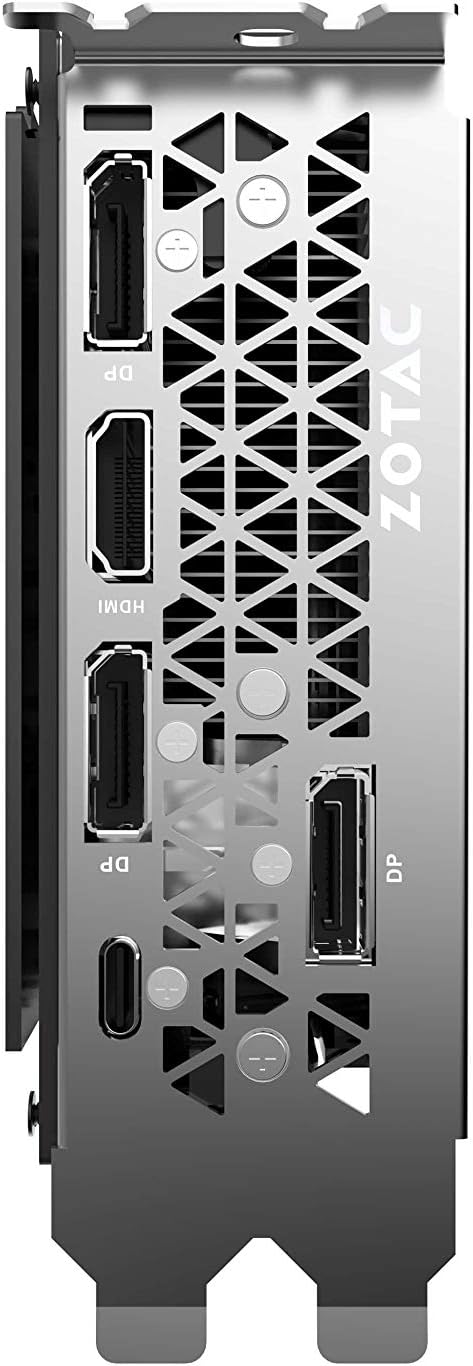
Image: The included 2 x Dual 6-pin to 8-pin power cables for connecting the graphics card to the power supply.
Орнотуу & Орнотуу
Графикалык картаңызды орнотуу үчүн төмөнкү кадамдарды аткарыңыз:
- Системаңызды даярдаңыз: Turn off your computer and disconnect the power cable. Open your computer case.
- PCIe уячасын табыңыз: Сиздин энелик платада жеткиликтүү PCI Express 3.0 x16 уячасын аныктаңыз.
- Картаны орнотуу: Carefully align the graphics card with the PCIe slot and press down firmly until it is securely seated. Secure the card with the case's retention mechanism or screws.
- Туташуу кубаты: Connect the required 8-pin power connectors from your power supply to the graphics card. Use the provided 6-pin to 8-pin adapters if necessary.
- Корпусту жабуу жана дисплейди туташтыруу: Close your computer case, reconnect the power cable, and connect your display cable(s) to the graphics card's output ports.
- Драйверлерди орнотуу: Power on your computer. Once the operating system loads, install the latest NVIDIA drivers from the official NVIDIA webсайт.

Сүрөт: бурчтуу view of the graphics card, illustrating its form factor for installation into a PCIe slot.
Power талаптар
To ensure stable operation, your system must meet the following power specifications:
- Сунушталган электр булагы: 650-watt power supply or greater.
- Максималдуу энергия керектөө: 250 Вт.
Note: Insufficient power supply can lead to system instability or damage.
Байланыштар
The graphics card provides multiple display output options:
- 3 x DisplayPort 1.4
- 1 x HDMI 2.0B
- 1 x USB Type-C
The card is capable of supporting quad simultaneous displays.
Image: The rear I/O panel of the graphics card, showing the DisplayPort, HDMI, and USB Type-C outputs.
Программалык камсыздоонун шайкештиги
Ensure your system meets the following software requirements for optimal performance:
- Операция системасы: Microsoft Windows 10/7 x64
- Айдоочулар: Game Ready Drivers (available from NVIDIA's official webсайт)
- API'лер: Microsoft DirectX 12 API, Vulkan API, OpenGL 4.5
Иштөө нускамалары
After successful installation and driver setup, your ZOTAC Gaming GeForce RTX 2080 Ti Blower graphics card will automatically enhance your system's graphical capabilities. For best performance, ensure your drivers are always up-to-date. You can monitor card performance and temperatures using ZOTAC's FireStorm utility or other compatible third-party software.
Техникалык тейлөө
Regular maintenance helps prolong the lifespan and performance of your graphics card:
- Чаңды тазалоо: Вентилятордон жана радиатордон чыккан чаңды мезгил-мезгили менен кысылган аба менен тазалап туруңуз. Тазалоодон мурун системанын өчүрүлгөнүн жана розеткадан суурулганын текшериңиз.
- Аба агымы: Maintain good airflow within your PC case to prevent overheating. Ensure no cables or other components obstruct the graphics card's fan.
- Драйвер жаңыртуулары: Иштин майнаптуулугун жакшыртуу жана каталарды оңдоо үчүн графикалык драйверлериңизди жаңыртып туруңуз.
Проблемаларды чечүү
Эгерде сизде көйгөйлөр пайда болсо, төмөнкү кеңири таралган чечимдерди карап көрүңүз:
- Дисплей жок: Ensure the display cable is securely connected to the graphics card and the monitor. Verify the monitor is set to the correct input.
- Системанын туруксуздугу/бузуулар: Check power connections to the graphics card. Ensure your power supply meets the recommended wattage. Update or reinstall graphics drivers.
- Ашыкча ысып кетүү: Verify that the graphics card fan is spinning. Clean any dust buildup from the heatsink and fan. Ensure adequate case airflow.
- Айдоочу маселелери: NVIDIAнын эң акыркы графикалык драйверлерин таза орнотууну аткарыңыз webсайт.
If problems persist, consult the ZOTAC support webсайтка же кардарларды тейлөөгө кайрылыңыз.
Техникалык шарттар
| Өзгөчөлүк | Спецификация |
|---|---|
| GPU | NVIDIA GeForce RTX 2080 Ti |
| CUDA өзөктөрү | 4352 |
| Video Memory | 11 ГБ GDDR6 |
| Memory Bus | 352-бит |
| Кыймылдаткычты күчөтүүчү саат | 1545 МГц |
| Memory Clock | 14.0 Гбит/сек |
| PCI Express | 3.0 |
| Display Outputs | 3 x DisplayPort 1.4, 1 x HDMI 2.0B, 1 x USB Type-C |
| Көп дисплейди колдоо | Quad Simultaneous Display Capable |
| Сунушталган электр булагы | 650 Вт |
| Энергияны керектөө | 250 Вт |
| Өлчөмдөрү (LxWxH) | 10.55 x 4.45 x 1.5 дюйм |
| Операциялык системаны колдоо | Windows 10/7 x64 |
Кепилдик жана колдоо
Your ZOTAC Gaming GeForce RTX 2080 Ti Blower graphics card may be eligible for an extended warranty. Registration is typically required to activate the full warranty period. Please refer to the official ZOTAC website for detailed warranty terms and conditions, and for information on how to register your product.
For technical support, driver downloads, and further assistance, visit the official ZOTAC support page:

Image: Information regarding ZOTAC's 5-year warranty, which typically requires product registration.


