1. Киришүү
This manual provides detailed instructions for the installation, operation, and maintenance of your TooQ TQE-2528B 2.5-inch SATA USB 3.1 Gen1 HDD Enclosure. This device allows you to convert a 2.5-inch SATA I/II/III hard disk drive or solid-state drive into an external storage solution, connecting via USB 3.1 Gen1 for high-speed data transfer.
2. Пакеттин мазмуну
Пакетте бардык буюмдар бар экенин текшериңиз:
- TooQ TQE-2528B 2.5-inch SATA USB 3.1 Gen1 HDD Enclosure
- USB 3.0 Type-A to Micro-B Cable
- Колдонуучунун Колдонмосу (бул документ)

Image 2.1: The TooQ TQE-2528B enclosure shown with its included USB 3.0 cable.
3. Продукт бүтүп калдыview
The TooQ TQE-2528B is designed for ease of use and portability. Key features include:
- Compatible with 2.5-inch SATA I/II/III HDDs and SSDs up to 9.5mm height.
- USB 3.1 Gen1 (USB 3.0) interface for data transfer speeds up to 5.0 Gbps.
- Tool-free installation for quick setup.
- LED indicator for connection status and data access.
- Powered directly via USB port.
3.1. Компонентти идентификациялоо
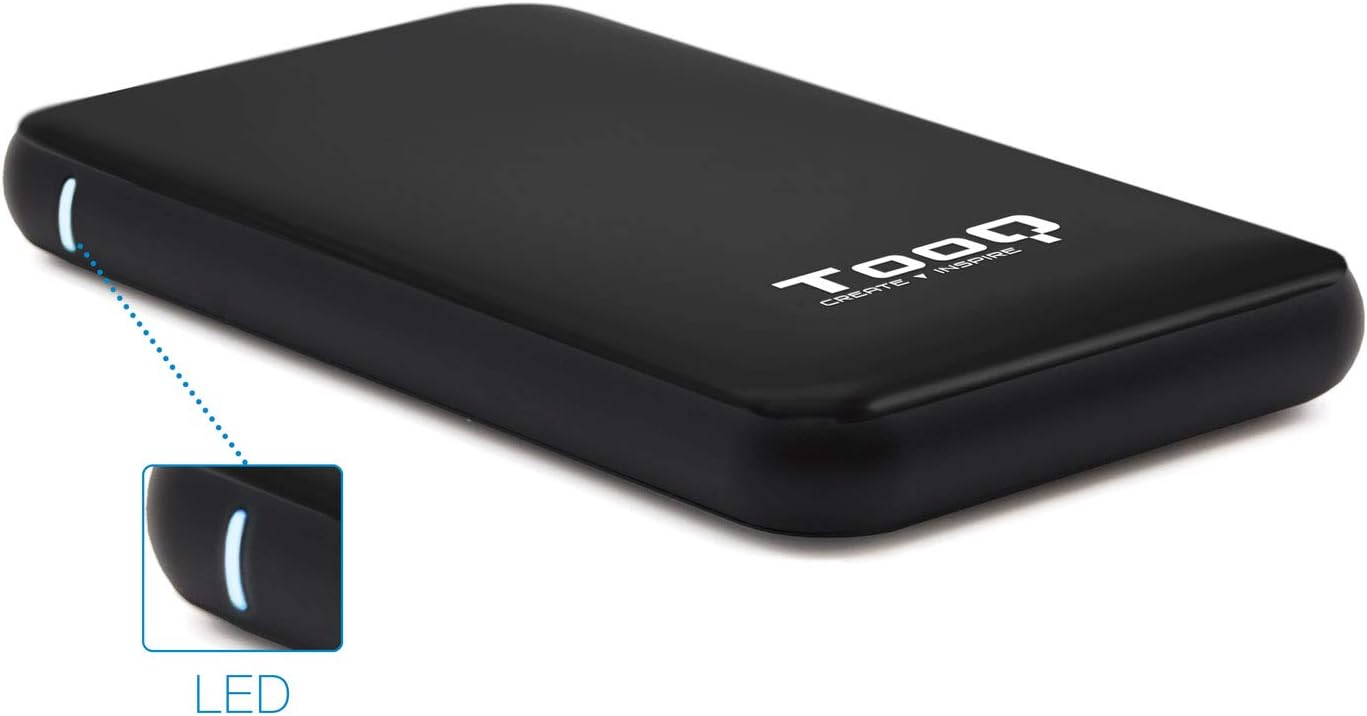
Image 3.1: The enclosure features an LED indicator on the side, which illuminates to show power and data activity.

Image 3.2: The rear of the enclosure includes a power button and a Micro-USB port for connection.
4. Setup: Hard Drive Installation
Follow these steps to install a 2.5-inch SATA HDD or SSD into the enclosure:
- Корпусун ачыңыз: Gently slide the top cover of the enclosure to open it. The design allows for tool-free access.
- Дискти туташтыруу: Align your 2.5-inch SATA HDD/SSD with the SATA connector inside the enclosure. Carefully push the drive into the connector until it is firmly seated. Ensure the drive is flush with the internal tray.
- Корпусун жабуу: Үстүнкү капкакты чыкылдатмайынча кайра ордуна жылдырыңыз.
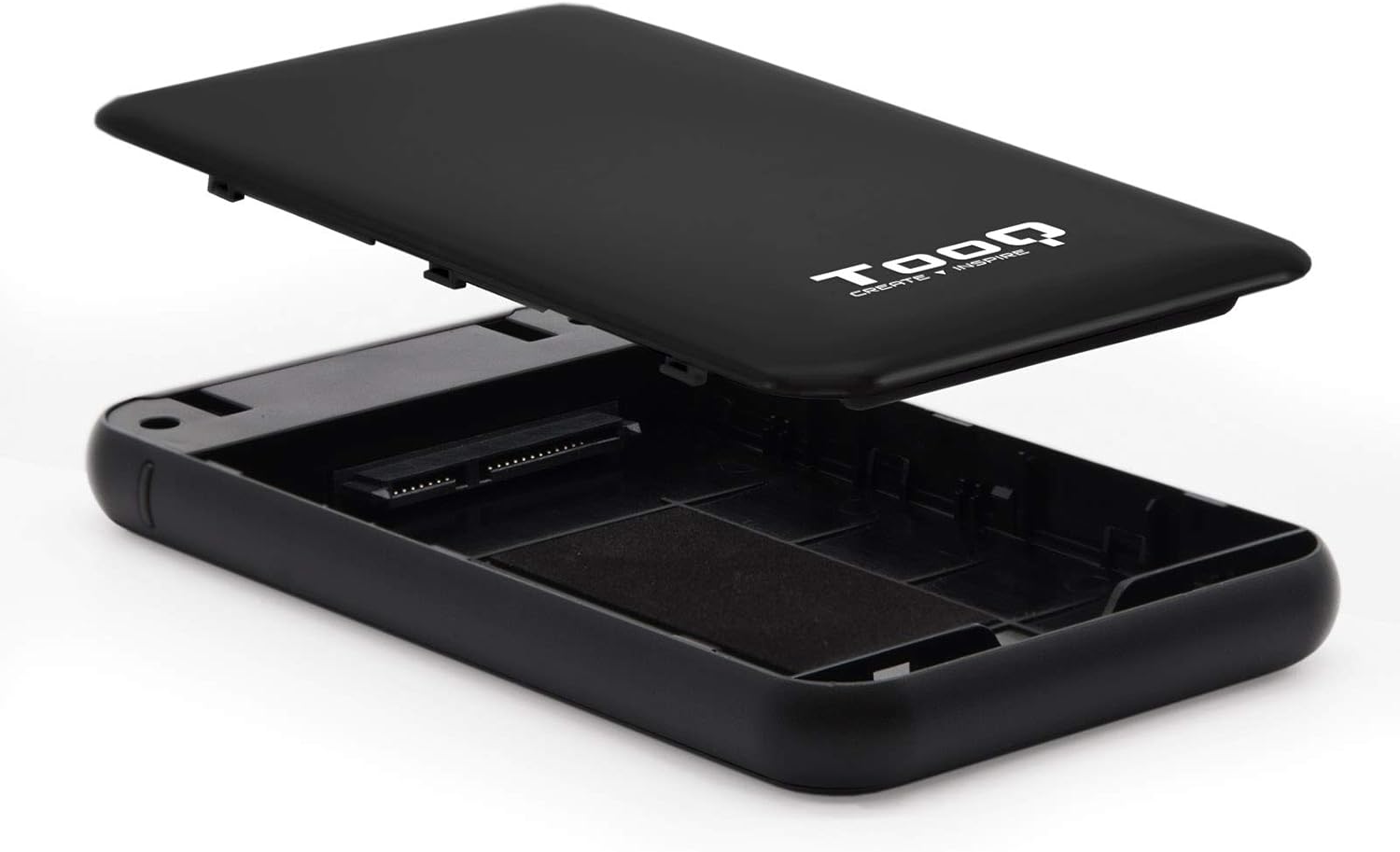
Image 4.1: The enclosure opened, revealing the internal SATA data and power connector for a 2.5-inch drive.
5. Иштөө нускамалары
After installing your hard drive, connect the enclosure to your computer:
- USB кабелин туташтыруу: Plug the Micro-B end of the included USB 3.0 cable into the enclosure's Micro-USB port.
- Компьютерге туташуу: Plug the Type-A end of the USB cable into an available USB port on your computer. For optimal performance, use a USB 3.0 or USB 3.1 Gen1 port.
- Күйгүзүү: If the enclosure has a power button (refer to Image 3.2), press it to turn on the device. The LED indicator (Image 3.1) will illuminate, indicating power and connection status.
- Дискке кирүү: Your operating system should automatically detect the new storage device.
- New Drives: If you are using a brand new hard drive, it may need to be initialized and formatted before use. Refer to your operating system's disk management tools for this process.
- Existing Drives: If the drive contains data, it should appear as a removable drive in 'My Computer' (Windows) or on the desktop (macOS).

Image 5.1: The TooQ TQE-2528B enclosure connected to a laptop, demonstrating a typical usage scenario.
6. Техникалык тейлөө
To ensure the longevity and optimal performance of your enclosure:
- Корпусту таза жана чаңсыз кармаңыз. Тазалоо үчүн жумшак, кургак чүпүрөк колдонуңуз.
- Аппаратты экстремалдык температурага, нымдуулукка же тике күн нуруна тийгизүүдөн сактаңыз.
- Do not drop or subject the enclosure to strong impacts.
- Маалыматтардын бузулушуна жол бербөө үчүн, USB кабелин ажыратуудан мурун, дискти операциялык тутумуңуздан коопсуз түрдө чыгарыңыз.
7. Кыйынчылыктарды
If you encounter issues with your TooQ TQE-2528B enclosure, refer to the following common solutions:
- Диск аныкталган жок:
- Ensure the USB cable is securely connected to both the enclosure and the computer.
- Компьютериңиздеги башка USB портуна туташып көрүңүз.
- Verify that the hard drive is correctly seated within the enclosure's SATA connector.
- Диск таанылган, бирок инициализацияланбаган же форматталбаганын билүү үчүн компьютериңиздин Дискти башкаруу (Windows) же Диск утилитасын (macOS) текшериңиз.
- Test the enclosure with a different 2.5-inch SATA drive, if available, to rule out a drive issue.
- Жай берилиштерди өткөрүү:
- Ensure you are connected to a USB 3.0 or USB 3.1 Gen1 port on your computer. Connecting to a USB 2.0 port will result in slower speeds.
- Операциялык тутумуңуздун жана драйверлериңиздин жаңыртылгандыгын текшериңиз.
- Enclosure Does Not Power On:
- Ensure the USB cable is properly connected and providing power. The enclosure is bus-powered.
- Компьютериңиздеги башка USB портун колдонуп көрүңүз.
8. Техникалык шарттар
| Модель номери | TQE-2528B |
| Шайкеш келген дисктер | 2.5-inch SATA I/II/III HDD/SSD (up to 9.5mm height) |
| Интерфейс | USB 3.1 Gen1 (USB 3.0) |
| Маалыматтарды өткөрүү ылдамдыгы | 5.0 Гбит/сек чейин |
| Электр камсыздоо | USB Bus-powered (5 Volts) |
| Материал | ABS пластик |
| Өлчөмдөрү (L x W x Y) | 13.5 см x 8 см x 1.6 см (болжол менен 5.3 x 3.1 x 0.6 дюйм) |
| Салмагы | 50 г (болжол менен 0.11 фунт) |
| Операциялык системанын шайкештиги | Universal (Windows, macOS, Linux) |

Image 8.1: Technical drawing illustrating the dimensions of the TooQ TQE-2528B enclosure.
9. Кепилдик жана колдоо
TooQ products are designed for reliability and performance. This product comes with a standard manufacturer's warranty. For specific warranty terms and conditions, please refer to the warranty card included with your product or visit the official TooQ webсайт.
For technical support, frequently asked questions, or to download the latest drivers (if applicable), please visit the official TooQ support webсайтка же кардарларды тейлөө бөлүмүнө кайрылыңыз. Байланыш маалыматы, адатта, продуктунун таңгагынан же расмий адамдан тапса болот webсайт.
Өндүрүүчү: TOOQ
Global Trade Item Number (GTIN): 08433281008304


