Introduction
The Altec Lansing Evolution 2 Bluetooth Headphones (Model MZX668-BLK) are designed to provide a high-quality audio experience with convenient wireless connectivity. Featuring 40mm neodymium drivers, these headphones deliver powerful and crisp sound. With up to 8 hours of battery life and soft cushioned earcups, they are built for extended listening comfort. The integrated controls allow for easy navigation of music and calls, and the "Just Ask" feature provides direct access to Siri and Google Voice Assistant.
Негизги өзгөчөлүктөр төмөнкүлөрдү камтыйт:
- Just Ask Integration: Access Siri and Google Voice Assistant directly from your headphones.
- Узартылган ойноо убактысы: Up to 8 hours of battery life for prolonged listening.
- Ыңгайлуу дизайн: Soft cushion headband and earcups for all-day wear.
- Динамикалык үн: 40mm neodymium drivers for powerful and clear audio.
- Зымдуу опция: Includes an AUX-in cable for continued listening when battery runs low.
- Ыңгайлуу башкаруу каражаттары: Integrated microphone with wind cancellation, song navigation, and telephony buttons.
Орнотуу колдонмосу
1. Пакеттин мазмуну
Баштоодон мурун, пакетте бардык элементтер бар экенин текшериңиз:
- Altec Lansing MZX668-BLK Evolution 2 Bluetooth Headphones
- USB заряддоо кабели
- 3.5 мм AUX кабели
- Колдонуучунун Колдонмосу (бул документ)
2. Наушниктерди заряддоо
For optimal performance, fully charge your headphones before first use.
- Кулакчындардын кубаттоо портун табыңыз.
- Connect the small end of the USB charging cable to the headphone's charging port.
- USB кубаттоочу кабелдин чоң учун USB кубат булагына туташтырыңыз (мисалы, компьютердин USB порту, USB дубал адаптери).
- The LED indicator light will illuminate during charging and turn off when charging is complete. A full charge typically takes approximately 2-3 hours.

Сүрөт: каптал view of the Altec Lansing MZX668-BLK headphones, highlighting the location of the charging port and control buttons on the earcup.
3. Bluetooth Жупташтыруу
Pair your headphones with your Bluetooth-enabled device (smartphone, tablet, laptop).
- Ensure the headphones are fully charged and turned off.
- Press and hold the Power button on the headphones for approximately 5-7 seconds until the LED indicator light flashes blue and red alternately. This indicates pairing mode.
- Түзмөгүңүздө Bluetooth жөндөөлөрүнө өтүңүз.
- Bluetooth'ду күйгүзүп, жеткиликтүү түзмөктөрдү издеңиз.
- Select "MZX668-BLK" from the list of found devices.
- Once paired, the LED indicator on the headphones will flash blue slowly, and you will hear an audible confirmation.
- Эгер сырсөз суралса, "0000" киргизиңиз.
Эскертүү: Наушник күйгүзүлгөндө акыркы жупташтырылган түзмөккө автоматтык түрдө кайра туташуу аракетин көрөт.
Иштөө нускамалары
1. Күйгүзүү/өчүрүү
- Күйгүзүү: Кубат баскычын 3 секунд басып, кармап туруңуз. LED көк түстө күйүп-өчөт.
- Өчүрүү: Кубат баскычын 3 секунд басып, кармап туруңуз. LED өчөт.
2. Музыканы ойнотууну башкаруу

Сүрөт: алдыңкы view of the Altec Lansing MZX668-BLK headphones, showing the layout of the control buttons on the left earcup.
| Баскыч/Аракет | Функция |
|---|---|
| Ойнотуу/тындыруу баскычы (Борбордук баскыч) | Музыканы ойнотуу/тындыруу үчүн бир жолу басыңыз. |
| Үнүн жогорулатуу (+) | Үнүн жогорулатуу үчүн бир жолу басыңыз. |
| Үнүн азайтуу (-) | Үндү азайтуу үчүн бир жолу басыңыз. |
| Next Track (>>) | Press and hold Volume Up (+) for 2 seconds. |
| Previous Track (<<) | Press and hold Volume Down (-) for 2 seconds. |
3. Чалууларды башкаруу
| Баскыч/Аракет | Функция |
|---|---|
| Чалууга жооп берүү/аяктоо (Борбордук баскыч) | Press once during an incoming call to answer. Press once during a call to end. |
| Чакырууну четке кагуу (Борбордук баскыч) | Press and hold for 2 seconds during an incoming call. |
| Акыркы номерди кайра терүү (Борбордук баскыч) | Double-press quickly. |
4. Voice Assistant (Just Ask)
The "Just Ask" feature allows you to access your smartphone's voice assistant (Siri or Google Assistant) directly through the headphones.
- Ensure your headphones are paired and connected to your smartphone.
- басыңыз Voice Assistant баскычы (often the Power button, or a dedicated button if present, refer to diagram) once.
- You will hear a prompt, indicating that your voice assistant is active.
- Speak your command clearly into the microphone.
5. Зымдуу туташуу (AUX режими)
If your headphones run out of battery or you prefer a wired connection, use the included 3.5mm AUX-in cable.
- Plug one end of the 3.5mm AUX-in cable into the AUX port on the headphones.
- Экинчи учун түзмөгүңүздүн 3.5 мм аудио уячасына сайыңыз.
- The headphones will automatically switch to wired mode. Note that controls on the headphones may not function in wired mode; control playback directly from your device.
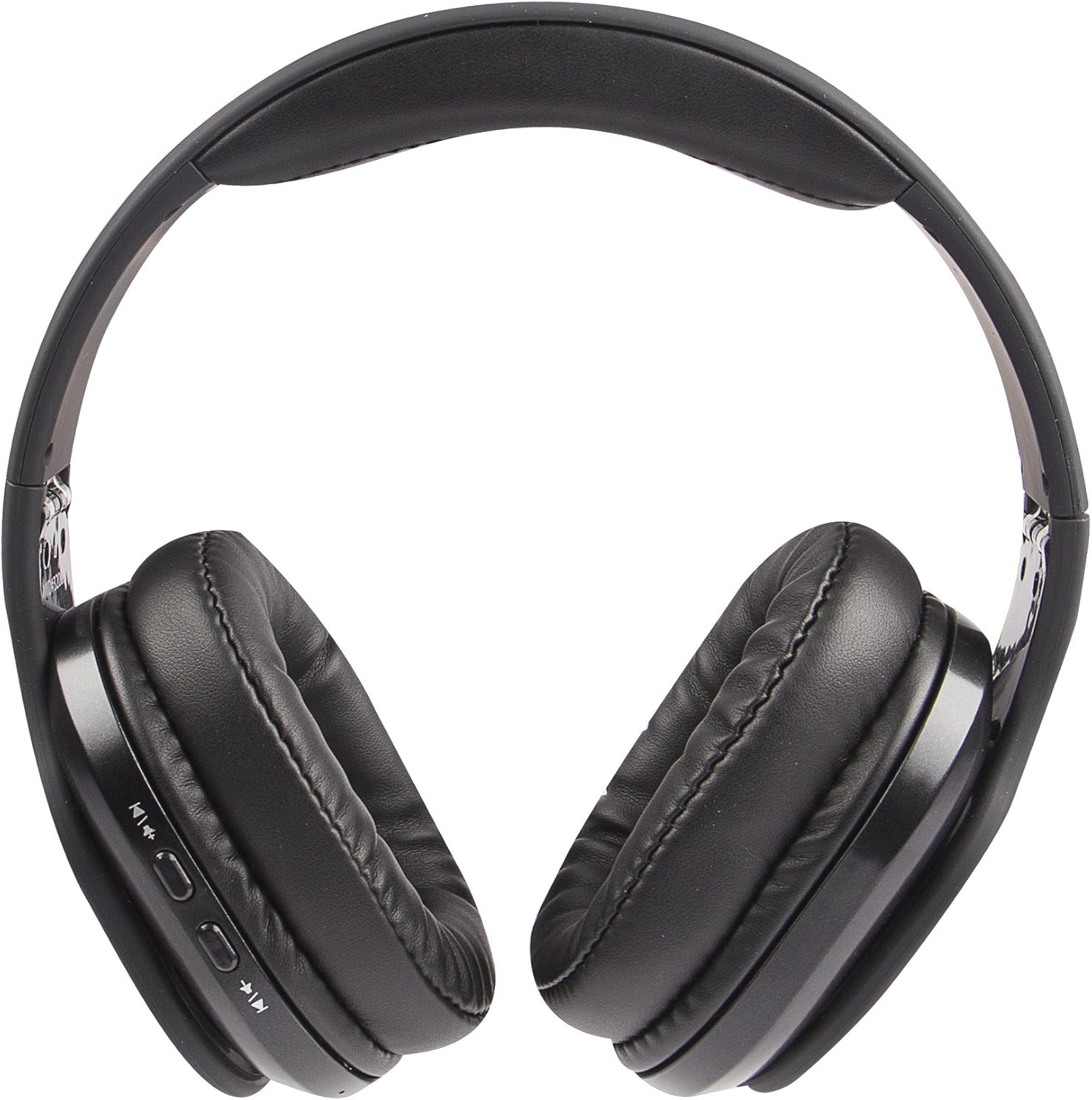
Image: The Altec Lansing MZX668-BLK headphones laid flat, providing a clear view of the earcups and the location of the AUX-in port.
Техникалык тейлөө
1. Тазалоо
- Use a soft, dry, lint-free cloth to clean the surfaces of the headphones.
- Кулакчындар үчүн бир аз d менен акырын сүртүңүзamp зарыл болсо, чүпүрөк, андан кийин дароо кургатуу.
- Do not use abrasive cleaners, alcohol, benzene, or other harsh chemicals, as these may damage the finish or internal components.
- Ар кандай тешиктерге же портторго ным кирүүдөн сактаңыз.
2. Сактоо
- Наушниктерди салкын, кургак жерде күндүн тике тийген нурунан жана экстремалдык температурадан алыс сактаңыз.
- Нымдуулугу жогору жерлерде сактоодон алыс болуңуз.
- When not in use for extended periods, it is recommended to charge the headphones at least once every three months to maintain battery health.

Image: A person wearing the Altec Lansing MZX668-BLK headphones while sitting outdoors, demonstrating typical usage and comfort.
3. Батареяга кам көрүү
- Do not expose the battery to excessive heat, such as direct sunlight, fire, or similar.
- Do not attempt to replace the battery yourself. Contact customer support if battery issues arise.
- Батареяларды жергиликтүү эрежелерге ылайык жок кылыңыз.
Проблемаларды чечүү
| Көйгөй | Мүмкүн себеп | Чечим |
|---|---|---|
| Кулакчындар күйбөйт. | Батарея заряды аз же жок. | Charge the headphones fully using the provided USB cable. |
| Түзмөк менен жупташтыруу мүмкүн эмес. | Headphones not in pairing mode; Device Bluetooth off; Too far from device; Interference. | Ensure headphones are in pairing mode (flashing blue/red). Turn Bluetooth off/on on your device. Move headphones closer to device. Avoid strong Wi-Fi signals or other Bluetooth devices. |
| Үн жок же үнү төмөн. | Volume too low on headphones or device; Not properly connected; Incorrect audio output selected. | Increase volume on both headphones and device. Re-pair the headphones. Check audio output settings on your device. If using AUX cable, ensure it's fully inserted. |
| Sound is distorted or cuts out. | Too far from device; Obstructions; Low battery. | Move closer to your device (within 30 feet/10 meters). Ensure no major obstructions. Charge the headphones. |
| Voice Assistant not responding. | Not connected to smartphone; Voice assistant not enabled on phone. | Ensure headphones are paired and connected to your smartphone. Check your smartphone's settings to ensure Siri/Google Assistant is enabled. |

Image: A person wearing the Altec Lansing MZX668-BLK headphones in a winter environment, illustrating their use in various conditions.
Техникалык шарттар
| Өзгөчөлүк | Деталь |
|---|---|
| Модель аты | MZX668-BLK |
| Бренд | Altec Lansing |
| Байланыш технологиясы | Зымсыз (Bluetooth) |
| Зымсыз байланыш технологиясы | Bluetooth |
| Bluetooth диапазону | 10 метр (30 бут) |
| Аудио драйверинин өлчөмү | 40 миллиметр |
| Аудио драйвер түрү | Динамикалык драйвер |
| Жыштык диапазону | 20 Гц - 20 000 Гц |
| Батареянын иштөө мөөнөтү | 8 саатка чейин |
| Батареялар талап кылынат | 1 литий-иондук батарейка (кошулган) |
| Наушник уясы | 3.5 мм уяча (зым менен колдонуу үчүн) |
| Башкаруу түрү | Үн менен башкаруу, баскыч менен башкаруу |
| Шайкеш түзмөктөр | Cellphones, Laptops, Desktops, Tablets, Telephones, Smart Speaker |
| Продукциянын өлчөмдөрү | 8.27 x 3.15 x 6.69 дюйм |
| Элемент Салмагы | 0.007 унция (болжол менен 0.21 грамм) |
| Түс | Кара |
| UPC | 021331979483 |
| Өндүрүүчү | Sakar International, Inc. |

Сүрөт: Side profile of the Altec Lansing MZX668-BLK headphones, illustrating the adjustable headband and comfortable earcup design.
Кепилдик жана колдоо
Кепилдик маалымат
Altec Lansing products are covered by a standard manufacturer's warranty against defects in materials and workmanship. The specific warranty period may vary by region and product. Please retain your proof of purchase for warranty claims.
For detailed warranty terms and conditions, please refer to the warranty card included with your product or visit the official Altec Lansing webсайт.
Кардарларды колдоо
If you encounter any issues or have questions regarding your Altec Lansing MZX668-BLK Evolution 2 Bluetooth Headphones that are not covered in this manual, please contact Altec Lansing customer support.
- Онлайн колдоо: Visit the Altec Lansing support page on their official webКөп берилүүчү суроолор, көйгөйлөрдү аныктоо боюнча колдонмолор жана байланыш формалары үчүн сайт.
- Телефондук колдоо: Продукциянын таңгагында көрсөтүлгөн байланыш маалыматына же расмий адамга кайрылыңыз website for phone support hours.
When contacting support, please have your product model number (MZX668-BLK) and proof of purchase ready.


