Introduction
This manual provides comprehensive instructions for the setup, operation, and maintenance of your J-Tech Digital V628M-2.4G Wireless Ergonomic Vertical Mouse. This device is designed to enhance user comfort and reduce wrist strain during extended computer use. Please read this manual thoroughly before using the product.
Продукт бүттүview
The J-Tech Digital V628M-2.4G is a wireless mouse featuring an ergonomic vertical design. It connects to your computer via a 2.4G USB Nano Transceiver.

Image: The J-Tech Digital V628M-2.4G Wireless Ergonomic Vertical Mouse, showcasinанын уникалдуу вертикалдык дизайны.
Баскыч функциялары

Image: A diagram illustrating the various buttons on the J-Tech Digital V628M-2.4G mouse and their corresponding functions.
- Сол чыкылдатуу: Стандарттык негизги чычкан баскычы.
- Жылдыруу дөңгөлөгү: Тик жылдыруу жана ортоңку чыкылдатуу функциялары үчүн.
- Оң чыкылдатуу: Стандарттык экинчи чычкан баскычы.
- DPI цикли: Button to switch between DPI settings.
- Алга: Алга карай жылдырат web браузерлер же file изилдөөчүлөр.
- Артка: Артка карай багыт алат web браузерлер же file изилдөөчүлөр.
- ON/OFF баскычы: Power switch located on the underside of the mouse.
- USB Receiver and Battery Compartment: Чычкандын астыңкы бетинде жайгашкан.
Орнотуу нускамалары
Follow these steps to set up your J-Tech Digital V628M-2.4G Wireless Ergonomic Vertical Mouse:
- Батарея салыңыз: The mouse requires one 1.5V/AA battery. Open the battery compartment on the underside of the mouse and insert the included AA battery, ensuring correct polarity.
- USB кабылдагычты табыңыз: The 2.4G USB Nano Transceiver is stored inside the battery compartment for convenience. Carefully remove it.
- Алуучуну туташтыруу: Plug the USB Nano Transceiver into an available USB port on your computer. Your operating system should automatically detect and install the necessary drivers.
- Күйгүзүү: Flip the ON/OFF switch on the underside of the mouse to the 'ON' position. The mouse is now ready for use.

Image: The USB receiver is stored within the battery compartment for secure transport and easy access.
Иштөө нускамалары
Using your J-Tech Digital V628M-2.4G mouse is similar to a traditional mouse, with added ergonomic benefits.
Негизги операция
- Place your hand over the mouse, allowing your palm to rest naturally on its vertical surface.
- Use your thumb for the forward and backward buttons.
- Use your index and middle fingers for the left and right click buttons, and the scroll wheel.
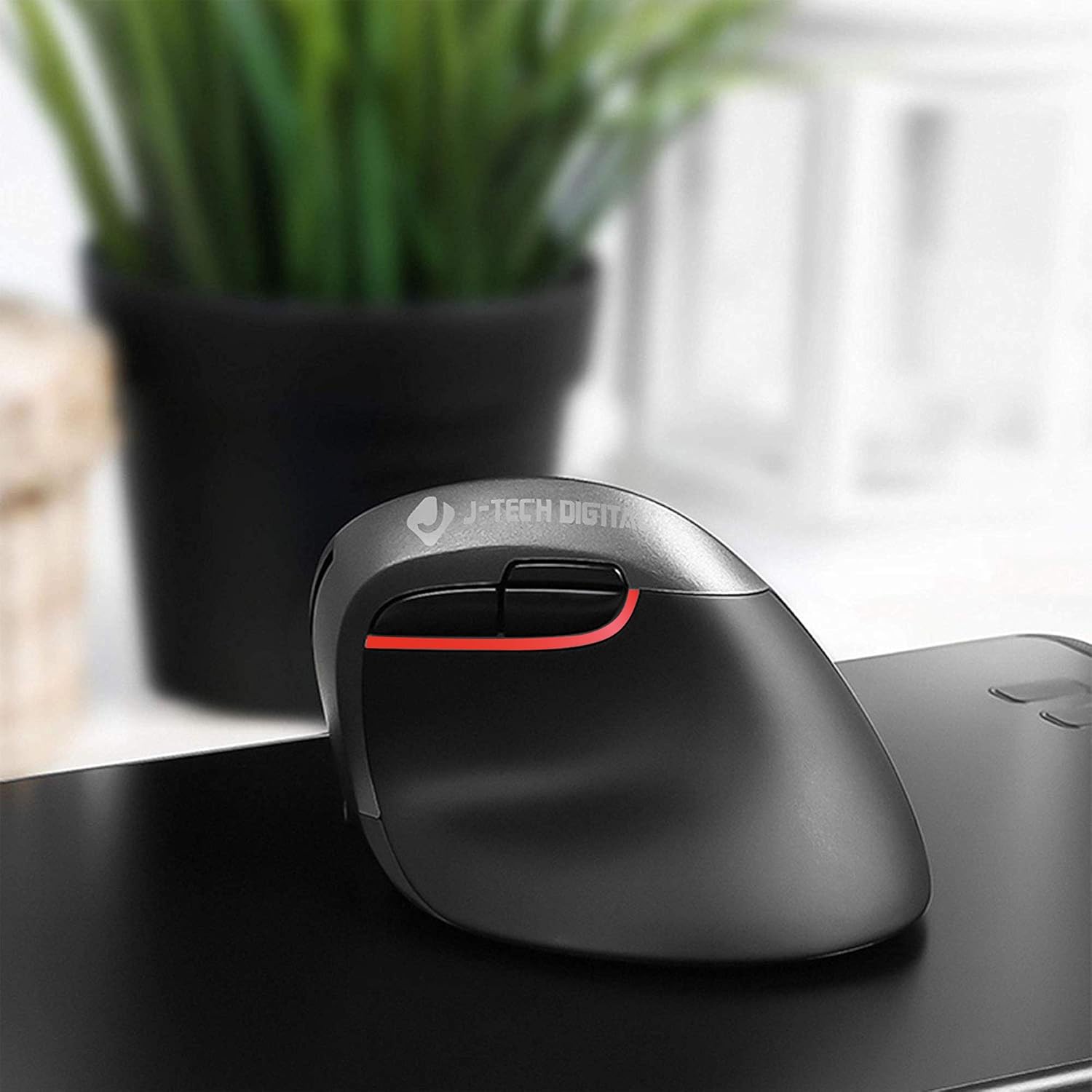
Image: A user's hand comfortably positioned on the vertical ergonomic mouse, demonstrating natural grip.
DPI жөндөөлөрүн тууралоо
The mouse features three adjustable DPI (Dots Per Inch) settings to control cursor sensitivity. You can cycle through these settings using the DPI cycle button located near the forward and backward buttons.
- Press the DPI cycle button to switch between 800, 1200, and 1600 DPI.
- A lower DPI setting results in slower, more precise cursor movement.
- A higher DPI setting results in faster cursor movement, suitable for quick navigation.

Image: Visual representation of the three DPI settings (800, 1200, 1600) available on the mouse.
Ergonomic Design and Benefits
The vertical design of the J-Tech Digital V628M-2.4G mouse promotes a natural handshake position, which can significantly reduce wrist strain and discomfort often associated with traditional horizontal mice.

Image: A comparison demonstrating how a vertical ergonomic mouse supports a natural hand position, reducing pressure on the carpal tunnel area, unlike a traditional mouse.
This mouse is specifically designed for users with smaller hands. For individuals with larger hands, J-Tech Digital offers other models such as the V628 and V628P, which provide a more suitable fit.
Техникалык тейлөө
Батареяны алмаштыруу
The V628M-2.4G mouse operates on one 1.5V/AA battery. When the mouse performance degrades or it stops responding, it is likely time to replace the battery.
- Turn off the mouse using the ON/OFF switch on the underside.
- Батарея отсегин ачыңыз.
- Remove the old AA battery and dispose of it according to local regulations.
- Insert a new 1.5V/AA battery, ensuring correct polarity.
- Батарея бөлүмүн жаап, чычканды кайра күйгүзүңүз.
Тазалоо
To maintain optimal performance and hygiene, periodically clean your mouse:
- Тазалоодон мурун чычканды өчүрүп коюңуз.
- Сырткы беттерди сүртүү үчүн жумшак, кургак, түксүз чүпүрөктү колдонуңуз.
- өжөр кир үчүн, бир аз гampчүпүрөктү суу же жумшак, абразивдүү тазалагыч менен жууп салыңыз. Ашыкча нымдуулуктан сактаныңыз.
- Катуу химиялык заттарды, эриткичтерди же абразивдүү материалдарды колдонбоңуз, анткени алар чычканды бузуп коюшу мүмкүн.
Проблемаларды чечүү
If you encounter issues with your J-Tech Digital V628M-2.4G mouse, refer to the following common solutions:
| Көйгөй | Мүмкүн себеп | Чечим |
|---|---|---|
| Чычкан жооп бербей жатат | Батарея аз же өлүп калды | AA батареясын алмаштырыңыз. |
| Чычкан жооп бербей жатат | USB receiver not connected or loose | USB кабыл алгыч иштеп жаткан USB портуна бекем сайылып турганын текшериңиз. Башка USB портун колдонуп көрүңүз. |
| Чычкан жооп бербей жатат | Чычкан өчүрүлгөн | Check the ON/OFF switch on the underside of the mouse and ensure it is in the 'ON' position. |
| Cursor freezes or lags intermittently | Interference or surface issues | Ensure the mouse is used on a suitable, non-reflective surface. Move the mouse closer to the USB receiver or try a different USB port to reduce potential interference. Replace battery if low. |
| DPI жөндөөсү өзгөрбөйт | DPI button not pressed correctly | Press the DPI cycle button firmly. Ensure the mouse is powered on. |
Техникалык шарттар
- Модель номери: V628M-2.4G
- Продукциянын өлчөмдөрү: 3.5 x 4 x 3 дюйм
- Элемент Салмагы: 0.01 унция
- Батареялар: 1 AA батарейка талап кылынат (кошулган)
- Байланыш технологиясы: Wireless (2.4G USB Nano Transceiver)
- Кыймылды аныктоо технологиясы: Оптикалык
- DPI жөндөөлөрү: 800 / 1200 / 1600
- Өзгөчө өзгөчөлүгү: Ergonomic Vertical Design
- Шайкештик: Mac and PC
Кепилдик жана колдоо
All J-Tech Digital products are backed by a 1 жылдык өндүрүүчү кепилдик. Additionally, customers receive өмүр бою акысыз техникалык колдоо from our dedicated customer support team.
Our support team is based in Sugar Land, Texas, and is available to assist you Monday through Friday, from 9 AM to 6 PM CST.
For technical assistance or warranty claims, please refer to the contact information available on the J-Tech Digital seller page or the official J-Tech Digital webсайт.


