1. Киришүү
This manual provides essential information for the proper use and maintenance of your Speedlink Competition Pro Extra USB Joystick (Model SL-650212-BKRD). This joystick is designed for use with PCs and Android devices, offering a retro arcade gaming experience. Please read these instructions carefully before using the product.
2. Маанилүү коопсуздук нускамалары
Failure to observe these instructions can cause product damage, explosion, fire, and/or electric shock.
- Use this device only as indicated in the user guide. Do not open or repair it.
- Аппаратты суюктуктарга, ысыкка же муздак жерге тийгизбеңиз.
- Жарнамада түзмөктү колдонбоңузamp айлана-чөйрө.
- Аппаратты кургак чүпүрөк менен тазалаңыз.
- Аппаратты жана бардык бош бөлүктөрүн балдардан, үй жаныбарларынан жана уруксаты жок адамдардан алыс кармаңыз.
- Use only with the appropriate provided accessories/cables.
- Disconnect the charging cable from the device if it will not be used for a long time. When disconnecting the cable, don't pull on the cable but on the plug.
- Don't use the cables in any way other than mentioned in the user guide; don't bend, cut, extend, or knot up them.
- Аппараттын тешиктерине эч кандай бөтөн нерселерди киргизбеңиз.
- Эгер аппарат кандайдыр бир жол менен бузулса же өтө ысып кетсе, аны дароо колдонууну токтотуңуз.
- Take caution when using the device if you have a pacemaker or are dependent on other sensitive electronic aids, as the device emits radio signals.
Safety instructions in further languages can be found at www.speedlink.com.
3. Пакеттин мазмуну
The Speedlink Competition Pro Extra USB Joystick package includes:
- Speedlink Competition Pro Extra USB Joystick (Model SL-650212-BKRD)
- Комплекстелген USB кабели
- Information on how to download the included 20 retro games
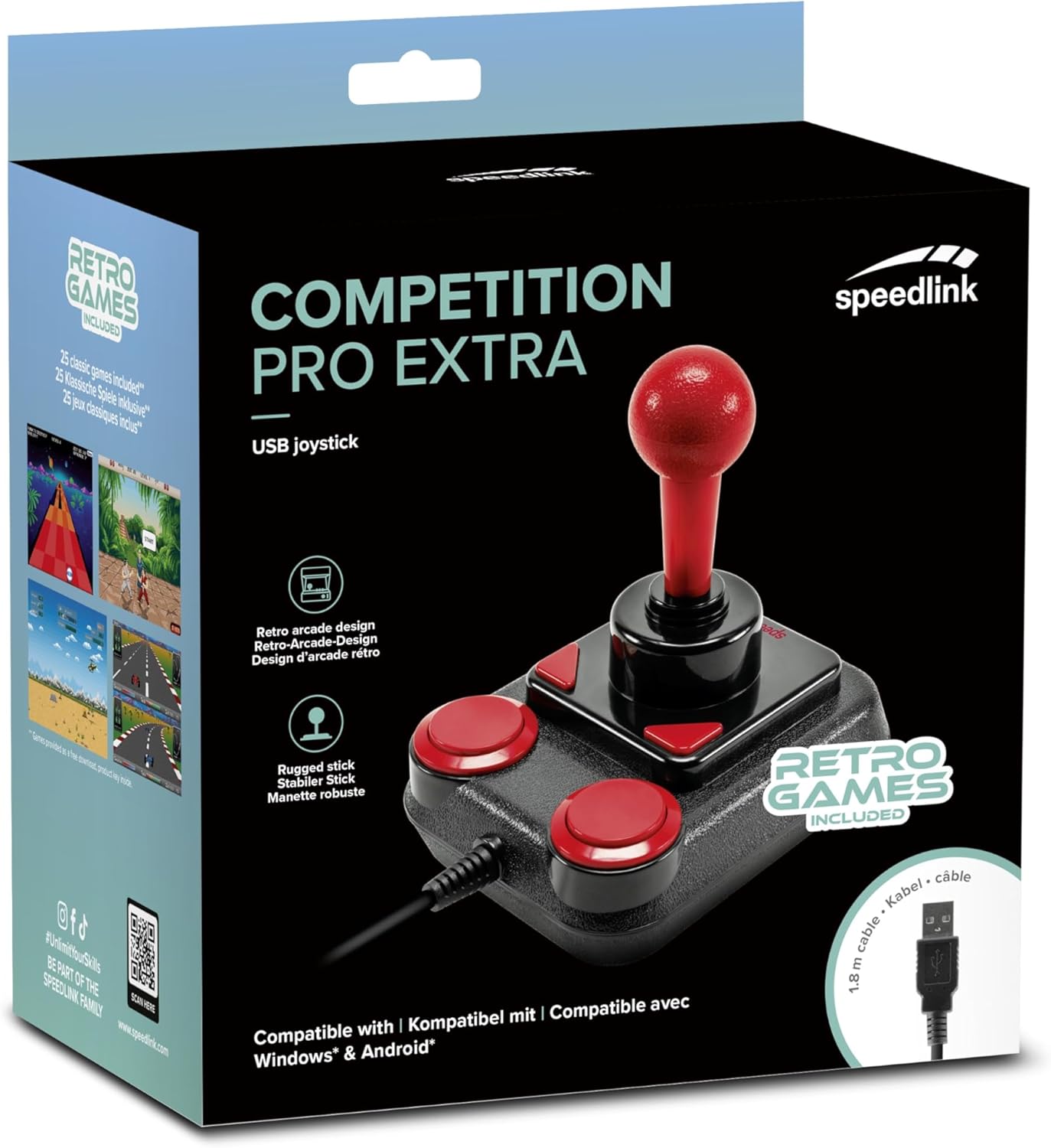
Image: Retail packaging for the Speedlink Competition Pro Extra USB Joystick, showing the product and "Retro Games Included" label.
4. Продукт бүтүп калдыview
The Competition Pro Extra USB Joystick features a classic arcade design with a robust stick and responsive buttons.

Сүрөт: жогорудан төмөнгө view of the joystick, highlighting the red ball-top stick and red circular fire buttons.

Сүрөт: бурчтуу view showing the joystick's main stick, two circular fire buttons, and two triangular fire buttons.
The joystick includes:
- Arcade Stick: A classic red ball-top joystick for directional control.
- Fire Buttons: Two large circular red buttons and two smaller triangular red buttons for in-game actions.
- Rapid-Fire Switch: A switch located on the underside of the joystick to enable or disable rapid-fire functionality for the main fire buttons.

Image: Underside of the joystick, showing the "ON" and "OFF" positions for the rapid-fire switch.
5. Орнотуу
5.1 Компьютерге туташуу
- Компьютериңизден жеткиликтүү USB портун табыңыз.
- Plug the USB connector of the Competition Pro Extra joystick into the USB port.
- The operating system (Windows 7 or later) will automatically detect and install the necessary drivers. No manual driver installation is typically required.
- Once installed, the joystick is ready for use with compatible games and emulators. You may need to configure joystick settings within individual game or emulator software.
5.2 Connecting to an Android Device
For Android devices, an OTG (On-The-Go) adapter is required (not included).
- Connect the USB connector of the joystick to an OTG adapter.
- Plug the OTG adapter into the USB port of your Android device.
- The Android device should recognize the joystick. Compatibility may vary depending on the Android device and game/application.
6. Иштөө нускамалары
6.1 Негизги башкаруу
- Джойстик: Use the main stick for directional movement (up, down, left, right, and diagonals).
- Fire Buttons: Press any of the four red buttons to perform in-game actions such as firing, jumping, or selecting.
6.2 Rapid-Fire Mode
The joystick features a rapid-fire function for enhanced gameplay in certain titles.
- To activate rapid-fire, locate the switch on the underside of the joystick and slide it to the "ON" position.
- To deactivate rapid-fire, slide the switch to the "OFF" position.
6.3 Кошулган оюндар
The Anniversary Edition includes a collection of 20 retro games available for download. Refer to the instructions provided with your product for details on how to access and download these games.

Image: Screenshot of the game launcher interface, displaying a list of classic games such as Bomberwarrior, Summer Games, and River Attack.
7. Техникалык тейлөө
- Тазалоо: Use a soft, dry cloth to clean the surface of the joystick. Do not use liquid cleaners or abrasive materials.
- Сактагыч: Store the joystick in a dry place away from direct sunlight and extreme temperatures.
- Кабельге кам көрүү: Avoid bending or twisting the USB cable excessively. Do not pull on the cable to disconnect it; always grasp the plug.
8. Кыйынчылыктарды
- Joystick not recognized by PC:
- USB кабели иштеген USB портуна бекем сайылганын текшериңиз.
- Башка USB портун колдонуп көрүңүз.
- Компьютериңизди өчүрүп күйгүзүңүз.
- Түзмөк башкаргычын (Windows) текшерип, түзмөк тизмеде бар-жогун жана драйверде көйгөйлөр бар-жокпу.
- Joystick not recognized by Android device:
- Ensure your Android device supports USB OTG functionality.
- Verify the OTG adapter is functioning correctly.
- Try a different OTG adapter or Android device if possible.
- Buttons or stick unresponsive:
- Ensure the joystick is properly connected.
- Test the joystick in a different game or application to rule out software-specific issues.
- Calibrate the joystick through your operating system's game controller settings if available.
- Rapid-fire not working:
- Check that the rapid-fire switch on the underside of the joystick is set to "ON".
9. Техникалык шарттар
| Өзгөчөлүк | Деталь |
|---|---|
| Модель аты | SL-650212-BKRD |
| Бренд | Speedlink |
| Байланыш технологиясы | USB |
| Шайкеш түзмөктөр | PC (Windows 7 or later), Android (via OTG adapter) |
| Controller Type | Джойстик |
| Түс | Кара, Кызыл |
| Элемент Салмагы | 3.53 унция (болжол менен 100 г) |
| Продукциянын өлчөмдөрү (LxWxH) | 4.65 x 3.78 x 5.12 дюйм (болжол менен 11.8 x 9.6 x 13 см) |
| Power Source | Электр зымдары (USB менен иштейт) |
| Тtage | 5 вольт |
10. Шайкештик жөнүндө маалымат
10.1 FCC билдирүүсү
Бул аппарат FCC эрежелеринин 15-бөлүгүнө ылайык келет. Иштетүү төмөнкү эки шартка ылайык ишке ашат: (1) Бул аппарат зыяндуу тоскоолдуктарды жаратпашы мүмкүн жана (2) бул аппарат келген тоскоолдуктарды, анын ичинде каалабаган иштөөгө алып келиши мүмкүн болгон тоскоолдуктарды кабыл алышы керек.
Бул жабдуу сыналган жана FCC Эрежелеринин 15-бөлүгүнө ылайык, В классындагы санариптик аппараттын чектөөлөрүнө ылайык келери аныкталган. Бул чектөөлөр турак жай орнотулган зыяндуу кийлигишүүлөрдөн акылга сыярлык коргоону камсыз кылуу үчүн иштелип чыккан. Бул жабдуу радио жыштык энергиясын өндүрөт, колдонот жана нурландыра алат жана эгер нускамаларга ылайык орнотулбаса жана колдонулбаса, радио байланыштарына зыяндуу тоскоолдуктарды жаратышы мүмкүн. Бирок, кандайдыр бир орнотууда кийлигишүү болбойт деген кепилдик жок. Эгерде бул жабдуу радио же телевизорду кабыл алууда зыяндуу тоскоолдуктарды жаратса, аны өчүрүү жана күйгүзүү аркылуу аныктоого болот, колдонуучуга төмөнкү чаралардын бири же бир нечеси аркылуу тоскоолдукту оңдоого аракет кылуу сунушталат:
- Кабыл алуучу антеннанын багытын өзгөртүңүз же башка жерге которуңуз.
- Жабдуу менен кабыл алгычтын ортосундагы бөлүнүүнү көбөйтүңүз.
- Жабдууларды ресивер туташтырылгандан башка чынжырдагы розеткага туташтырыңыз.
- Жардам алуу үчүн дилерге же тажрыйбалуу радио/телевидение техникине кайрылыңыз.
Note: Modifications to this product will void the user's authority to operate this equipment.
10.2 CE, UKCA, EAC Compliance
продукт төмөнкү көрсөтмөлөргө ылайык келет:
- EMC: 2014/30 / EU
- RoHS: 2011/65/EU
Толук шайкештик декларациясы, акыркы колдонуучу колдонмосу, көп берилүүчү суроолор же кошумча маалымат үчүн кириңиз www.speedlink.com.

Image: Excerpt from the product manual showing safety instructions, warnings, FCC statement, and conformity information in multiple languages.
11. Кепилдик жана колдоо
For warranty information, technical support, and frequently asked questions, please visit the official Speedlink webсайт:
Сураныч, бул маалыматты келечекте маалымдоо үчүн сактап коюңуз.


