1. Киришүү
Thank you for choosing the Comfee Mobile Air Conditioner MPPH-09CRN7. This manual provides essential information for the safe and efficient operation of your appliance. Please read it thoroughly before use and retain it for future reference.
This 3-in-1 unit offers cooling, dehumidification, and fan modes, designed for rooms up to 33m² (88m³).

Сүрөт: алдыңкы view of the Comfee Mobile Air Conditioner MPPH-09CRN7.
2. Коопсуздук маалыматы
Өрт, электр шок же жаракат алуу коркунучун азайтуу үчүн электр шаймандарын колдонууда ар дайым негизги коопсуздук чараларын сактаңыз.
- кубат менен камсыз кылуу Voltage рейтинг белгисинде көрсөтүлгөн.
- Аппаратты бузулган шнур же сайгыч менен иштетпеңиз.
- Аппаратты жылуулук булактарынан жана түз күн нурунан алыс кармаңыз.
- Аба кирүүчү же чыгуучу жерлерди жаап албаңыз.
- Бул шайман R290 муздаткычты колдонот. Муздаткычтын схемасын тешип албаңыз.
3. Продукциянын компоненттери жана аксессуарлары
The Comfee Mobile Air Conditioner MPPH-09CRN7 comes with the following components:

Image: Diagram showing all included accessories for the mobile air conditioner.
- Чыгаруучу шланг
- Прибор адаптери
- Window Slider Kit
- Foam Seal (non-adhesive)
- Чыгаруу шлангынын адаптери
- Wall Outlet Adapter
- Foam Seal (adhesive)
- Screws, Bolts, Anchors
- Алыстан башкаруу
- Терезе Слайдер
- Дренаждык шланг
The unit also features four castor wheels for easy mobility.
Сүрөт: Жакын план view of the castor wheels on the base of the air conditioner, highlighting its mobility.
4. Орнотуу жана орнотуу
Proper installation is crucial for optimal performance. Follow these steps for setting up your mobile air conditioner:
4.1 Чыгаруучу түтүктү орнотуу
The exhaust hose expels hot air from the room. Ensure it is installed correctly to prevent hot air recirculation.

Image: Three options for installing the exhaust hose: through a wall air outlet, a window adapter, or a window with a "Hot Air Stop" cover.
- Option 1: Wall Air Outlet: Drill and install the hose in a dedicated air outlet.
- Option 2: Window Adapter: Assemble and install the hose in the provided window adapter.
- Option 3: Window with "Hot Air Stop" Cover: Assemble and install the hose in the window using a "Hot Air Stop" cover (not included).
4.2 Window Slider Kit Installation
For window installation, use the provided window slider kit to seal the opening and maximize cooling efficiency.

Image: Step-by-step guide for installing the window slider kit: 1. Open the window. 2. Install the window slider adapter. 3. Seal and secure the adapter. 4. Install the exhaust hose to the adapter. 5. Attach the exhaust hose to the unit. 6. Power on and activate the device.
- Терезени ач.
- Install the window slider adapter into the window opening.
- Seal and secure the adapter to prevent air leakage.
- Install the exhaust hose to the adapter.
- Attach the exhaust hose to the air conditioner unit.
- Plug in the unit and activate it.
5. Иштөө нускамалары
5.1 Башкаруу панели жана алыстан башкаруу
The unit can be operated via the control panel on top of the unit or the included remote control.

Image: Layout of the remote control and the top control panel of the air conditioner, indicating various buttons and their functions.
Алыстан башкаруу функциялары:
- Күйгүзүү/өчүрүү
- Modes Control (Cooling, Fan, Dehumidification)
- Желдетүүчү ылдамдыкты көзөмөлдөө
- Уйку режимин башкаруу
- Temperature Control (Up/Down)
- DIY Mode Control
- Timer Control (Timer On/Timer Off)
- LED жарык башкаруу
- "Follow Me" Function (on remote)
The "Follow Me" function on the remote control helps monitor and control the temperature around you, providing more precise cooling.

Image: A person using the remote control to operate the Comfee mobile air conditioner, demonstrating the "Smart Cooling" feature.
5.2 Иштөө режимдери
The unit features three primary operating modes:

Image: Visual representation of the three functional modes: Cooling Mode, Fan Mode, and Dehumidification Mode. Note: For dehumidification, a hose for water drainage is required.
- Муздатуу режими: Бөлмөңүздү күчтүү муздатууну камсыз кылат.
- Күйөрман режими: Абаны муздатпай айлантып, желдетүүнү сунуштайт.
- Нымсыздандыруу режими: Removes excess moisture from the air. A drain hose must be connected for continuous drainage in this mode.
5.3 Таймер функциясы
The 24-hour timer function allows you to set the unit to turn on or off automatically at a desired time.

Image: A visual representation of the 24-hour timer function, showing a clock face around the air conditioner unit.
5.4 Автоматтык кайра иштетүү
Куч болгон учурда уtage, электр кубаты калыбына келтирилгенден кийин түзмөк автоматтык түрдө мурунку жөндөөлөрү менен кайра жүктөлөт.

Image: A stylized image of a microchip with the Comfee logo, illustrating the automatic restart function.
5.5 Noise Level and Sleep Mode
The unit is designed for lower noise operation, especially in Sleep Mode, where the sound pressure level can be reduced to 46.9 dB(A).

Image: A person sleeping peacefully next to the air conditioner, with a decibel meter graphic showing noise levels, emphasizing the low noise operation.
6. Техникалык тейлөө
Үзгүлтүксүз техникалык тейлөө кондиционериңиздин узак иштөөсүн жана натыйжалуулугун камсыздайт.
6.1 Фильтрди тазалоо
The washable filter should be cleaned regularly to maintain air quality and cooling performance.
- Тазалоодон мурун блокту өчүрүп, розеткадан сууруп алыңыз.
- Аба чыпкасын аппараттын артындагы алып салыңыз.
- Чыпканы жылуу, самындуу суу менен жууңуз.
- Кылдаттык менен жууп, кайра салуудан мурун толугу менен кургатуу керек.
6.2 Суу дренажы
The unit has a self-evaporative system, but in high humidity or dehumidification mode, manual drainage may be required.
- Locate the drain port at the bottom rear of the unit.
- Place a shallow pan or connect the drain hose to the port.
- Суунун агып чыгышы үчүн дренаждык тығынды алып салыңыз.
- Replace the plug securely after drainage.
7. Кыйынчылыктарды
Кардарларды колдоо кызматына кайрылуудан мурун, төмөнкү жалпы маселелерди жана чечимдерди караңыз:
| Көйгөй | Мүмкүн себеп | Чечим |
|---|---|---|
| Түзмөк күйбөйт. | No power supply; power cord unplugged; fuse blown. | Check power connection; check circuit breaker/fuse. |
| Агрегат эффективдүү муздабайт. | Windows/doors open; air filter dirty; exhaust hose not properly installed; room too large. | Close windows/doors; clean air filter; ensure exhaust hose is sealed; verify room size is within specifications. |
| Суунун агып чыгышы. | Drain plug loose; unit tilted; drain hose clogged. | Secure drain plug; place unit on a level surface; clear drain hose. |
| Адаттан тышкаркы ызы -чуу. | Unit not on a level surface; internal component issue. | Place unit on a flat, stable surface. If noise persists, contact support. |
8. Техникалык шарттар
| Өзгөчөлүк | Спецификация |
|---|---|
| Модель номери | MPPH-09CRN7 |
| Муздатуу кубаттуулугу | 9000 BTU/h (2.6 kW/h) |
| Сунушталган бөлмө өлчөмү | Up to 33m² (88m³) |
| Энергияны керектөө | 1000 Ватт |
| Тtage | 230 вольт |
| Ызы-чуу деңгээли | 47 дБ |
| Муздаткыч | R290 (Climate Neutral) |
| Өлчөмдөрү (L x W x Y) | 34.49 x 35.51 x 70.31 см |
| Салмагы | 25.3 килограмм |
| Энергия эффективдүүлүгү классы | A |
| Өзгөчөлүктөр | Dehumidifier, Automatic Restart, 24-hour Timer, Sleep Mode, Smart Cooling with "Follow Me" function |

Image: Diagram showing the dimensions of the Comfee Mobile Air Conditioner: 70.3cm height, 35.5cm width, 34.5cm depth.
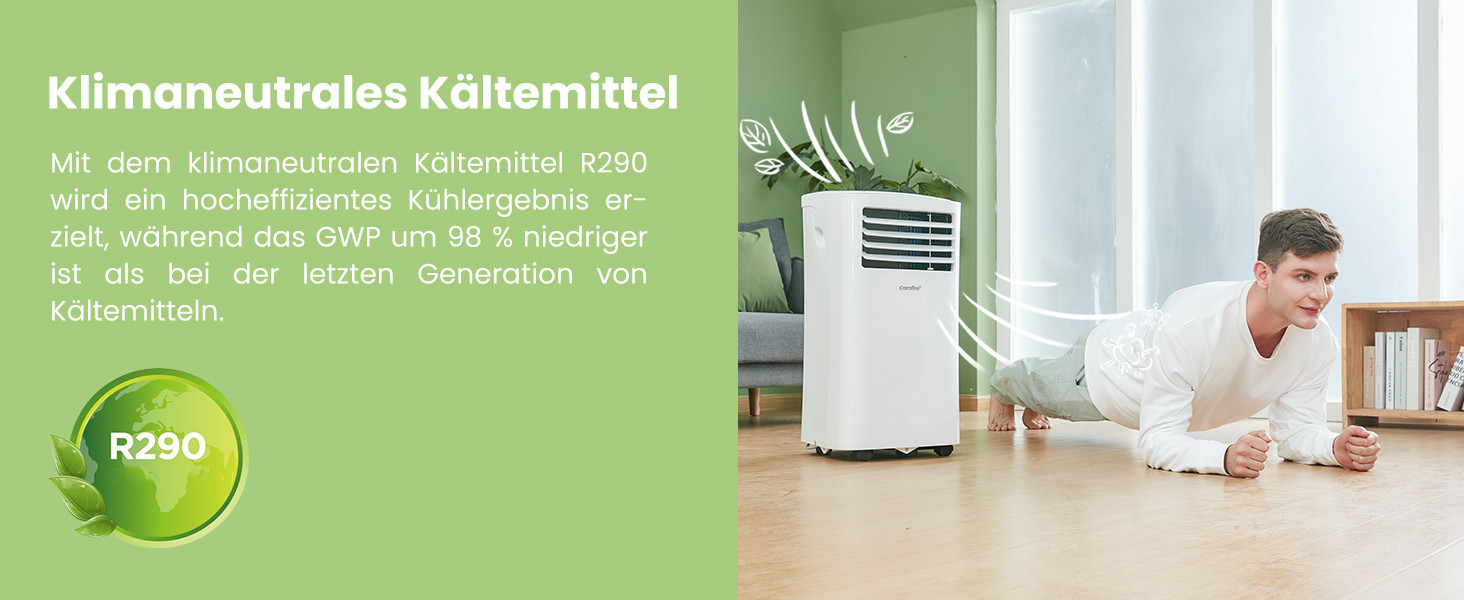
The unit uses R290, a climate-neutral refrigerant with significantly lower Global Warming Potential (GWP) compared to previous generations of refrigerants.

Image: Illustration highlighting the use of R290 climate-neutral refrigerant, with a person doing a plank exercise next to the unit.
9. Кепилдик маалыматы
This product is covered by a manufacturer's warranty. Please refer to the warranty card included in your product packaging for specific terms and conditions, including warranty period and coverage details. Retain your proof of purchase for warranty claims.
10. Кардарларды колдоо кызматы
For technical assistance, troubleshooting beyond this manual, or warranty inquiries, please contact Comfee customer support. Contact details can typically be found on the manufacturer's webсайтында же продуктунун таңгагында.
You can also visit the official Comfee store on Amazon for more information and support: Comfee Store


