1. Киришүү
Thank you for choosing the ONIKUMA K8 Gaming Headset. This manual provides detailed instructions for setting up, operating, and maintaining your headset to ensure the best possible gaming and audio experience. Please read this manual carefully before use.
2. Пакеттин мазмуну
- ONIKUMA K8 оюн гарнитурасы
- 3.5 мм аудио кабель
- USB кабели (RGB жарыктандыруу үчүн)
- User Manual
3. Продукт бүтүп калдыview
The ONIKUMA K8 is a wired over-ear gaming headset designed for immersive audio. It features a built-in microphone, volume control, and vibrant RGB LED lighting. The headset is compatible with multiple gaming platforms and devices.
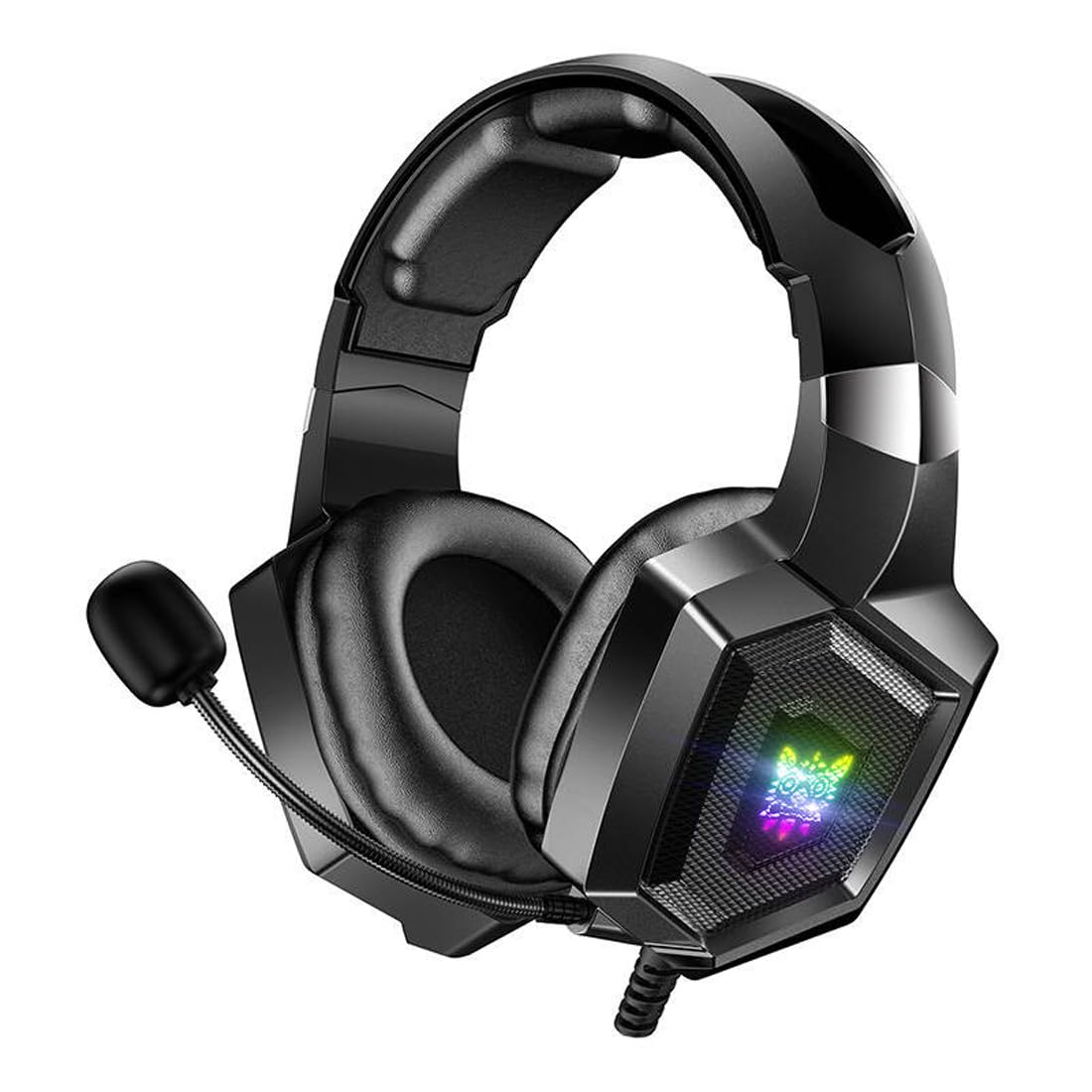
Image 1: The ONIKUMA K8 Gaming Headset, showcasing its design, detachable cables, and retail packaging.

Сүрөт 2: Жарылып кеткен view illustrating the internal components of a headset driver, highlighting the precision audio engineering.
4. Орнотуу нускамалары
- Аудио туташтыруу: Plug the 3.5mm audio jack into the corresponding audio port on your device (PC, console controller, etc.). Ensure it is fully inserted for proper sound and microphone function.
- Connect USB for Lighting: Plug the USB connector into an available USB port on your device. This powers the RGB LED lighting on the earcups. The headset will function for audio even without the USB connected, but the lighting will not activate.
- Гарнитураны тууралоо: Place the headset on your head and adjust the headband for a comfortable fit. The earcups are designed to fit over your ears.
- Микрофондун орду: Adjust the flexible microphone boom to a position near your mouth for clear voice capture.
5. Иштөө нускамалары
5.1 Үндү башкаруу
The headset features an inline control unit on the cable. Use the scroll wheel or dedicated buttons on this unit to adjust the audio volume up or down.
5.2 Микрофонду үнсүз кылуу
Locate the microphone mute switch on the inline control unit. Flip the switch to mute or unmute the microphone as needed during gameplay or communication.
5.3 RGB LED жарыктандыруу
The RGB LED lighting on the earcups will automatically activate when the USB cable is connected to a powered USB port. There are no user-adjustable settings for the lighting patterns or colors on the headset itself.
6. Техникалык тейлөө
- Тазалоо: Use a soft, dry cloth to wipe down the earcups and headband. Do not use liquid cleaners or abrasive materials.
- Сактагыч: Гарнитураны күн нурунан жана экстремалдык температурадан алыс салкын, кургак жерде сактаңыз. Гарнитурага оор нерселерди коюудан алыс болуңуз.
- Кабельге кам көрүү: Avoid sharply bending or twisting the cables. Always grasp the plug, not the cable, when disconnecting.
7. Кыйынчылыктарды
| Көйгөй | Мүмкүн чечим |
|---|---|
| Гарнитурадан үн жок |
|
| Микрофон иштебей жатат |
|
| RGB жарыктандыруу иштебейт |
|
8. Техникалык шарттар
| Бренд | ONIKUMA |
| Модель аты | K8 |
| Байланыш технологиясы | Зымдуу |
| Наушник уясы | 3.5 мм Jack |
| Форма фактору | Ашыкча кулак |
| Noise Control | Активдүү ызы-чууну жокко чыгаруу |
| Сезимталдуулук | 102 дБ |
| Түс | Кара |
| Элемент Салмагы | 329 грамм |
| Продукциянын өлчөмдөрү | 10 x 5 x 1.27 см |
| Материалдар | Пластик |
| Сунушталган Колдонуулар | Оюндар |
| Шайкеш түзмөктөр | Көптөгөн |
| Башкаруу түрү | Volume Control, Inline Controls |
| Сууга туруктуулук деңгээли | Сууга чыдамдуу эмес |
9. Кепилдик маалыматы
This ONIKUMA K8 Gaming Headset comes with a standard manufacturer's warranty. Please refer to the warranty card included in your package or contact your retailer for specific terms and conditions regarding warranty coverage and duration. Keep your proof of purchase for warranty claims.
10. Колдоо
For technical assistance, troubleshooting, or further inquiries about your ONIKUMA K8 Gaming Headset, please contact the retailer where you purchased the product or visit the official ONIKUMA website for support resources. Ensure you have your product model number (K8) and proof of purchase ready when seeking support.


