1. Киришүү
This manual provides essential information for the safe and effective operation, setup, and maintenance of your Sharp UA-HD50E-L Air Purifier with Humidification Function. Please read it thoroughly before using the appliance and keep it for future reference.
The Sharp UA-HD50E-L is designed to improve indoor air quality by combining a patented Plasmacluster ion generator with a 3-stage filtration system. It effectively removes airborne particles, allergens, viruses, pollen, dust mites, and odors. Additionally, it features an automatic humidification function to maintain a comfortable and healthy indoor climate. This unit is suitable for rooms up to 38 m² for air purification and 27 m² when using the humidification function.
2. Коопсуздук маалыматы
Коопсуз иштөөнү камсыз кылуу үчүн ар дайым төмөнкү негизги сактык чараларын сактаңыз:
- Электр шнурунун же сайгычтын бузулушу менен аппаратты иштетпеңиз.
- Аба кирүүчү же чыгуучу жерлерди жаап албаңыз.
- Keep the unit away from water and moisture. Do not immerse in water.
- Эч кандай тешиктерге нерселерди салбаңыз.
- Тазалоодон же техникалык тейлөөдөн мурун блокту электр розеткасынан сууруп алыңыз.
- Бул шайман физикалык, сезүү же акыл-эс жөндөмү начар же тажрыйбасы жана билими жок адамдар (анын ичинде балдар) үчүн, эгерде алардын коопсуздугуна жооптуу адам тарабынан көзөмөлсүз же шайманды колдонуу боюнча көрсөтмө болбосо, колдонууга арналбайт.
- Use only genuine Sharp replacement filters.
3. Продукт бүтүп калдыview
Familiarize yourself with the main components of your Sharp UA-HD50E-L air purifier.
3.1 Фронт View

Figure 3.1: The front of the Sharp UA-HD50E-L air purifier, showcasing its sleek, light grey design and the Sharp logo.
3.2 Арткы View and Air Intake

Figure 3.2: The rear of the air purifier, showing the large air intake grille and the power cord connection point. This is where air is drawn into the unit for filtration.
3.3 Water Tank Access
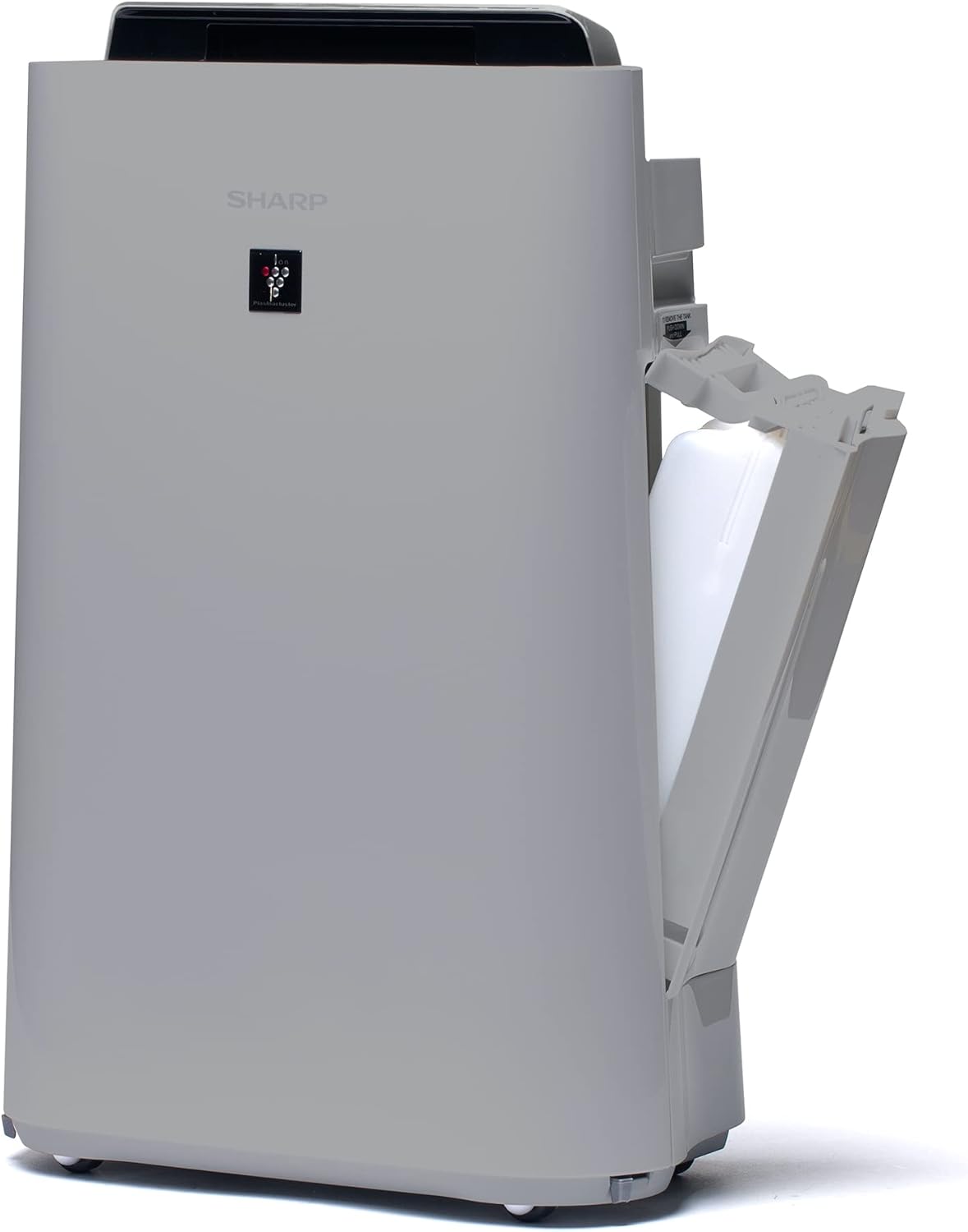
Сүрөт 3.3: А тарап view of the unit with the water tank compartment door open, revealing the removable water tank for humidification.
3.4 Control Panel and Air Outlet

3.4-сүрөт: жогорудан ылдыйга view highlighting the intuitive control panel with various function buttons and the primary air outlet where purified and humidified air is released.
3.5 чыпка системасы
The Sharp UA-HD50E-L utilizes a multi-stage filtration system for comprehensive air purification:
- Алдын ала чыпкалоо: Captures large particles like dust and pet hair.
- Deodorization Filter (UZ-HD4DF): Absorbs various odors, including cigarette smoke and household smells.
- HEPA Filter (UZ-HD4HF): Traps microscopic particles such as pollen, mold spores, and fine dust.
- Humidification Filter (UZ-HD6MF): Used for the humidification function.

3.5-сүрөт: жарылган view illustrating the sequence of the pre-filter, deodorization filter, and HEPA filter within the unit's rear compartment.
4. Орнотуу
Аба тазалагычыңызды биринчи жолу орнотуу үчүн төмөнкү кадамдарды аткарыңыз.
- Агрегатты таңгактан чыгаруу: Carefully remove the air purifier and all its components from the packaging. Retain packaging for future transport or storage.
- Фильтр таңгагын алып салуу: Open the rear panel of the unit. Remove all plastic packaging from the HEPA filter, deodorization filter, and humidification filter.
- Чыпкаларды орнотуу: Insert the filters back into the unit in the correct order: deodorization filter, then HEPA filter, followed by the pre-filter. Ensure they are securely seated. Close the rear panel.

Figure 4.1: Illustration of a filter being inserted into the side compartment of the air purifier.
- Fill Water Tank (for Humidification): Open the water tank compartment on the side of the unit. Remove the water tank, fill it with clean tap water, and securely close the cap. Reinsert the water tank into the unit.
Figure 4.2: The water tank being removed from its compartment for refilling.
- Жайгашкан жери: Place the air purifier on a flat, stable surface, ensuring adequate clearance (at least 20 cm) from walls and furniture for optimal air circulation.
- Туташуу кубаты: Электр шнурын ылайыктуу электр розеткасына сайыңыз (220V).
5. Иштөө нускамалары
The control panel on the top of the unit allows you to manage all functions.

Figure 5.1: Close-up of the control panel with various buttons and indicators, including sensors for dust, odor, temperature, humidity, light, movement, and PM2.5.
5.1 Кубатты КҮЙГҮЗҮҮ/ӨЧҮРҮҮ
- басыңыз КҮЧ баскычын басыңыз.
5.2 Иштөө режимдери
- Авто режим: The unit automatically adjusts fan speed and humidification based on sensor readings (dust, odor, temperature, humidity, light, movement, PM2.5). This mode ensures optimal air quality and comfort.
- Кол менен желдеткич ылдамдыгы: Select desired fan speed (Low, Medium, High) for continuous operation.
- Нымдандыруу режими: Activates the humidification function. The unit will maintain a comfortable humidity level. Ensure the water tank is filled.
- Air Purification Only: Disables the humidification function, focusing solely on air purification.
5.3 Plasmacluster Ion Function
- басыңыз PLASMACLUSTER button to activate or deactivate the Plasmacluster ion generator.
- Ion Spot Mode: This mode provides a 10-fold more intensive airflow of Plasmacluster ions to target specific areas or strong odors. Activate it by pressing the dedicated button on the control panel.
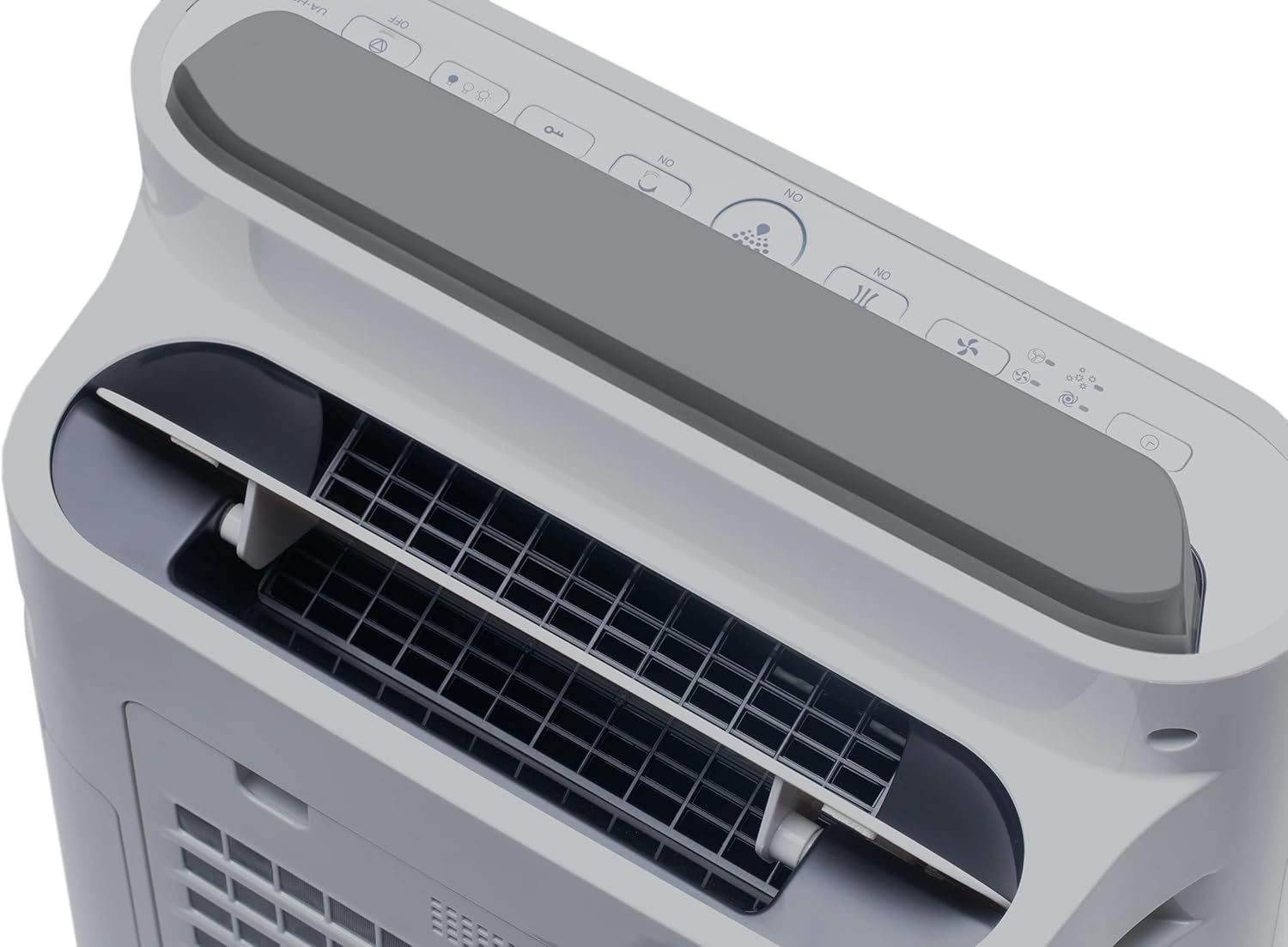
Figure 5.2: Visual representation of Plasmacluster ions being dispersed into the room, indicating the Ion Spot Mode's enhanced air circulation.
5.4 Абанын айлануусу
The unit features 20° back air outlets to ensure perfect air circulation throughout the room, effectively distributing purified and humidified air.
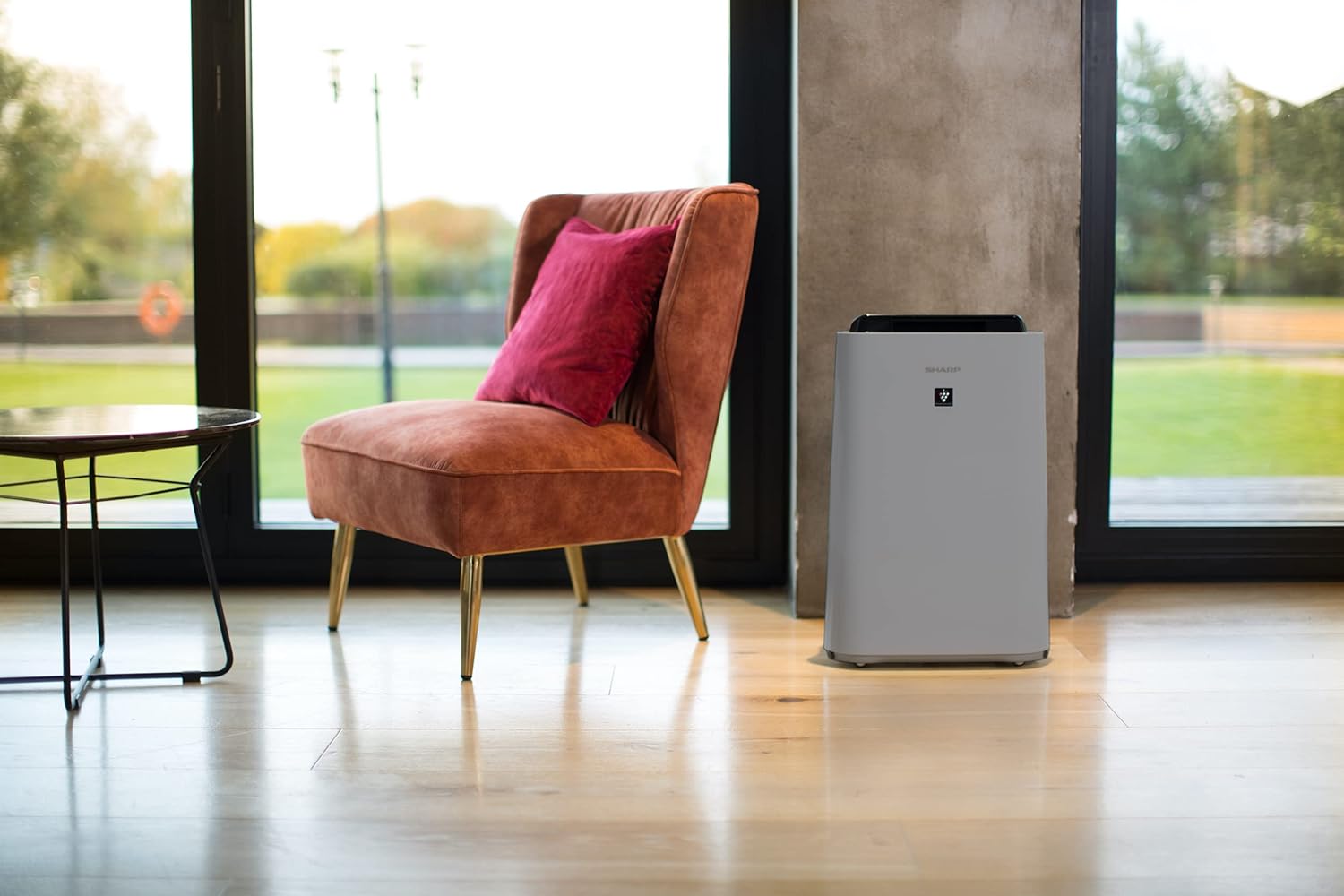
Figure 5.3: A diagram showing the optimal air circulation pattern created by the unit's design, ensuring even distribution of clean air.
6. Техникалык тейлөө
Үзгүлтүксүз тейлөө оптималдуу иштешин камсыз кылат жана аба тазалагычыңыздын иштөө мөөнөтүн узартат.
6.1 Алдын ала чыпканы тазалоо
- The pre-filter should be cleaned approximately once a month, or more frequently if used in dusty environments.
- Remove the rear panel and carefully detach the pre-filter.
- Use a vacuum cleaner to remove dust and debris. For stubborn dirt, wash with mild soap and water, then air dry completely before reinstallation.

Figure 6.1: The pre-filter being removed from the unit, with icons indicating its function against dust and pet hair.
6.2 Deodorization and HEPA Filters (UZ-HD4DF, UZ-HD4HF)
- These filters are not washable and should not be cleaned with water.
- Periodically check for excessive dust accumulation. A vacuum cleaner can be used gently on the surface of the HEPA filter to remove loose dust.
- Replace these filters approximately every 2-5 years, depending on usage and air quality. Refer to the indicator light on the control panel for replacement reminders.

Figure 6.2: The deodorization filter, designed to combat odors such as cigarette smoke and general household smells.
6.3 Humidification Filter (UZ-HD6MF) and Water Tank
- Clean the water tank daily or every few days to prevent mold and bacterial growth. Wash with mild detergent and rinse thoroughly.
- The humidification filter should be cleaned regularly (e.g., weekly) by rinsing under running water. If mineral deposits accumulate, soak the filter in a descaling solution (e.g., citric acid solution) as per product instructions.
- Replace the humidification filter approximately once a year, or when it becomes stiff or discolored.
6.4 Тышкы тазалоо
- Агрегаттын сыртын жумшак менен сүртүңүз, гamp кездеме. Абразивдүү тазалагычтарды же эриткичтерди колдонбоңуз.
7. Кыйынчылыктарды
Эгерде кандайдыр бир көйгөйлөргө туш болсоңуз, төмөнкү кеңири таралган көйгөйлөрдү жана чечимдерди караңыз.
| Көйгөй | Мүмкүн себеп | Чечим |
|---|---|---|
| Түзмөк күйбөйт. | Электр шнуру туура эмес туташтырылган; электр кубаты өчүп калганtage. | Электр шнурунун бекем сайылганын текшериңиз; Үйдөгү автоматтык өчүргүчтү текшериңиз. |
| Алсыз аба агымы. | Clogged pre-filter; Blocked air inlets/outlets. | Clean the pre-filter; Ensure nothing is obstructing air passages. |
| нымдаштыруу жок. | Water tank empty; Humidification filter clogged or improperly installed. | Refill water tank; Clean or correctly install humidification filter. |
| Unusual odor from unit. | Dirty filters; Stagрезервуардагы суу. | Clean/replace filters; Clean water tank and humidification filter. |
| Иш учурунда катуу ызы-чуу. | Вентилятордогу бөтөн нерсе; Түзмөк туруктуу бетте эмес. | Turn off and unplug, check for obstructions; Place on a flat, stable surface. |
Бул чечимдерди колдонуп көргөндөн кийин көйгөй чечилбесе, кардарларды колдоо менен байланышыңыз.
8. Техникалык шарттар
| Бренд | Sharp |
| Модель номери | UA-HD50E-L |
| Түс | Ачык боз |
| Өлчөмдөрү (L x W x Y) | 39.9 x 23 x 61.5 см |
| Салмагы | 7.9 килограмм |
| Суу резервуарынын сыйымдуулугу | 1 литр |
| Күч | 3600 (Please refer to product label for actual wattage) |
| Тtage | 220 вольт |
| Материал | Пластик |
| Автоматтык өчүрүү функциясы | Ооба |
| Ызы-чуу деңгээли | 23 децибел |
| Чыпка түрү | HEPA |
| Башкаруу ыкмасы | Баскыч менен башкаруу |
| Room Coverage (Purification) | 38 м² чейин |
| Room Coverage (with Humidification) | 27 м² чейин |
9. Кепилдик жана колдоо
Sharp provides a warranty for this product in accordance with local regulations. Please retain your proof of purchase for warranty claims.
- Запастык бөлүктөрдүн болушу: Бул моделдин запастык бөлүктөрү сатып алынган күндөн тартып 2 жыл бою жеткиликтүү.
- For technical support, service, or to purchase replacement filters, please contact your local Sharp authorized dealer or visit the official Sharp webсайт.


