1. Продукт бүтүп калдыview
The SV3C 1080P Outdoor PTZ WiFi Camera is a high-definition surveillance device designed for outdoor use. It features pan, tilt, and zoom capabilities, two-way audio, and advanced motion detection for comprehensive property monitoring.

Figure 1: SV3C 1080P Outdoor PTZ WiFi Camera
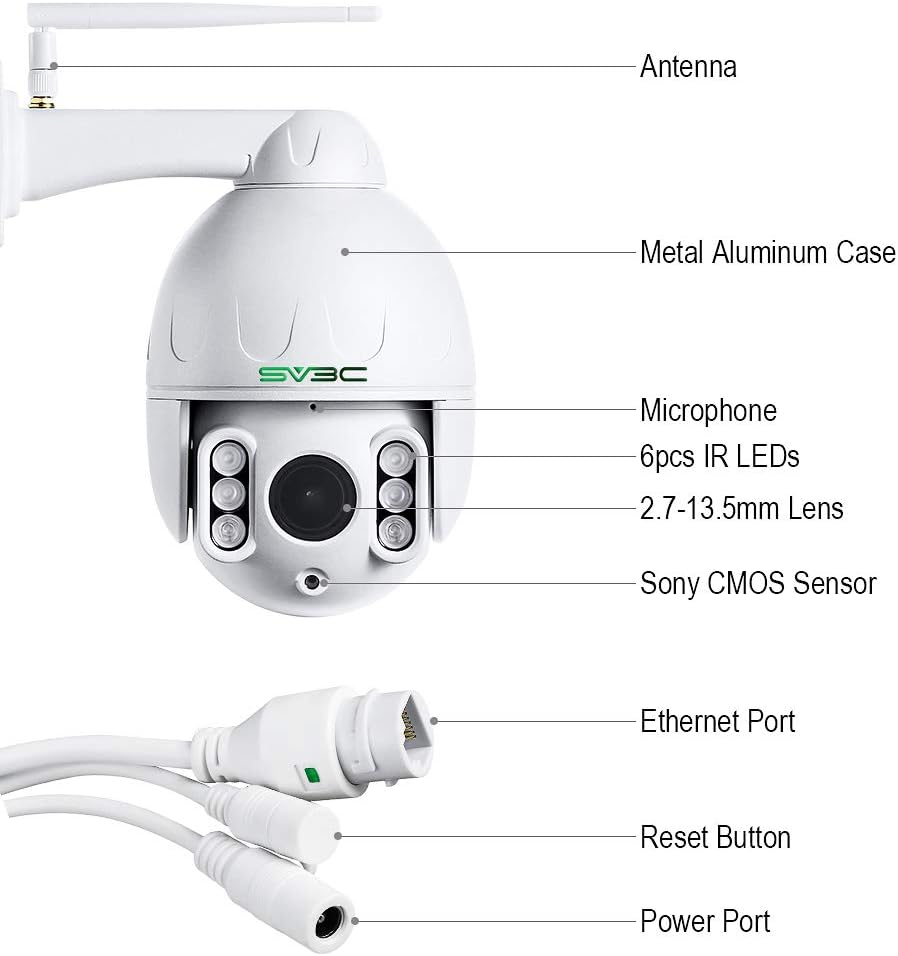
Figure 2: Key components of the SV3C PTZ Camera, including the antenna, metal aluminum case, microphone, IR LEDs, lens, Sony CMOS sensor, Ethernet port, reset button, and power port.
2. Орнотуу
2.1 Кутуда эмне бар
Бардык компоненттер бар экендигин текшериңиз:
- 1* PTZ POE Camera
- 1* Power adapter (3m cable)
- 1* Ethernet cable
- 1* Screws bags
- 1* Waterproof bags

3-сүрөт: Продукт пакетине камтылган мазмун.
2.2 Камераны орнотуу
The camera is designed for wall mounting. Ensure a stable surface for installation. The durable IP66-rated thick aluminum casing is suitable for outdoor use in various weather conditions.
2.3 Электр энергиясы жана тармакка туташуу
Connect the camera to power using the provided 12V power adapter. For network connectivity, the camera supports both 2.4GHz and 5GHz WiFi. Alternatively, a wired Ethernet connection can be used. The camera is ONVIF supported and compatible with RTSP, browsers, and Blue Iris, iSpy, or Onvif NVR systems.
2.4 Initial Setup via Camhipro App
Download and install the Camhipro app on your mobile device. Follow the in-app instructions for simple setup and connection to your camera.
3. Камераны иштетүү
3.1 Pan, Tilt, and Zoom (PTZ) Functions
The camera offers extensive movement capabilities:
- Пан: 360° horizontal rotation angles.
- Россия: 120° vertical rotation angles.
- Оптикалык масштаб: 5X optical zoom (7-13.5mm) for clear image capture without blind spots.
Control these functions remotely via the Camhipro app.
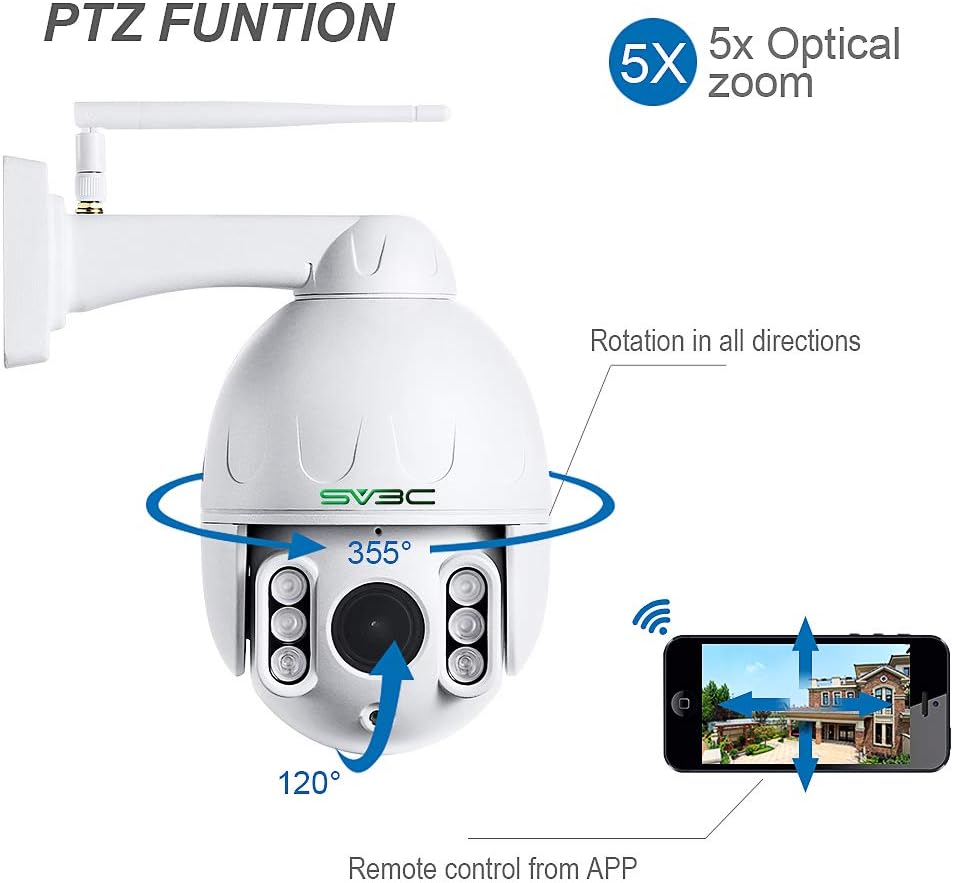
Figure 4: Illustration of the 360° pan and 120° tilt rotation angles, along with 5X optical zoom controlled via the mobile application.

Figure 5: Visual comparison of 1X and 5X optical zoom capabilities, highlighting the clarity of zoomed images.
3.2 Smart Human Tracking and Motion Detection
The camera is equipped with smart human tracking and motion detection capabilities. It detects and tracks movements, sending real-time alerts to your phone. Advanced human recognition helps reduce false alarms by up to 95% by focusing on human movement until the person leaves the camera's view.

Figure 6: The camera's auto-tracking feature, demonstrating its ability to follow detected subjects.
3.3 Эки тараптуу аудио
Communicate clearly through the camera using the external speaker and sensitive microphone via the mobile app. The microphone can be muted if desired.

Figure 7: The two-way audio feature, allowing communication through the camera via a mobile app.
3.4 Түнкү көрүнүш
Equipped with enhanced 6PCS IR LED lights and white lights, the camera delivers clear night vision in both black & white and color, matching daytime clarity for up to 197ft.

Figure 8: The camera's night vision mode, providing clear surveillance in low-light conditions.
3.5 Жазуу жана сактоо
The camera supports recording alarm videos to an NVR or an internal SD card (up to 128GB). Videos can be downloaded and played back on mobile phones or computers. FTP upload capability and optional email alerts with photos are also available.
3.6 Алдын ала коюлган позициялар
Configure up to 8 preset points for quick viewing of desired locations. Note that auto patrol is not supported.
4. Техникалык тейлөө
The SV3C PTZ camera features a robust IP66-rated thick aluminum casing, providing excellent protection against dust and water, making it suitable for various outdoor weather conditions, including rain and storms.
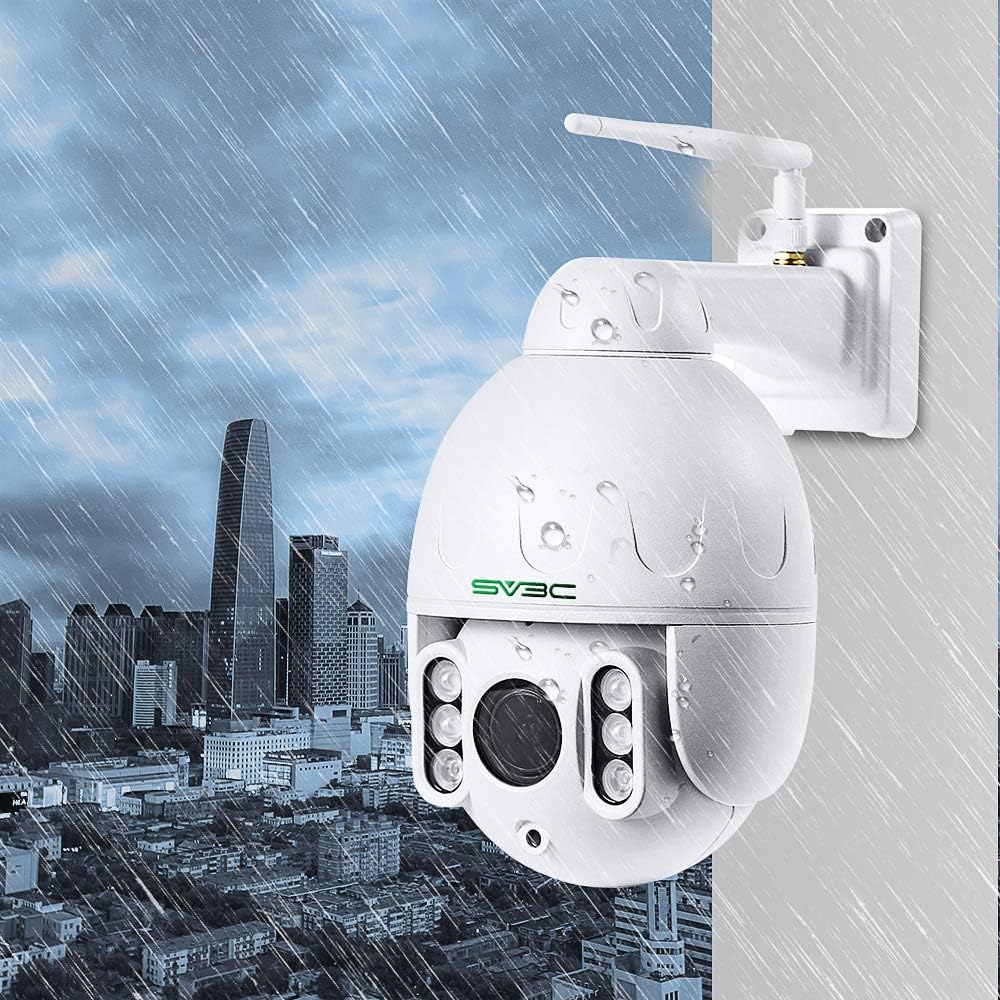
Figure 9: The camera's IP66 waterproof design, shown enduring rainfall in an urban setting.
Regularly inspect the camera lens for dirt or obstructions and clean gently with a soft, dry cloth. Ensure all cable connections are secure and waterproof seals are intact.
5. Кыйынчылыктарды
If you encounter issues with your SV3C outdoor PTZ WiFi camera, consider the following:
- Байланыш: Ensure the camera is connected to a stable 2.4GHz or 5GHz WiFi network. Verify network cable connections if using Ethernet.
- Колдонмо маселелери: Confirm the Camhipro app is updated to the latest version. Try restarting the app or your mobile device.
- Сүрөттүн сапаты: Check the lens for any smudges or obstructions. Ensure sufficient lighting for optimal night vision performance.
- Кыймылды аныктоо: Verify motion detection settings within the app. Adjust sensitivity if experiencing too many or too few alerts.
- Сактагыч: Ensure the SD card is properly inserted and not full. Check NVR settings if recording to an external device.
For more detailed troubleshooting or persistent issues, refer to the official SV3C website or the comprehensive user manual PDF for contact information and advanced support.
6. Техникалык шарттар
| Өзгөчөлүк | Деталь |
|---|---|
| Модель аты | SD6W-1080PS-HX |
| Видео тартуунун резолюциясы | 1080p (2 Megapixel) |
| Frame Rate | 25 кадр/сек |
| Оптикалык масштаб | 5x |
| Пан бурчу | 360 градус |
| Тит бурч | 120 градус |
| Байланыш технологиясы | Зымсыз (Wi-Fi), Зымдуу (Ethernet) |
| Connectivity Protocol | ONVIF, RTSP |
| Ички/тышкы колдонуу | Сыртта |
| Сууга туруктуулук деңгээли | Суу өткөрбөйт (IP66) |
| Power Source | Электр зымдары (12 вольт) |
| Материал | Алюминий |
| Элементтин өлчөмдөрү L x W x H | 6.69 x 4.33 x 6.69 дюйм |
| Элемент Салмагы | 2.83 фунт |
| Фото сенсор технологиясы | CMOS |
| Видео тартуу форматы | H265 |
| Max SD картаны колдоо | 128 ГБ |
7. Кепилдик жана колдоо
SV3C offers lifetime technical support for this product. The camera comes with a 12-month warranty.
For any inquiries or assistance, please refer to the contact information provided in the official user manual PDF or on the SV3C webсайт.
Колдонуучунун колдонмосу (PDF): Бул жерден жүктөп алыңыз


