1. Продукт бүтүп калдыview
The MOOER Micro Preamp 18 Custom 100 (MMPA18) is a compact digital preamp pedal designed to accurately recreate the sound, dynamics, and response of popular tube amplifiers. Utilizing advanced digital technology, this pedal offers a versatile solution for guitarists seeking high-quality amplifier tones in a miniature form factor.
Key features include dual channels for diverse tonal options, an integrated speaker cabinet simulation for direct recording or PA connection, and dual operating modes to adapt to various performance and recording setups.
2. Өзгөчөлүктөрү
- Sonically accurate digital recreations of classic tube ampкөтөргүч алдын алаamp бөлүмдөр.
- Dual channels for versatile clean and gain tones.
- Integrated speaker cabinet simulation for direct output.
- Dual operating modes to suit various user needs.
- Компакт жана бышык дизайн.
3. Башкаруу элементтери жана байланыштар
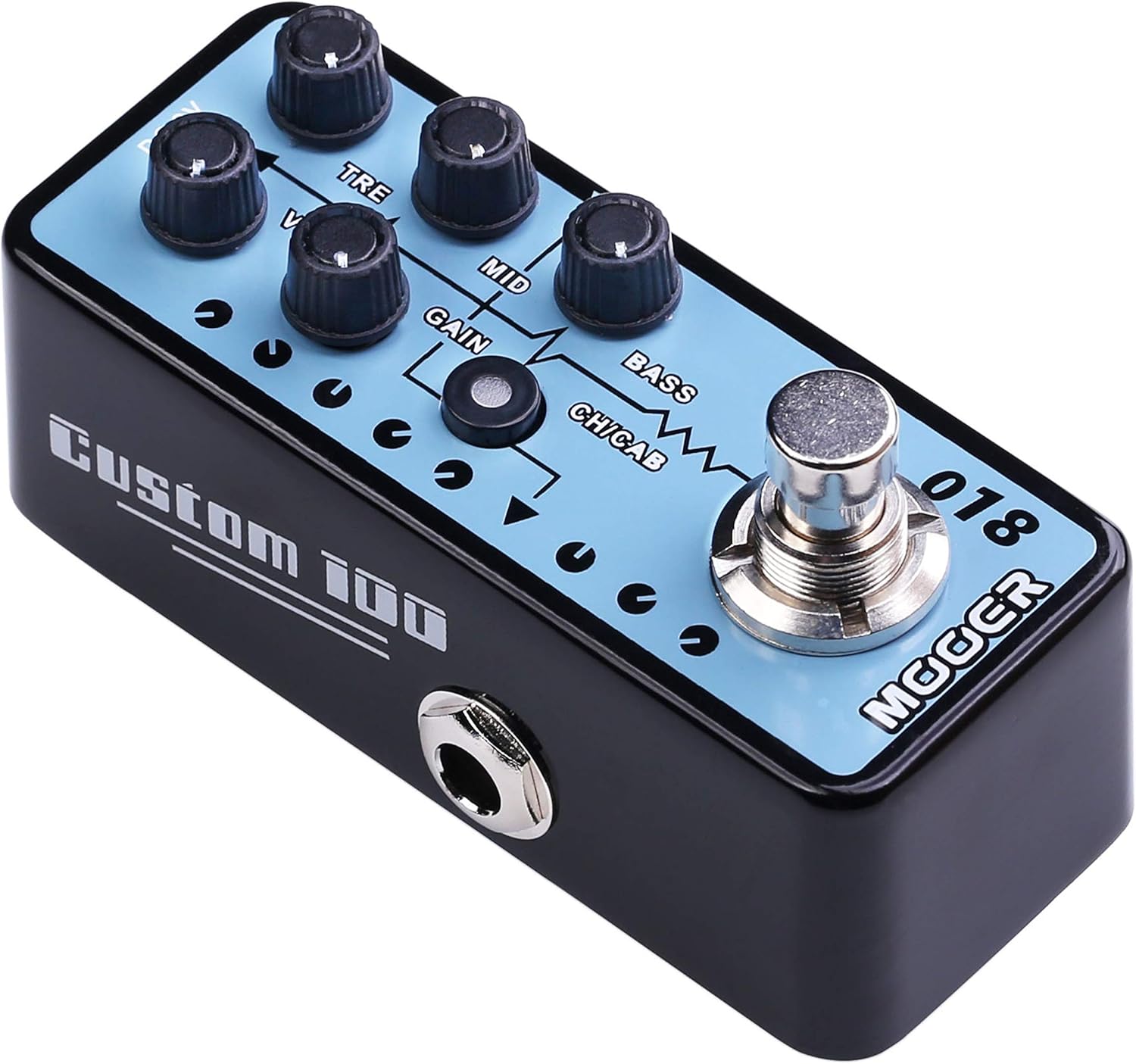
1-сүрөт: Жогорку view of the MOOER Micro Preamp 18 Custom 100, highlighting the control knobs and footswitch.
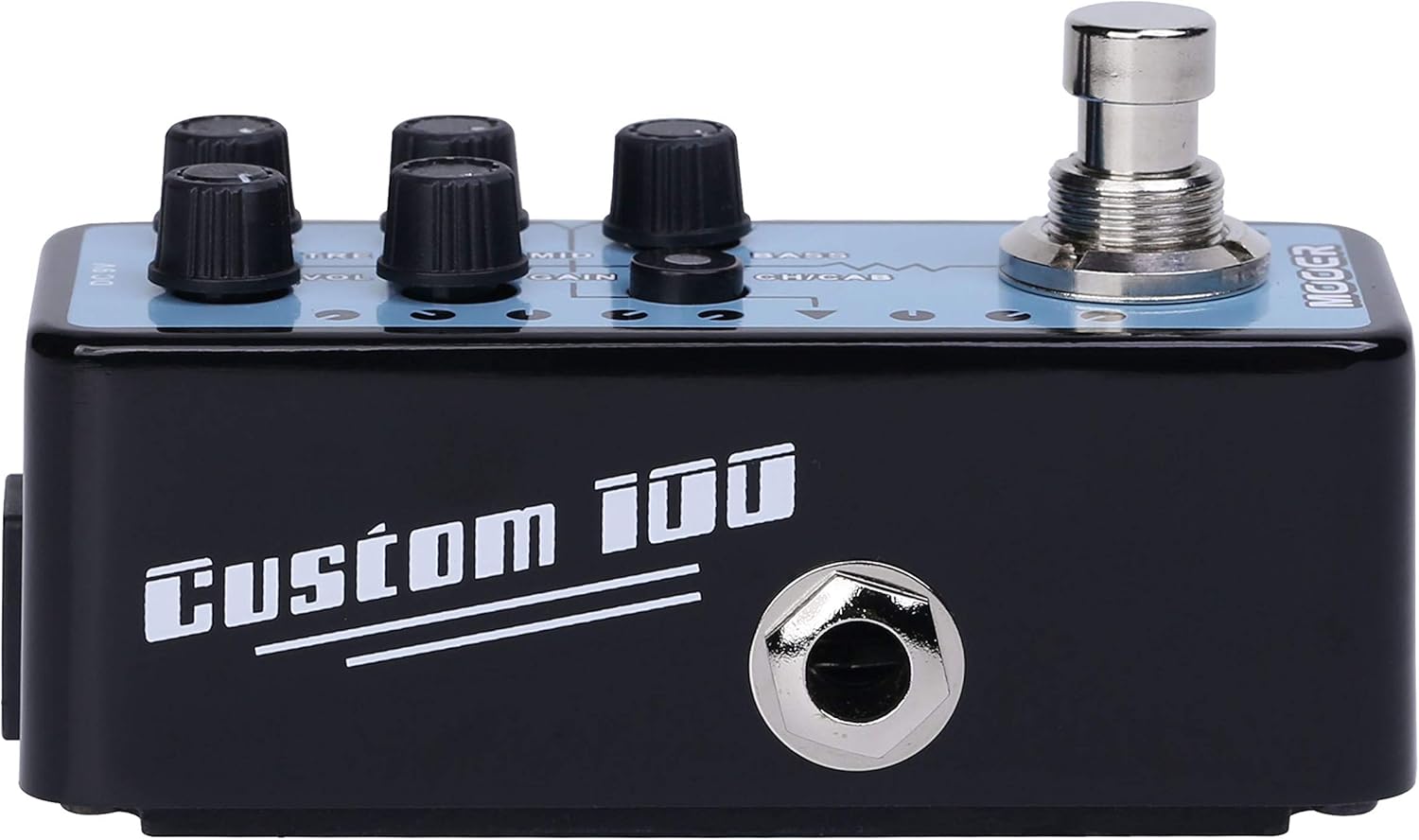
2-сүрөт: Каптал view of the MOOER Micro Preamp 18 Custom 100, illustrating the 1/4" input and output jacks.
Башкаруу каражаттары:
- VOL (Көлөмү): Алдын ала жалпы чыгаруу деңгээлин тууралайтamp.
- TRE (Treble): Жогорку жыштыктагы жоопту көзөмөлдөйт.
- MID (Middle): Орто диапазондогу жыштык жообун тууралайт.
- УТУШ: Ашыкча жүктөө/бурмалоо көлөмүн көзөмөлдөйт.
- Бас: Төмөн жыштыктагы жоопту тууралайт.
- CH/CAB (Channel/Cabinet Simulation Switch): This switch serves two functions:
- In normal operation, it switches between the two available channels (e.g., Clean and Gain).
- When held down, it toggles the integrated speaker cabinet simulation on or off.
- Бут өчүргүч: Engages or bypasses the pedal.
Байланыштары:
- Input Jack (1/4" / 6.35mm): Гитараңызды же башка аспапты бул жерге туташтырыңыз.
- Output Jack (1/4" / 6.35mm): Сиздин байланышыңыз amplifier, audio interface, or other effects pedals.
- DC 9V киргизүү: Connect a 9V DC power adapter (center negative, 300mA minimum).
- USB 2.0 (Hardware Interface): For firmware updates or potential software integration.
4. Орнотуу жана иштетүү
Баштапкы орнотуу:
- Сиздин камсыз кылуу amplifier and other audio equipment are turned off.
- гитараны туташтырыңыз Киргизүү Jack of the MMPA18.
- туташтыруу Output Jack of the MMPA18 to the input of your ampкөтөргүч же аудио интерфейси.
- 9V туруктуу ток адаптерин (борбордук терс, кеминде 300 мА) туташтырыңыз DC 9V киргизүү.
- Өзүңүздү күйгүзүңүз amplifier and other audio equipment.
Негизги операция:
- Engaging/Bypassing: Press the footswitch to turn the preamp effect on or off. The LED indicator will illuminate when the effect is active.
- Каналды алмаштыруу: баскычын кыскача басыңыз CH/CAB switch to toggle between the two channels (e.g., a clean channel and a gain channel). The LED color or state may change to indicate the active channel.
- Кабинет симуляциясы: басып, кармап туруңуз CH/CAB switch for a few seconds to activate or deactivate the integrated speaker cabinet simulation. This is particularly useful when connecting directly to a mixing console, audio interface, or headphones, providing a more natural, mic'd cabinet sound.
- Үндү тууралоо: колдонуу VOL, TRE, MID, GAIN, жана БАС knobs to sculpt your desired tone. Experiment with different settings for each channel.
5. Техникалык тейлөө
- Тазалоо: Педалды тазалоо үчүн жумшак, кургак чүпүрөктү колдонуңуз. Абразивдүү тазалагычтардан же эриткичтерден качыңыз.
- Сактагыч: Педальды салкын, кургак жерде, күндүн түз нурунан жана өтө жогорку температурадан алыс сактаңыз.
- Электр камсыздоо: Always use a compatible 9V DC (center negative) power supply with a minimum of 300mA. Using an incorrect power supply can damage the unit and void the warranty.
- Байланыштары: Бардык кабелдердин туташууларынын эскиргендигин жана бузулгандыгын мезгил-мезгили менен текшерип туруңуз. Домкраттар чаң жана таштандылардан тазалангандыгын текшериңиз.
6. Кыйынчылыктарды
- Үн жок:
- Бардык кабелдик туташууларды текшериңиз (гитара, педаль, ж. amplifier, power supply).
- Ensure the power supply is correctly connected and providing power.
- Verify the pedal is engaged (LED illuminated).
- Check the volume settings on the pedal and your ampөмүрлүү.
- Poor Sound Quality / Excessive Noise:
- Бардык кабелдердин жакшы абалда экенин жана тийиштүү түрдө корголгонун текшериңиз.
- Try a different power supply to rule out power-related noise.
- Adjust the GAIN knob; very high gain settings can introduce noise.
- If using the cabinet simulation, ensure it is appropriate for your output device.
- Ensure the pedal is not placed too close to power transformers or other sources of electromagnetic interference.
- Pedal Not Responding:
- Электр менен камсыздоону ажыратып, кайра туташтырыңыз.
- If issues persist, contact MOOER support.
- Ашыкча ысып кетүү: While normal operation may cause some warmth, excessive heat could indicate an issue. Ensure proper ventilation and use the correct power supply. If the pedal becomes unusually hot, discontinue use and contact support.
7. Техникалык шарттар
| Спецификация | Нарк |
|---|---|
| Модель номери | MMPA18 |
| Элемент Салмагы | 5.8 унция (165 грамм) |
| Продукциянын өлчөмдөрү | 3.54 x 3.54 x 3.54 дюйм |
| Шайкеш түзмөктөр | Musical Instrument(s) |
| Туташтыргыч түрү | 1/4" (6.35 мм) домкрат, 1/8" (3.5 мм) домкрат |
| Аппараттык интерфейс | USB 2.0 |
| Сигнал форматы | Санарип |
| Чыгуу Wattage | 100 Ватт |
| Power Source | AC адаптер |
| Тtage | 9 вольт |
| Бренд | MOOER |
| Түс | Mehrfarbig |
8. Кепилдик жана колдоо
MOOER products are designed for reliability and performance. For specific warranty information, please refer to the warranty card included with your product or visit the official MOOER website. In case of any issues or technical support needs, please contact MOOER customer service through their official channels.
Кошумча жардам алуу үчүн, сиз иш сапары менен болот MOOER Store on Amazon.


