1. Киришүү
Сатып алганыңыз үчүн рахматasing the lightmaXX Nano PAR FX 3x 4 W LED RGBW. This compact and powerful LED PAR spot is designed for various lighting applications, offering vibrant RGBW color mixing and dynamic strobe effects. This manual provides essential information for safe operation, setup, and maintenance of your device. Please read it thoroughly before use.
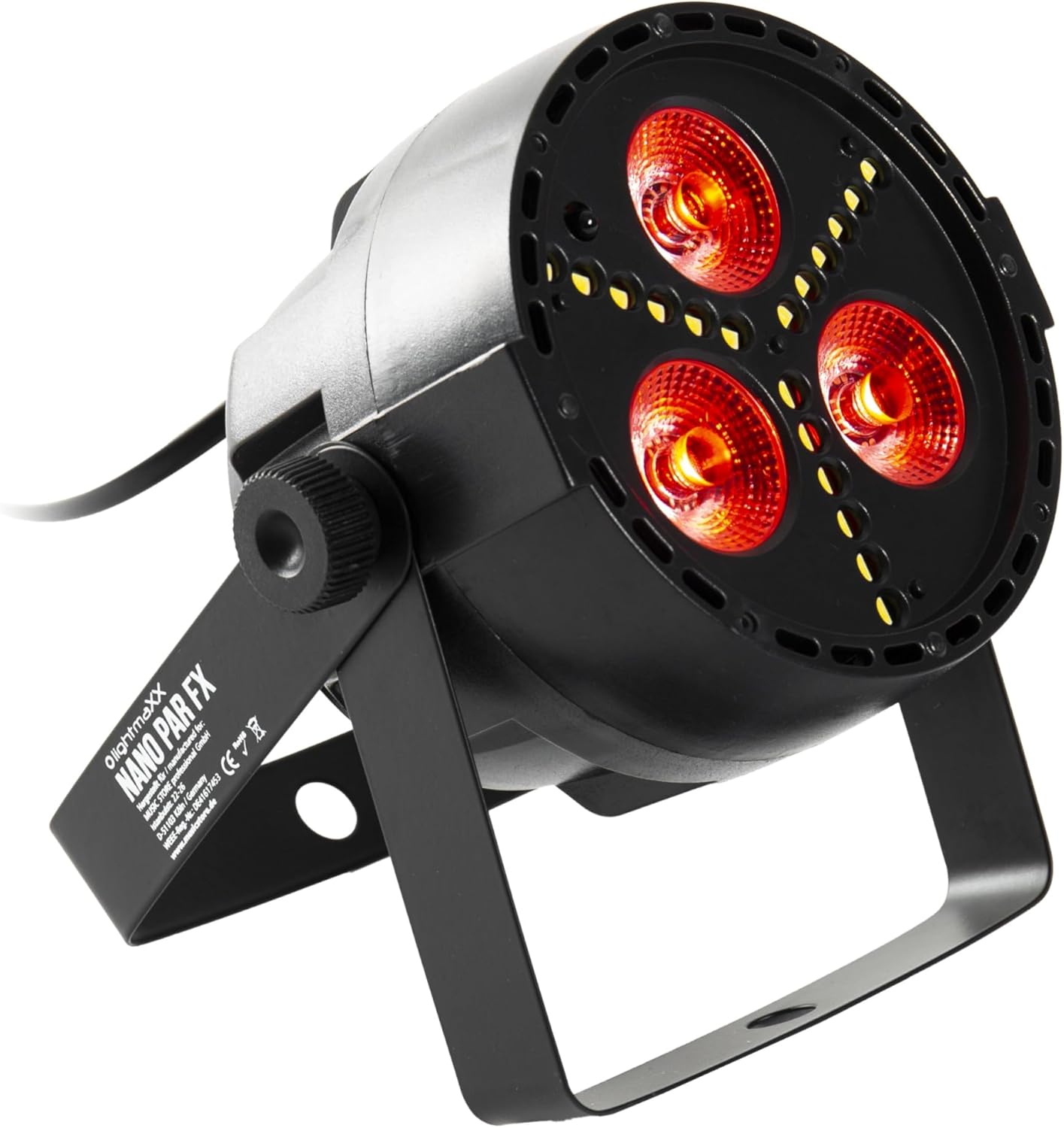
Figure 1: lightmaXX Nano PAR FX LED PAR Spot
2. Коопсуздук нускамалары
To ensure safe operation, please observe the following safety instructions:
- Электр камсыздоо: Connect the device only to a grounded power outlet with the correct voltage (230V AC).
- Вентиляция: Агрегаттын айланасында жетиштүү желдетүүнү камсыз кылыңыз. Вентиляция тешиктерин жаап албаңыз.
- Нымдуулук: Do not expose the device to rain or moisture. Do not use it in damp чөйрөлөр.
- Температура: Operate the device within the specified temperature range. Avoid extreme heat or cold.
- Колдонуу: Аппаратты этияттык менен колдонуңуз. Аны түшүрүүдөн же катуу таасирлерге дуушар кылуудан алыс болуңуз.
- Тейлөө: Refer all servicing to qualified service personnel. Do not attempt to repair the unit yourself.
- Жарык чыгаруу: Avoid looking directly into the light source, as it can cause eye damage.
3. Орнотуу
3.1 Физикалык жайгаштыруу
The lightmaXX Nano PAR FX is designed as a floor spot but can also be mounted using its adjustable bracket. Ensure the mounting surface or location is stable and can support the weight of the fixture. Allow sufficient space around the unit for proper ventilation.
3.2 Байланыштар
Connect the power cable to a suitable power outlet. For DMX control, connect a DMX cable from your DMX controller to the DMX IN port of the fixture. If linking multiple units, connect a DMX cable from the DMX OUT port of the first fixture to the DMX IN port of the next, and so on.

Figure 2: Rear panel with DMX ports and control display
4. Иштөө нускамалары
4.1 Башкаруу панели
The rear panel features a digital display and four control buttons: MENU, UP, DOWN, and ENTER. These buttons allow you to navigate through the settings and select various operating modes.
- МЕНЮ: Негизги меню параметрлери аркылуу жылдыруу үчүн басыңыз.
- Өйдө: Increases values or moves up in menu options.
- ТӨМӨН: Decreases values or moves down in menu options.
- КИРҮҮ: Тандоону ырастайт же субменюга кирет.
4.2 Алыстан башкаруу
The lightmaXX Nano PAR FX comes with an infrared (IR) remote control for convenient operation. Ensure there is a clear line of sight between the remote and the fixture's IR receiver.

Figure 3: Product with Remote Control
4.3 Иштөө режимдери
The fixture offers several built-in operating modes, accessible via the control panel or remote:
- Авто режим: Cycles through pre-programmed light shows automatically.
- Үн режими: Орнотулган микрофон аркылуу музыкага же үнгө реакция кылат.
- Секирүү режими: Changes colors abruptly.
- Өнүгүү режими: Түстөрдүн ортосунда жылмакай өтүү.
- Strobe режими: Produces a flashing light effect.
4.4 Color Mixing
The Nano PAR FX features RGBW LEDs, allowing for a wide spectrum of colors. You can select individual colors or mix them to create custom hues using the remote control or DMX.

4-сүрөт: Мисamples of color outputs

Red Light Output

Green Light Output
4.5 DMX операциясы
For professional control, the Nano PAR FX can be operated via DMX512. Set the DMX address using the control panel. Consult the DMX channel chart (typically found in a separate DMX manual or product sheet) for specific channel assignments for color, dimming, strobe, and mode control.
5. Техникалык тейлөө
5.1 Тазалоо
Regular cleaning helps maintain optimal performance and extends the lifespan of your fixture.
- Тазалоодон мурун электрди өчүрүңүз.
- Use a soft, lint-free cloth to wipe the exterior.
- Линзалар үчүн, чийилип калбашы үчүн атайын линза тазалагычты жана жумшак чүпүрөктү колдонуңуз.
- Абразивдүү тазалагычтарды же эриткичтерди колдонбоңуз.
5.2 Сактоо
Колдонулбаган учурда, арматураны кургак, чаңы жок чөйрөдө, эң жакшысы баштапкы таңгагында же коргоочу кутусунда сактаңыз.
6. Кыйынчылыктарды
| Көйгөй | Мүмкүн себеп | Чечим |
|---|---|---|
| Күч жок | Power cable disconnected; no power from outlet; faulty fuse. | Check power cable connection; test outlet; replace fuse if necessary. |
| Жарык чыгаруу жок | Fixture in standby; incorrect mode selected; DMX signal issue. | Check power and mode settings; verify DMX connection and address. |
| Пульт иштебей жатат | Battery low/dead; IR receiver blocked; too far from fixture. | Replace battery; ensure clear line of sight; move closer to fixture. |
| DMX башкаруу маселелери | Туура эмес DMX дареги; DMX кабели бузук; DMX контроллеринде көйгөй бар. | Verify DMX address; test DMX cable; check DMX controller. |
7. Техникалык шарттар
| Өзгөчөлүк | Спецификация |
|---|---|
| Бренд | lightmaXX |
| Өндүрүүчү | lightmaXX |
| Модель номери | LIG0015652-000 |
| Продукциянын өлчөмдөрү (L x W x Y) | 12.9 x 12.9 x 12.8 см |
| Элемент Салмагы | 620 грамм |
| Стиль | Заманбап |
| Түс | Black (fixture), RGBW (light output) |
| Максималдуу Уоттс | 20 Ватт |
| Тtage | 230 вольт (AC) |
| Лампанын түрү | Жарык чыгаруучу диод (LED) |
| Жарык булагы түрү | Diode électroluminescente (LED) |
8. Кепилдик жана колдоо
This product is subject to the standard return policy of 30 days from the date of purchase. For technical support, service, or warranty inquiries, please contact your retailer or the lightmaXX customer service department. Please have your model number (LIG0015652-000) and proof of purchase ready when contacting support.


