1. Киришүү
The Elekpia Universal Remote Control is a direct replacement remote designed for compatibility with a vast array of Toshiba LCD, LED, 3D, HDTV, 4K UHD, and Smart TV models. This remote requires no programming or pairing; simply insert batteries, and it is ready for immediate use.
It is compatible with many original Toshiba remote models, including CT-90325, CT-90326, CT-90329, CT-8037, CT-90302, CT-90275, CT-90366, and more.
2. Орнотуу
To begin using your new universal remote control, follow these simple steps:
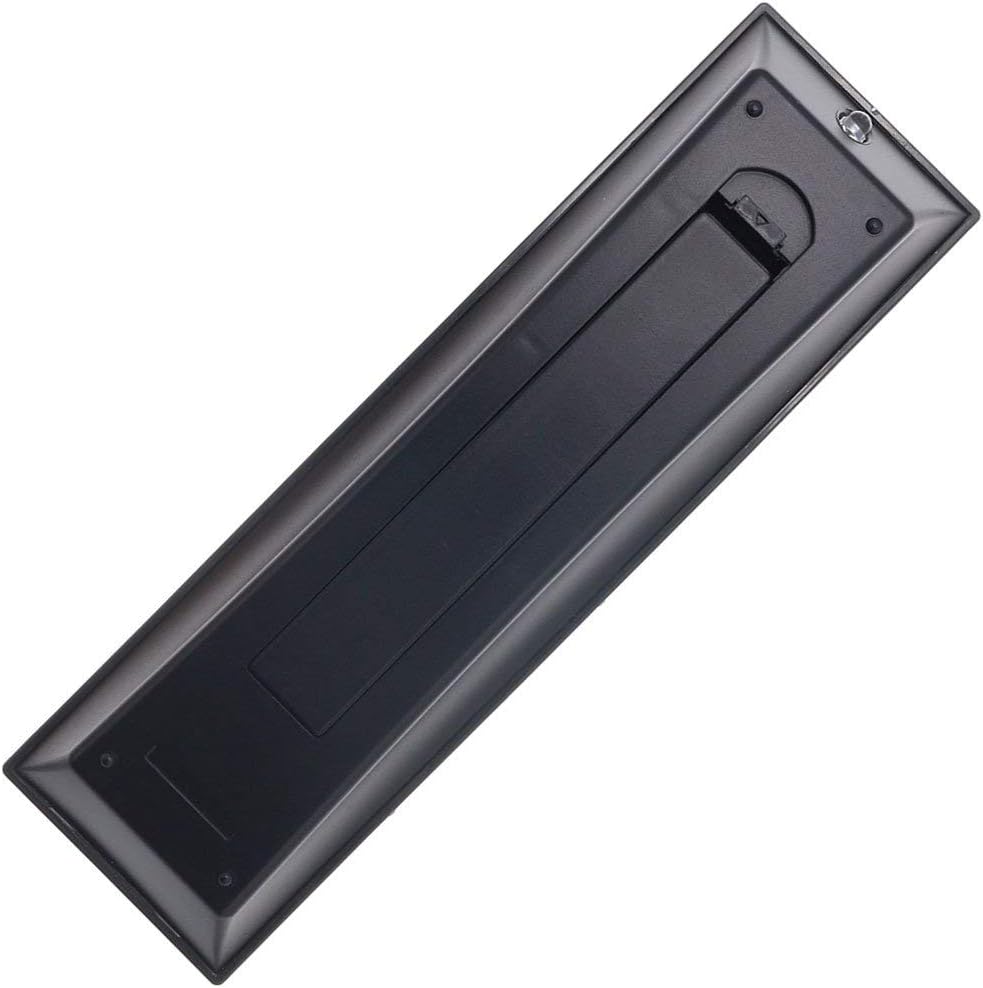
- Батарея орнотуу: Locate the battery compartment on the back of the remote control. Slide the battery cover downwards to open it. Insert two new AAA batteries (not included), ensuring the positive (+) and negative (-) terminals align correctly with the indicators inside the compartment. Close the battery cover by sliding it back into place until it clicks securely.
- Колдонууга даяр: Once batteries are installed, the remote is ready for immediate operation with your compatible Toshiba TV. No additional programming, pairing, or code entry is required.

3. Иштөө нускамалары
The Elekpia Universal Remote Control features a standard layout for easy navigation and control of your Toshiba television. Below is a guide to the primary functions:
- Кубат баскычы (ⓘ): Located at the top right, press to turn the TV on or off.
- Киргизүү баскычы: Cycles through available video input sources (HDMI, AV, Component, etc.).
- Number Buttons (0-9, 100, FAV): Used for direct channel selection. The "100" button may be used for three-digit channel numbers, and "FAV" for favorite channels if configured on your TV.
- Үндү көзөмөлдөө (VOL +/-): Аудионун үнүн жогорулатат же азайтат.
- Каналды башкаруу (CH +/-): Телеканалды өйдө же ылдый өзгөртөт.
- Үнсүз баскычы: Silences the TV audio. Press again to restore sound.
- Навигация панели (Жогору, Төмөн, Сол, Оң, ENTER): Used to navigate menus, select options, and confirm choices.
- Меню баскычы: Accesses the TV's main menu for settings and adjustments.
- Артка баскычы: Мурунку экранга же менюга кайтат.
- Чыгуу баскычы: Учурдагы менюдан же функциядан чыгат.
- Playback Controls (EJECT, PAUSE/STEP, PLAY, STOP, SKIP, REW, FF): These buttons control media playback functions for connected devices (e.g., DVD player, USB drive) if supported by your TV.
- Маалымат баскычы: Учурдагы программа же киргизүү жөнүндө маалыматты көрсөтөт.
- C.CAPTION Button: Жабык коштомо жазууларды күйгүзөт же өчүрөт.
- ЧАКЫРУУ баскычы: Switches between the current and previously viewed каналы.
- CH RTN Button: Мурунку каналга кайтат.
- PIC MODE / PIC SIZE: Adjusts picture mode and aspect ratio settings.
- SLEEP / FREEZE: Sleep timer and freeze frame functions, if supported by your TV.
4. Техникалык тейлөө
Proper care and maintenance will extend the life of your remote control:
- Тазалоо: Пультту жумшак, кургак чүпүрөк менен сүртүңүз. өжөр кир үчүн, бир аз гampкездемени суу же жумшак, абразивдүү эмес тазалоочу каражат менен сүртүңүз. Катуу химиялык заттарды же абразивдүү материалдарды колдонбоңуз.
- Батареяны алмаштыруу: Пульттун жообу солгундап же иштебей калганда батарейкаларды алмаштырыңыз. Ар дайым эки батарейканы бир убакта бир түрдөгү (AAA) жаңысына алмаштырыңыз. Эгер пульттун агып кетишинин алдын алуу үчүн узак убакыт бою колдонулбай турган болсо, батарейкаларды алып салыңыз.
- Сактагыч: Пультту салкын, кургак жерде, күндүн түз тийген нурунан, өтө жогорку температурадан жана жогорку нымдуулуктан алыс сактаңыз.
- Тамчылардан качуу: Пультти физикалык таасирден коргоңуз, анткени тамчылар ички компоненттерге зыян келтириши мүмкүн.
5. Кыйынчылыктарды
Эгер сиз алыстан башкарууңузда көйгөйлөргө туш болсоңуз, төмөнкү жалпы чечимдерди караңыз:
| Көйгөй | Мүмкүн себеп | Чечим |
|---|---|---|
| Пульт такыр иштебейт. | Батареялар түгөнүп калган же туура эмес салынган. Пульт менен телевизордун ортосундагы тоскоолдук. | Check battery polarity and replace with fresh AAA batteries. Ensure a clear line of sight to the TV's IR receiver. |
| Кээ бир баскычтар жооп бербей жатат. | Low battery power. Button malfunction. | Replace batteries. If issue persists, the button may be faulty. |
| Алыстан башкаруу үзгүлтүксүз иштейт. | Батареялар начар. Интерференция. | Replace batteries. Remove any potential sources of infrared interference (e.g., strong lights). |
| Remote does not control my TV. | TV is not a compatible Toshiba model. | Verify your TV is a Toshiba brand and model listed as compatible in the product description. This remote is specifically designed for Toshiba TVs. |
6. Техникалык шарттар
- Бренд: Elekpia
- Модель номери: КТ-90325
- Шайкеш түзмөктөр: Toshiba Televisions (LCD, LED, 3D, HDTV, 4K UHD, Smart TV)
- Кубат булагы: 2 x AAA Батареялар (киргизилген эмес)
- Түсү: Кара
- Продукциянын өлчөмдөрү: 6 x 1.8 x 0.7 дюйм (болжол менен)
- Элемент Салмагы: 2.71 унция (болжол менен)
- Өзгөчө өзгөчөлүгү: Universal replacement for specified Toshiba TV remotes; No programming required.
7. Кепилдик жана колдоо
For information regarding warranty coverage or technical support, please refer to the documentation provided with your purchase or contact the manufacturer directly. This remote is designed for straightforward plug-and-play operation, and most issues can be resolved by following the troubleshooting steps outlined in this manual.


