Introduction
This manual provides essential information for the setup, operation, and maintenance of your LG 27UL850-W 27 Inch UltraFine UHD (3840 x 2160) IPS Display. This monitor features VESA DisplayHDR 400 and versatile USB Type-C connectivity, offering superior color control and a wide viewing angle. Please read this manual thoroughly before using the product to ensure proper and safe operation.
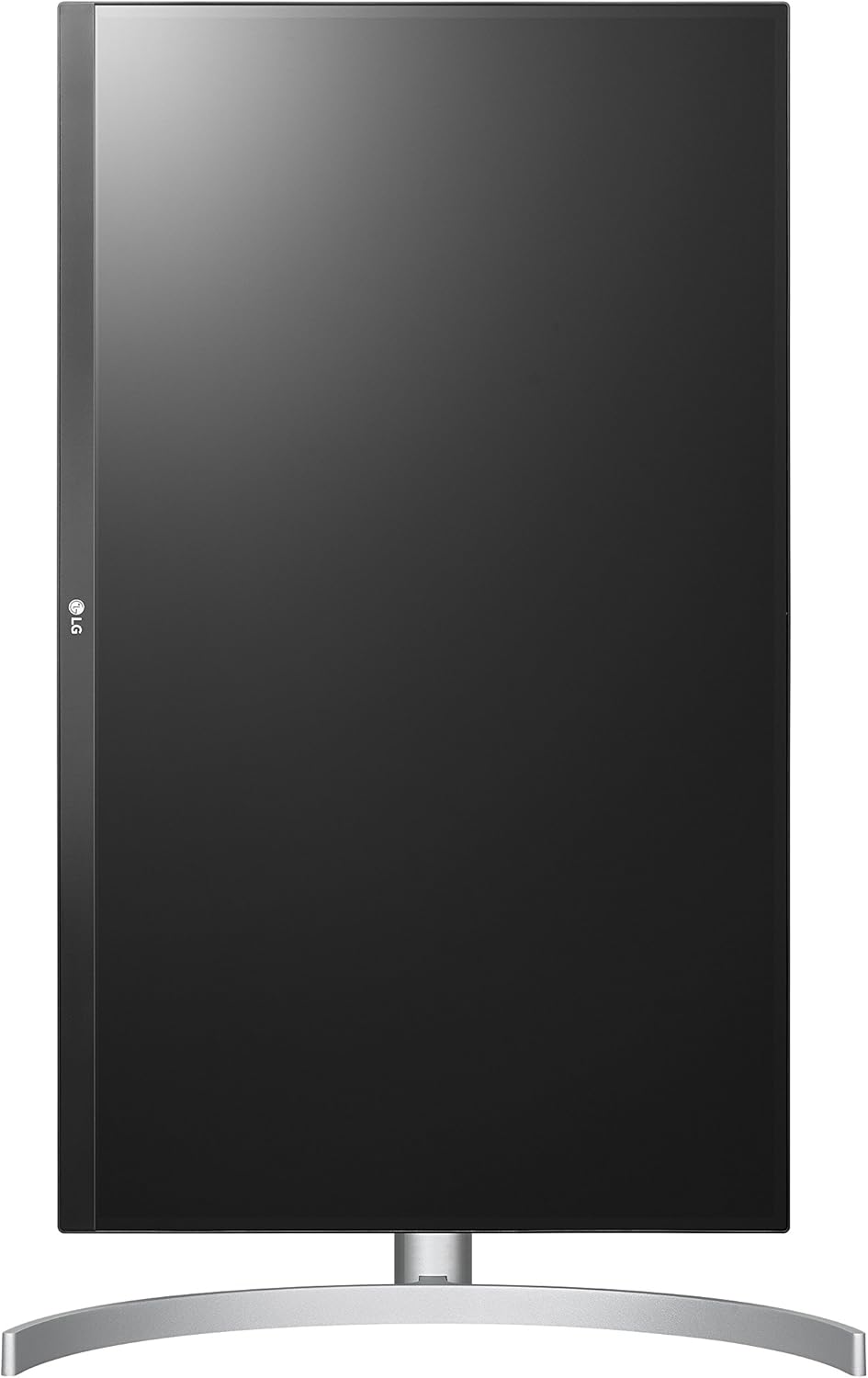
Сүрөт 1: Алдыңкы view LG 27UL850-W мониторунун.
Кутуда эмне бар
Пакетте бардык компоненттер бар экенин текшериңиз:
- Монитор
- Тирөөч (негизги жана моюн)
- User Manual
- HDMI кабели
- DisplayPort кабели
- USB Type-C кабели
- Электр кабели
Жайгашуу
1. Стендди чогултуу
Attach the stand base to the stand neck, then secure the assembled stand to the monitor panel. Ensure all connections are firm.

2-сүрөт: Каптал view illustrating the monitor's height adjustment.
2. Туташтыруучу кабельдер
Connect the appropriate cables from your computer or device to the monitor's input ports. The monitor supports HDMI, DisplayPort, and USB Type-C connections.
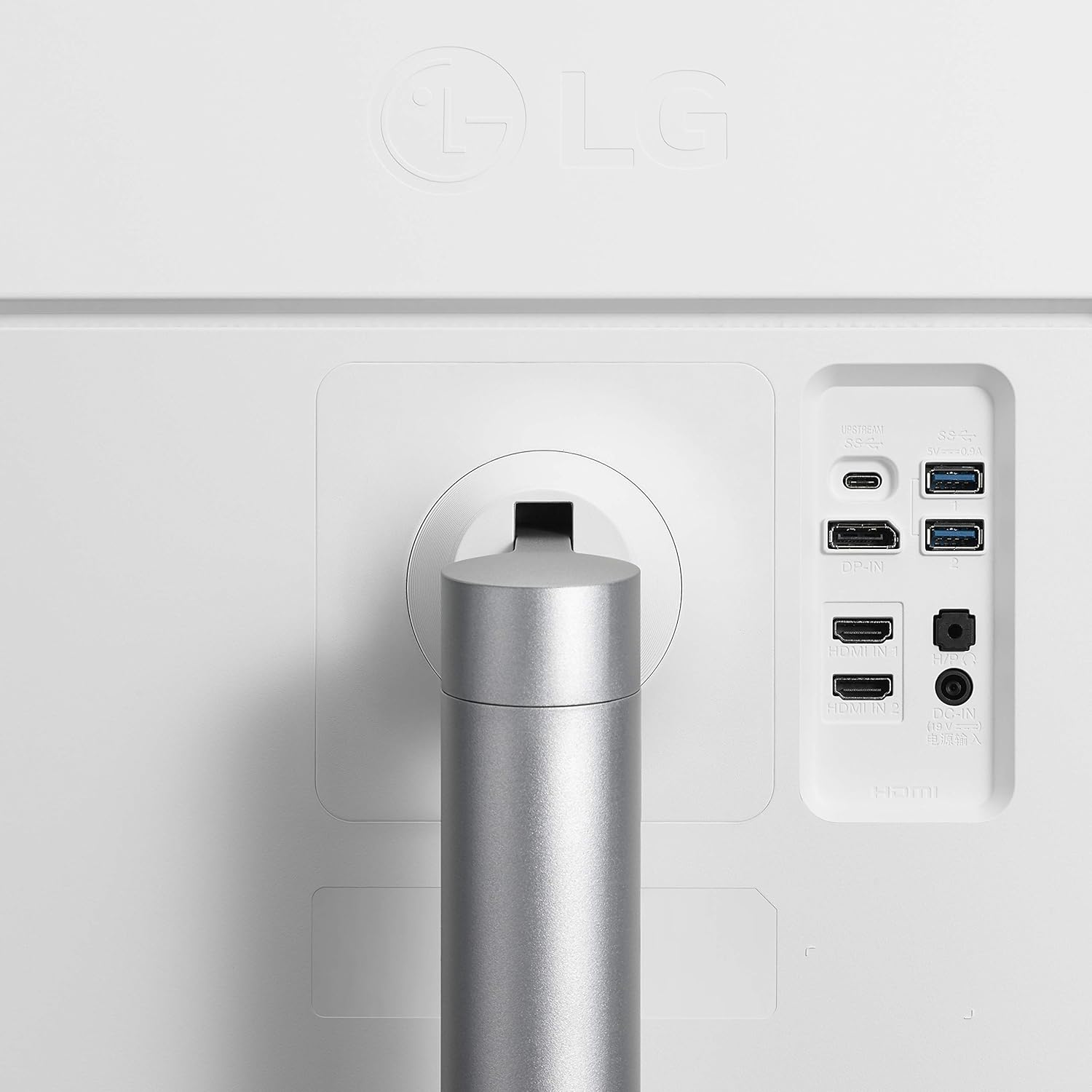
3-сүрөт: Арткы view жеткиликтүү порттору менен монитордун.
3. Күйгүзүү
Connect the power cable to the monitor and a power outlet. Press the power button (often a joystick-style button located at the bottom center of the monitor) to turn on the display.
Мониторду иштетүү
Экрандагы дисплейди (OSD) башкаруу элементтери
The monitor features a joystick button, typically located at the bottom center, for navigating the On-Screen Display (OSD) menu. This allows you to adjust various settings such as brightness, contrast, picture mode, input source, and volume.
Дисплей тууралоолору
- Бийиктигин тууралоо: The stand allows for vertical adjustment to optimize viewсооронуч.
- Пивот функциясы: The monitor can be rotated to a portrait orientation, useful for document viewing or coding.
- Эңкейүүнү тууралоо: Adjust the screen's vertical angle to reduce glare and improve visibility.

Figure 4: Monitor in portrait orientation.
USB Type-C туташуу
The USB Type-C port provides a single-cable solution for 4K video display, data transfer, and charging for compatible laptops and mobile devices.
Техникалык тейлөө
To maintain the performance and appearance of your monitor:
- Экранды жумшак, түксүз чүпүрөк менен тазалаңыз. Катуу химиялык заттардан алыс болуңуз.
- Wipe the exterior surfaces with a slightly damp кездеме.
- Ашыкча ысып кетүүнүн алдын алуу үчүн монитордун айланасында туура желдетүүнү камсыз кылыңыз.
Проблемаларды чечүү
If you encounter issues with your monitor, consider the following common solutions:
- Кубат жок: Электр кабели мониторго да, электр розеткасына да бекем туташтырылганын текшериңиз.
- Сигнал жок: Verify that the video input cable (HDMI, DisplayPort, USB-C) is correctly connected to both the monitor and your device. Ensure the correct input source is selected in the OSD menu.
- Жаркылдаган/Бурмаланган сүрөт: Check cable connections. Try a different cable or input port. Ensure your graphics card drivers are up to date.
- Үн жок: Adjust the volume via the OSD menu or your connected device. Check headphone connections if applicable.
For more detailed troubleshooting, refer to the full user manual or LG's official support resources.
Техникалык шарттар
| Өзгөчөлүк | Спецификация |
|---|---|
| Бренд | LG |
| Модель номери | 27UL850-W |
| Screen Size | 27 дюйм |
| Резолюция | 4K UHD 2160p (3840 x 2160 пиксел) |
| Дисплей түрү | IPS диоддору |
| Жаңыртуу ылдамдыгы | 61 Гц |
| Жооп убактысы | 5 Миллисекунд |
| Жарыктык | Бир чарчы метрге 400 Кандела |
| Контраст катышы | 1000: 1 (тип.) |
| Түс гаммасы | куйаара 99% |
| Viewбурч | 178 градус |
| Байланыш технологиясы | HDMI / USB Type-C / DisplayPort / Headphone Out / USB Down-stream |
| HDMI портторунун жалпы саны | 2 |
| Жалпы USB порттору | 3 |
| Adaptive Sync | FreeSync Premium, G-Sync Compatible |
| Элемент Салмагы | 13.45 фунт |
| Элементтин өлчөмдөрү (D x W x Y) | 8.2"D x 27.2"W x 19.4"H |
Кепилдик жана колдоо
This LG monitor comes with a Limited Warranty: 1 Year Parts & Labor. For further assistance, technical support, or warranty claims, please refer to the contact information provided in your product packaging or visit the official LG Electronics webсайт.