1. Киришүү
This manual provides essential information for the proper setup, operation, maintenance, and troubleshooting of your ASUS ROG G703GX-XS71 gaming laptop. Please read this guide thoroughly to ensure optimal performance and longevity of your device.
Пакеттин мазмуну
- ASUS ROG G703GX-XS71 Gaming Laptop
- Power Adapter(s) & Cord(s)
- Кепилдик картасы
- Колдонуучунун Колдонмосу (бул документ)
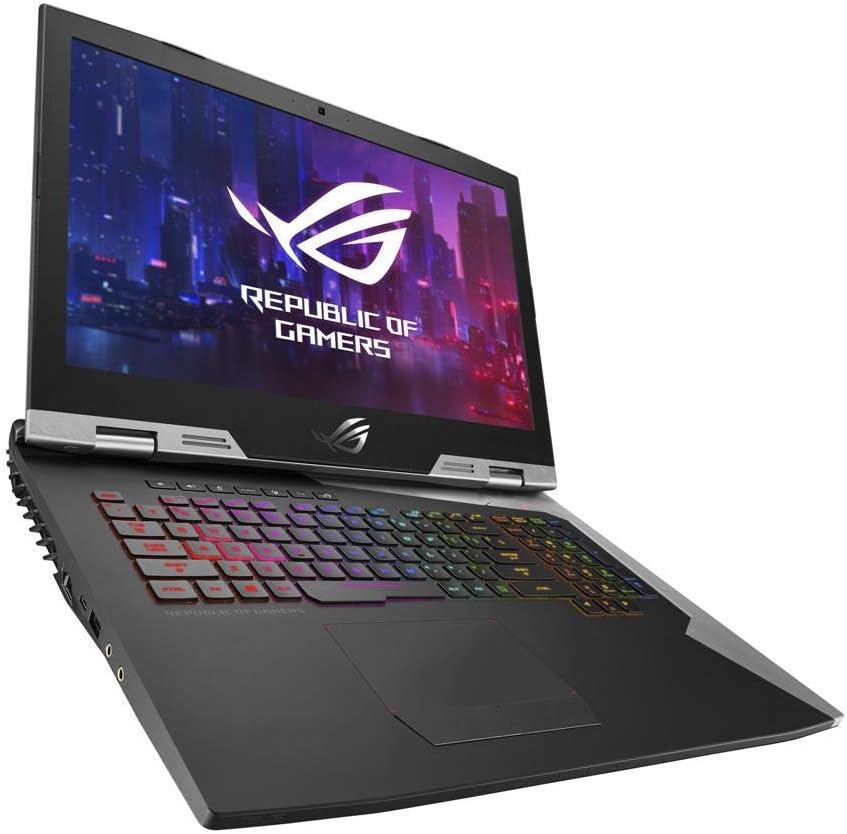
Figure 1.1: ASUS ROG G703GX-XS71 Gaming Laptop. This image displays the laptop with its lid open, showcasing the 17.3-inch display and the customizable RGB backlit keyboard.
2. Орнотуу
Follow these steps for the initial setup of your ASUS ROG G703GX-XS71 gaming laptop.
2.1 Кубатты туташтыруу
- Connect the power cord(s) to the AC adapter(s).
- Plug the AC adapter(s) into the power input port(s) on the laptop. Note that this model typically requires two power adapters for full performance.
- Plug the power cord(s) into a grounded electrical outlet.
2.2 Баштапкы жүктөө
- Ноутбуктун капкагын ачыңыз.
- Баскычтоптун палубасында жайгашкан кубат баскычын басыңыз.
- Windows 10 Pro орнотууну аяктоо үчүн экрандагы көрсөтмөлөрдү аткарыңыз.
2.3 Перифериялык түзүлүштөрдү туташтыруу
Utilize the available ports to connect external devices such as a mouse, keyboard, or external display.

2.1-сүрөт: Арткы view of the ASUS ROG G703GX-XS71. This image highlights the various ports located at the back of the laptop, including power inputs, Mini DisplayPort, and HDMI.
- USB порттору: Connect USB devices like external drives, mice, or keyboards.
- HDMI / Mini DisplayPort: Тышкы мониторлорду же проекторлорду туташтырыңыз.
- Thunderbolt 3: жогорку ылдамдыктагы маалыматтарды берүү жана дисплей чыгаруу үчүн.
- Ethernet порту: Зымдуу тармак туташуусу үчүн.
3. Ноутбугуңузду иштетүү
Familiarize yourself with the key operational features of your gaming laptop.

3.1-сүрөт: жогорудан ылдыйга view of the ASUS ROG G703GX-XS71. This image shows the full keyboard layout, including the numeric keypad, and the large touchpad.
3.1 Баскычтоп жана сенсордук такта
- RGB жарыктандыруу: Customize keyboard backlighting effects through the ASUS Aura Sync software.
- Функция баскычтары (Fn): Use the Fn key in combination with F1-F12 for quick access to system functions like volume control, brightness adjustment, and Wi-Fi toggle.
- Сенсордук такта: Supports multi-touch gestures for navigation. Ensure drivers are updated for optimal performance.
3.2 Дисплейдин өзгөчөлүктөрү
- 144Hz жаңыртуу ылдамдыгы: Provides smoother visuals, especially beneficial for gaming.
- NVIDIA G-SYNC: Synchronizes the display's refresh rate with the GPU's frame rate to eliminate screen tearing and minimize stuttering.
- IPS Type Display: Кеңири сунуш кылат viewбурчтарды жана так түстөрдү чыгаруу.
3.3 Аудио жана байланыш
- Аудио: Adjust volume and sound settings via Windows Sound settings or dedicated function keys.
- Wi-Fi: Connect to wireless networks using the built-in 802.11AC Wi-Fi.
- Bluetooth: Гарнитура же оюн контроллери сыяктуу Bluetooth иштетилген түзмөктөрдү жупташтырыңыз.
4. Техникалык тейлөө
Regular maintenance helps preserve your laptop's performance and appearance.
4.1 Ноутбугуңузду тазалоо
- Сырткы: Бир аз жумшак, түксүз кездемени колдонуңуз dampсуу же жумшак тазалоочу эритме менен эритиңиз. Күчтүү химиялык заттардан алыс болуңуз.
- Экран: Use a microfiber cloth specifically designed for electronics screens. Do not spray liquid directly onto the screen.
- Тешиктер: Оптималдуу аба агымын сактоо жана ысып кетүүнүн алдын алуу үчүн муздатуучу желдеткичтерден мезгил-мезгили менен кысылган абаны колдонуп чаңды тазалап туруңуз.
4.2 Программалык камсыздоону жана драйверди жаңыртуу
- Regularly update your Windows operating system through Windows Update.
- Keep graphics drivers (NVIDIA GeForce RTX 2080) updated by downloading the latest versions from the NVIDIA website or ASUS support page.
- Update other system drivers (chipset, audio, network) from the official ASUS support webсиздин моделиңиз үчүн сайт.
4.3 Батареяга кам көрүү
- Батареянын тез-тез толугу менен зарядсызданышынан алыс болуңуз.
- Ноутбукту узак убакытка сактасаңыз, батареянын болжол менен 50-60% га чейин заряддалганын текшериңиз.
- For prolonged gaming sessions, it is recommended to keep the laptop plugged into both power adapters to ensure stable performance and prevent battery drain.
5. Кыйынчылыктарды
Бул бөлүмдө ноутбукуңузда кездешүүчү жалпы көйгөйлөр каралат.
5.1 Электр энергиясы маселелери
- Ноутбук күйбөйт: Ensure both power adapters are securely connected to the laptop and a working power outlet. Check if the power button lights up.
- Батарея кубатталбай жатат: Verify power adapter connections. Check battery health in Windows settings.
5.2 Дисплей көйгөйлөрү
- Экранда дисплей жок: Connect an external monitor to check if the issue is with the laptop's internal display. Try pressing Fn + F8 (or similar key combination) to cycle display outputs.
- Screen flickering or artifacts: Update your NVIDIA graphics drivers. Ensure the laptop is not overheating.
5.3 Ишти аткаруу маселелери
- Жай аткаруу: Close unnecessary background applications. Check for malware. Ensure sufficient free storage space.
- Ашыкча ысып кетүү: Clean cooling vents. Ensure the laptop is on a hard, flat surface to allow proper airflow. Consider using a cooling pad.
5.4 Тармакка туташуу
- Wi-Fi туташпай жатат: Check if Wi-Fi is enabled (Fn + F2 or similar). Restart your router and laptop. Update Wi-Fi drivers.
- Bluetooth түзмөгү жупташкан жок: Ensure Bluetooth is enabled. Put the device in pairing mode. Remove and re-add the device in Windows Bluetooth settings.
6. Техникалык шарттар
Detailed technical specifications for the ASUS ROG G703GX-XS71 gaming laptop.
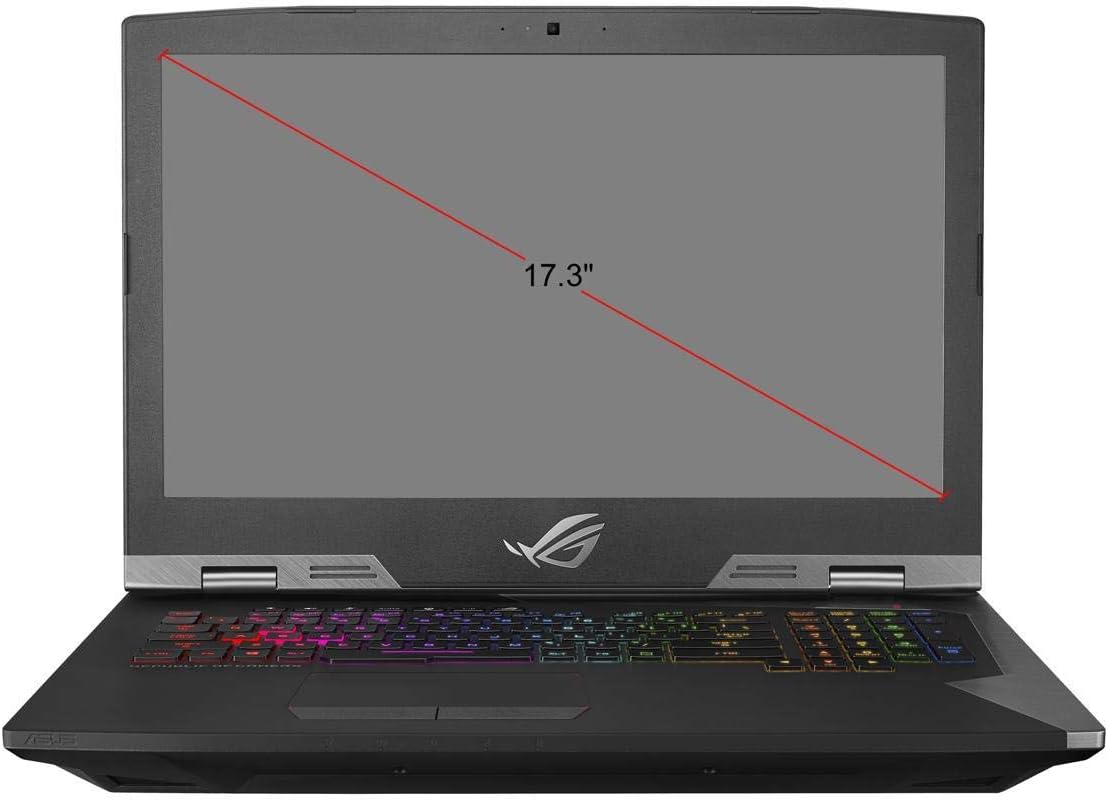
Figure 6.1: Screen size diagram for the ASUS ROG G703GX-XS71. This image illustrates the diagonal measurement of the laptop's 17.3-inch display.
| Өзгөчөлүк | Спецификация |
|---|---|
| Бренд | ASUS |
| Модель аты | ROG G703GX |
| Модель номери | G703GX-XS71 |
| Screen Size | 17.3 дюйм |
| Display Resolution | 1920x1080 пиксел (Толук HD) |
| Дисплей түрү | IPS Type LED with 144Hz, 3ms, G-SYNC |
| CPU модели | Intel Core i7-8750H Hexa-Core |
| Процессордун ылдамдыгы | 3.9 GHz (up to 4.1 GHz Max) |
| Орнотулган RAM эс тутуму | 16 GB DDR4 2666MHz (Expandable to 64 GB) |
| Графикалык сопроцессор | NVIDIA GeForce RTX 2080 8 ГБ GDDR6 |
| Катуу диск | 512GB PCIe SSD + 1TB FireCuda SSHD |
| Операция системасы | Windows 10 Pro |
| Зымсыз байланыш | Gigabit 802.11AC Wi-Fi, Bluetooth 5.0 |
| Порттар | Thunderbolt 3, Mini DisplayPort 1.3, HDMI 2.0, USB 3.0 (x3), Ethernet, Audio Jacks |
| Элемент Салмагы | 10.4 фунт |
| Батарея клеткасынын түрү | Литий ион |
7. Кепилдик жана колдоо
Your ASUS ROG G703GX-XS71 gaming laptop comes with a limited warranty.
7.1 Кепилдик маалыматы
Бул продукт менен капталган 1 жылдык чектелген кепилдик from the date of purchase. Please refer to the included Warranty Card for detailed terms and conditions, including coverage specifics and exclusions.
7.2 Техникалык колдоо
For technical assistance, driver downloads, or further troubleshooting not covered in this manual, please visit the official ASUS support webсайт:
When contacting support, please have your laptop's serial number and model number (G703GX-XS71) readily available.