Introduction
This manual provides instructions for the setup, operation, and maintenance of your LG 32QN600-B QHD 32-inch IPS monitor. Please read this manual thoroughly before operating your device to ensure safe and optimal performance. Keep this manual for future reference.
Маанилүү коопсуздук маалыматы
Өрт, электр шок жана адамдардын жаракат алуу коркунучун азайтуу үчүн бул продуктуну колдонууда ар дайым негизги коопсуздук чараларын сактаңыз. Бул төмөнкүлөрдү камтыйт, бирок алар менен чектелбейт:
- Желдетүүчү тешиктерди жаппаңыз.
- Эч кандай жылуулук булактарына жакын орнотпоңуз.
- Электр шнурын басуудан же кысып калуудан сактаңыз.
- Өндүрүүчү тарабынан көрсөтүлгөн тиркемелерди/аксессуарларды гана колдонуңуз.
- Бардык тейлөөлөрдү квалификациялуу тейлөө кызматкерлерине тапшырыңыз.
Жайгашуу
1. таңгактан чыгаруу
Carefully remove all components from the packaging. Ensure all parts listed in the packing list are present and undamaged. Keep packaging materials for future transport or return.
2. Stand Assembly / Wall Mounting
The monitor can be set up using its adjustable Edge-ArcLine stand or mounted to a wall using a VESA compatible mount (100 x 100 mm). Follow the instructions provided with the stand or wall mount kit for proper assembly.

Сүрөт: Арткы view of the LG 32QN600-B monitor with its Edge-ArcLine stand attached. The stand provides stability and allows for tilt and height adjustments.
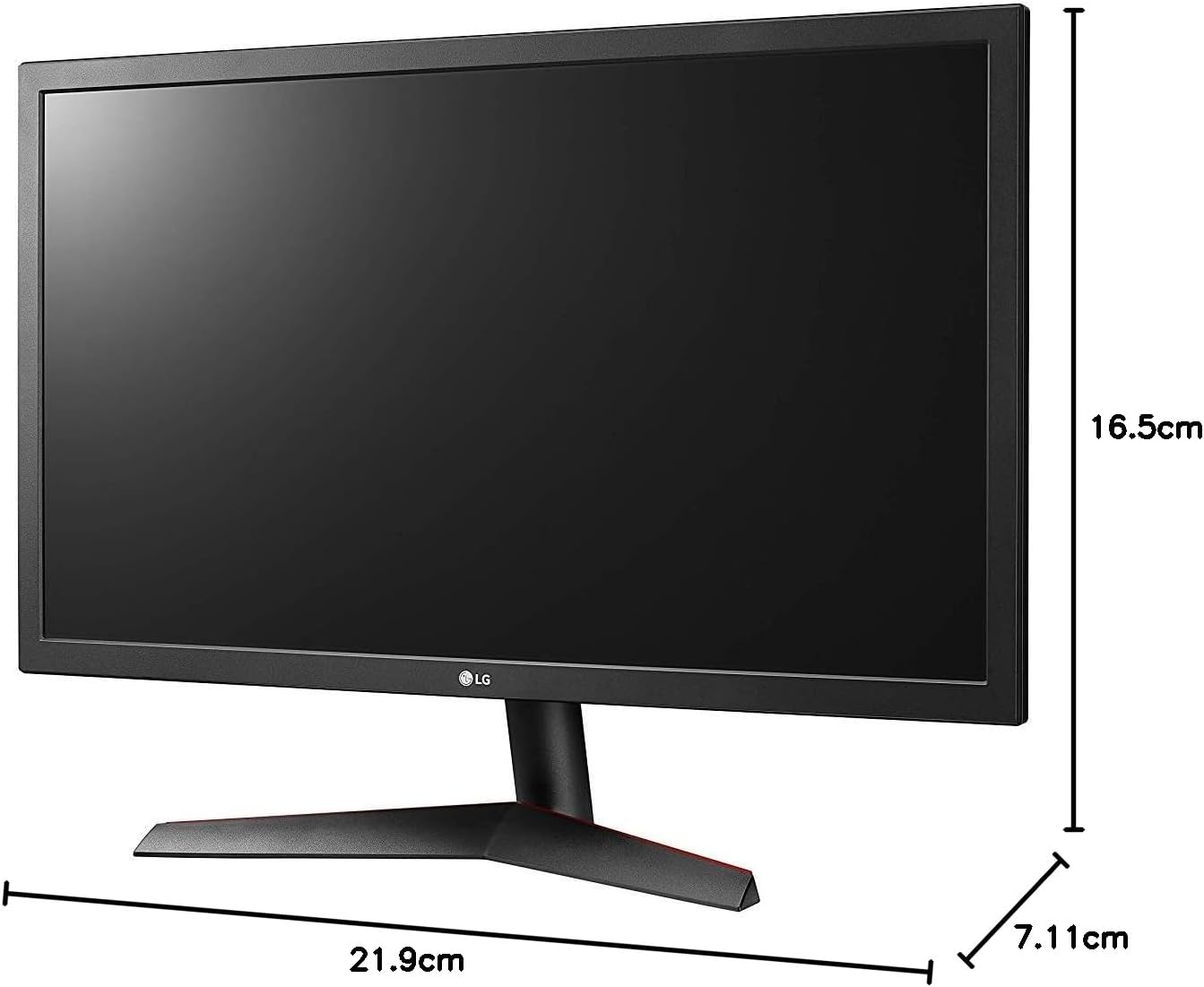
Image: Diagram illustrating the approximate dimensions of a similar LG monitor, showing width, height, and depth. Note: Specific dimensions for the 32QN600-B model are not provided in the available data.
3. Компьютерге туташуу
Connect the monitor to your computer using one of the following cable types. Ensure the monitor and computer are powered off before making connections.
- HDMI туташуу: Use an HDMI cable to connect the monitor's HDMI port to the HDMI port on your computer's graphics card. This monitor supports 2 HDMI inputs.
- DisplayPort туташуу: Use a DisplayPort cable to connect the monitor's DisplayPort to the DisplayPort on your computer's graphics card. This monitor supports 1 DisplayPort input.

Image: Close-up of the rear panel of the LG 32QN600-B monitor, displaying the available input ports including HDMI and DisplayPort connections.
4. Power Connection
Кубат адаптерин монитордун кубат кирүүчүсүнө туташтырыңыз, андан кийин кубат шнурын розеткага сайыңыз.
Мониторду иштетүү
1. Күйгүзүү/өчүрүү

Сүрөт: алдыңкы view of the LG 32QN600-B QHD 32-inch IPS monitor, showing the display and stand.
Press the power button (usually a joystick-style button located on the bottom center of the monitor) to turn the monitor on or off.
2. Экрандагы дисплей (OSD) менюсунун навигациясы
The OSD menu allows you to adjust various monitor settings. Use the joystick button to navigate the menu:
- Негизги OSD менюсун ачуу үчүн джойстик баскычын басыңыз.
- Меню параметрлери боюнча чабыттоо үчүн джойстикти өйдө/төмөн/солго/оңго жылдырыңыз.
- Опцияны тандоо же орнотууну ырастоо үчүн джойстик баскычын басыңыз.
- Кошумча менюдан же OSDден чыгуу үчүн джойстикти солго жылдырыңыз.
3. Сүрөт орнотуулары
Оптималдуу үчүн дисплей орнотууларын тууралаңыз viewтажрыйбасы:
- Жарыктык: Экрандын жалпы жарыктыгын көзөмөлдөйт.
- Контраст: Жарык жана караңгы аймактардын айырмасын тууралайт.
- Түс температурасы: Changes the color warmth or coolness.
- гамма: Adjusts the mid-tone luminance.
4. Өзгөчөлүктөр
The LG 32QN600-B monitor includes several features to enhance your viewоюн жана оюн тажрыйбасы:
- HDR 10 Compatibility: Supports High Dynamic Range content for enhanced contrast and color detail.
- Окурман режими: Reduces blue light emissions to minimize eye strain during long reading sessions.
- Flicker Safe: Virtually eliminates screen flicker to reduce eye fatigue.
- AMD FreeSync: Synchronizes the monitor's refresh rate with compatible AMD graphics cards to reduce screen tearing and stuttering for smoother gameplay.
- Dynamic Action Sync (DAS): Minimizes input lag, allowing for quicker responses in fast-paced games.
- Кара стабилизатор: Automatically brightens dark areas in games, making it easier to spot objects or enemies hidden in shadows.
Техникалык тейлөө
Мониторду тазалоо
To clean the monitor, ensure it is powered off and unplugged from the power outlet. Use a soft, lint-free cloth lightly dampened with water or a mild, non-abrasive screen cleaner. Do not spray cleaner directly onto the screen. Avoid using harsh chemicals, abrasives, or solvents.
Жалпы кам көрүү
Avoid placing heavy objects on the monitor or its cables. Do not expose the monitor to direct sunlight, high humidity, or extreme temperatures. Ensure adequate ventilation around the monitor.
Проблемаларды чечүү
If you experience issues with your monitor, refer to the following common problems and solutions:
| Көйгөй | Мүмкүн болгон себеп / Чечим |
|---|---|
| Күч жок | Ensure the power cord is securely connected to the monitor and a working power outlet. Check if the power adapter is functioning. |
| Сигнал жок / Бош экран | Verify that the video cable (HDMI or DisplayPort) is securely connected to both the monitor and the computer. Ensure the correct input source is selected in the OSD menu. Check if the computer is powered on and not in sleep mode. |
| Сүрөт бүдөмүк же бурмаланган | Adjust the resolution settings on your computer to match the monitor's native resolution (2560 x 1440). Check the video cable for damage. Perform an auto-adjustment or reset picture settings in the OSD menu. |
| Түстөр туура эмес | Adjust color settings (color temperature, gamma) in the OSD menu. Ensure your graphics card drivers are up to date. |
| Screen tearing or stuttering (during gaming) | Ensure AMD FreeSync is enabled on both the monitor (via OSD) and your compatible AMD graphics card settings. |
Эгерде бул чечимдерди колдонуп көргөндөн кийин да көйгөй чечилбесе, LG кардарларды колдоо кызматына кайрылыңыз.
Техникалык шарттар
| Модель аты | LG 32QN600-B |
| Screen Size | 32 дюйм |
| Панел түрү | IPS |
| Резолюция | QHD (2560 x 1440) |
| Аспект катышы | 16:9 |
| HDR колдоо | HDR 10 шайкеш |
| Жарыктык (Типтүү) | 350 нит |
| Түс гаммасы | DCI-P3 90% (Типтүү) |
| Adaptive Sync Technology | AMD FreeSync |
| Байланыш | 2 x HDMI, 1 x DisplayPort |
| VESA дубалга орнотуу | 100 x 100 мм |
| Өзгөчөлүктөр | Reader Mode, Flicker Safe, Dynamic Action Sync, Black Stabilizer |
| Power Input | 100-240 Вольт |
| Өлчөмдөрү (W x Y x D) | Specific dimensions for the 32-inch model are not available in the provided data. |
| Салмагы | Specific weight for the 32-inch model is not available in the provided data. |
Кепилдик маалымат
LG monitors typically come with a limited manufacturer's warranty. For detailed information regarding your product's warranty period, coverage, and terms and conditions, please refer to the warranty card included with your product or visit the official LG webсайт. Кепилдик дооматтар үчүн сатып алганыңыздын далилин сактаңыз.
Кардарларды колдоо
For technical assistance, troubleshooting beyond this manual, or service inquiries, please contact LG Customer Support:
- Webсайт: Расмий LG сайтына барыңыз webколдоо ресурстары, көп берилүүчү суроолор жана драйверлерди жүктөп алуу үчүн сайт.
- Телефон: Refer to your product documentation or the LG webаймактык байланыш номерлери үчүн сайт.