1. Киришүү
This manual provides instructions for the Altec Lansing Mini LifeJacket Jolt Bluetooth Speaker. This portable speaker features Bluetooth connectivity, Qi wireless charging, a built-in USB charging port, and a durable, waterproof design. Please read this manual thoroughly before using the device to ensure proper operation and longevity.

Сүрөт 1: Алдыңкы view of the Altec Lansing Mini LifeJacket Jolt Bluetooth Speaker.
2. Пакеттин мазмуну
Пакетиңизде бардык буюмдар бар экенин текшериңиз:
- Altec Lansing Mini LifeJacket Jolt Bluetooth Speaker
- Кубаттоо кабели (USB-Cдан USB-Aга чейин)
- Ыкчам баштоо колдонмосу (бул санариптик колдонмодо камтылган эмес)
3. Продукт бүтүп калдыview
Спикердин компоненттери жана башкаруу элементтери менен таанышыңыз.

2-сүрөт: Жогорку view of the speaker, highlighting control buttons and the Qi wireless charging pad.
3.1. Башкаруу баскычтары
- Кубат баскычы: Күйгүзүү/өчүрүү үчүн басып туруңуз.
- Bluetooth жупташтыруу баскычы: Bluetooth жупташтыруу режимин баштайт.
- Үнүн жогорулатуу (+): Үнүн көбөйтөт.
- Үнүн төмөндөтүү (-): Үн көлөмүн азайтат.
- Ойнотуу/тындыруу баскычы: Аудиону ойнотот же тындырат. Ошондой эле чалууларга жооп берет/аяктайт.
- Үн жардамчысы баскычы: Activates your device's voice assistant (Siri, Google Assistant).
- House Party Pairing Button: Connects multiple Altec Lansing speakers.
3.2. Порттор жана индикаторлор

3-сүрөт: Каптал view of the speaker, showing the protected charging port.
- USB-C заряддоо порту: Динамиктин ички батареясын заряддоо үчүн.
- USB-A чыгаруу порту: Тышкы түзмөктөрдү кубаттоо үчүн.
- LED көрсөткүчү: Кубаттоо, кубаттоо жана Bluetooth абалын көрсөтөт.
- Qi зымсыз кубаттоочу аянтча: Located on the top surface for wireless charging compatible devices.
4. Орнотуу
4.1. Динамикти кубаттоо
Before first use, fully charge the speaker. The speaker provides up to 16 hours of playback on a single charge.

Figure 4: The speaker offers up to 16 hours of play time.
- Open the protective flap on the side of the speaker to access the USB-C charging port.
- Берилген USB-C кабелин динамиктин кубаттоо портуна туташтырыңыз.
- USB-C кабелинин экинчи учун USB кубат адаптерине (кошумча эмес) же компьютердин USB портуна туташтырыңыз.
- LED индикатору кубаттоо абалын көрсөтүп, толук кубатталганда өчөт.
4.2. Күйгүзүү / Өчүрүү
- Күйгүзүү үчүн, басып, кармап туруңуз Кубат баскычы until you hear an audible prompt and the LED indicator illuminates.
- Өчүрүү үчүн, басып туруңуз Кубат баскычы again until you hear an audible prompt and the LED indicator turns off.
4.3. Bluetooth Жупташтыруу
The speaker can connect to your device via Bluetooth 4.2, offering a range of up to 100 feet.
- Ensure the speaker is powered on. The LED indicator will flash, indicating it is in pairing mode.
- Смартфонуңузда, планшетиңизде же башка Bluetooth иштетилген түзмөгүңүздө Bluetooth жөндөөлөрүнө өтүңүз.
- Select "Mini LifeJacket Jolt" from the list of available devices.
- Once paired, the LED indicator will glow solid, and you will hear a confirmation tone.
- Эгер жупташуу ишке ашпай калса, динамик менен түзмөгүңүздүн Bluetooth'ун өчүрүп, андан кийин кадамдарды кайталаңыз.
5. Иштөө нускамалары
5.1. Аудио ойнотуу
- Ойнотуу/тындыруу: басыңыз Ойнотуу/тындыруу баскычы бир жолу.
- Үндү көзөмөлдөө: басыңыз Үнүн жогорулатуу (+) or Үнүн азайтуу (-) баскычтар.
- Өткөрүп жиберүү: Басып кармап туруңуз Үнүн жогорулатуу (+) for next track, or Үнүн азайтуу (-) мурунку трек үчүн.
5.2. Qi Wireless Charging
The speaker features a Qi wireless charging pad on its top surface to charge compatible devices.
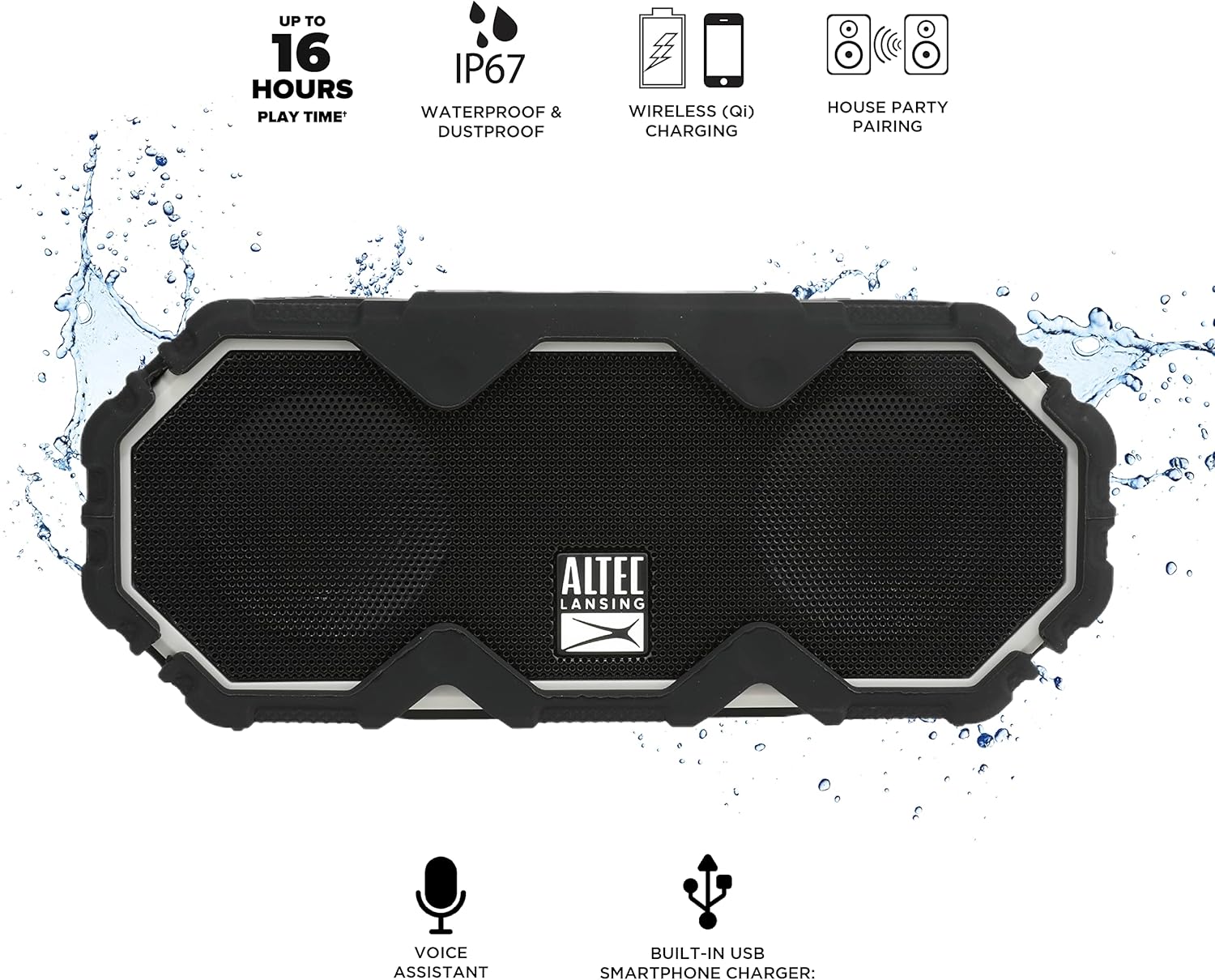
Figure 5: A smartphone being charged wirelessly on the speaker's Qi pad.
- Динамик күйгүзүлгөнүн текшериңиз.
- Place your Qi-enabled device directly on the charging pad located on the top of the speaker.
- The device should begin charging automatically. Adjust its position if charging does not start immediately.
5.3. USB түзмөгүн кубаттоо
Use the built-in USB-A port to charge other devices via a cable.

Figure 6: The speaker's USB-A port can charge external devices.
- Динамик күйгүзүлгөнүн текшериңиз.
- Динамиктин капталындагы коргоочу жапкычты ачыңыз.
- Connect your device's USB charging cable to the USB-A output port on the speaker.
- Түзмөгүңүз кубатталып баштайт.
5.4. Үн жардамчысын интеграциялоо
Access your smartphone's voice assistant directly through the speaker.

Figure 7: The speaker supports voice assistant integration.
- Ensure the speaker is paired with your smartphone.
- басыңыз Үн жардамчысы баскычы спикерде.
- Speak your command into the speaker's microphone.
5.5. House Party Pairing
Connect multiple Altec Lansing speakers for a synchronized audio experience.

Figure 8: Multiple speakers can be paired for a wider sound experience.
- Эки динамик тең күйгүзүлгөнүн жана эч кандай Bluetooth түзмөгүнө туташкан эмес экенин текшериңиз.
- On the first speaker, press the House Party Pairing Button. The LED indicator will flash.
- Экинчи динамикте баскычын басыңыз House Party Pairing Button.
- The speakers will connect automatically. Once connected, the LED indicators will glow solid.
- Now, connect your device to one of the paired speakers via Bluetooth. Audio will play through both speakers.
6. Туруктуулуктун өзгөчөлүктөрү
The Mini LifeJacket Jolt is designed for rugged use with an IP67 rating, making it waterproof, shockproof, snowproof, and dustproof.

Figure 9: The speaker is designed to withstand water exposure.
- Суу өткөрбөйт: Can be submerged in water up to 1 meter for 30 minutes. Ensure all port covers are securely closed before exposure to water.
- Соксуз: Designed to withstand drops and impacts.
- Snowproof: Operates reliably in snowy conditions.
- Чаң өткөрбөөчү: Чаңдын киришинен корголгон.
Important: Always ensure the protective flap covering the charging ports is securely closed when using the speaker near water or in dusty environments.
7. Техникалык тейлөө
- Тазалоо: жумшак колдонуу, damp cloth to clean the speaker. Avoid abrasive cleaners or solvents.
- Сактагыч: Динамикти түз күн нурунан жана өтө температурадан алыс салкын, кургак жерде сактаңыз.
- Батареяга кам көрүү: Батареянын иштөө мөөнөтүн узартуу үчүн, бат-баттан батарейканы толук зарядсыздандырбаңыз. Узак убакыт колдонулбаса да, динамикти үзгүлтүксүз заряддап туруңуз.
8. Кыйынчылыктарды
8.1. Speaker Not Powering On or Charging
If your speaker stops working or does not charge, a connection issue or a system freeze might be the cause. This procedure requires careful handling and may void your warranty if not performed correctly. Proceed with caution.
- Remove the Rubber Exterior: Gently pry off the rubberized outer casing. It is designed to snap off at the seams around the speaker mesh.
- Ички компоненттерге кирүү: Using a small flat-head tool, carefully insert it between the speaker mesh and the main body, particularly on the back of the speaker. Slowly work your way around to loosen the mesh.
- Locate and Remove Screws: You will find six small Phillips head screws deep inside the holes. Use a long, thin Phillips screwdriver to remove them. Keep track of these screws.
- Separate the Casing: Gently pull the front and back sections of the speaker apart along the seam that becomes visible after removing the rubber protector.
- Inspect Internal Connections: Inside, you will see the motherboard, buttons, wires, and the cylindrical battery. Locate the battery holder and remove any screw securing it.
- Reset Battery Connection: Carefully disconnect the battery's wiring connector from the motherboard. Ensure you pull the entire plastic insert, not just the wires, to avoid damage.
- Кайра туташуу жана сыноо: Reconnect the battery connector firmly. Press the power button. If you hear the "Welcome to Altec Lansing!" prompt, the issue may be resolved.
- Кайра чогултуу: If the speaker functions, carefully re-adjust any wires to ensure they have sufficient slack and are not pinched. Ensure the battery is centered and not clinging to speaker magnets. Re-secure the battery holder, then carefully align and re-screw the casing. Finally, reattach the speaker mesh and the rubber exterior.
This process can reset the motherboard and address issues caused by loose internal connections. If the problem persists after these steps, contact customer support.
8.2. Bluetooth туташуу маселелери
- Ensure the speaker is within the 100-foot Bluetooth range of your device.
- Verify that the speaker is in pairing mode (flashing LED).
- Түзмөгүңүздүн Bluetooth жөндөөлөрүнөн динамикти унутуп, кайра жупташтырып көрүңүз.
- Динамикти да, Bluetooth түзмөгүңүздү да өчүрүп күйгүзүңүз.
9. Техникалык шарттар

Сүрөт 10: Продукциянын өлчөмдөрү.
| Өзгөчөлүк | Деталь |
|---|---|
| Модель аты | Mini LifeJacket Jolt |
| Бренд | Altec Lansing |
| Байланыш технологиясы | Bluetooth, USB |
| Зымсыз байланыш | Bluetooth 4.2 |
| Bluetooth диапазону | 100 метрге чейин |
| Power Source | Батарея менен иштейт (1 литий-иондук батарейка, камтылган) |
| Батареянын иштөө мөөнөтү | 16 саатка чейин |
| Өзгөчөлүктөр | Waterproof (IP67), Shockproof, Snowproof, Dustproof, Qi Wireless Charging, USB Charging Output, Voice Assistant Integration, House Party Pairing |
| Динамик түрү | Сыртта |
| Аудио чыгаруу режими | Стерео |
| Продукциянын өлчөмдөрү | 7.2"D x 3"W x 4.3"H |
| Элемент Салмагы | 1.52 фунт |
| Материал | Rubber or Silicone |
10. Кепилдик жана колдоо
The Altec Lansing Mini LifeJacket Jolt Bluetooth Speaker comes with a Limited Warranty. For specific warranty terms and conditions, please refer to the documentation included with your product or visit the official Altec Lansing webсайт.
Кошумча жардам же техникалык колдоо үчүн дарегине кайрылыңыз Altec Lansing Brand Store on Amazon же кызмат адамына кайрылыңыз Колдонуучунун колдонмосу (PDF).


