1. Киришүү
Сатып алганыңыз үчүн рахматasing the astrum ST370 Wireless Barrel Speaker. This manual provides essential information for the safe and efficient operation of your device. Please read it thoroughly before use and retain it for future reference.
The astrum ST370 is a portable wireless speaker designed for outdoor use, offering robust sound with deep bass. It features multiple connectivity options including Bluetooth, FM radio, USB, Micro SD card, and AUX input, powered by a rechargeable battery.
2. Коопсуздук маалыматы
- Динамикти сууга, нымдуулукка же экстремалдык температурага дуушар кылбаңыз.
- Спикерди түшүрүүдөн же катуу таасирлерге дуушар кылуудан качыңыз.
- Түзмөктү бөлүктөргө бөлүүгө, оңдоого же өзгөртүүгө аракет кылбаңыз. Бул кепилдикти жокко чыгарат.
- Динамикти жылуулук булактарынан, тике күн нурларынан жана күйүүчү материалдардан алыс кармаңыз.
- Берилген заряддоо кабелин же тастыкталган эквивалентти гана колдонуңуз.
- Do not operate the speaker at excessively high volumes for prolonged periods to prevent hearing damage.
- Продукцияны жана анын батарейкасын жергиликтүү эрежелерге ылайык таштаңыз.
3. Пакеттин мазмуну
Сураныч, төмөнкү нерселер үчүн кутучаны белгилеңиз:
- 1 x astrum ST370 Wireless Speaker
- 1 x заряддоо кабели
- 1 х AUX кабели
- 1 x User Manual
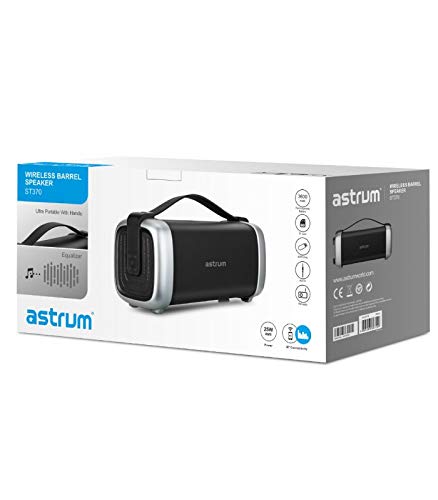
Image: The retail packaging for the astrum ST370 Wireless Barrel Speaker, showing the speaker and its key features.
4. Продукт бүтүп калдыview
Familiarize yourself with the components and controls of your astrum ST370 speaker.
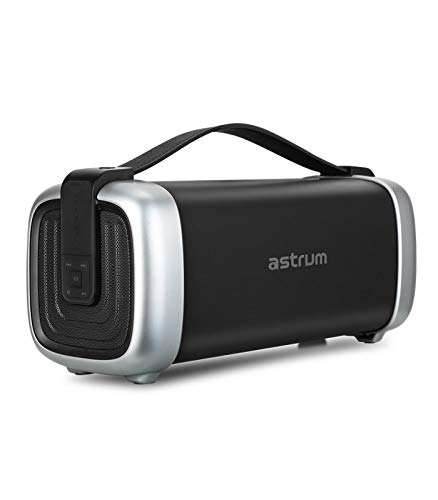
Сүрөт: алдыңкы view of the astrum ST370 Wireless Barrel Speaker, showcasing its black body, silver end caps, and integrated carrying handle.
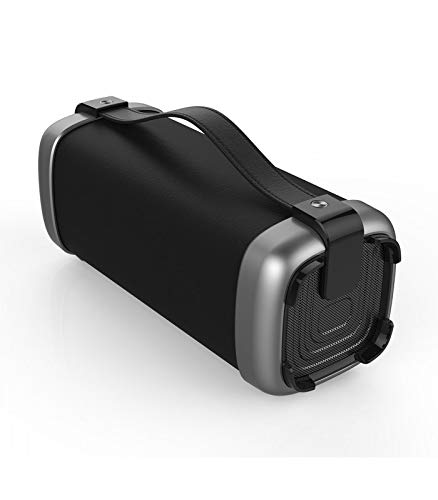
Сүрөт: бурчтуу view of the astrum ST370 speaker, highlighting the textured side panel and the robust carrying handle.
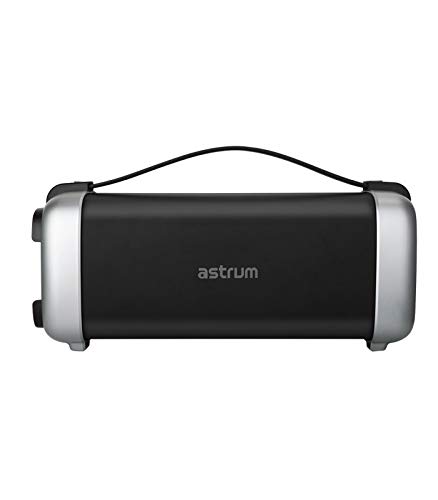
Сүрөт: алдыңкы view of the astrum ST370 speaker, displaying the control panel on the side with various buttons.
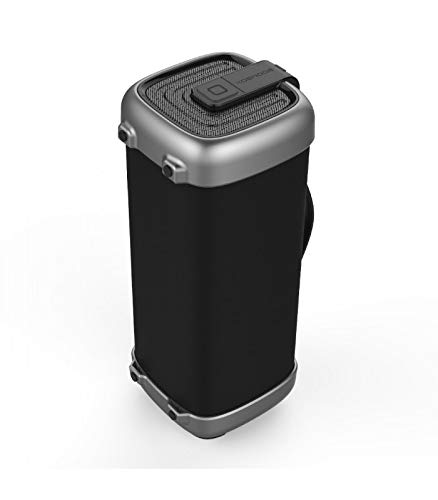
Сүрөт: Side profile of the astrum ST370 speaker, illustrating its compact barrel design and stable base.
Controls and Ports (Refer to images for location)
- Кубат баскычы: Динамикти күйгүзөт же өчүрөт.
- Режим баскычы: Switches between Bluetooth, FM, USB, Micro SD, and AUX modes.
- Ойнотуу/тындыруу баскычы: Аудиону ойнотот же тындырат.
- Volume Up / Next Track Button: Үндүн көлөмүн жогорулатат же кийинки трекке өткөрүп жиберет.
- Volume Down / Previous Track Button: Үндү азайтат же мурунку трекке өтөт.
- USB порт: USB дискти ойнотуу үчүн.
- Микро SD карта слоту: Micro SD карта ойнотуу үчүн.
- AUX киргизүү: 3.5 мм кабели аркылуу тышкы аудио түзмөктөрдү туташтыруу үчүн.
- Заряддоо порту: Заряддоо кабелин туташтыруу үчүн.
5. Орнотуу
5.1 Динамикти заряддоо
- Берилген кубаттоочу кабелди динамиктин кубаттоо портуна туташтырыңыз.
- Кубаттоочу кабелдин экинчи учун USB кубат адаптерине (кошулмада жок) же компьютердин USB портуна туташтырыңыз.
- The charging indicator light will illuminate, typically red, during charging.
- Once fully charged, the indicator light may change color or turn off. Disconnect the speaker from the power source.
Эскертүү: Батареянын оптималдуу иштөө мөөнөтү үчүн, биринчи жолу колдонуудан мурун динамикти толук заряддаңыз.
5.2 Күйгүзүү/өчүрүү
- Күйгүзүү үчүн: Үн чыккан сигналды укканга же индикатор жарыгы пайда болгонго чейин Кубат баскычын бир нече секунд басып туруңуз.
- Өчүрүү үчүн: Динамик өчкөнгө чейин Кубат баскычын кайра бир нече секунд басып туруңуз.
6. Иштөө нускамалары
6.1 Bluetooth режими
- Динамикти күйгүзүңүз. Ал автоматтык түрдө Bluetooth жупташтыруу режимине өтөт, бул күйүп-өчүүчү LED жарыгы жана угулган сигнал менен көрсөтүлөт.
- Смартфонуңузда, планшетиңизде же башка Bluetooth иштетилген түзмөгүңүздө Bluetooth'ду иштетиңиз.
- Издөө available devices and select "ST370" from the list.
- Once paired, the speaker will provide an audible confirmation, and the LED light will stop flashing.
- Эми сиз түзмөгүңүздөн аудиону динамик аркылуу ойной аласыз.
6.2 FM радио режими
- Press the Mode Button repeatedly until you enter FM Radio mode.
- To auto-scan for stations, press and hold the Play/Pause Button. The speaker will scan and save available FM stations.
- Use the Volume Up/Next Track and Volume Down/Previous Track buttons to navigate between saved stations.
6.3 USB / Micro SD Card Playback
- Insert a USB drive or a Micro SD card (with pre-loaded audio fileс) тиешелүү портко/слотко.
- The speaker will automatically detect the storage device and switch to USB or Micro SD mode, beginning playback. If not, press the Mode Button to select the correct mode.
- Use the Play/Pause, Next Track, and Previous Track buttons to control playback.
6.4 AUX киргизүү режими
- Connect one end of the provided 3.5mm AUX cable to the speaker's AUX input port.
- Connect the other end of the AUX cable to the audio output jack of your external device (e.g., MP3 player, laptop).
- Press the Mode Button until you enter AUX mode.
- Ойнотууну жана үндү түздөн-түз туташкан тышкы түзмөгүңүздөн башкарыңыз.
6.5 Көлөмдү жана ойнотууну башкаруу
- Үндү тууралоо: Үндү жогорулатуу (+) же үндү азайтуу (-) баскычтарын кыска басыңыз.
- Трек навигациясы: Long press the Volume Up (+) button for the next track, and long press the Volume Down (-) button for the previous track (in Bluetooth, USB, or Micro SD modes).
- Ойнотуу/тындыруу: Play/Pause баскычын кыска басыңыз.
7. Техникалык тейлөө
7.1 Тазалоо
- Wipe the speaker's exterior with a soft, dry, lint-free cloth.
- Абразивдүү тазалагычтарды, эриткичтерди же химиялык спрейлерди колдонбоңуз.
- Ар кандай тешиктерге ным кирүүдөн сактаңыз.
7.2 Сактоо
- Динамикти түз күн нурунан жана өтө температурадан алыс салкын, кургак жерде сактаңыз.
- Узак мөөнөткө сактасаңыз, батарейканын ден соолугун сактоо үчүн бир нече ай сайын батареяны болжол менен 50% га чейин заряддаңыз.
8. Кыйынчылыктарды
| Көйгөй | Мүмкүн себеп | Чечим |
|---|---|---|
| Динамик күйбөйт. | Батарея аз. | Динамикти толук заряддаңыз. |
| Bluetooth аркылуу жупташтыруу мүмкүн эмес. | Speaker not in pairing mode; Bluetooth disabled on device; too far from speaker. | Ensure speaker is in Bluetooth mode; enable Bluetooth on your device; move device closer to speaker (within 10 meters). |
| Үн жок. | Volume too low; incorrect mode selected; cable not connected properly (AUX). | Increase volume; press Mode button to select correct input; check AUX cable connection. |
| FM радиосун кабыл алуу начар. | Алсыз сигнал. | Move the speaker to a location with better reception. |
9. Техникалык шарттар
| Модель аты | ST370 |
| Чыгуу күчү | 25 Ватт |
| Байланыш технологиясы | Bluetooth, Auxiliary, USB, Wireless |
| Өзгөчөлүктөр | Portable, Wireless, FM Radio, Micro SD Card Support |
| Power Source | Батарея менен иштейт |
| Батареянын орточо иштөө мөөнөтү | 8 саат |
| Башкаруу ыкмасы | тийүү |
| Сабвуфердин диаметри | 4 дюйм |
| Tweeter диаметри | 1 дюйм |
| Продукциянын өлчөмдөрү (LxWxH) | 32.7 x 13 x 14.2 см |
| Элемент Салмагы | 1.45 кг |
| Түс | Кара |
| Сунушталган Колдонуулар | Сыртта |
10. Кепилдик жана колдоо
The astrum ST370 Wireless Barrel Speaker comes with a 1 жылдык кепилдик сатып алынган күндөн тартып. Кепилдик дооматтары үчүн сатып алганыңыздын далилин сактап коюңуз.
For technical support, troubleshooting assistance beyond this manual, or warranty inquiries, please visit the official astrum website or contact their customer service department. Contact details can typically be found on the brand's official webсайтында же продуктунун таңгагында.
Өндүрүүчү: Astrum Holdings Ltd, Unit-1618, Asia Trade Centre, 79 Lei Muk Road, Kwai Chung, New Territories, Hong Kong
Импорттоочу: Astrum Electronics India Pvt Ltd, Plot No.80&81, Gajulamandyam, Renigunta Mandal, Chittoor, Tirupati, Andhra Pradesh-517547


