Introduction
The Saramonic UwMic9 RX-XLR9 is a portable, XLR plug-in and camera-mountable dual-channel UHF wireless receiver designed for professional audio capture. It allows the use of two separate wireless transmitters (sold separately) with a single, ultra-compact receiver, making it ideal for cameras, recorders, and mixers equipped with XLR or 3.5mm mic inputs. This receiver delivers broadcast-quality sound and offers versatile mounting and power options.
Негизги өзгөчөлүктөрү:
- Dual-channel wireless UHF receiver in a compact, portable body.
- Mounts directly to XLR inputs on professional video cameras, mixers, or recorders.
- Includes hardware for mounting to DSLR, Mirrorless, and video cameras, connecting to 1/8" (3.5mm) mic inputs.
- Receiver rotates 320° for flexible positioning.
- Built-in headphone output for audio monitoring.
- Easy-to-read backlit LCD display.
- Operating distance up to 330 feet (100m).
- Узак металл конструкциясы.
Эмне камтылган
Сураныч, пакеттин мазмунун текшерип, бардык буюмдар бар экенин текшериңиз:
- 1 x Plug-In dual-channel wireless receiver (UwMic9 RX-XLR9)
- 1 x Camera shoe mount with an integrated metal 1/4 20 tripod thread
- 1 x 13-inch (33cm) XLR female to gold-plated 1/8" (3.5) TRS male cable
- 1 x 4-ft (1.2m) gold-plated USB-C to USB-A cable
- 1 x Printed user manual
- 1 x Кепилдик картасы

Image: Contents of the Saramonic UwMic9 RX-XLR9 package, including the receiver, various cables, and mounting accessories.
Продукт бүттүview
Receiver Unit (UwMic9 RX-XLR9)
The main receiver unit features a robust metal construction with an integrated XLR connector for direct attachment to professional audio equipment. It includes a backlit LCD display for monitoring channels, battery status, and other settings. Power and RF indicator lights provide quick status updates.

Image: Close-up of the UwMic9 RX-XLR9 receiver's top panel, highlighting the LCD screen, power, and RF lights.

Сүрөт: каптал view of the UwMic9 RX-XLR9 receiver, showing the headphone output and control buttons.
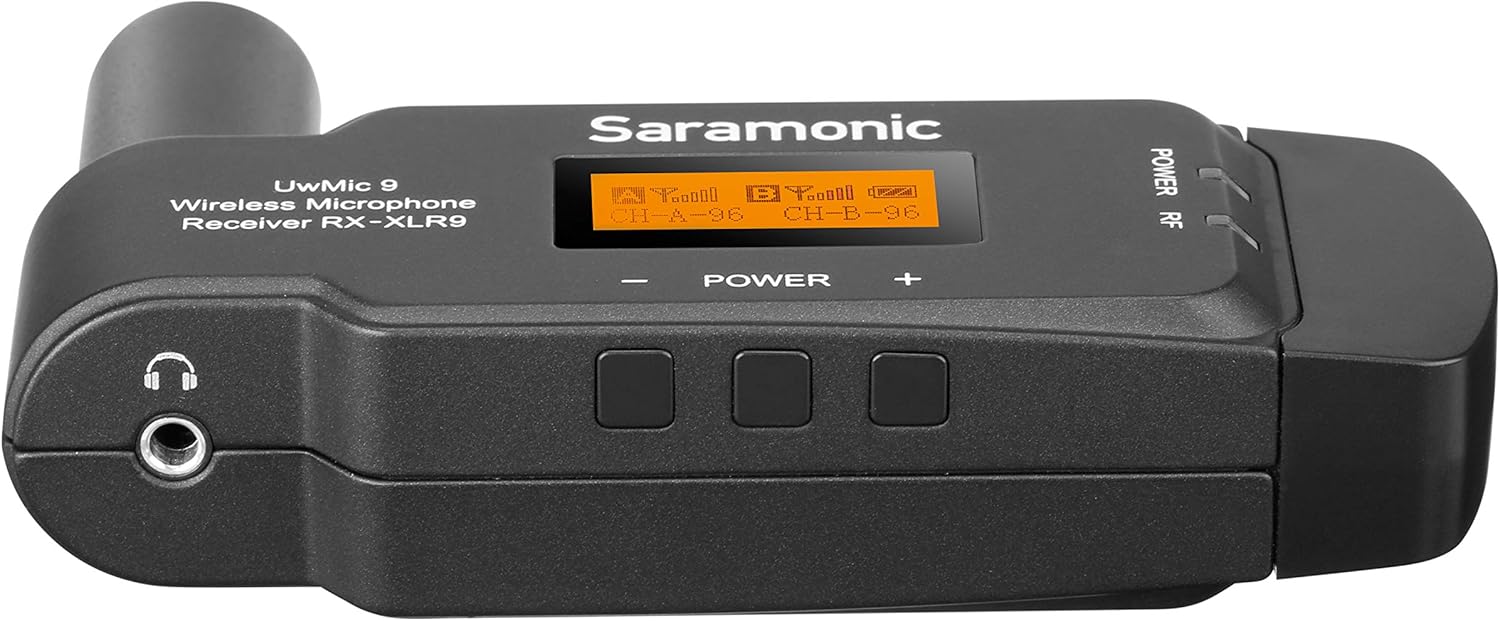
Сүрөт: Башка тарап view of the UwMic9 RX-XLR9 receiver, displaying the USB-C power input and the integrated XLR connector.
Жайгашуу
1. Кабылдагычты кубаттоо
The RX-XLR9 receiver operates on two AA batteries or can be powered externally via its USB-C port. To install batteries:
- Locate the battery compartment on the receiver.
- Open the compartment and insert two fresh AA batteries, ensuring correct polarity.
- Батарея отсегин бекем жабыңыз.
For external power, connect the supplied USB-C to USB-A cable to the receiver's USB-C port and a compatible USB power source (e.g., a power bank or USB wall adapter).
2. Кабылдагычты орнотуу
The RX-XLR9 offers flexible mounting options:
- Direct XLR Connection: Plug the receiver directly into an XLR input on your professional video camera, mixer, or audio recorder. The receiver's design allows it to rotate 320° to avoid interference with other equipment.
- Camera Shoe Mount: For cameras without an XLR input, attach the included camera shoe mount to the receiver. Then, slide the shoe mount onto your camera's hot shoe or cold shoe.

Image: The UwMic9 RX-XLR9 receiver attached to a camera's XLR input, demonstrating its compact form factor.
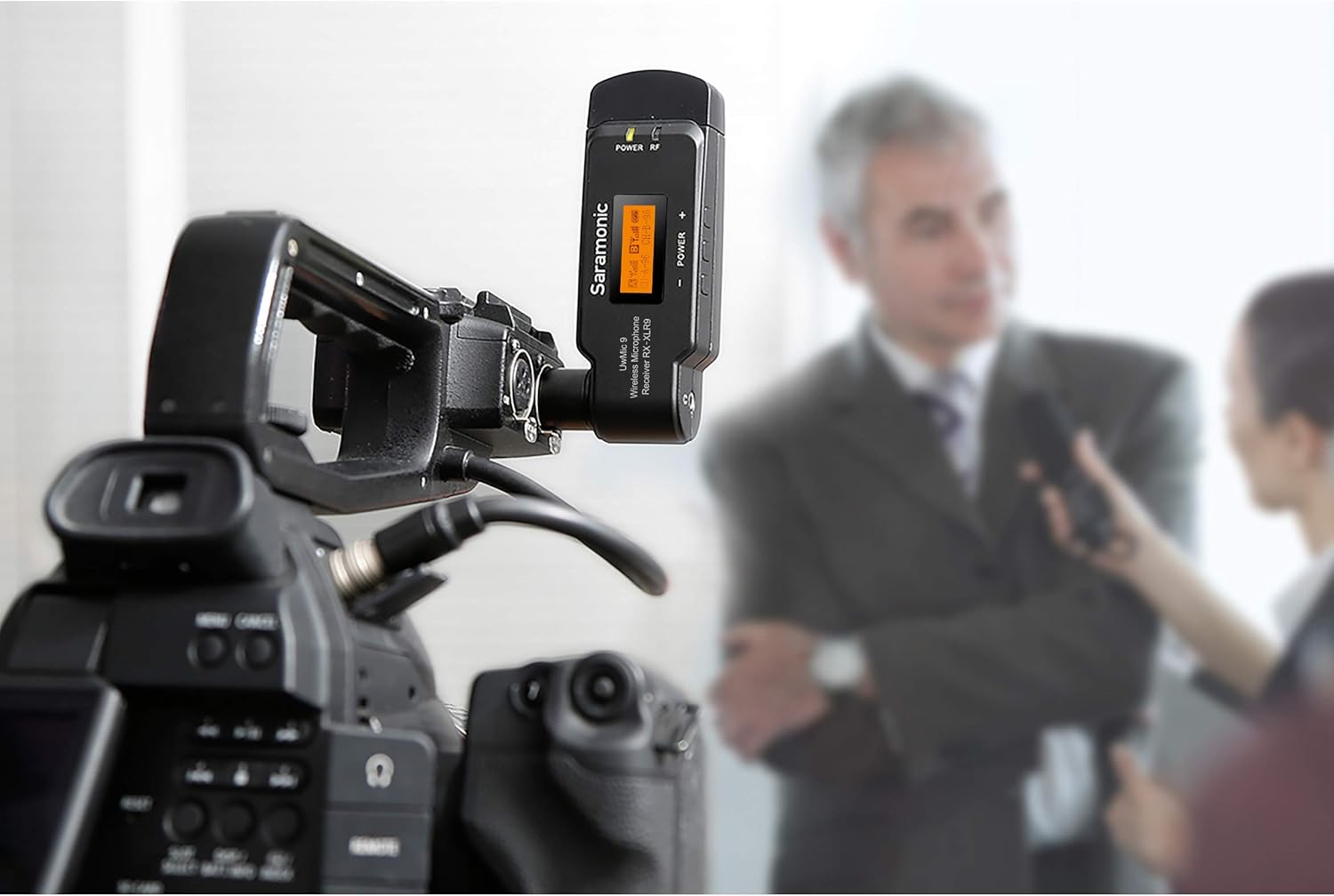
Image: The UwMic9 RX-XLR9 receiver in use, mounted on a video camera during an interview жайгашуу.
3. Түзмөгүңүзгө туташуу
Depending on your recording device, use the appropriate cable:
- For XLR Inputs: If your camera or mixer has an XLR input, simply plug the receiver directly into it.
- For 3.5mm Mic Inputs: Use the provided 13-inch (33cm) XLR female to gold-plated 1/8" (3.5mm) TRS male cable. Connect the XLR end to the receiver and the 3.5mm end to your camera's microphone input.
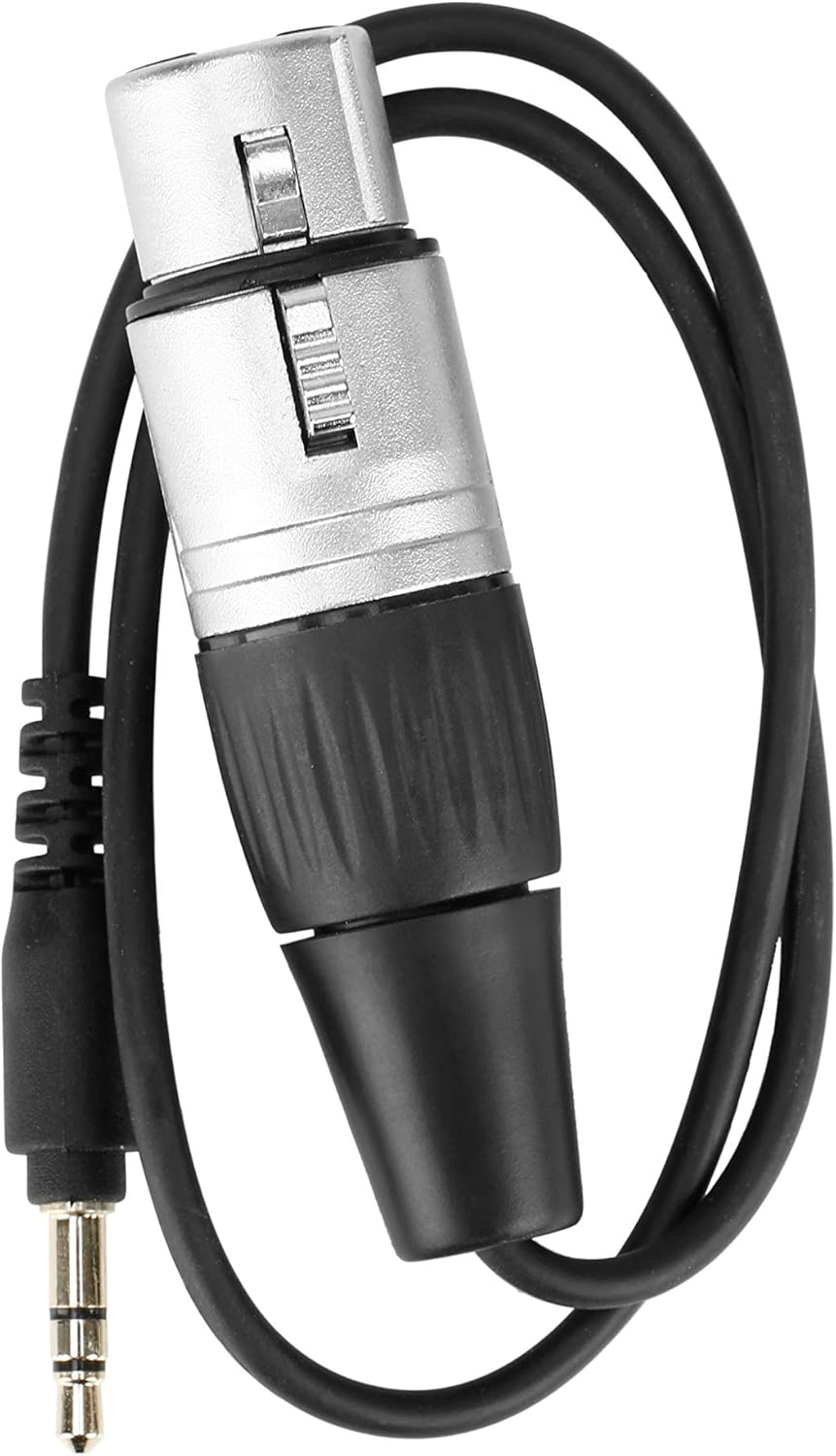
Image: The included XLR female to 3.5mm TRS male cable, used for connecting the receiver to devices with 3.5mm microphone inputs.
Иштөө нускамалары
1. Күйгүзүү/өчүрүү
Press and hold the Power button on the receiver to turn it on or off. The LCD display will illuminate upon power-on.
2. LCD Display and Indicators
The backlit LCD display shows critical information:
- Канал абалы: Displays the active channels (CH-A, CH-B) and their frequencies.
- RF Signal Strength: Indicates the strength of the wireless signal from the paired transmitters.
- Аудио деңгээли: Shows the incoming audio level for each channel.
- Батареянын абалы: Provides a visual indicator of the remaining battery life.
- Үнсүз абал: Indicates if a channel is muted.
The 'POWER' and 'RF' indicator lights on the receiver provide quick visual cues for power status and active radio frequency connection.
3. Өткөргүчтөр менен жупташуу
The UwMic9 RX-XLR9 is a dual-channel receiver, capable of working with two compatible Saramonic transmitters simultaneously. Refer to the specific transmitter's manual for detailed pairing instructions. Generally, both the receiver and transmitter must be set to the same channel and frequency for a successful connection.
4. Аудио мониторинг
Connect headphones to the 3.5mm headphone jack on the receiver to monitor your audio in real-time. This is particularly useful when your camera or recording device lacks a dedicated headphone output.
Техникалык тейлөө
Proper maintenance ensures the longevity and optimal performance of your Saramonic UwMic9 RX-XLR9 receiver.
- Тазалоо: Use a soft, dry cloth to clean the exterior of the receiver. Avoid using harsh chemicals or abrasive materials.
- Сактагыч: Колдонулбай турган учурда, кабыл алгычты салкын, кургак жерде, күн нуру түз тийбеген жана өтө жогорку температурадан алыс сактаңыз.
- Батареяга кам көрүү: Remove AA batteries if the receiver will not be used for an extended period to prevent leakage.
- Кабельге кам көрүү: Handle cables gently. Avoid sharp bends or excessive pulling that could damage connectors or wiring.
Проблемаларды чечүү
If you encounter issues with your UwMic9 RX-XLR9 receiver, refer to the following common problems and solutions:
- Үн жок/Төмөнкү үн:
- Ensure the receiver is powered on and batteries are fresh or external power is connected.
- Verify that the receiver is correctly connected to your camera/mixer's audio input.
- Check that the paired transmitters are powered on and sending a signal.
- Confirm that the receiver and transmitters are on the same channel and frequency.
- Adjust the audio output level on the receiver and input level on your recording device.
- Check headphone connection and volume if monitoring.
- Начар сигнал/тоскоолдук:
- Ensure the receiver and transmitters are within the specified operating range (up to 330 feet / 100m).
- Minimize obstacles between the receiver and transmitters.
- Check for other wireless devices operating on similar frequencies that might cause interference.
- Try changing the operating channel on both the receiver and transmitters.
- Ресивер күйбөй жатат:
- АА батарейкаларын жаңылары менен алмаштырыңыз.
- Ensure the USB-C power cable is securely connected and the external power source is functional.
- Физикалык зыян: If the device experiences physical damage, such as a broken connector or internal component issues, discontinue use and contact customer support for assistance.
Техникалык шарттар
| Модель аты | Uwmic9 Rx-XLR9 |
| Элемент моделинин номери | UWMIC9RX-XLR9 |
| Бренд | Саратоник |
| Элемент Салмагы | 3.36 унция (0.21 фунт) |
| Продукциянын өлчөмдөрү (L x W x Y) | 4.41 x 2.48 x 0.14 дюйм |
| Микрофон форма фактору | Plug On |
| Power Source | Corded Electric (USB-C) / 2x AA Batteries |
| Аппараттык платформа | Камера |
| Каналдардын саны | 2 |
| Frequency Response | 18000 Гц |
| Байланыш технологиясы | USB, XLR |
| Туташтыргыч түрү | 3.5 мм уяча, USB, XLR |
| Продукт үчүн сунушталган колдонуу | Video Conference, Vlogging |
| Түс | Кара/Ак |
Кепилдик
Saramonic products are covered by a limited warranty. Please refer to the warranty card included in your package or visit the official Saramonic webдеталдуу кепилдик шарттары жана шарттары үчүн сайт. Кепилдик дооматтар үчүн сатып алганыңыздын далилин сактаңыз.
Колдоо
For technical assistance, product inquiries, or service requests, please contact Saramonic customer support. You can find contact information on the official Saramonic webсайты же продуктуну сатып алган сатуучу аркылуу.


