1. Киришүү
This manual provides detailed instructions for the setup, operation, and maintenance of your Ipega PG-9076 Wireless Game Controller. Please read this manual carefully before use to ensure proper functionality and to maximize your gaming experience. This controller is designed for compatibility with Android, iOS, and Windows devices.
2. Продукт бүтүп калдыview
The Ipega PG-9076 controller features a design similar to an Xbox controller, incorporating standard gaming buttons along with additional multimedia controls. It includes a retractable phone holder for mobile gaming.
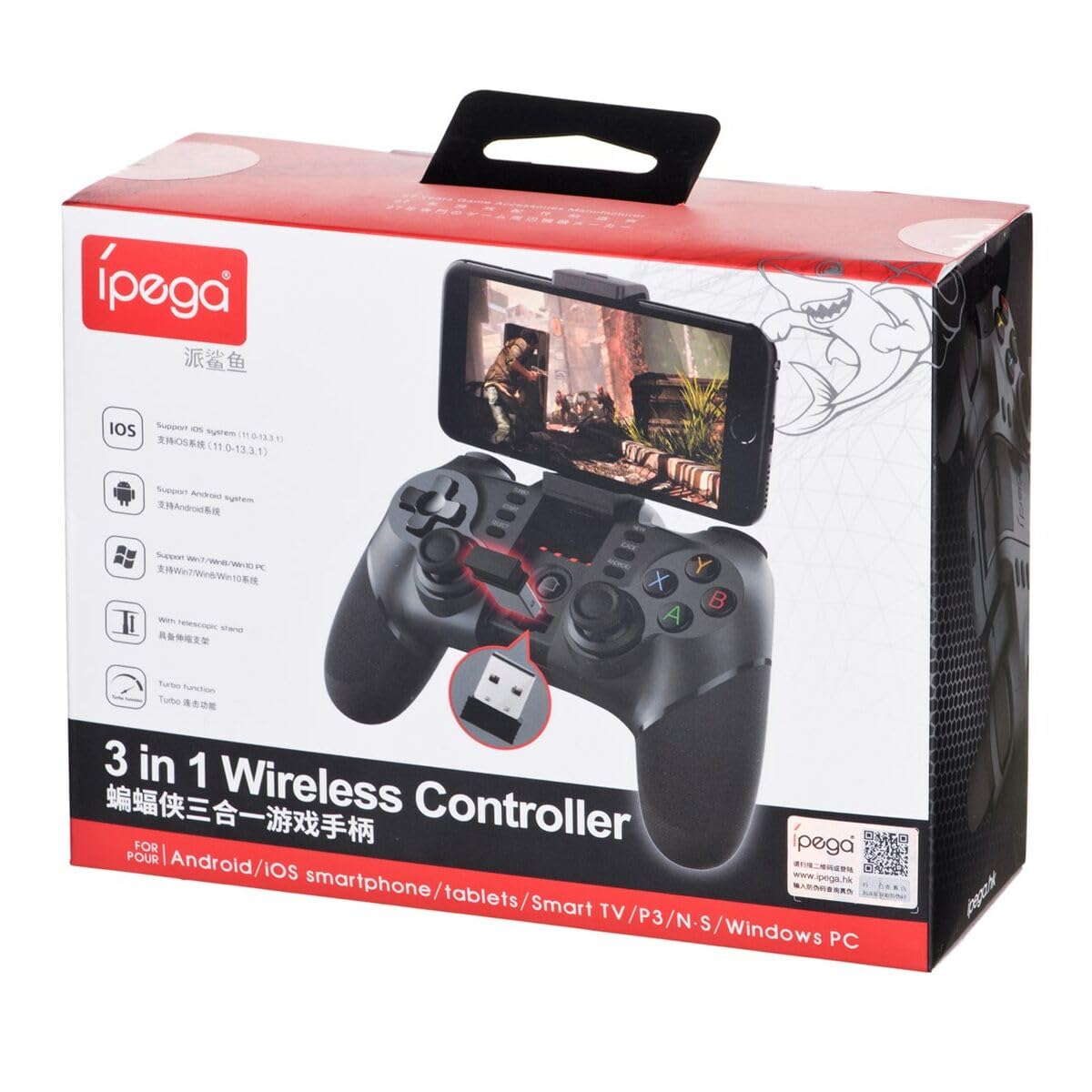
Figure 2.1: Ipega PG-9076 controller with a smartphone mounted, showcasing its mobile gaming capability.

Сүрөт 2.2: Алдыңкы view of the controller, highlighting the dual analog sticks, D-pad, action buttons (A, B, X, Y), and mode selection buttons (SELECT, START, ANDROID, IOS, TURBO, CLEAR).

2.3-сүрөт: Арткы view of the controller, displaying the product label with model number, input specifications, and a QR code for additional information or support.
Негизги өзгөчөлүктөрү:
- Bluetooth 3.0 connectivity for wireless operation.
- Integrated multimedia buttons (volume, play/pause, track control).
- Retractable phone holder, accommodating devices up to 9 cm wide.
- Compatible with Android (3.2+), iOS (4.3+), and Windows.
- Built-in 380 mAh rechargeable battery.
3. Орнотуу жана туташуу
Before first use, ensure the controller is fully charged. Refer to Section 5 for charging instructions.
3.1. Android түзмөктөрү менен жупташуу
- Android түзмөгүңүздүн Bluetooth функциясы иштетилгенин текшериңиз.
- Контроллерде баскычты басып, кармап туруңуз ANDROID баскычы менен бир убакта ҮЙ button until the indicator light flashes rapidly.
- On your Android device, search for Bluetooth devices and select "PG-9076" to pair.
- Once paired, the indicator light on the controller will remain solid.
3.2. Pairing with iOS Devices
- iOS түзмөгүңүздүн Bluetooth функциясы иштетилгенин текшериңиз.
- Контроллерде баскычты басып, кармап туруңуз IOS баскычы менен бир убакта ҮЙ button until the indicator light flashes rapidly.
- On your iOS device, search for Bluetooth devices and select "PG-9076" to pair.
- Once paired, the indicator light on the controller will remain solid.
3.3. Windows компьютерине туташуу
The controller can be connected to a Windows PC via Bluetooth or USB cable.
3.3.1. Bluetooth туташуусу (PC)
- Компьютериңизде Bluetooth иштетилгенин текшериңиз.
- Контроллерде баскычты басып, кармап туруңуз START баскычы менен бир убакта ҮЙ button until the indicator light flashes rapidly.
- On your PC, go to Bluetooth settings, search for devices, and select "PG-9076" to pair.
- Once paired, the indicator light on the controller will remain solid.
3.3.2. USB Cable Connection (PC)
- Берилген USB кабелин колдонуп, контроллерди компьютериңизге туташтырыңыз.
- Компьютер керектүү драйверлерди автоматтык түрдө таап, орнотууга тийиш.
- Configuration within the operating system and individual games may be required for optimal performance.

Figure 3.1: The USB dongle (if included with your model) can be inserted into the controller for wireless connection to devices that do not have built-in Bluetooth, such as some PCs or Smart TVs.

Figure 3.2: The included USB cable is used for charging the controller and can also be used for a wired connection to a PC.
4. Иштөө режимдери
The PG-9076 supports various gaming modes depending on the connected device and game type.
4.1. Android Gaming
- Supports most games with 'Arcade Mode' (often indicated by a controller symbol).
- Compatible with various simulator games.
- Ensure your Android OS is version 3.2 or newer.
4.2. iOS Gaming
- Compatible with games that support 'iCade' mode.
- Ensure your iOS is version 4.3 or newer.
4.3. Windows PC Gaming
- Can be used via Bluetooth or USB cable.
- System and in-game configuration may be necessary for full compatibility and optimal control mapping.
4.4. Мультимедиа функциялары
The controller includes dedicated multimedia buttons for:
- Volume control (up/down)
- Ойнотуу/Тыныгуу
- Fast forward/Rewind
5. Заряддоо жана Батарея
The controller is equipped with a rechargeable internal battery.
5.1. Заряддоо инструкциясы
- Connect the provided USB cable to the micro-USB port on the controller.
- Connect the other end of the USB cable to a USB power source (e.g., PC, USB wall adapter).
- Заряддоо индикатору кубаттоо учурунда күйөт жана толук заряддалганда өчөт.
5.2. Батареянын мүнөздөмөлөрү
- Батареянын кубаттуулугу: 380 мАч
- Charging Time: Approximately 2 to 5 hours (may vary based on charger output).
- Operating Autonomy: Up to 12 hours of continuous gameplay.
- Standby Time: Up to 30 days when fully charged.
6. Техникалык тейлөө
Контроллериңиздин узак мөөнөттүү иштешин жана оптималдуу иштешин камсыз кылуу үчүн, төмөнкү техникалык тейлөө көрсөтмөлөрүн аткарыңыз:
- Контроллерди кургак жана нымдуулуктан алыс кармаңыз.
- Контроллерди өтө жогорку температурага дуушар кылбаңыз.
- Контроллерди жумшак, кургак чүпүрөк менен тазалаңыз. Катуу химиялык заттарды же абразивдүү тазалагычтарды колдонбоңуз.
- Физикалык зыяндын алдын алуу үчүн, колдонулбай турган учурда контроллерди коопсуз жерде сактаңыз.
7. Кыйынчылыктарды
If you encounter issues with your Ipega PG-9076 controller, refer to the following common problems and solutions:
7.1. Controller Does Not Turn On
- Ensure the battery is charged. Connect the controller to a power source and allow it to charge for at least 30 minutes.
- Press and hold the HOME button for a few seconds to attempt to power on.
7.2. Unable to Pair via Bluetooth
- Контроллер түзмөгүңүз үчүн туура жупташтыруу режиминде экенин текшериңиз (Android, iOS же PC).
- Ensure Bluetooth is enabled on your device and it is discoverable.
- Move the controller closer to your device (within 8 meters).
- Түзмөгүңүздүн Bluetooth'ун өчүрүп, күйгүзүп, кайра жупташтырып көрүңүз.
- Clear any previous pairings of the controller from your device's Bluetooth list.
7.3. Buttons or Joysticks Not Responding Correctly
- Контроллердин толук заряддалганын текшериңиз. Батареянын аз заряды анын иштешине таасир этиши мүмкүн.
- Контроллерди жана түзмөгүңүздү өчүрүп-күйгүзүңүз.
- For PC, check in-game settings and system controller configurations.
- Some games, especially those designed for touchscreens, may not fully support external controllers.
8. Техникалык шарттар
| Өзгөчөлүк | Спецификация |
|---|---|
| Модел | PG-9076 |
| Бренд | Ipega |
| Байланыш технологиясы | Bluetooth 3.0 |
| Операциялык аралык | Up to 8 meters (barrier-free) |
| Power Input | DC 5V 500 мАч |
| Operating Voltage | DC 3.7V |
| Иштөө агымы | 30 мАч |
| Батарея сыйымдуулугу | 380 мАч |
| Заряддоо убактысы | 2-5 саат |
| Battery Autonomy (Gameplay) | 12 саатка чейин |
| Күтүү убактысы | 30 күнгө чейин |
| Device Clamp Туурасы | 9 см чейин |
| Продукциянын өлчөмдөрү | 19.1 x 7.5 x 7.4 см |
| Продукт Салмагы | 304 г |
| Шайкеш платформалар | Android, iOS, Windows |
9. Кепилдик жана колдоо
For warranty information, please refer to the terms provided by your retailer at the time of purchase. Extended warranty options may be available from third-party providers.
For technical support or further inquiries, you may scan the QR code located on the back of your controller or visit the official Ipega support channels. The QR code on the product label links to http://weixin.qq.com/r/uUUHHyPERX46rWd89xCr.


