Introduction
This manual provides comprehensive instructions for the EMPIRE GAMING Hellhounds PC Gaming Pack, which includes a gaming keyboard, a gaming mouse, and a mousepad. Please read this manual carefully before using the product to ensure optimal performance and longevity.

Image: The EMPIRE GAMING Hellhounds PC Gaming Pack, featuring the keyboard, mouse, and mousepad with blue LED backlighting.
Пакеттин мазмуну
Пакетиңизде бардык буюмдар бар экенин текшериңиз:
- EMPIRE GAMING Hellhounds Gaming Keyboard
- EMPIRE GAMING Hellhounds Gaming Mouse
- Оюнчу Mousepad
- Кошумча Keycaps
- Баскыч капкагын тарткыч
- Adjustable Mouse Weights
Жайгашуу
- Компьютерге туташуу: Plug the USB cables from both the keyboard and the mouse into available USB ports on your computer. The devices are plug-and-play compatible with Windows operating systems.
- Программалык камсыздоону орнотуу: For full customization of macros, RGB lighting, and other advanced features, download the dedicated software from the official EMPIRE GAMING website. The software is compatible with Windows XP to Windows 10.
- Позициялоо: Place the mousepad on a flat surface. Position the keyboard and mouse for comfortable use. The keyboard features an adjustable height position and an integrated wrist rest for ergonomic comfort.
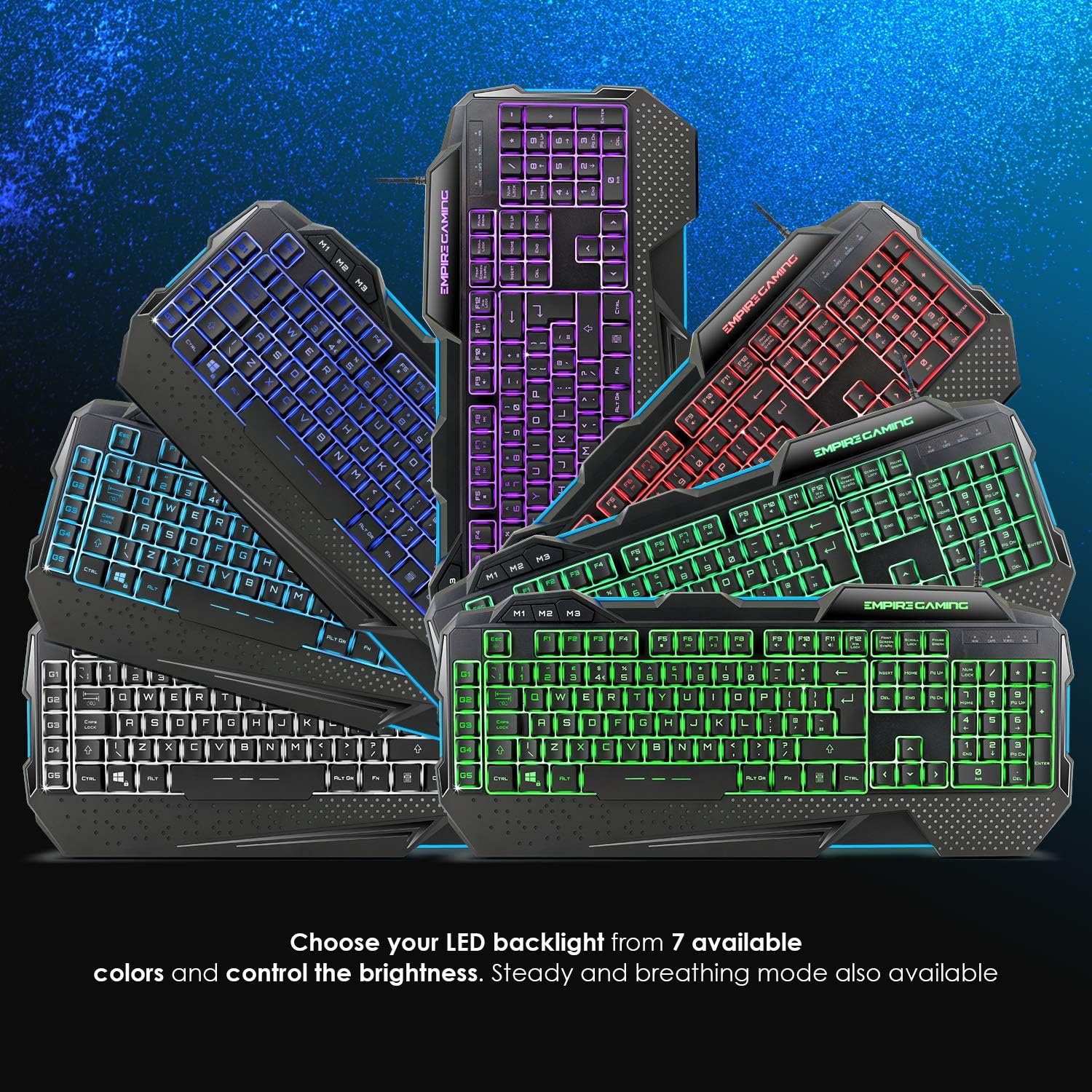
Image: The EMPIRE GAMING Hellhounds PC Gaming Pack laid out, showing the keyboard, mouse, mousepad, and additional accessories like extra keycaps and mouse weights.
Иштөө нускамалары
Баскычтоптун өзгөчөлүктөрү
- Macro Configuration: The keyboard supports 33 configurable macros across 3 distinct profiles. Use the dedicated software to program these macros for various in-game actions or productivity tasks.
- RGB жарыктандыруу: Customize the keyboard's RGB backlight with 7 available colors and various lighting effects. Adjustments can be made via the dedicated software.
- Мультимедиялык кыска жолдор: Utilize the integrated multimedia shortcuts to control audio playback and other functions directly from the keyboard.
- Windows Context Menu: Enable or disable the Windows context menu using the designated function key combination (Fn + F12).
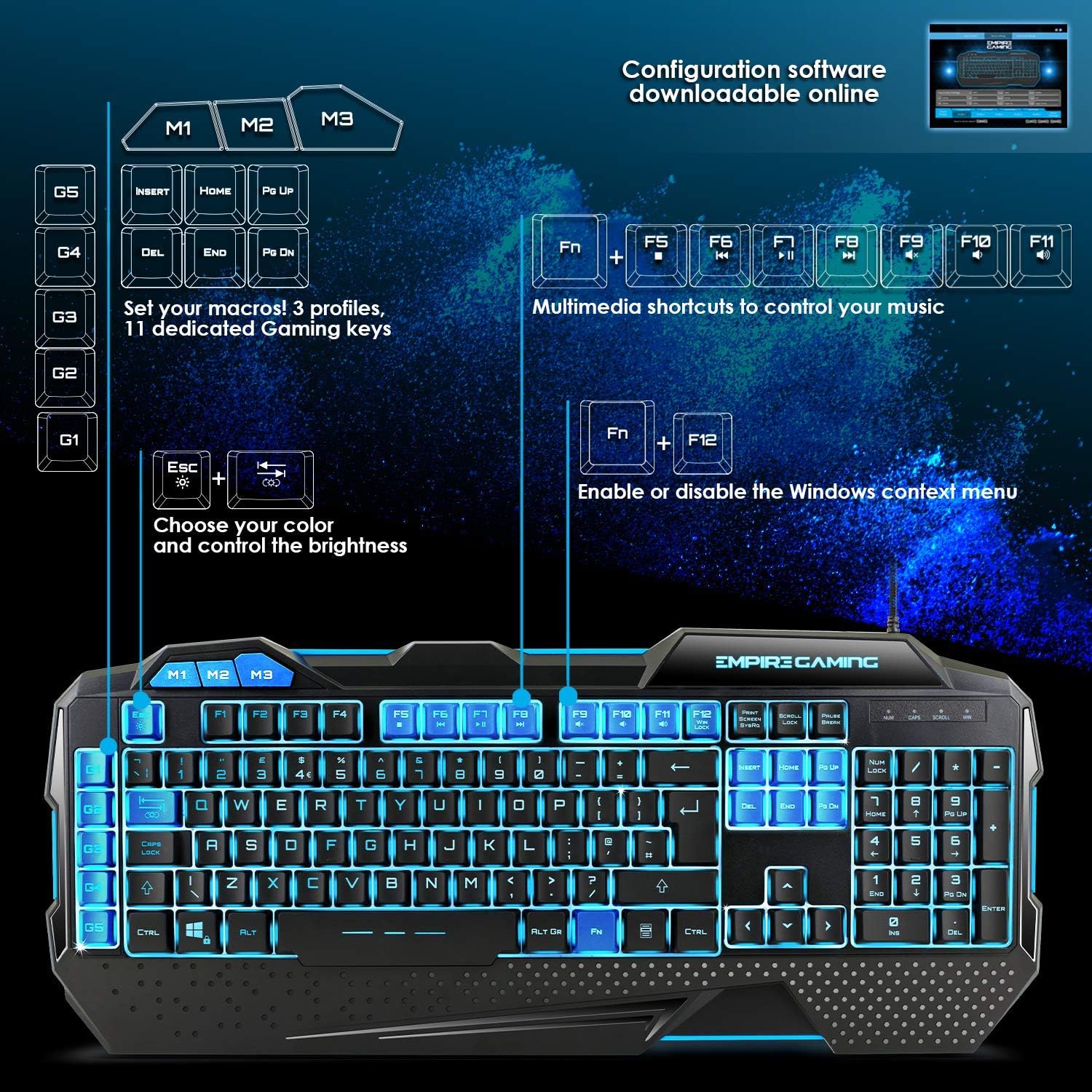
Сүрөт: деталдуу view of the EMPIRE GAMING Hellhounds keyboard highlighting macro keys (G1-G5, M1-M3 profiles), multimedia shortcuts (F5-F11), and the Fn+F12 key for Windows context menu control.
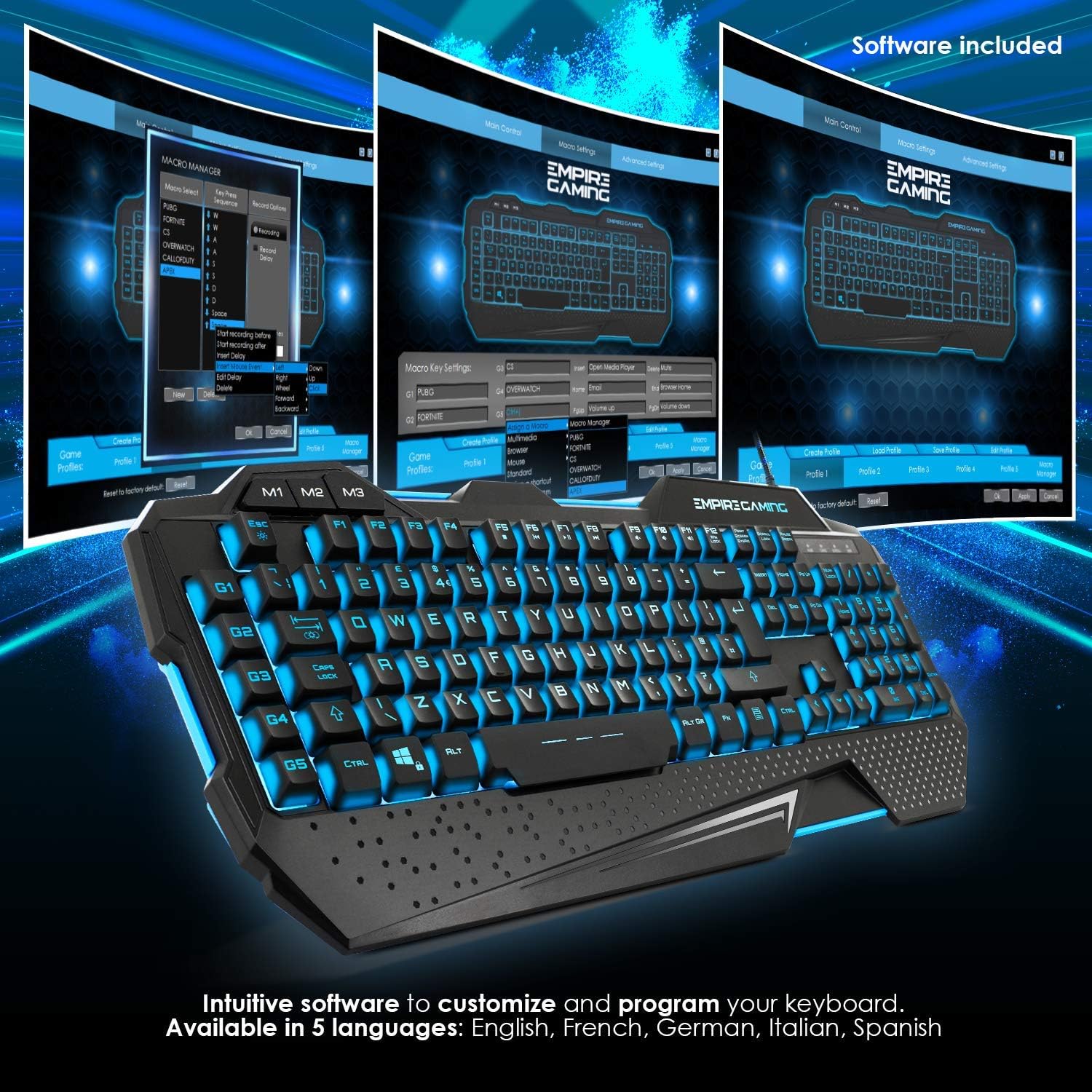
Image: Screenshot of the intuitive software interface used to customize and program the EMPIRE GAMING Hellhounds keyboard, showing macro management and key assignment options.

Image: A closer look at the Macro Manager editor within the EMPIRE GAMING software, demonstrating how to create and edit macros with options for recording and delay settings.

Image: The software interface showing the process of assigning additional functionality to a key on the EMPIRE GAMING Hellhounds keyboard, including multimedia controls and launching applications.
Чычкан өзгөчөлүктөрү
- DPI жөндөөлөрү: Adjust the mouse sensitivity with multiple DPI levels: 800, 1200, 2000, 3000, and 7200 DPI. This allows for precise control tailored to different gaming scenarios.
- Customizable LED Colors: The mouse features 7 customizable LED colors, each offering 4 predefined effects: Breathing, Neon, Fixed, and Colors.
- Эргономикалык дизайн: Designed with a thumb rest to provide comfort during extended gaming sessions.
- Жөнгө салынуучу салмактар: The mouse includes an option to change its weight, allowing users to fine-tune the feel and balance.

Image: The EMPIRE GAMING Hellhounds mouse, highlighting its adjustable DPI settings (800/1200/2000/3000/7200) and the included set of weights for customization.
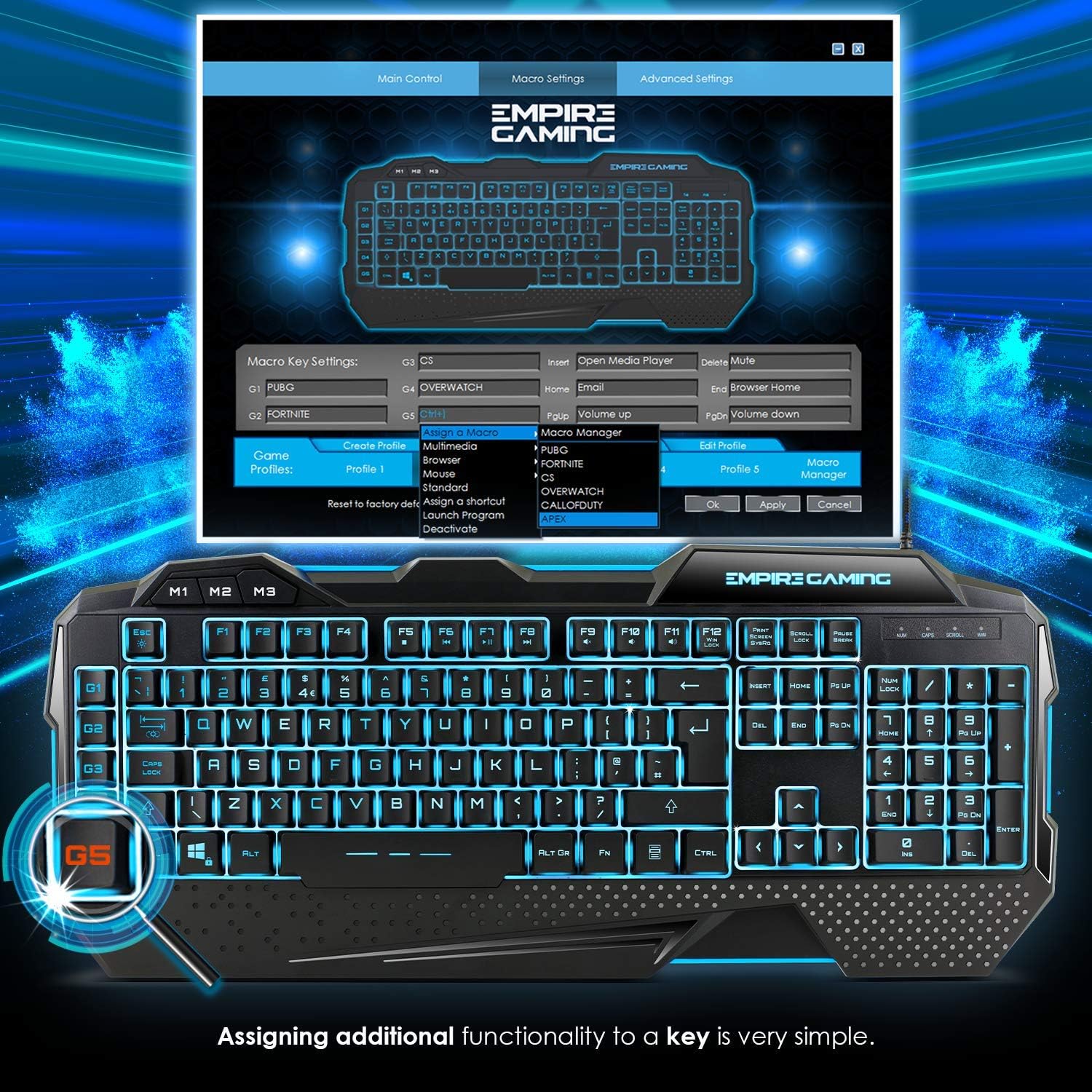
Image: Multiple EMPIRE GAMING Hellhounds mice displayed, showcasing the 7 customizable LED colors and their various lighting effects (Breathing, Neon, Fixed, Colors).
Mousepad Features
- Материал: Constructed from a soft and durable material.
- Аткаруу: Designed to facilitate smooth and quiet mouse movements, enhancing precision and control.
Техникалык тейлөө
- Тазалоо: Use a soft, dry cloth to clean the surfaces of the keyboard, mouse, and mousepad. For stubborn dirt, a slightly damp жумшак самын менен кездеме колдонсо болот, бул аппараттарга суюктук кирбесин.
- Сактагыч: Түзмөктөрдү күн нурунан жана экстремалдык температурадан алыс салкын, кургак жерде сактаңыз.
- Кабелдик башкаруу: Зыян келтирбөө үчүн USB кабелдерин кескин ийип же ашыкча тартуудан алыс болуңуз.
Проблемаларды чечүү
- Түзмөк жооп бербейт: Ensure USB cables are securely connected to your computer. Try plugging them into different USB ports.
- Программалык камсыздоо маселелери: If the customization software is not functioning correctly, ensure you have downloaded the latest version from the EMPIRE GAMING website. Reinstalling the software may resolve issues.
- Mouse Intermittently Not Starting: If the mouse occasionally requires a restart to function, check the USB connection and try a different USB hub or direct port connection. Ensure your operating system drivers are up to date.
- Арткы жарык иштебейт: Verify that the backlight is enabled via the software or keyboard shortcuts. Check for any software conflicts.
Техникалык шарттар
| Өзгөчөлүк | Деталь |
|---|---|
| Бренд | EMPIRE GAMING |
| Модель номери | OE-KB-88UK3 |
| Байланыш | USB |
| Шайкеш түзмөктөр | Компьютер, ноутбук |
| Операция системасы | Windows XP to Windows 10 |
| Баскычтоптун жайгашуусу | AZERTY (UK English layout also available) |
| Баскычтоптун арткы жарыгы | RGB (7 colors, various effects) |
| Keyboard Macros | 33 configurable macros across 3 profiles |
| Чычкан сенсорунун технологиясы | Оптикалык |
| Чычкан DPI | 800/1200/2000/3000/7200 |
| Mouse LED Colors | 7 customizable colors with 4 effects |

Image: Technical drawing showing the dimensions of the EMPIRE GAMING Hellhounds keyboard and mouse, including cable lengths.
Кепилдик
Specific warranty information for the EMPIRE GAMING Hellhounds PC Gaming Pack is not provided in the product details. Please refer to the retailer's return policy or contact EMPIRE GAMING customer support for warranty details.
Колдоо
For further assistance, software downloads, or technical support, please visit the official EMPIRE GAMING webсайт.


