1. Introduction and Overview
The mooas LED Digital Mirror Clock is a versatile and modern timepiece designed for various indoor settings. It features a clear LED display that functions as both a clock and a mirror, offering time, alarm, snooze, and temperature display functionalities. Its sleek design and intuitive controls make it a practical addition to any room.

Image: The rectangular mooas LED Digital Mirror Clock, showing the time 12:30 PM.
2. Пакеттин мазмуну
Төмөндө тизмеленген нерселердин баары пакетиңизге камтылганын текшериңиз:
- mooas LED Digital Mirror Clock (Rectangle)
- USB кубат кабели
- English User Manual
Note: 3 x AAA batteries are required for backup power (not included).
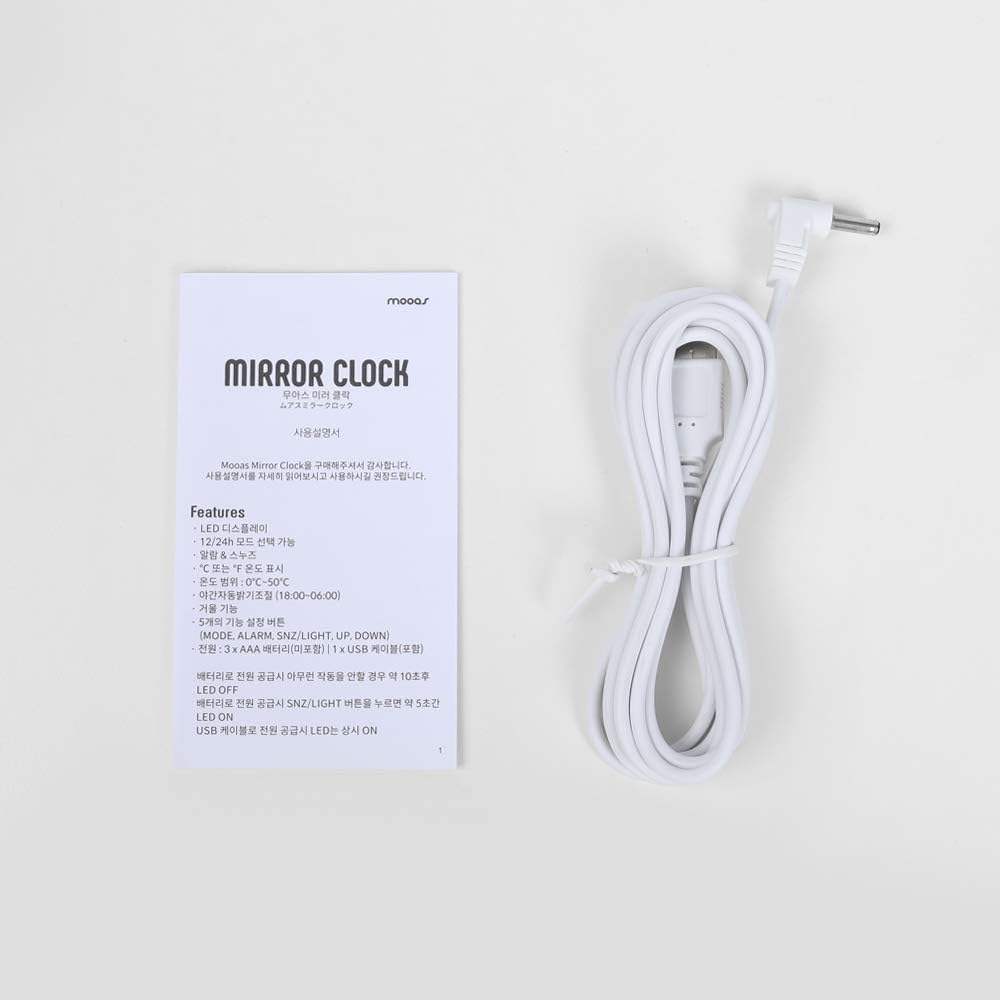
Image: The included USB cable and the English user manual for the clock.
3. Орнотуу
Саатты иштетүү
- USB Power: Connect the provided USB cable to the DC 5V port on the back of the clock and plug the other end into a USB power adapter (not included) or a compatible USB port. The clock will power on and display the time.
- Батареянын камдык көчүрмөсү (кошумча): У учурунда резервдик күч үчүнtages, insert 3 x AAA batteries (not included) into the battery compartment on the back of the clock. Batteries alone will not keep the display continuously lit; they are primarily for retaining settings during power interruptions.

Сүрөт: Арткы view of the clock, indicating the battery compartment for 3x AAA batteries and the USB cable input.
4. Иштөө нускамалары
The clock features five functional buttons on the top: РЕЖИМ, АЛАРМ, SNZ/LIGHT, UP, жана ылдый.
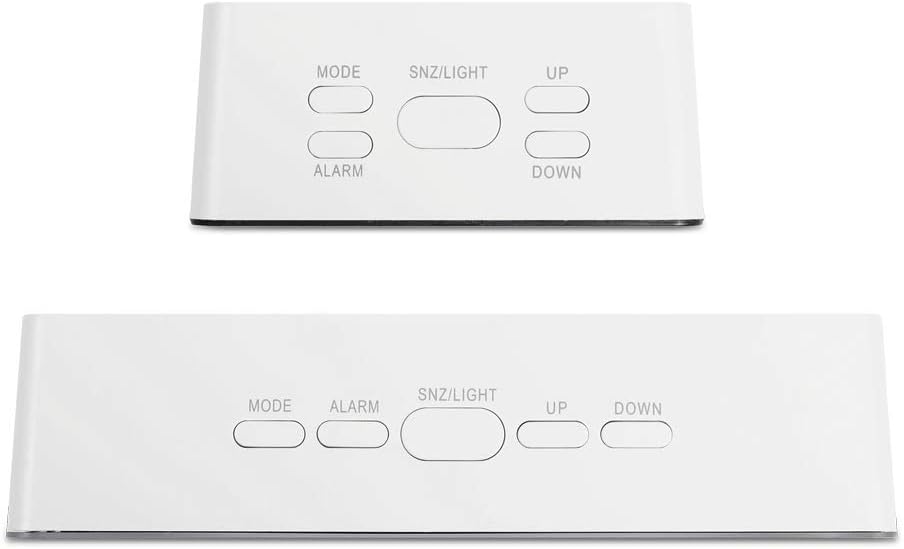
Image: Top panel of the clock, highlighting the five control buttons.
Setting Time (12/24H Mode)
- In time display mode, press and hold the РЕЖИМ button for 3 seconds to enter time setting. The hour digits will flash.
- колдонуу UP or ылдый саатты тууралоо үчүн баскычтар.
- Басыңыз РЕЖИМ again to switch to minute setting. The minute digits will flash.
- колдонуу UP or ылдый мүнөттү тууралоо үчүн баскычтар.
- Басыңыз РЕЖИМ a third time to select 12-hour or 24-hour format. Use UP or ылдый которуу.
- Басыңыз РЕЖИМ Убакытты ырастоо жана андан чыгуу үчүн кайра басыңыз.
Setting Alarm and Snooze
- In time display mode, press the АЛАРМ үчүн бир жолу басыңыз view учурдагы ойготкуч убактысы.
- басып, кармап туруңуз АЛАРМ button for 3 seconds to enter alarm setting. The hour digits will flash.
- колдонуу UP or ылдый ойготкуч саатын тууралоо үчүн баскычтар.
- Басыңыз АЛАРМ again to switch to minute setting. The minute digits will flash.
- колдонуу UP or ылдый ойготкуч мүнөттү тууралоо үчүн баскычтар.
- Басыңыз АЛАРМ again to confirm and exit alarm setting.
- Ойготкучту жандыруу/өчүрүү үчүн басыңыз АЛАРМ button briefly. An alarm icon will appear/disappear on the display.
- Ойготкуч басылганда, басыңыз SNZ/LIGHT button to activate snooze (alarm will sound again after 5 minutes). To turn off the alarm completely, press any other button.
Temperature Display (℃ or ℉)
The clock can display temperature in either Celsius (℃) or Fahrenheit (℉).
- In time display mode, press the РЕЖИМ button repeatedly to cycle through Time, Temperature, and alternating Time/Temperature display modes.
- When temperature is displayed, press the ылдый Цельсий (℃) жана Фаренгейт (℉) ортосунда которулуу үчүн баскычты басыңыз.

Image: Both square and rectangular versions of the clock displaying temperature readings.
LED жарыктыгын жөндөө
The clock offers two levels of LED brightness. The display also features an automatic dimming function.
- басыңыз SNZ/LIGHT button briefly to toggle between the two brightness levels (bright and dim).
- The LED display will automatically dim between 18:00 (6 PM) and 06:00 (6 AM) by default. This feature cannot be manually adjusted or disabled.
5. Техникалык тейлөө
- Тазалоо: Use a soft, dry cloth to clean the clock's surface. Avoid abrasive cleaners or solvents that may damage the mirror finish or plastic.
- Батареяны алмаштыруу: If using AAA batteries for backup, replace them annually or when the clock's settings are no longer retained during power interruptions.
- Жайгашкан жери: Place the clock on a stable, flat surface away from direct sunlight, extreme temperatures, or high humidity.
6. Кыйынчылыктарды
| Көйгөй | Мүмкүн себеп | Чечим |
|---|---|---|
| Display is off or not visible. | Clock is not powered, or it's in automatic dimming period. | Ensure USB cable is securely connected to a power source. If it's between 18:00 and 06:00, the display is automatically dimmed. Press SNZ/LIGHT to temporarily brighten. |
| Ойготкуч угулбайт. | Ойготкуч иштетилген эмес. | басыңыз АЛАРМ button briefly to ensure the alarm icon is visible on the display. |
| Incorrect time or temperature. | Орнотуулар тууралоону талап кылат. | Follow the 'Setting Time' or 'Temperature Display' instructions to correct. |
| Электр энергиясы өчүрүлгөндөн кийин жөндөөлөр жоголот. | No backup batteries, or batteries are depleted. | Install 3 x AAA batteries or replace existing ones. |
7. Техникалык шарттар
| Өзгөчөлүк | Деталь |
|---|---|
| Бренд | mooas |
| Модель номери | A-1028 |
| Дисплей түрү | Digital LED |
| Продукциянын өлчөмдөрү | 6"W x 3"H (Rectangle) |
| Power Source | Corded Electric (USB), Battery Powered (3x AAA, not included) |
| Өзгөчөлүктөр | Alarm, Snooze, Temperature Display (℃/℉), 2 Brightness Levels, Automatic Dimming |
| Материал | Акрилонитрил бутадиен стирол (ABS) |
| Элемент Салмагы | 5.2 унция (0.15 килограмм) |
| GTIN | 08809436241672 |
For detailed dimensions of the rectangular model:

Image: Dimensions of the rectangular clock (5.5 x 1.4 x 2.2 inches).
8. Кепилдик жана колдоо
For further assistance or detailed information, please refer to the official user manual PDF available online:
Колдонуучунун колдонмосун жүктөп алуу (PDF)
If you require additional support, please contact mooas customer service through their official channels or the retailer where the product was purchased.


